1.0 Intro
1.0 Introduction
1.0.1 Why Use Rust
-
Rust code is reliable and efficient.
-
Rust can replace C and C++. With similar performance, Rust is safer than them. In practice, the most obvious difference is that Rust does not require you to compile every few lines just to check for errors, the way the first two languages often do. Specifically:
- Memory safety: no null pointer dereferences, dangling pointers, or data races
- Thread safety: multithreaded code can be guaranteed safe before the program runs
- Avoids undefined behavior: such as out-of-bounds array access, uninitialized variables, and using freed memory
-
Rust provides modern language features such as generics, traits, and pattern matching.
-
Rust provides a more modern toolchain. Rust’s Cargo and Python package managers such as pip follow the same philosophy. Anyone who has used C/C++ knows that dependency configuration for those languages can be cumbersome, while Python’s package management tools are flexible and simple. Cargo gives Rust users a similarly comfortable dependency-management experience while still delivering C/C++-level performance.
1.0.2 Suitable Scenarios
-
When you need speed: Rust can control memory as finely as C through
unsafe, while also providing the conveniences of modern high-level languages, such as the ownership system and pattern matching. Python is a very high-level language with high development efficiency, but it sacrifices performance and control. -
When you need memory safety: Rust provides strong memory-safety guarantees through compile-time static checks, making it extremely suitable for scenarios where memory errors must be avoided, such as operating systems, embedded development, and network servers.
-
When you need efficient use of multiple processors: Rust provides native support for efficient concurrency and multi-processor programming without sacrificing safety. This is especially important for scenarios that handle high throughput and concurrent tasks, such as web servers, distributed systems, and real-time computing.
Areas where Rust excels:
- Web services
- WebAssembly (C# and Java lag far behind Rust and C/C++ in performance comparisons)
- Command-line tools
- Network programming
- Embedded devices
- System programming
1.0.3 Comparison with Other Languages
| Category | Language | Features |
|---|---|---|
| Machine language | Binary instructions | Closest to hardware, executed directly by the CPU |
| Assembly language | Assembly | Uses mnemonics instead of machine instructions, such as MOV AX, BX |
| Low-level languages | C, C++ | Closer to hardware, provide limited abstraction |
| Mid-level languages | Rust, Go | Performance close to low-level languages, but with higher abstraction |
| High-level languages | Python, Java | Higher-level abstraction, easier to read and use |
High-level languages and low-level languages are not absolute opposites; they form a continuous spectrum:
- Lower-level languages provide more control over hardware, but code is more complex to write and development efficiency is lower.
- Higher-level languages provide more abstraction and automation, but they may introduce runtime overhead and reduce fine-grained hardware control.
Rust’s advantages:
- Good performance
- Strong safety guarantees
- Excellent concurrency support
As a mid-level language, Rust has these advantages over other languages:
- C / C++ offer excellent performance, but they are not safe enough; Rust can maintain roughly the same performance while also ensuring safety.
- Java / C# can guarantee memory safety with a GC (garbage collector) and provide many features, but their performance is not as good; Rust not only offers comparable safety, but also stronger performance.
1.0.4 Rust’s History
Rust began as a research project at Mozilla, and the Firefox browser is an important real-world example of its use.
Mozilla used Rust to create Servo, an experimental browser engine (started in 2012 and first preview released in 2016), and its components were designed to run in parallel. Unfortunately, in August 2020, Mozilla laid off most of the Servo development team. Starting on November 17, 2020, Servo was taken over by the Linux Foundation. Some Servo features have now been integrated into Firefox.
Firefox Quantum includes Servo’s CSS rendering engine. Rust has brought Firefox major performance improvements.
1.0.5 Rust Users and Case Studies
- Google: the Fuchsia operating system, with Rust accounting for 30% of the codebase
- Amazon: an operating system based on Linux that can run containers directly on bare metal or virtual machines
- Redox OS: a next-generation secure operating system written entirely in Rust
- Stanford University and the University of Michigan: an embedded real-time operating system used in Google’s cryptographic products
- Microsoft: rewriting some low-level components in Windows using Rust
- Microsoft: the WinRT/Rust project
1.1 Install Rust
1.1.1 Installing from the Official Site
Go to the official Rust website, where you can change the language in the top-right corner.
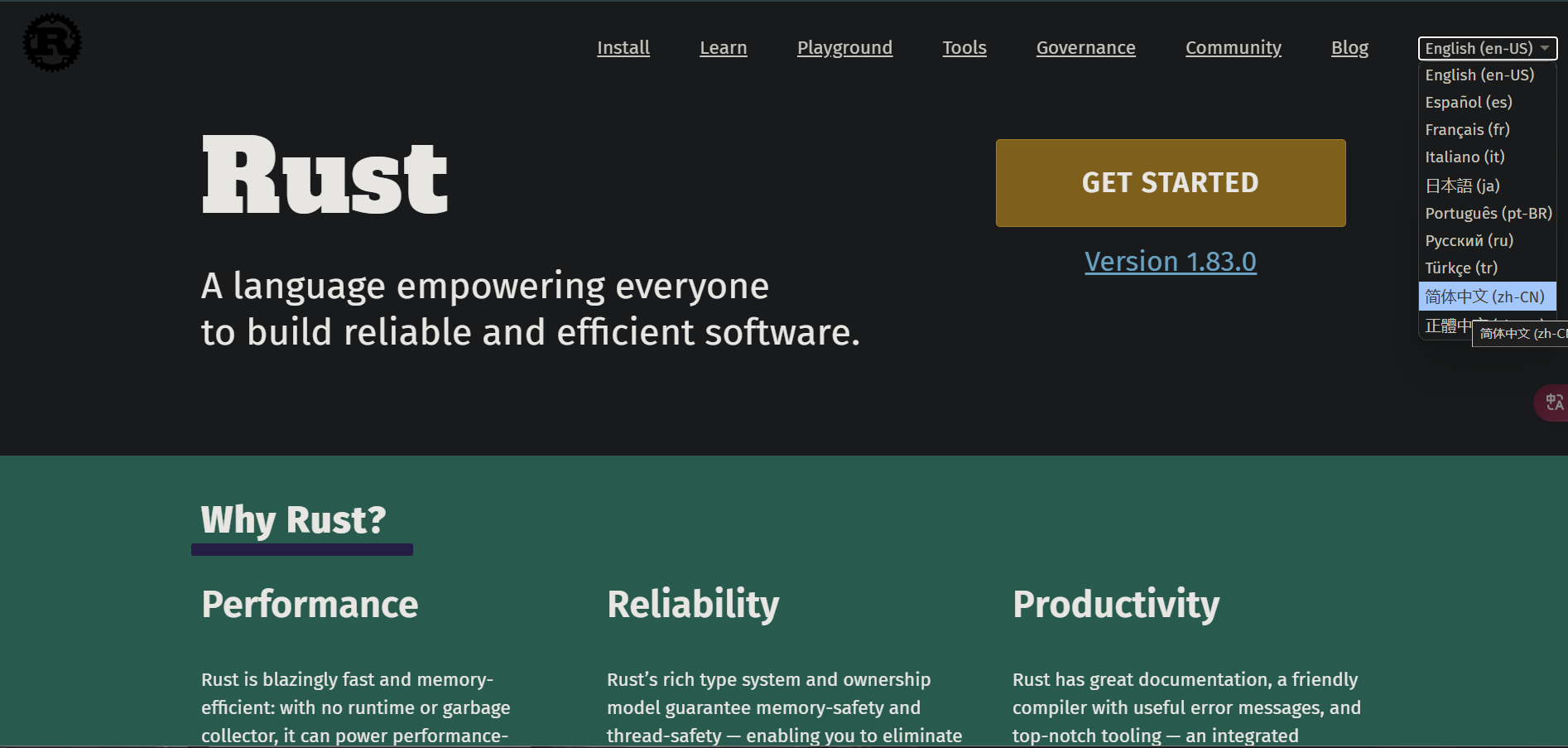 Click “Get Started” and you will see the following page:
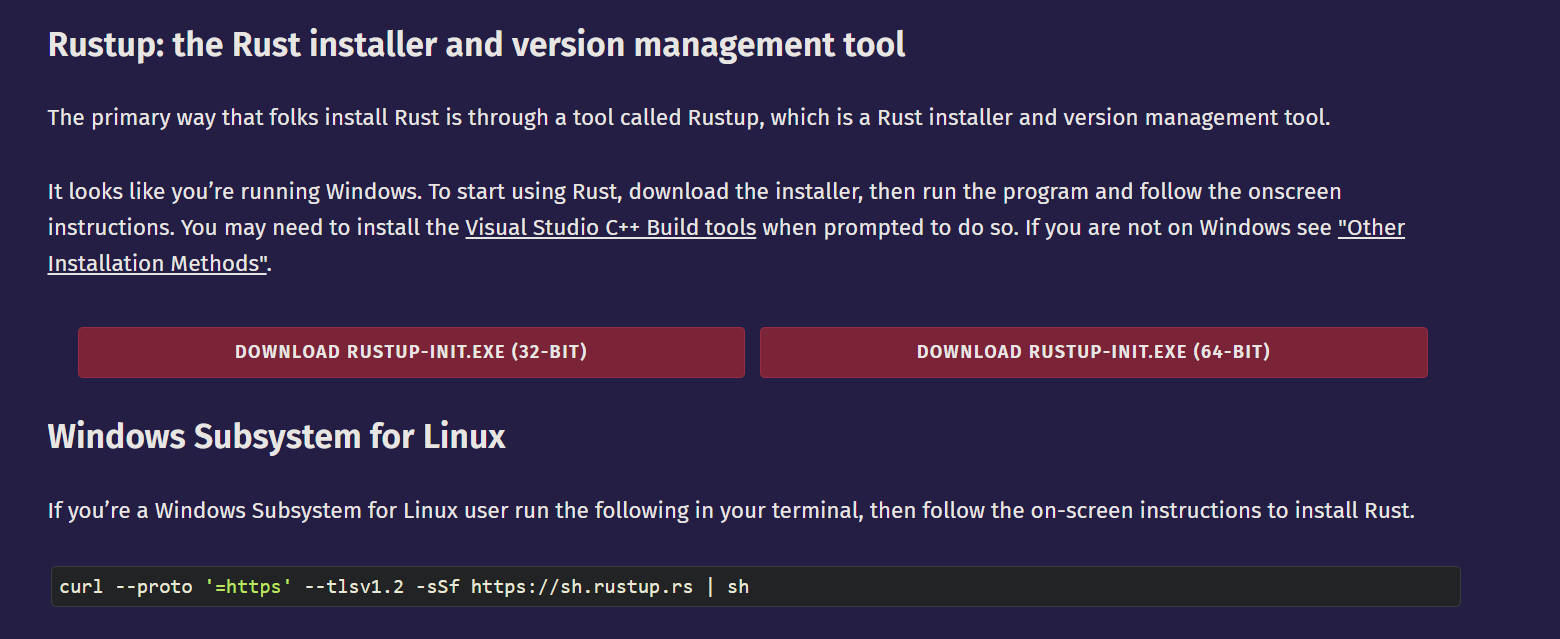 Choose the download that matches your system: 32-BIT for 32-bit systems and 64-BIT for 64-bit systems. Most computers today are 64-bit. If you do not know whether your computer is 64-bit or 32-bit, and it is not an ancient machine, 64-bit will probably work.
If you want to install Rust on macOS, Linux, or the Windows Subsystem for Linux, run the following command in the terminal:
curl --proto '=https' --tlsv1.2 -sSf https://sh.rustup.rs | sh
Open the downloaded installer and you will see a menu like the following:
Current installation options:

   default host triple: x86_64-pc-windows-msvc
     default toolchain: stable (default)
               profile: default
  modify PATH variable: yes

1) Proceed with standard installation (default - just press enter)
2) Customize installation
3) Cancel installation
>
There are three options here:
- Option 1 (default): standard installation
- Option 2: custom installation, where you can choose the installation path, components, toolchain version, and more
- Option 3: cancel installation
For most people, Option 1 is enough (either type 1 and press Enter, or just press Enter directly).
If you see output like the following, Rust has been installed successfully:
info: downloading component 'cargo'
info: downloading component 'clippy'
info: downloading component 'rust-docs'
info: downloading component 'rust-std'
info: downloading component 'rustc'
info: downloading component 'rustfmt'
info: installing component 'cargo'
info: installing component 'clippy'
info: installing component 'rust-docs'
info: installing component 'rust-std'
info: installing component 'rustc'
info: installing component 'rustfmt'
info: default toolchain set to 'stable-x86_64-pc-windows-msvc'

  stable-x86_64-pc-windows-msvc installed - rustc 1.96.0 (ac68faa20 2026-05-25)

Rust is installed now. Great!

To get started you may need to restart your current shell.
This would reload its PATH environment variable to include
Cargo's bin directory (%USERPROFILE%\.cargo\bin).

Press the Enter key to continue.
The installer will prompt you to restart your shell. Press Enter and the program will exit, and Rust will be installed.
1.1.2 Rust Command-Line Operations
Rust commands on Windows can be run in Terminal (it comes with Windows 11; if you do not have it, search for Windows Terminal in the Microsoft Store and install it).
-
Update Rust:
rustup updateRust is a relatively new language and is updated very frequently, so it is recommended to run this from time to time to get the latest version. -
Uninstall Rust:
rustup self uninstall -
Check the installation:
rustc --versionorrustc -VOutput format:rustc x.y.z (xxxxxxxxx yyyy-mm-dd)x.y.zindicates the version numberxxxxxxxxxindicates the hash of the current versionyyyy-mm-ddindicates the commit date of that version in that year
Example:
$ rustc -V rustc 1.96.0 (ac68faa20 2026-05-25) -
Open the local Rust documentation manual:
rustup doc
Development Tools
- Install the Rust plugin for VS Code
- VIM
- Helix
- RustRover
- …
1.2 Basic Understanding of Rust and Printing “Hello World”
1.2.0 Aside
I strongly recommend using RustRover developed by JetBrains (it is currently free for non-commercial use) as the IDE for writing Rust. I will also continue using RustRover for demonstrations in later articles. This article assumes you already have some programming experience, and C/C++ experience would be even better.
1.2.1 Writing Rust Programs
-
File extension:
.rs -
Naming convention: snake case, using lowercase letters and underscores to separate words Example:
hello_world.rs
1.2.2 Printing Hello World
Step 1: Create a New Rust Project
Open RustRover and click New Project. You will see the following screen:
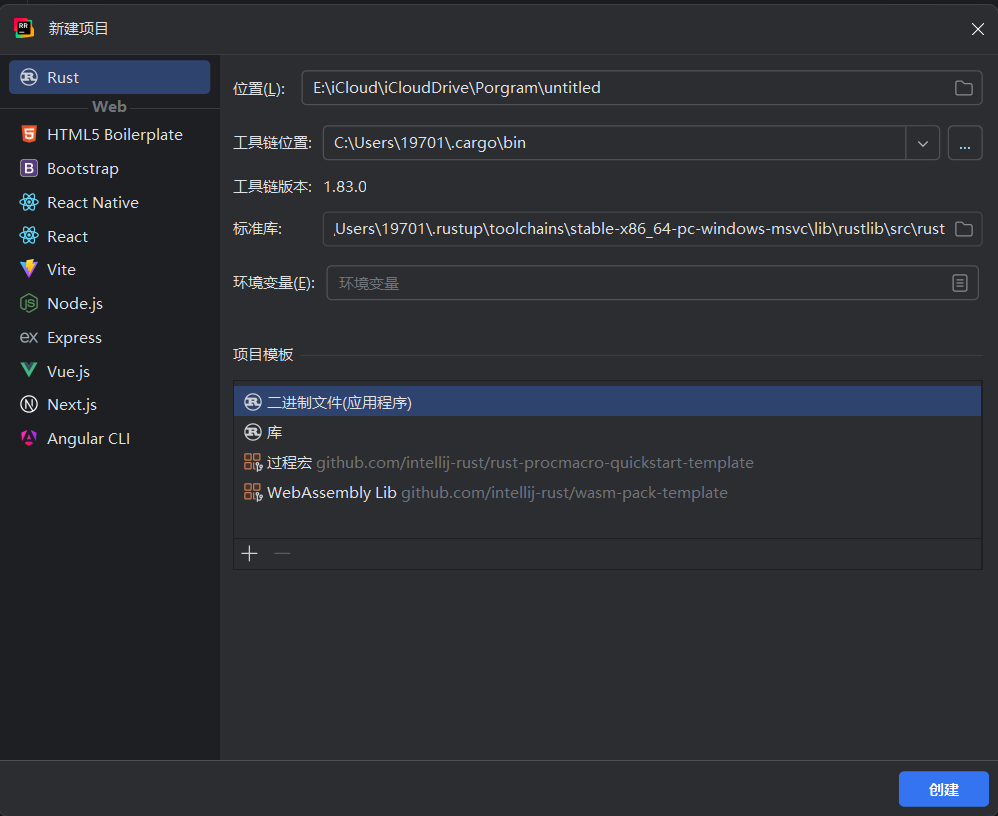 Change the project save path or choose the location of the toolchain according to your needs, then click Create. If the IDE does not recognize the toolchain, check whether Rust has been downloaded and installed. See the installation guide in 1.1. Install Rust.
Step 2: Write the Code
Because RustRover automatically configures Cargo for new projects (which will be covered in 1.3. Basic Knowledge of Rust Cargo), the project will directly generate main.rs and include code for printing Hello World:
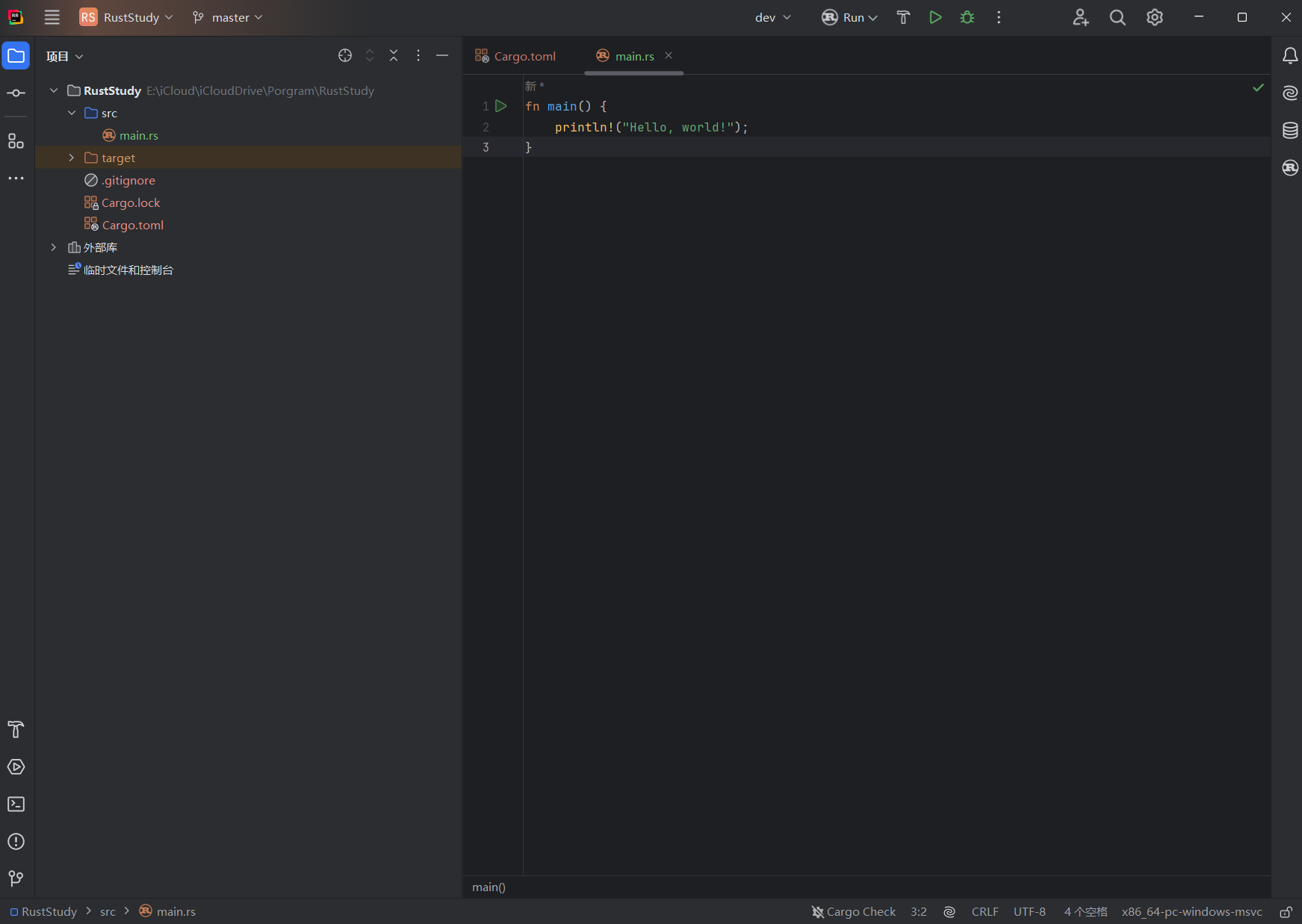
Understanding the code:
fn main(){
    println!("Hello World");
}-
fn: indicates that a function is being created (equivalent tofunctionin JS,funcin Go, anddefin Python) -
main(){}:mainis the function name. The()contains parameters; if there are none, nothing is written. The{}contains the function body. Themainfunction is special: it is the first code executed by every Rust executable program -
println!();:println!()is the print function. The parentheses contain the content to print. The!in the function name means this is a macro function, which will be covered later. This macro call must end with;because it behaves like a statement. -
"Hello World":""represents a string, andHello Worldis the content of that string
Note: Rust indentation uses 4 spaces instead of 1 tab. The reason is that tabs have a drawback: they can appear differently depending on editor settings; some use 2 spaces, some use 4 spaces, so space indentation is more stable.
Step 3: Run
Simply click the Run button in the top-left corner of RustRover (or press Shift + F10 on Windows/Linux, ⌃R on macOS) and you will see Hello World printed successfully:
    Finished `dev` profile [unoptimized + debuginfo] target(s) in 0.10s
     Running `target/debug/hello_demo`
Hello World
For non-RustRover users, you can also run the program through Terminal:
-
Open the terminal, copy the folder path containing the
.rsfile, and entercd folder_pathto open that folder in the terminal.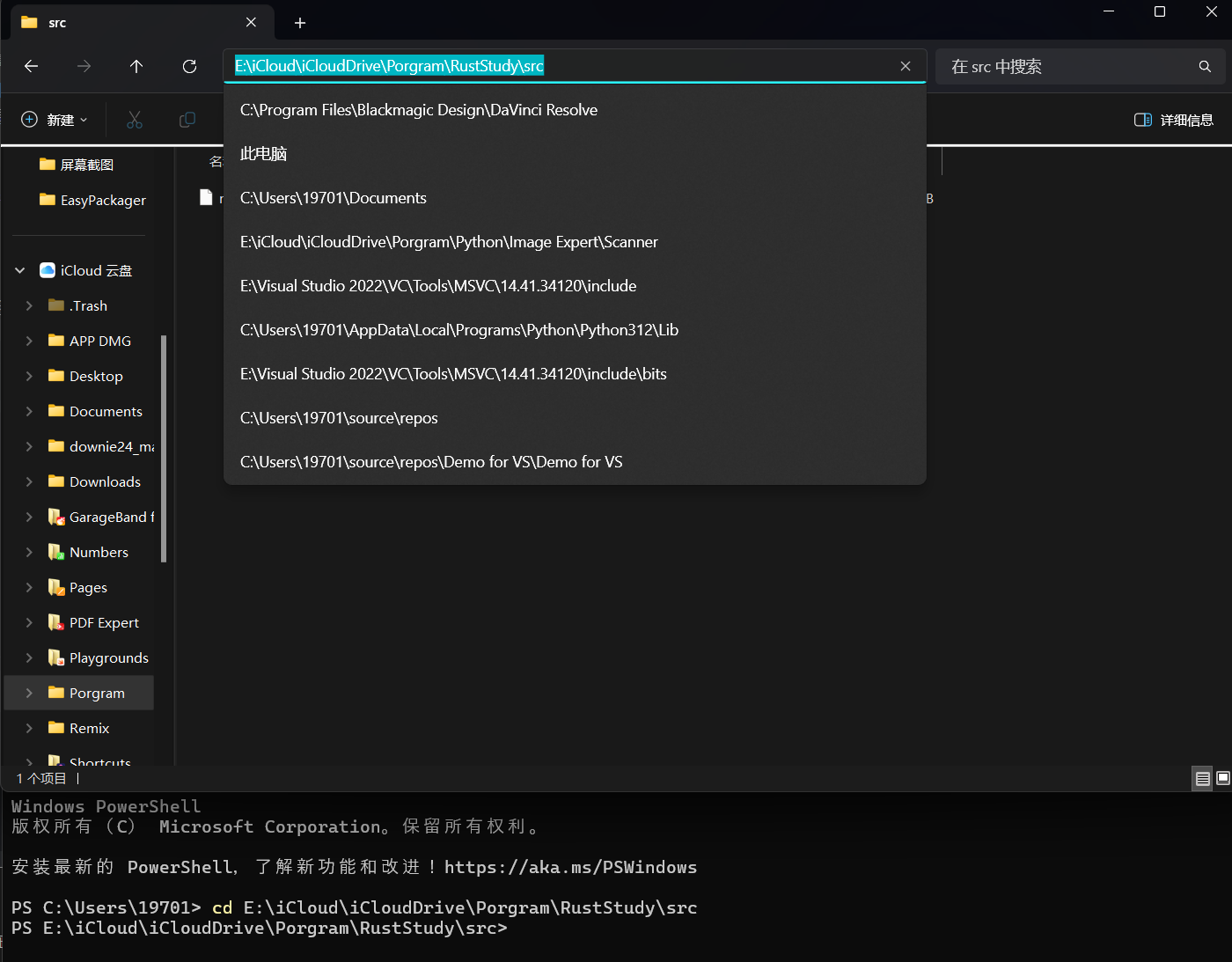
-
Enter
rustc main.rsto compile. If your program file is not namedmain.rs, you can replace it with your own file name. You will see two extra files with the same name but different extensions in the directory where the program is located (on Linux/macOS, there is only one and no.pdbfile). The.pdbfile is a Windows debugging symbol file, and.exeis the executable file.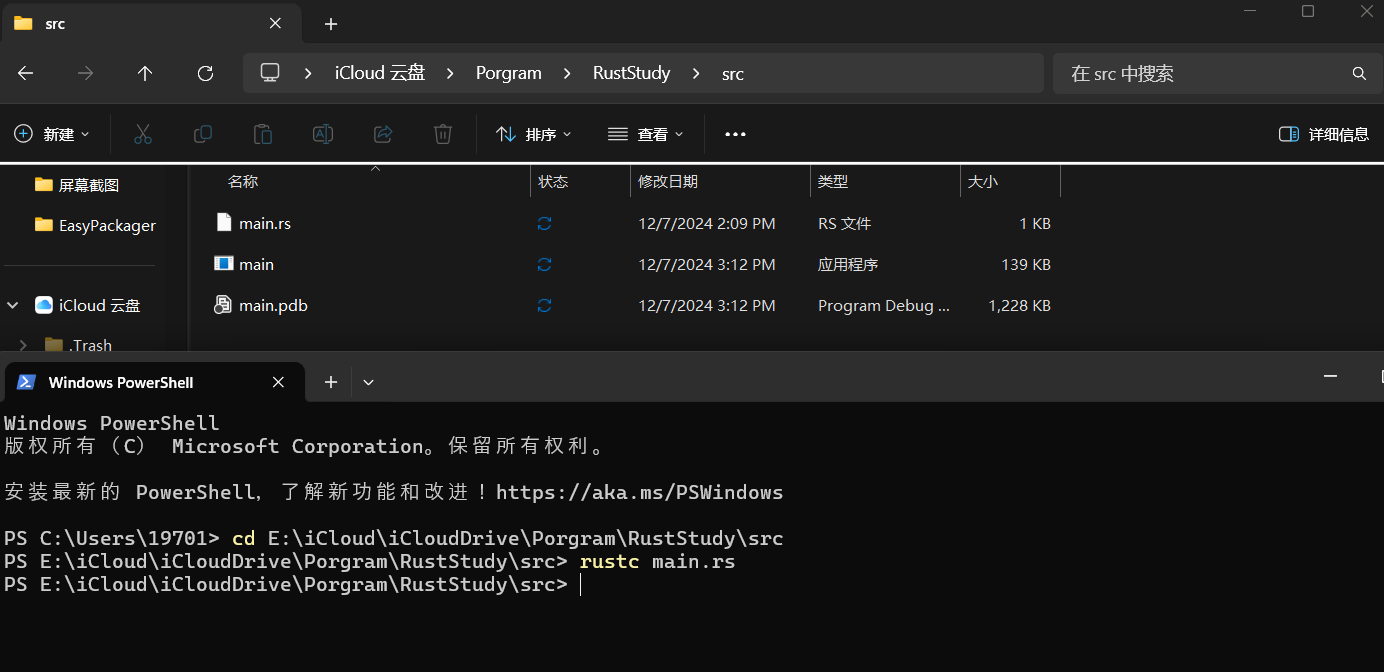
-
For Windows, enter
.\main.exein the terminal; for Linux/macOS, enter./main. If your program is not namedmain, just replacemainwith your program name. Example output:
$ ./main
Hello World
Note: compilation and execution are two separate steps
- Before running a Rust program, you must compile it first with
rustc your_program_name.rs - After successful compilation, a binary file will be generated (on Windows, a
.pdbfile will also be generated) - Rust is an ahead-of-time compiled language, which means you can compile the program first and then hand the executable to someone else to run without installing Rust
rustcis suitable only for simple Rust programs; complex Rust programs need Cargo (which will be discussed in 1.3. Basic Knowledge of Rust Cargo)
1.3 Basic Knowledge of Rust Cargo
1.3.0 Review
At the end of the article 1.2. Basic Understanding of Rust and Printing “Hello World”, it was mentioned that only small and simple Rust projects are suitable for compilation with rustc, while large projects need Cargo. This article introduces Cargo in detail.
1.3.1 What Is Cargo
Cargo is Rust’s build system and package manager. It can build code, download dependent libraries, build those libraries, and more.
Cargo is installed together with Rust. To check whether Cargo is installed correctly, run the command cargo --version in the terminal:
$ cargo --version
cargo 1.96.0 (30a34c682 2026-05-25)
1.3.2 Creating Projects with Cargo
Projects created in RustRover automatically come with Cargo configuration, and you can see a file named Cargo.toml in the project tree on the left.
For users who do not use RustRover, you can configure Cargo in the terminal:
- Copy the folder path where you want the Cargo project to be, open the terminal, and run
cd desired_path - Then run
cargo new desired_project_nameto create the project - Open this path in your IDE, and the project will be inside the folder named after your Cargo project
The final project structure should look like this:
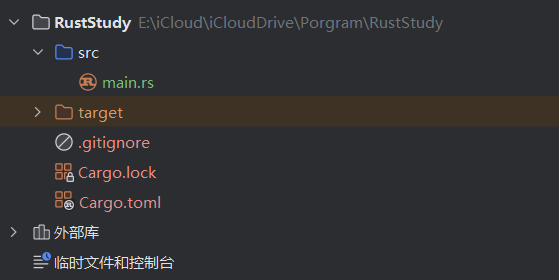 PS: Some IDEs do not create the
 target folder and the Cargo.lock file immediately; they appear only after the first compilation
Project structure explained:
-
srcis short for Source Code. This folder stores your code. -
.gitignoreindicates that a Git repository has been initialized when the project was created. You can also use another VCS (Version Control System) or no VCS at all; just set it when creating the project (cargo new desired_project_name), using the--vcsoption. -
The contents of
Cargo.tomlwill be explained below.
1.3.3 Cargo.toml
The .toml format (Tom’s Obvious, Minimal Language) is Cargo’s configuration file format.
Its content is as follows:
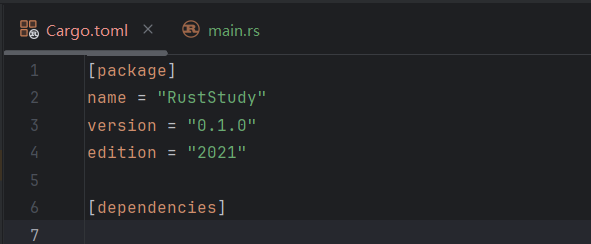
Content explanation:
-
[package]is a section header indicating that the content below is used to configure the packagenamespecifies the project nameversionspecifies the project versionauthorsspecifies the project authors. It is optional and not included here. If present, the format should be:authors = ["your_name <your_email@xxx.com>"]editionspecifies the Rust edition being used
-
[dependencies]is another section header. The content below is used to configure dependencies, and it lists the project’s dependencies. If there are no dependencies, this section is empty.
PS: In Rust, code packages (libraries) are called crates.
1.3.4 Project Structure Format
- All source code should be placed in the
srcdirectory Cargo.tomlshould be placed in the top-level directory- The top-level directory can contain README files, licenses, configuration files, and other files unrelated to source code
1.3.5 Converting a Non-Cargo Project to Cargo
- Move the source code into the
srcdirectory - Create
Cargo.tomland fill in the configuration based on the source code
1.3.6 Building a Cargo Project
-
Copy the folder path where the Cargo project is located, open the terminal, and run
cd Cargo_project_path -
Run
cargo build. This command creates an executable file. On Windows, its path istarget\debug\your_Cargo_project_name.exe; on Linux/macOS, its path istarget/debug/your_Cargo_project_name -
Run that executable file; first make sure you have completed the first step. On Windows, enter
.\target\debug\your_Cargo_project_name.exein the terminal; on Linux/macOS, enter./target/debug/your_Cargo_project_name -
The first time you run
cargo build, aCargo.lockfile will be generated in the top-level directory
1.3.7 Cargo.lock
Cargo.lock is generated after the project is compiled for the first time (some IDEs generate it automatically before the first compilation). Its content looks like this:
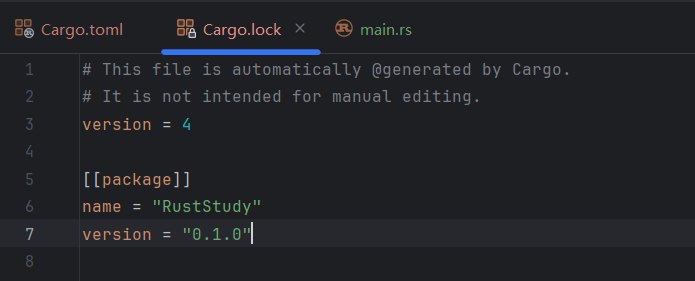 This file is used to track the exact versions of the project’s dependencies. As the comment in the file says, you do not need to and should not manually edit this file.
1.3.8 Running a Cargo Project
- Copy the folder path where the Cargo project is located, open the terminal, and run
cd Cargo_project_path - Run
cargo run
cargo run actually performs two steps: compile the code and execute the result. It first generates an executable file and then runs that file. If the project compiled successfully before and the source code has not changed, it will run the executable directly.
1.3.9 Checking Code
The purpose of cargo check is to check whether the code can be compiled successfully, but it does not produce an executable file. cargo check is much faster than cargo build, so you can use it repeatedly while writing code to improve efficiency.
Usage:
- Copy the folder path where the Cargo project is located, open the terminal, and run
cd Cargo_project_path - Run
cargo check
1.3.10 Building for Release
The cargo build command is used during development (debugging). When you finish writing the code and want to release it, you should use cargo build --release, which builds a release version instead of cargo build. Compared with the development build, the former takes longer to compile but runs faster. The executable generated by the former will be in target/release instead of target/debug.
2.1 Number Guessing Game Pt.1 - One Guess
2.1.0 What You Will Learn
In this chapter, you will learn:
- Variable declarations
- Related functions
- Enum types
- Advanced use of
println!() - …
2.1.1 Game Goal
- Generate a random number between 1 and 100
- Prompt the player to enter a guess (covered in this chapter)
- After the guess, the program will tell the player whether the guess is too large or too small
- If the guess is correct, print a celebration message and exit the program
2.1.2 Code Implementation
Step 1: Print the game title and prompt the user
- Build the
mainfunction. How to build a function and its format were mentioned in 1.2. Basic Understanding of Rust and Printing “Hello World”, so I will not repeat them here:
fn main() {

}- Use the
println!()macro to print text:
fn main() {
    println!("Number Guessing Game");

    println!("Guess a number");
}
Step 2: Create a variable to store the user’s input
After prompting the user for input, the program needs a variable to store that input. The code line should look like this:
#![allow(unused)]
fn main() {
let mut guess = String::new();
}letdeclares a new variable, and by default the variable is immutable.- Adding
mutafterletmeans the declared variable is mutable. guessis the name of the variable.=is used for assignment.String::new()is a static method used to create a new, empty string.Stringis the UTF-8 dynamic string type provided by Rust’s standard library.::indicates thatnew()is an associated function of theStringtype, meaning it is implemented for the type itself rather than for a specific string instance, similar to a static method in C# or Java. CallingString::new()returns a newStringinstance with no content, that is, an empty string.
Many types in Rust have a new() function, and new() is a common name for creating instances of a type.
Step 3: Read the user’s input
Next we need to read the user’s input. The code is:
#![allow(unused)]
fn main() {
io::stdin().read_line(&mut guess).expect("Could not read the line");
}iois the module name. This module contains thestdin()function we need.::here is used to access an item in a module path (std::io::stdin).stdin()is a function that obtains the standard input stream and returns an instance of theStdintype. It is used as a handle to process standard input from the terminal..read_line()is a method provided by theStdintype. It reads a line from standard input into a string and passes it to a mutable string variable.read_line()also returns aResult, an enum with two variants:OkandErr. Ifread_line()succeeds, it returnsOkwith the number of bytes read; if it fails, it returnsErrwith the reason for failure.&mut guesspasses the content read by.read_line()into the mutable variableguess. Here,&means taking a reference, which allows the same data (memory address) to be accessed in different parts of the code.mutmeans the referenced variable is mutable.- Errors may occur while reading, so we need to call
.expect(), which is a method on theResulttype returned byread_line(). If reading fails,read_line()returnsErr, and.expect()immediately triggerspanic!, ends the current program, and prints the error message provided toexpect. If reading succeeds,read_line()returnsOk, and.expect()gives back the attached value.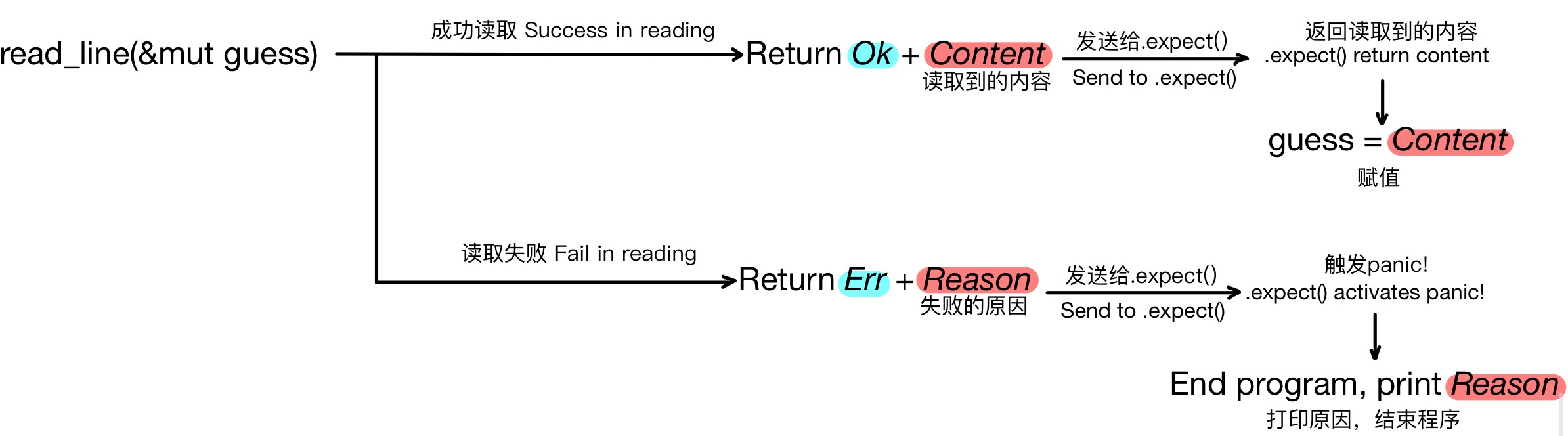 PS: You can omit
 .expect(), butcargo buildwill emit a warning.
If you are writing this in an IDE, you may notice that io is highlighted in red. That is because this program has not yet declared that module as a dependency. You only need to add the import at the beginning of the program:
#![allow(unused)]
fn main() {
use std::io;
}useis the keyword for importing items.std::iorefers to theiomodule under the standard library (std).
You can also add the library name directly on the line that uses the io module, so you do not need to add an import at the top of the program:
#![allow(unused)]
fn main() {
std::io::stdin().read_line(&mut guess).expect("Could not read the line");
}
In fact, by default Rust imports the contents of a module called prelude into the scope of every program (a concept we will discuss later). Some people call it the prelude module. If the type you want to use is not in the prelude, you need to import it explicitly.
Step 4: Print the user’s input
Finally, print the user’s input:
#![allow(unused)]
fn main() {
println!("The number you guessed is:{}", guess);
}- In
"The number you guessed is:{}",{}is a placeholder whose value will be replaced at output time by the value of the following variable, which isguesshere.
2.1.3 Result
Here is the complete code:
use std::io;

fn main() {
    println!("Number Guessing Game");

    println!("Guess a number");

    let mut guess = String::new();

    io::stdin().read_line(&mut guess).expect("Could not read the line");

    println!("The number you guessed is:{}", guess);
}
Result:
Number Guessing Game
Guess a number
10
The number you guessed is:10
2.2 Number Guessing Game Pt.2 - Generating Random Numbers
2.2.0 What You Will Learn
In this chapter, you will learn:
- Searching for and downloading external crates
- Cargo dependency management
- Semantic versioning rules for upgrades
- The
randrandom-number generator - …
2.2.1 Game Goal
- Generate a random number between 1 and 100 (covered in this chapter)
- Prompt the player to enter a guess
- After the guess, the program will tell the player whether the guess is too large or too small
- If the guess is correct, print a celebration message and exit the program
2.2.2 Code Implementation
Step 1: Find an external library
Although Rust’s standard library does not provide functions for generating random numbers, the Rust team has developed an external library with this capability. Search for rand on the official Rust crates registry to find it. The page provides a very detailed introduction to the crate.
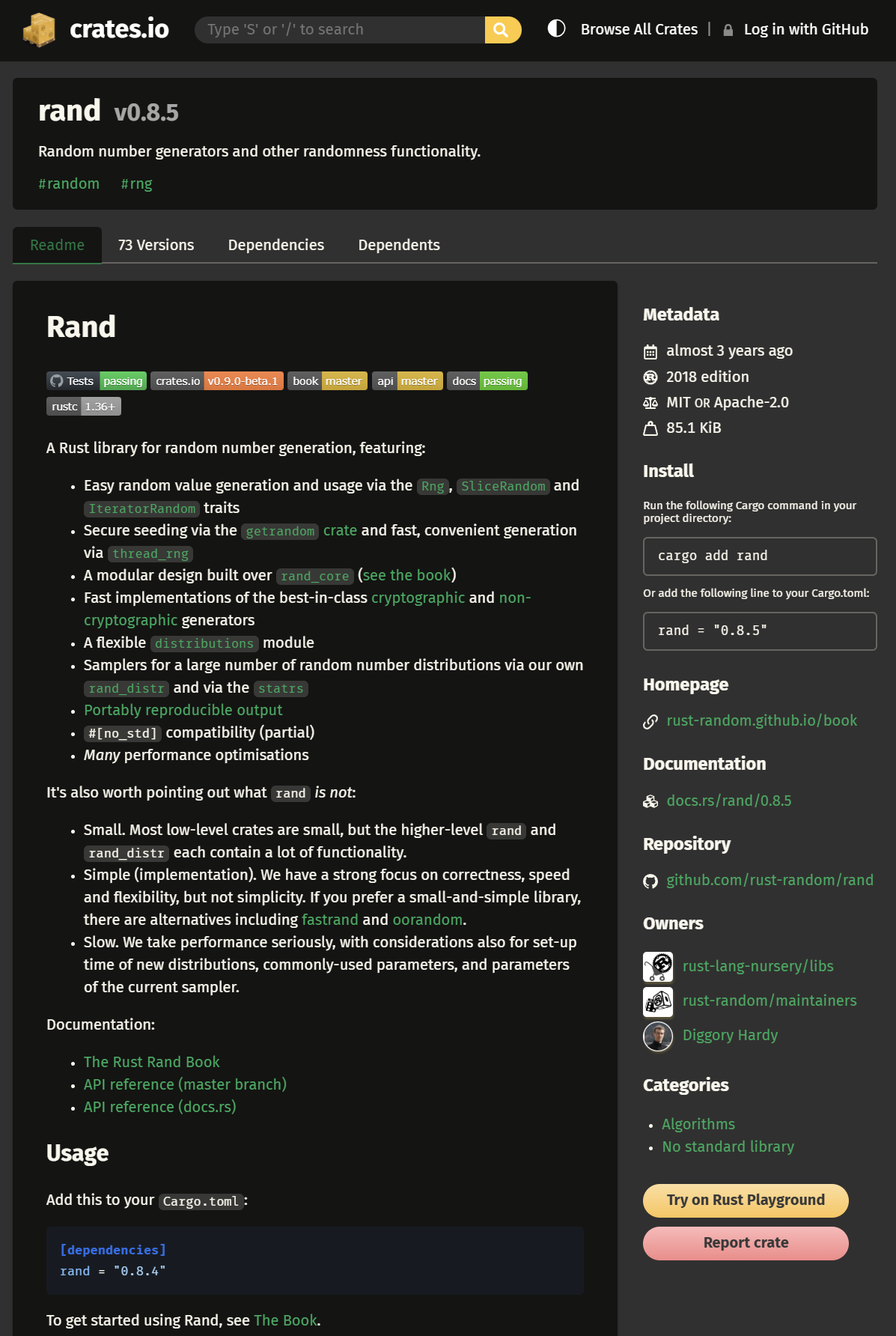
Rust crates are divided into two types:
- Library crate: a crate that provides functionality or logical modules. It does not have a
mainfunction and cannot run on its own. It is typically used to share functionality with other code. Therandcrate is a library crate. - Binary crate: an executable program that contains a
mainfunction and produces a runnable binary after compilation. It is used to build independent, runnable Rust applications.
Step 2: Add the external crate to Cargo dependencies
Next, add the external crate to Cargo dependencies (Cargo was introduced in 1.3. Basic Knowledge of Rust Cargo, so I will not repeat that here) so that the program can use it.
Open the project’s Cargo.toml file and add the dependency under dependencies in the form dependency_name = "dependency_version" (this format can also be found under the Install section on the crate page). This program needs the rand dependency, version 0.8.5, so you should write rand = "0.8.5". If this dependency has its own dependencies, Cargo will automatically download them during compilation.
In fact, the version format 0.8.5 is shorthand. Its full form is ^0.8.5, which means any version that is compatible with the public API of 0.8.5 is allowed (at least 0.8.5, but below 0.9.0). For example, if a dependency version is 1.2, that is shorthand for ^1.2.0, meaning any version >=1.2.0 and <2.0.0 is allowed — so it may resolve to 1.3.0 or later in the 1.x line, but not to 2.0.0 or later.
Cargo records the exact versions it chose in Cargo.lock and reuses them on later builds until you update dependencies (for example with cargo update).
If a dependency update breaks code that was written against an older version, what happens after rebuilding? The answer is in Cargo.lock. During a build, Cargo checks whether a Cargo.lock file already exists. If it does, Cargo uses the versions specified there, which avoids compatibility issues.
If you want to update versions to the current standard, you can use cargo update in the terminal. The steps are:
- Copy the path to the Cargo project, open the terminal, and enter
cd Cargo_project_path - Enter
cargo update
This command updates Cargo.lock by asking the registry for the latest dependency versions that still satisfy the requirements in Cargo.toml; the version requirements written in Cargo.toml themselves do not change. For example, if a dependency is declared as version 1.2 in Cargo.toml, cargo update can upgrade the locked version to the latest 1.x.x release that is at least 1.2.0, but not to 2.0.0 or later; the requirement written in Cargo.toml remains 1.2.
Step 3: Use the dependency in code
At the top of the program, use the use keyword to import the dependency:
#![allow(unused)]
fn main() {
use rand::Rng;
}
rand::Rng is a trait. Traits are similar to interfaces in other languages, such as Java interfaces or C++ pure virtual base classes, and define a set of functions and methods that types must implement. rand::Rng defines the methods needed by random-number generators.
Next, use this trait in main to generate a random number:
#![allow(unused)]
fn main() {
let range_number = rand::thread_rng().gen_range(1..101);
}
PS: In older versions, this would be written as gen_range(1, 101).
let range_number: declares an immutable variable namedrange_number=: assignmentrand::thread_rng(): returns aThreadRngvalue, which is a random-number generator. This generator lives in local thread space and obtains its seed from the operating system..gen_range(1..101): a method onrand::thread_rng()that takes a range and generates a random number within it. Here, it generates a number from 1 up to, but not including, 101.
Finally, print the random number (the use of println! was introduced in 2.1 Number Guessing Game Pt.1 - One Guess, so I will not repeat it):
#![allow(unused)]
fn main() {
println!("The secret number is: {}", range_number);
}
2.2.3 Result
Here is the complete code:
use std::io;
use rand::Rng;

fn main() {
    let range_number = rand::thread_rng().gen_range(1..101);

    println!("Number Guessing Game");

    println!("Guess a number");

    let mut guess = String::new();

    io::stdin().read_line(&mut guess).expect("Could not read the line");

    println!("The number you guessed is:{}", guess);

    println!("The secret number is: {}", range_number);
}
The result is as shown below (your secret number will differ each run):
Number Guessing Game
Guess a number
10
The number you guessed is:10

The secret number is: 65
2.3 Number Guessing Game Pt.3 - Comparing Input and Random Number
2.3.0 What You Will Learn
In this chapter, you will learn:
- How to use
match - Shadowing
- Type casting
- The
Orderingtype
2.3.1 Game Goal
- Generate a random number between 1 and 100
- Prompt the player to enter a guess
- After the guess, the program will tell the player whether the guess is too large or too small (covered in this chapter)
- If the guess is correct, print a celebration message and exit the program
2.3.2 Code Implementation
Here is the code written up to 2.2 Number Guessing Game Pt.2 - Generating Random Numbers:
use std::io;
use rand::Rng;

fn main() {
    let range_number = rand::thread_rng().gen_range(1..101);

    println!("Number Guessing Game");

    println!("Guess a number");

    let mut guess = String::new();

    io::stdin().read_line(&mut guess).expect("Could not read the line");

    println!("The number you guessed is:{}", guess);

    println!("The secret number is: {}", range_number);
}
Step 1: Convert the data type
From the code, we can see that guess is a string, while range_number is an integer. These two variables have different types and cannot be compared directly. We need to convert the string into an integer — we will use u32 (an unsigned 32-bit integer). How Rust settles on the exact integer type of range_number will be clearer after we write the comparison below.
#![allow(unused)]
fn main() {
let guess: u32 = guess.trim().parse().expect("Please enter a number");
}-
let guess: u32: declares a variable namedguessof typeu32(an unsigned 32-bit integer, which means it cannot represent negative numbers). But there is a problem here: in the previous code (let mut guess = String::new();), a variable namedguesshas already been declared. Would this cause an error? No, because Rust allows a new variable with the same name to shadow the old one. This is called shadowing (when a variable, function, or type name is redefined in the current scope, it hides the variable, function, or type with the same name in the outer scope). It allows the code to reuse the same variable name without declaring a new one. We will discuss this feature in detail in 3.1 Variables and Mutability.Here is an example:
fn main() {
    let a = 1;
    println!("{}", a);
    let a = "one";
    println!("{}", a);
}
This code does not produce an error, and it prints:
1
one
When the program executes the first let binding, a is assigned the value 1, so the following println! prints 1. When the second let reuses the name a, it shadows the old value with "one", so the next line prints one. This is shadowing.
=: assignmentguess.trim(): here,guessrefers to the oldguess, whose type is a string containing the user’s input. Becauseread_line()records the user’s Enter key as well, we need to use.trim()..trim()removes leading and trailing spaces and newlines from the string, similar to.strip()in Python..parse(): parses a string into some numeric type. The user’s normal input will be a number between 1 and 100, and that value can fit into types likei32,u32, ori64. So what type does it become after parsing? You need to tell Rust which type you want, which is why the variable declaration explicitly specifiesu32(similar to static type annotations in Python, by adding:desired_typeafter the variable name). Of course, conversion can fail. For example, if the input isxyz, it cannot be parsed as an integer. Rust is smart enough to make.parse()return aResulttype (which we covered in 2.1 Number Guessing Game Pt.1 - One Guess). This enum has two variants:OkandErr. If conversion succeeds, the enum returnsOkand the converted result; if it fails, it returnsErrand the reason for the failure..expect(): a method on theResulttype, which is the same type returned by.parse(). If parsing fails,.parse()returnsErr, and.expect()immediately triggerspanic!, ends the current program, and prints the error message insideexpect. Otherwise,.parse()returnsOk, and.expect()returns the attached value, which is the converted number assigned toguess.
Step 2: Compare the numbers
After the data type conversion succeeds, we can compare the two numbers. First, import the type at the top of the code:
#![allow(unused)]
fn main() {
use std::cmp::Ordering;
}
This code imports the Ordering type from the std standard library. Ordering is an enum with three variants (you can think of them as three possible values): Ordering::Less, Ordering::Greater, and Ordering::Equal, which mean less than, greater than, and equal to.
Then write the comparison code in main:
#![allow(unused)]
fn main() {
match guess.cmp(&range_number) {
    Ordering::Less => println!("Too small"),
    Ordering::Greater => println!("Too big"),
    Ordering::Equal => println!("You win"),
}
}-
guess.cmp(&range_number):guesshas a method called.cmp()(cmpis short for compare). It compares the value before the dot with the value inside the parentheses. Here, the value before the dot isguess, and the value inside the parentheses is a reference torange_number(&is the address-of operator, which represents a reference). The return type of.cmp()isOrdering, which is the type imported above.This also involves Rust’s type inference. Here are two IDE screenshots, one before this
matchexpression was written and one after it was written. Pay attention to the linelet range_number = rand::thread_rng().gen_range(1..101);(line 5):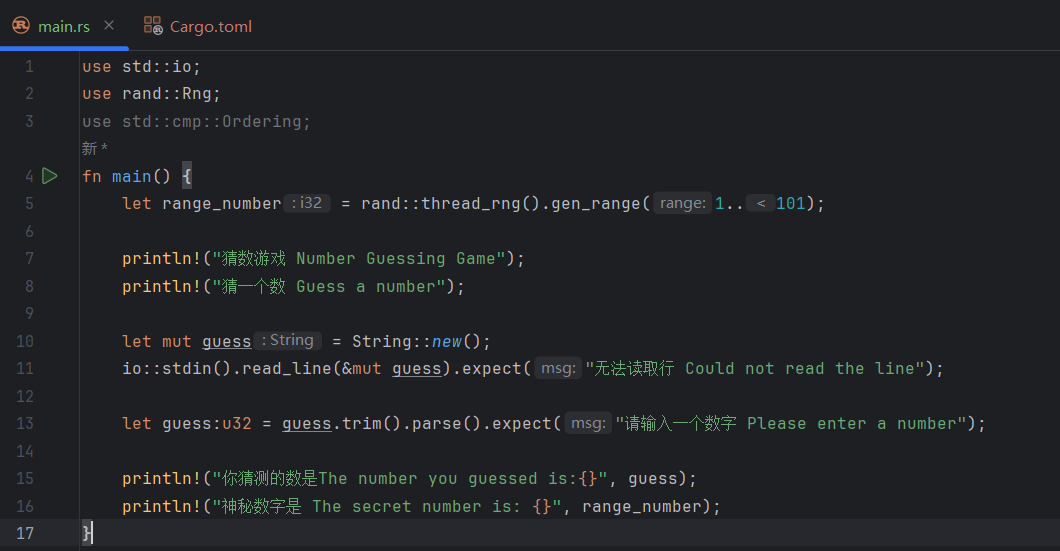
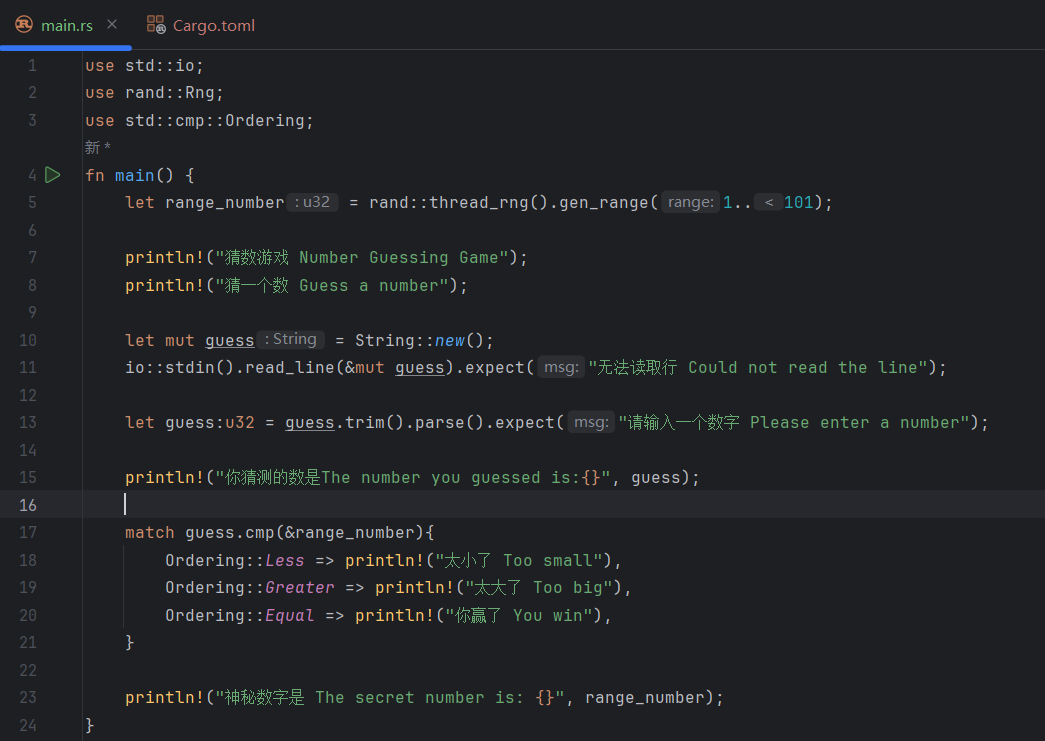 You can see that without the
 matchexpression, the IDE suggests thatrange_numberisi32. After writing thematchexpression, the IDE suggests thatrange_numberisu32. Why is that? Becauseguess.cmp(&range_number)performs a comparison, and althoughrange_numberis not explicitly typed,guesshas already been explicitly defined asu32. Thanks to Rust’s powerful context-based type inference, the requirement ofguess.cmp(&range_number)causesrange_numberto be inferred asu32. Without thematchexpression, because Rust’s default integer type isi32and there are no other constraints forcingrange_numberto be another type, the compiler infersi32. -
match: Rust’s pattern-matching expression. It lets us decide what to do next based on the value returned by.cmp(), which is theOrderingenum. Amatchexpression is made up of multiple arms (also called branches). Each branch contains a matching pattern (the condition used to match the input value) and a code block to execute (the block that runs when the pattern matches). If the value aftermatch(in this program,guess.cmp(&range_number)) matches one branch, the program runs that branch’s code.In this program,
Ordering::Less,Ordering::Greater, andOrdering::Equalare the matching patterns, andprintln!("Too small"),println!("Too big"), andprintln!("You win")are their corresponding code blocks. For example, ifguessis equal torange_number,.cmp()returnsOrdering::Equal,matchfinds the third branch that matches it, and then executes that branch’s code block, namelyprintln!("You win").matchchecks branches from top to bottom. In this program, that means it checksOrdering::Lessfirst, thenOrdering::Greater, and finallyOrdering::Equal.We will explain
matchin more detail in 6.3 The Match Control Flow Operator.
2.3.3 Result
Here is the complete code so far:
use std::io;
use rand::Rng;
use std::cmp::Ordering;

fn main() {
    let range_number = rand::thread_rng().gen_range(1..101);

    println!("Number Guessing Game");
    println!("Guess a number");

    let mut guess = String::new();
    io::stdin().read_line(&mut guess).expect("Could not read the line");

    let guess: u32 = guess.trim().parse().expect("Please enter a number");

    println!("The number you guessed is:{}", guess);

    match guess.cmp(&range_number) {
        Ordering::Less => println!("Too small"),
        Ordering::Greater => println!("Too big"),
        Ordering::Equal => println!("You win"),
    }

    println!("The secret number is: {}", range_number);
}
The result is as shown below (your secret number will differ each run; here a guess of 10 was too small):
Number Guessing Game
Guess a number
10
The number you guessed is:10
Too small
The secret number is: 48
2.4 Number Guessing Game Pt.4 - Repeated Prompting with Loop
2.4.0 What You Will Learn
This is the final part of the number guessing game. In this chapter, you will learn:
- The
looploop breakcontinue- Flexible use of
match - How to handle enums
2.4.1 Game Goal
- Generate a random number between 1 and 100
- Prompt the player to enter a guess
- After the guess, the program will tell the player whether the guess is too large or too small
- Repeatedly prompt the player. If the guess is correct, print a celebration message and exit the program (covered in this chapter)
2.4.2 Code Implementation
Step 1: Implement the loop
In the previous code, we implemented a single round of input and comparison. Next, we need to make the program ask and compare repeatedly until the user guesses the correct number.
Here is the code up to 2.3 Number Guessing Game Pt.3 - Comparing Input and Random Number:
use std::io;
use rand::Rng;
use std::cmp::Ordering;

fn main() {
    let range_number = rand::thread_rng().gen_range(1..101);

    println!("Number Guessing Game");

    println!("Guess a number");

    let mut guess = String::new();

    io::stdin().read_line(&mut guess).expect("Could not read the line");

    let guess: u32 = guess.trim().parse().expect("Please enter a number");

    println!("The number you guessed is:{}", guess);

    match guess.cmp(&range_number) {
        Ordering::Less => println!("Too small"),
        Ordering::Greater => println!("Too big"),
        Ordering::Equal => println!("You win"),
    }

    println!("The secret number is: {}", range_number);
}
The code we need to repeat is the part from prompting the user to comparing the guess and printing the result:
#![allow(unused)]
fn main() {
println!("Guess a number");

let mut guess = String::new();
io::stdin().read_line(&mut guess).expect("Could not read the line");

let guess: u32 = guess.trim().parse().expect("Please enter a number");

println!("The number you guessed is:{}", guess);

match guess.cmp(&range_number) {
    Ordering::Less => println!("Too small"),
    Ordering::Greater => println!("Too big"),
    Ordering::Equal => println!("You win"),
}
}
Rust provides the keyword loop for an infinite loop. Its structure is:
#![allow(unused)]
fn main() {
loop {
	// Write code here that wants to loop indefinitely
}
}
Just place the code that needs to be repeated inside this structure:
#![allow(unused)]
fn main() {
loop {
    println!("Guess a number");

    let mut guess = String::new();
    io::stdin().read_line(&mut guess).expect("Could not read the line");

    let guess: u32 = guess.trim().parse().expect("Please enter a number");

    println!("The number you guessed is:{}", guess);

    match guess.cmp(&range_number) {
        Ordering::Less => println!("Too small"),
        Ordering::Greater => println!("Too big"),
        Ordering::Equal => println!("You win"),
    }
}
}
Step 2: Condition for exiting the program
However, note that although this gives us repeated prompting, the program will keep asking forever and never exit. Logically, once the user guesses correctly and the program prints the congratulatory message, it should stop asking. This is where the keyword break for breaking out of a loop is needed. Put it after the Ordering::Equal arm (the concept of arms was explained in 2.3 Number Guessing Game Pt.3 - Comparing Input and Random Number, so I will not repeat it here). Also remember that if an arm needs to execute multiple lines of code, wrap the code block in {}.
#![allow(unused)]
fn main() {
match guess.cmp(&range_number) {
    Ordering::Less => println!("Too small"),
    Ordering::Greater => println!("Too big"),
    Ordering::Equal => {
        println!("You win");
        break;
    }
}
}
Step 3: Handling invalid input
This code still has another problem: if the user’s input is not an integer, .parse() returns Err, and .expect() immediately terminates the program. The correct behavior is to print an error message and then let the user try again.
What should we do? In 2.1 Number Guessing Game Pt.1 - One Guess, we saw that read_line() returns a Result enum. In 2.3 Number Guessing Game Pt.3 - Comparing Input and Random Number, .parse() likewise returns a Result: if conversion succeeds, the return value is Ok plus the converted content; if it fails, the return value is Err plus the reason for failure. So where did we use an enum with match before? That’s right — in 2.3 Number Guessing Game Pt.3 - Comparing Input and Random Number, we introduced the Ordering enum. There, we used match to handle the greater-than, less-than, and equal cases. Here, we can also use match to handle the return value of .parse() and perform different actions for different cases: if conversion succeeds, continue execution; if it fails, print an error message, skip the rest of the loop body, and start the next iteration. The keyword for skipping the current loop iteration in Rust is the same as in other languages: continue.
How do we change the code? We replace let guess: u32 = guess.trim().parse().expect("Please enter a number"); with:
#![allow(unused)]
fn main() {
let guess: u32 = match guess.trim().parse() {
    Ok(num) => num,
    Err(_) => {
        println!("Please enter a number");
        continue;
    }
};
}
Ok(num) => num: this branch handles the case where conversion succeeds. The return value isOkplus the converted value.Okis a variant of this enum, and the value inside the parentheses afterOkis the converted content (u32). Writingnumhere means binding the converted content tonum, andnumis then passed to thematchexpression as the result and ultimately assigned toguess.Err(_) => { ... continue; }: this branch handles the case where conversion fails.Erris the enum variant, and the value inside the parentheses afterErris the error value (for parsing an integer, aParseIntError). The_means we do not care about the error details; we only need to know that it isErr. We print a short message and thencontinueto the next loop iteration.
Using match instead of .expect() to handle errors is a common Rust pattern.
2.4.3 Result
Here is the complete code:
use std::io;
use rand::Rng;
use std::cmp::Ordering;

fn main() {
    let range_number = rand::thread_rng().gen_range(1..101);

    println!("Number Guessing Game");
    loop {
        println!("Guess a number");

        let mut guess = String::new();
        io::stdin().read_line(&mut guess).expect("Could not read the line");

        let guess: u32 = match guess.trim().parse() {
            Ok(num) => num,
            Err(_) => {
                println!("Please enter a number");
                continue;
            },
        };

        println!("The number you guessed is:{}", guess);

        match guess.cmp(&range_number) {
            Ordering::Less => println!("Too small"),
            Ordering::Greater => println!("Too big"),
            Ordering::Equal => {
                println!("You win");
                break;
            },
        }
    }

    println!("The secret number is: {}", range_number);
}
Result (one local run; your secret number and path to winning will differ):
Number Guessing Game
Guess a number
10
The number you guessed is:10
Too small
Guess a number
50
The number you guessed is:50
Too small
Guess a number
100
The number you guessed is:100
You win
The secret number is: 100
3.1 Variables and Mutability
3.1.0. Before We Begin
Welcome to Chapter 3 of this Rust self-study series. It has 6 sections:
- Variables and Mutability (this article)
- Data Types: Scalar Types
- Data Types: Compound Types
- Functions and Comments
- Control Flow:
if else - Control Flow: Loops
Through the guessing game in Chapter 2 (beginners who have not read it are strongly encouraged to take a look), you should now have learned the basic Rust syntax. In Chapter 3, we will go one level deeper and learn the general programming concepts in Rust.
3.1.1. Declaring Mutable and Immutable Variables
-
Use the
letkeyword to declare a variable. -
By default, variables are immutable. Here is an incorrect example:
fn main(){
	let machine = 6657;
	machine = 0721;
	println!("machine is {}", machine);
}
Output:
error[E0384]: cannot assign twice to immutable variable `machine`
 --> src/main.rs:3:2
  |
2 |     let machine = 6657;
  |         ------- first assignment to `machine`
3 |     machine = 0721;
  |     ^^^^^^^^^^^^^^ cannot assign twice to immutable variable
  |
help: consider making this binding mutable
  |
2 |     let mut machine = 6657;
  |         +++
- You must add
mutafterletto declare a mutable variable. Here is a successful example; the output is shown in the comment:
fn main(){
	let mut machine = 6657;
	machine = 721;
	println!("machine is {}", machine); // Output: machine is 721
}
3.1.2. Variables and Constants
Many people who are just starting to learn Rust get confused about the difference between immutable variables and constants. Constants are immutable after they are bound to a value, but they differ from immutable variables in several important ways:
- Constants cannot use
mut; once declared, they are immutable. - Constants must be declared with the
constkeyword, and their type must be explicitly annotated; immutable variables do not have to be. - Constants can be declared in any scope, including the global scope.
- Constants can only be bound to constant expressions; they cannot be bound to the result of a function call or to values that can only be computed at runtime.
- During program execution, a constant remains valid for the entire scope in which it is declared.
- Naming convention: Rust constants use all-uppercase letters, with underscores between words, for example:
MAX_POINTS.
Here is an example of a constant declaration:
const WJQ: i32 = 66570721;
fn main(){
    const WJQ_MACHINE: u32 = 6_657;
    let mut machine = 6657;
    machine = 721;
    println!("machine is {}", machine); // Output: machine is 721
    println!("WJQ is {}", WJQ); // Output: WJQ is 66570721
    println!("WJQ_MACHINE is {}", WJQ_MACHINE); // Output: WJQ_MACHINE is 6657
}
i32 and u32 are the types. Rust allows underscores to improve readability. In this example, 6_657 could also be written as 6657.
This constant can be declared globally, inside main, or in any other scope.
3.1.3. Shadowing
In 2.3 Number Guessing Game Pt.3 - Comparing Input and Random Number, we already briefly mentioned that Rust allows a new variable with the same name to shadow the original one. This is called shadowing (when a name is redefined in the current scope, it hides a variable, function, or type with the same name from an outer scope). Each time a name is shadowed, the original variable’s value and type are replaced by the new variable. This lets you reuse the same variable name without declaring a brand-new one.
Here is an example:
fn main(){
let a = 1;
println!("{}", a);
let a = "one";
println!("{}", a);
}
This program does not error, and it prints:
1
one
When the program executes let a = 1;, a is bound to 1, so it prints 1. When it later executes let a = "one";, the program notices that a is being reused, so it discards the original value 1 and binds a to "one", which is why the next line prints one. This is shadowing.
Note that shadowing and making a variable mutable are different:
- In shadowing, the new variable declared with
letis still immutable. - In shadowing, the type of the newly declared variable with the same name can be different from the previous one.
fn main(){
	let machine = "wjq";
	let machine = 6657;
	println!("{}", machine);
}
The program above uses shadowing and will not error. The second let machine = 6657; declares a brand-new variable, which has nothing to do with the previous machine.
fn main(){
    let mut machine = "wjq";
    machine = 6657;
    println!("{}", machine);
}
Output:
error[E0308]: mismatched types
 --> src/main.rs:3:15
  |
2 |     let mut machine = "wjq";
  |                       ----- expected due to this value
3 |     machine = 6657;
  |               ^^^^ expected `&str`, found integer
The program above uses a mutable variable. Rust is a strongly typed language, and a variable’s type is determined when it is first declared. The assignment machine = 6657 tries to assign an integer to a string-typed variable, so the types do not match and the compiler reports expected &str, found integer.
3.2 Data Types - Scalar Types
3.2.0. Before We Begin
Welcome to Chapter 3 of this Rust self-study series. It has 6 sections:
- Variables and Mutability
- Data Types: Scalar Types (this article)
- Data Types: Compound Types
- Functions and Comments
- Control Flow:
if else - Control Flow: Loops
Through the guessing game in Chapter 2 (beginners who have not read it are strongly encouraged to take a look), you should now have learned the basic Rust syntax. In Chapter 3, we will go one level deeper and learn the general programming concepts in Rust.
3.2.1. Variable Characteristics in Rust
Rust is a statically compiled language, so the compiler must know the type of every variable at compile time.
- Based on how a value is used, the compiler can usually infer its exact type.
- If there are too many possible types, you must add a type annotation, otherwise compilation will fail. Here is an example:
#![allow(unused)]
fn main() {
let guess = "6657".parse().expect("Please enter a number");
}
If you put this line into an IDE, you will see an error such as error[E0284]: type annotations needed. That is because the string 6657 could be parsed into types such as i32 or u32, and the compiler does not know which one you want, so you need to explicitly annotate the type. Changing the code to the following will make it compile:
#![allow(unused)]
fn main() {
let guess: u32 = "6657".parse().expect("Please enter a number");
}
3.2.2. An Introduction to Scalar Types
- A scalar type represents a single value.
- Rust mainly has four scalar types:
- Integer types
- Floating-point types
- Boolean types
- Character types
3.2.3. Integer Types
- Unsigned integer types, which cannot represent negative numbers, start with
u;uis short for unsigned. - Signed integer types, which can represent negative numbers, start with
i;iis short for integer. - The number after the letter indicates how many bits the type occupies. For example,
32inu32means it uses 32 bits and can represent values from0to2^32 - 1. - The list of Rust integer types is shown below:
- Each type comes in both
ianduvariants, with fixed bit widths. - Signed range:
-(2^(n-1))to2^(n-1) - 1 - Unsigned range:
0to2^n - 1
- Each type comes in both
| Length | Signed | Unsigned |
|---|---|---|
| 8-bit | i8 | u8 |
| 16-bit | i16 | u16 |
| 32-bit | i32 | u32 |
| 64-bit | i64 | u64 |
| 128-bit | i128 | u128 |
| arch | isize | usize |
The isize and usize types are special integer types whose size depends on the computer architecture on which the program is running:
- On a 64-bit machine, they are 64 bits.
isizeis equivalent toi64, andusizeis equivalent tou64. - On a 32-bit machine, they are 32 bits.
isizeis equivalent toi32, andusizeis equivalent tou32.
The main use case for isize and usize is indexing collections.
fn main(){
	let machine: u32 = 6657;
}
3.2.4. Integer Literals
Integers are not limited to decimal notation; other bases are also supported. Using fixed formats lets the program understand the base you intended and also makes your code easier for other people to read.
| Number literals | Example |
|---|---|
| Decimal | 98_222 |
| Hex | 0xff |
| Octal | 0o77 |
| Binary | 0b1111_0000 |
| Byte (u8 only) | b’A’ |
- Underscores can be added to decimal numbers to improve readability.
- Hexadecimal numbers start with
0x. - Octal numbers start with
0o. - Binary numbers start with
0b, and underscores can also be added to improve readability. - Byte literals are a special case. In Rust, a byte integer literal is written as
b'X', whereXis a single character representing a byte value. This literal can only be used withu8, because a byte value ranges from 0 to 255, andXmust be an ASCII character. For example,b'A'has the value 65 because the ASCII code forAis 65. - Aside from byte literals, all numeric literals may use a type suffix.
- If you are not sure which type to use, you can rely on Rust’s corresponding default type.
- The default integer type is
i32, which is generally very fast even on 64-bit systems.
3.2.5. Integer Overflow
For example, the range of u8 is 0 to 255. If you set the value of a u8 variable to 256, two things can happen:
- In debug builds, Rust checks for overflow. If overflow occurs, the program panics at runtime.
- In release builds (
--release), Rust does not check for overflow that could lead to panic.- If overflow does occur, Rust performs wrapping arithmetic: 256 becomes 0, 257 becomes 1, and so on, but it does not panic.
3.2.6. Floating-Point Types
Rust has two basic floating-point types:
f32: 32-bit single precisionf64: 64-bit double precision
Rust uses the IEEE-754 standard to represent floating-point types.
f64 is the default type because on modern CPUs, f64 runs about as fast as f32, and f64 is more precise.
fn main(){
	let machine: f32 = 6657.0721;
}
3.2.7. Numeric Operations
- Add:
+ - Subtract:
- - Multiply:
* - Divide:
/ - Remainder:
%These are no different from other languages.
3.2.8. Boolean Types
Rust’s boolean type is no different from that of other languages. It has two values: true and false, occupies one byte, and the keyword is bool.
fn main(){
	let machine: bool = true;
}
3.2.9. Character Types
- Rust’s
chartype is used to represent the most basic single characters in a language. - Character literals use single quotes.
- It occupies 4 bytes.
- It is a Unicode scalar value, so it can represent far more than ASCII, including pinyin, Chinese, Japanese, and Korean characters, zero-width characters, emojis, and more. Its range is from
U+0000toU+D7FFand fromU+E000toU+10FFFF. - Unicode does not actually have a concept of a “character” in the way we usually think about it, so the characters we intuitively recognize may not line up exactly with Rust’s concept.
fn main(){
	let x: char = '🥵';
}
3.3 Data Types - Compound Types
3.3.0. Before We Begin
Welcome to Chapter 3 of this Rust self-study series. It has 6 sections:
- Variables and Mutability
- Data Types: Scalar Types
- Data Types: Compound Types (this article)
- Functions and Comments
- Control Flow:
if else - Control Flow: Loops
Through the guessing game in Chapter 2 (beginners who have not read it are strongly encouraged to take a look), you should now have learned the basic Rust syntax. In Chapter 3, we will go one level deeper and learn the general programming concepts in Rust.
3.3.1. An Introduction to Compound Types
- Compound types can group multiple values into a single type.
- Rust provides two basic compound types: tuples and arrays.
3.3.1. Tuple
Tuple characteristics:
- A tuple can group multiple values of different types into a single type.
- Tuples have a fixed length: once declared, they cannot change.
Creating a tuple:
- Place the values inside parentheses, separated by commas.
- Each position in the tuple corresponds to a type, and the types of the tuple’s elements do not have to be the same.
fn main(){
	let tup: (u32, f32, i64) = (6657, 0.0721, 114514);
	println!("{},{},{}", tup.0, tup.1, tup.2);
	// Output: 6657,0.0721,114514
}
Getting tuple element values:
- You can use pattern matching to destructure a tuple and obtain its element values.
fn main(){
	let tup: (u32, f32, i64) = (6657, 0.0721, 114514);
	let (x, y, z) = tup;
	println!("{},{},{}", x, y, z);
	// Output: 6657,0.0721,114514
}
Accessing tuple elements:
- Use dot notation after the tuple variable, followed by the element index.
#![allow(unused)]
fn main() {
println!("{},{},{}", tup.0, tup.1, tup.2);
}
3.3.2. Arrays
Array characteristics:
- Every element in an array must have the same type.
- Arrays can also store multiple values in a single type.
- Arrays have a fixed length.
Declaring an array:
- Put the values inside square brackets, separated by commas.
#![allow(unused)]
fn main() {
let a = [1, 1, 4, 5, 1, 4];
}
Uses for arrays:
- If you want your data on the stack instead of the heap, or you want to guarantee a fixed number of elements, arrays are a better choice.
- Arrays are less flexible than vectors (which we will discuss later).
- Vectors are provided by the standard library, while arrays are built into the language and available through the prelude module, which is also part of the standard library.
- A vector’s length can change.
- If you are unsure whether to use an array or a vector, you probably should use a vector.
Array type syntax:
- The type of an array is written as
[type; length].
#![allow(unused)]
fn main() {
let machine: [u32; 4] = [6, 6, 5, 7];
}
Another way to declare an array:
- If every element in the array has the same value, you can:
- Specify the initial value inside square brackets
- Follow it with a
; - Then add the array length
#![allow(unused)]
fn main() {
let a = [3; 3];
let b = [3, 3, 3];
}
In this example, a and b are equivalent.
Accessing array elements:
- Arrays are a single contiguous block of memory allocated on the stack.
- You can use an index to access an array element.
#![allow(unused)]
fn main() {
let machine = [6, 6, 5, 7];
let wjq = machine[0];
}- If the index is out of bounds:
- Rust may detect it at compile time in cases where the compiler can prove the error
- Otherwise, it will panic at runtime, because Rust does not allow the program to keep reading memory at that address
An array is backed by a contiguous block of memory. Suppose the first element of an array is at memory position x; then the second element is located at x + the size of the first element, and so on.
If the index is larger than the actual length of the array, the program will read memory outside the array, and that memory may contain anything. In C, there is no bounds checking at all. In C++, ordinary arrays do not have it either; only std::array does. In Rust, bounds checking is enforced.
| Feature | C | C++ | Rust |
|---|---|---|---|
| Memory model | Contiguous | Contiguous | Contiguous |
| Safety | No bounds checking | std::array has bounds checking; ordinary arrays do not | Bounds checking is enforced |
| Dynamic arrays | Manual memory management required | std::vector | Vec |
| Multidimensional arrays | Yes | Yes | Yes |
| Special abilities | Simple and efficient | Rich STL containers | Ownership and borrow checking |
If the compiler can prove that an index is out of bounds, it rejects the program at compile time:
#![allow(unused)]
fn main() {
let a = 5;
let machine = [6, 6, 5, 7];
let wjq = machine[a]; // Error: this operation will panic at runtime
}
If the index is not known until runtime, the program can compile, but an out-of-bounds access will panic at runtime:
fn get_index() -> usize {
    5 // Imagine this value comes from input or elsewhere
}

fn main() {
    let machine = [6, 6, 5, 7];
    let wjq = machine[get_index()];
}
Output:
thread 'main' panicked at src/main.rs:7:15:
index out of bounds: the len is 4 but the index is 5
note: run with `RUST_BACKTRACE=1` environment variable to display a backtrace
3.4 Functions and Comments
3.4.0. Before We Begin
Welcome to Chapter 3 of this Rust self-study series. It has 6 sections:
- Variables and Mutability
- Data Types: Scalar Types
- Data Types: Compound Types
- Functions and Comments (this article)
- Control Flow:
if else - Control Flow: Loops
Through the guessing game in Chapter 2 (beginners who have not read it are strongly encouraged to take a look), you should now have learned the basic Rust syntax. In Chapter 3, we will go one level deeper and learn the general programming concepts in Rust.
3.4.1. The Basics of Functions
- Use the keyword
fnto declare a function. - By convention, function names and variable names use snake case:
- All letters are lowercase, and words are separated with underscores
- Example:
another_function
- Rust does not care whether a custom function is written before or after the place where it is called. As long as the function has been declared and can be called, it works. This is much nicer than some older languages (C/C++: feeling offended). Here is an example: even though the custom function is written after it is declared, it still runs normally.
fn main(){
	println!("Hello World");
	another_function();
}

fn another_function(){
	println!("Another Function");
}
3.4.2. Function Parameters
Function parameters actually have two terms: parameter and argument.
- A parameter is a placeholder declared when defining a function or method, used to receive the value passed in when the function is called. Its purpose is to give the function a general way to handle external data without depending on a specific value.
- An argument is the actual value passed into the function. Its purpose is to provide a concrete value for the function logic to use during execution.
fn main() {
    greet("Alice");
}

fn greet(name: &str) {
    println!("Hello, {}!", name);
}
In this example:
- The
"Alice"passed togreetfrommainis the argument. It is the actual value passed to the parameternamewhen callinggreet. namein thegreetfunction is a parameter, meaning thatgreetexpects a value of type&stras input.
In a function signature, you must declare the type of every parameter, so the compiler does not need to infer it. In the previous example, the &str in name: &str is the type of name.
A function can have multiple parameters, and each parameter is separated by a comma.
3.4.3. Statements and Expressions in Function Bodies
- A function body consists of a series of statements, optionally ending with an expression.
- Rust is an expression-based language, and much of the syntax below is similar to Scala, because both are programming models centered on expressions.
- Statements are instructions that perform some action.
- Expressions evaluate to a value; an expression is itself a value.
- The definition of a function is also a statement.
- Statements do not return a value, so you cannot use
letto assign a statement to a variable.
fn main(){
	let x = (let y = 6);
}
Output:
error: expected expression, found `let` statement
 --> src/main.rs:2:11
  |
2 |     let x = (let y = 6);
  |              ^^^
  |
  = note: only supported directly in conditions of `if` and `while` expressions
In this example, the Rust compiler expects the right-hand side to be an expression, but it finds a let statement instead, so it reports an error. Some languages allow similar syntax, but Rust does not.
fn main(){
	let y = {
		let x = 1;
		x + 3
	};
	println!("The value of y is: {}", y);
}
In this example, the code inside the braces after let y = is an expression. The block first defines a variable x and assigns it the value 1, then computes a value through x + 3. Here, x + 3 is an expression, and because it is the last expression in the block, its value (the result of 1 + 3, which is 4) becomes the return value of the entire block. That return value is then assigned to y. When the program runs, it prints The value of y is: 4.
If you add a semicolon ; after x + 3, then x + 3 is no longer an expression but a statement. Because statements do not return a value, the return value of the whole block becomes (), which is the unit type. In Rust, () is a special type whose only value is () itself. Therefore, if you add a semicolon after x + 3, the type of y becomes (), meaning that y no longer stores the calculation result but instead stores a unit value. Note that () is a valid type, but it cannot be printed directly with println!. If you try to print y, the compiler will report an error saying that values of type () cannot be formatted.
3.4.4. Function Return Values
- Declare the return type after the
->symbol, but you cannot name the return value. - In Rust, the return value is the value of the last expression in the function body.
- To return early, use the
returnkeyword and specify a value.
fn machine() -> u32 {
	6657
}

fn main(){
	let wjq = machine();
	println!("The value of wjq is: {}", wjq);
}
In this example, the return type of the machine function is declared as u32. The function body contains only one expression, 6657. Since it is an expression, there is no semicolon after it. And because it is the last expression in the function body (in fact, the only expression), it becomes the function’s return value.
3.4.5. Comments
- Single-line comments start with
//. - Multi-line comments use the
/* */structure. Example:
fn machine() -> u32 {
	6657
}
/*Let's go G2
Let's go Spirit
Let's go NAVI
*/
fn main(){
	let wjq = machine(); // 6657, go, go!
	println!("The value of wjq is: {}", wjq);
}
Rust also has an important kind of documentation comment, which we will cover separately later.
3.5 Control Flow - If Else
3.5.0. Before We Begin
Welcome to Chapter 3 of this Rust self-study series. It has 6 sections:
- Variables and Mutability
- Data Types: Scalar Types
- Data Types: Compound Types
- Functions and Comments
- Control Flow:
if else(this article) - Control Flow: Loops
Through the guessing game in Chapter 2 (beginners who have not read it are strongly encouraged to take a look), you should now have learned the basic Rust syntax. In Chapter 3, we will go one level deeper and learn the general programming concepts in Rust.
3.5.1. The Basics of if Expressions
- An
ifexpression allows different code branches to run depending on a condition.- The condition must be a boolean type. This is different from Ruby, JS, and C++, which convert non-boolean values after
ifinto boolean values. - The condition can be a literal, an expression, or a variable.
- The condition must be a boolean type. This is different from Ruby, JS, and C++, which convert non-boolean values after
- In an
ifexpression, the code associated with the condition is called a branch (we already mentioned this concept when discussingmatch). - Optionally, you can add an
elseexpression afterward.
fn main(){
	let machine = 6657;

	if machine < 114514 {
		println!("condition is true");
	} else {
		println!("condition is false");
	}
}
In this example, the value of machine is less than 114514, so the program executes the line println!("condition is true");. If you change the value of machine so that it is no longer less than 114514, then the program will execute the code block after else.
3.5.2. Handling Multiple Conditions with else if
If you need to evaluate multiple conditions and do not want to keep nesting under else, then else if is a very good choice.
fn main(){
	let number = 6;
	if number % 4 == 0 {
		println!("Number is divisible by 4");
	} else if number % 3 == 0 {
		println!("Number is divisible by 3");
	} else if number % 2 == 0 {
		println!("Number is divisible by 2");
	} else {
		println!("Number is not divisible by 4, 3, or 2");
	}
}
Since 6 is divisible by both 3 and 2, both else if number % 3 == 0 and else if number % 2 == 0 are true. Because if, else if, and else are evaluated in order from top to bottom, whichever branch appears first is the one that runs. In this example, else if number % 3 == 0 appears first, so the program executes println!("Number is divisible by 3");, and the code block under else if number % 2 == 0 is not executed.
If your program uses more than one else if, it is usually better to refactor it with match.
For example, the code above can be refactored like this (one possible solution):
fn main() {
    let number = 6;

    match number {
        n if n % 4 == 0 => println!("Number is divisible by 4"),
        n if n % 3 == 0 => println!("Number is divisible by 3"),
        n if n % 2 == 0 => println!("Number is divisible by 2"),
        _ => println!("Number is not divisible by 4, 3, or 2"),
    }
}
Obviously, the match version is more intuitive.
3.5.3. Using if in a let Statement
if is an expression in Rust, so you can put it on the right-hand side of the equals sign in a let statement.
fn main(){
	let condition = true;
	let number = if condition { 5 } else { 6 };
	println!("The value of number is: {}", number);
}
In this example, because condition is true, 5 is assigned to number, and the final output is The value of number is: 5. If condition is false, then the value after else, 6, is assigned to number.
This syntax is very similar to Python, but there is a fundamental difference between the two:
-
Rust:
- In Rust,
if-elseis an expression and can directly return a value. In other words, theifconstruct itself can participate in the evaluation of other expressions. - In Rust, almost any code block can be an expression, so a
{}block can also return a value.
- In Rust,
-
Python:
- In Python,
if-elseis a specific ternary-like form designed for single-line conditional expressions. - Python’s ordinary
if-elsestatement is part of control flow; it does not return a value and cannot be embedded inside other expressions.
- In Python,
fn main(){
	let condition = true;
	let number = if condition { 5 } else { "6" };
	println!("The value of number is: {}", number);
}
Output:
error[E0308]: `if` and `else` have incompatible types
 --> src/main.rs:3:41
  |
3 |     let number = if condition { 5 } else { "6" };
  |                                 -          ^^^ expected integer, found `&str`
  |                                 |
  |                                 expected because of this
This means that if and else return incompatible types. Because Rust is a statically typed, strongly typed language, it must know a variable’s type at compile time so that the variable can be used elsewhere. In this example, the return value of the if branch is i32, while the return value of the else branch is a string type. The compiler cannot determine at compile time whether the type of number should be i32 or a string, so it reports an error.
In one sentence: the branches of an if-else expression must return values of the same type.
3.6 Control Flow - Loops
3.6.0. Before We Begin
Welcome to Chapter 3 of this Rust self-study series. It has 6 sections:
- Variables and Mutability
- Data Types: Scalar Types
- Data Types: Compound Types
- Functions and Comments
- Control Flow:
if else - Control Flow: Loops (this article)
Through the guessing game in Chapter 2 (beginners who have not read it are strongly encouraged to take a look), you should now have learned the basic Rust syntax. In Chapter 3, we will go one level deeper and learn the general programming concepts in Rust.
3.6.1. Loops in Rust
Rust provides three kinds of loops:
loopwhilefor
3.6.2. The loop Loop
The loop keyword tells Rust to keep executing a block of code over and over until told to stop. Here is an example; it will keep printing 6657 up up!.
fn main(){
	loop {
		println!("6657 up up!");
	}
}
You can use the break keyword inside a loop to tell the program when to stop.
fn main(){
	let mut counter = 0;
	let result = loop {
		counter += 1;

		if counter == 10 {
			break counter * 2;
		}
	};
	println!("The result is: {}", result);
}
Code logic:
counteris initialized to0and increments by1on each loop.- When
counterequals10,breakexits the loop and returnscounter * 2(that is,20). loopis an expression, and its return value is the value passed tobreak, so it can be assigned directly toresult.resultis finally printed as20.
Code features:
- Rust’s
loopis an expression, so its result can be bound directly to a variable. breakcan carry a return value (here,counter * 2) and use it as the result of theloop.- A
letstatement requires a semicolon after the assignment expression, so the closing brace}of theloopmust be followed by a semicolon.
3.6.3. while Conditional Loops
The while loop checks its condition before each execution of the loop body.
fn main() {
    let mut countdown = 10; // Start the countdown at 10

    println!("Rocket Launch Countdown:");

    while countdown > 0 {
        println!("T-minus {}...", countdown);
        countdown -= 1; // Decrease by 1 each time
    }

    println!("🚀 Liftoff!");
    println!("Houston, we have a problem.");
}
This is a simple while loop example, and its output is:
Rocket Launch Countdown:
T-minus 10...
T-minus 9...
T-minus 8...
T-minus 7...
T-minus 6...
T-minus 5...
T-minus 4...
T-minus 3...
T-minus 2...
T-minus 1...
🚀 Liftoff!
Houston, we have a problem.
3.6.4. Using for Loops to Traverse Collections
Of course, you can also use while and loop to iterate over a collection, but that is error-prone and inefficient.
Here is an example using while:
fn main() {
    let numbers = [10, 20, 30, 40, 50];
    let mut index = 0;

    println!("Using while loop:");
    while index < 5 {
        println!("Number at index {}: {}", index, numbers[index]);
        index += 1;
    }
}
When using while, it is very easy to trigger a panic from an out-of-bounds index, and it also runs more slowly because the condition index < 5 must be checked every time.
Here is an example using for that achieves the same result:
fn main() {
    let numbers = [10, 20, 30, 40, 50];

    println!("Using for loop:");
    for (index, number) in numbers.iter().enumerate() {
        println!("Number at index {}: {}", index, number);
    }
}
1. numbers.iter()
- Calls the
.iter()method on the collectionnumbersto create an immutable iterator that visits the elements one by one. In Rust, aforloop does not operate on the collection directly; it operates on an iterator that implements theIteratortrait..iter()is a commonly used method onVecand other collections that produces an iterator of references to the elements.forloops are concise and clear, and they can run code for every element in a collection. Because of their safety and simplicity, they are used the most in Rust.
2. .enumerate()
• Attaches an index to each element of the iterator. The index starts at 0 and is a usize value. .enumerate() wraps each element of the iterator into a (index, value) form, where index is the element’s position in the collection and value is the current element pointed to by the iterator. .enumerate() returns a new iterator whose item type is (usize, &T), where T is the type of the elements in the collection. Here, numbers is an array of i32, so &T is &i32.
3. for (index, number) in ...
• The for loop supports destructuring tuples. (index, number) means that we directly destructure the (usize, &T) tuple produced by enumerate() into two variables: index, the current element’s index; and number, the current element’s reference (immutable).
Suppose numbers is [10, 20, 30, 40, 50]; the execution flow is as follows:
- Call
numbers.iter()to create an iterator. - Call
.enumerate()to produce an iterator of(index, element reference)pairs. - The
forloop destructures the index and the element:- First iteration:
index = 0, number = &10 - Second iteration:
index = 1, number = &20 - Third iteration:
index = 2, number = &30 - …
- First iteration:
- Print
indexandnumberto output each element’s index and value.
Because for loops are safe and concise, they are used the most in Rust.
3.6.5. Range
Ranges are provided by the standard library. You can use a range to generate numbers between two bounds: a..b excludes the end, while a..=b includes it. The rev method can be used to reverse a range.
fn main() {
    println!("Rocket Launch Countdown:");

    for countdown in (1..=10).rev() {
        println!("T-minus {}...", countdown);
    }

    println!("🚀 Liftoff!");
    println!("Houston, we have a problem.");
}
This example uses for loops, Range, and rev to implement the rocket countdown shown in the while example above.
Code breakdown
(1..=10):- This is a
Rangerepresenting numbers from 1 to 10, inclusive. ..=is the inclusive upper-bound range operator.
- This is a
.rev():- Reverses the iterator, producing a descending sequence from 10 down to 1.
4.1 Ownership - Stack Memory vs. Heap Memory
4.1.0 Before We Begin
After learning Rust’s general programming concepts, you’ve arrived at the most important topic in all of Rust—ownership. It’s quite different from other languages, and many beginners find it hard to learn. This chapter aims to help beginners fully master this feature.
This chapter has five sections:
- Ownership: Stack Memory vs. Heap Memory (this article)
- Ownership Rules, Memory, and Allocation
- Ownership and Functions
- Reference and Borrowing
- Slice
4.1.1 What Is Ownership?
Ownership is Rust’s most unique feature. It allows Rust to guarantee memory safety without a GC (garbage collector).
All programs must manage how they use computer memory while running. Some languages rely on garbage collection: while the program runs, they continuously look for memory that is no longer being used (for example, C#). In other languages, the programmer must explicitly allocate and free memory (for example, C/C++).
Rust is different from both of these. Rust uses an ownership system to manage memory. This system comes with a set of rules, and the compiler checks those rules at compile time. This approach produces no runtime overhead. In other words, ownership won’t slow your program down at runtime, because Rust moves the memory-management work to compile time.
4.1.2 Stack Memory (Stack) vs. Heap Memory (Heap)
In general, programmers don’t often think about the difference between stack memory and heap memory. For a systems programming language like Rust, whether a value is on the stack or on the heap has a much bigger impact on the language’s behavior and on some of the decisions you need to make.
While code is running, both the stack and the heap are available memory, but their structures are very different.
4.1.3 Storing Data
1. Stack Memory
The stack stores values in the order it receives them, and removes them in the opposite order (last in, first out, Last In First Out, abbreviated as LIFO).
Adding data is called pushing onto the stack (push), and removing data is called popping off the stack (pop).
All data stored on the stack must have a known, fixed size. In contrast, data whose size is unknown at compile time, or whose size may change at runtime, must be stored on the heap.
2. Heap Memory
The heap is less organized. When you put data on the heap, you request a certain amount of space. The operating system finds a chunk of space in the heap that is large enough, marks it as in use, and returns a pointer (the address of that space). This process is called allocating memory on the heap, and is sometimes shortened to “allocating”.
3. Pointers and Memory
Because a pointer has a fixed size, you can store the pointer itself on the stack. But if you want the actual data the pointer points to, you must use the address in the pointer to access it.
Pushing data onto the stack is much faster than allocating on the heap:
- On the stack, the operating system doesn’t need to search for space to store new data; that location is always at the top of the stack (the end of the stack)—that is, the beginning of the currently available stack memory.
- Allocating space on the heap requires more work: the operating system must first find a chunk of space large enough to hold the data, and then keep records so it can allocate again later.
4.1.4 Accessing Data
Accessing data on the stack is faster than accessing data on the heap, because you must follow a pointer to find data on the heap—an extra level of indirection. For modern processors, because of caching, the fewer jumps memory access needs to make, the faster it tends to be.
If data is stored closer together, the processor can work faster—for example, on the stack. Conversely, if the data is farther apart, processing can be slower—for example, on the heap (and allocating a large chunk of heap space also takes time).
4.1.5 Function Calls
When code calls a function, values are passed into the function (including pointers to data on the heap). The function’s local variables are pushed onto the stack. When the function ends, those values are popped off the stack.
4.1.6 Why Ownership Exists
The problems ownership solves:
- Tracking heap memory allocated by the code—in other words, tracking which parts of code are using which data on the heap
- Minimizing duplicate data on the heap
- Cleaning up unused data on the heap to avoid running out of space
Once you understand ownership, you won’t need to constantly think about the stack and the heap. But knowing that managing heap data is the reason ownership exists helps explain why it works the way it does.
4.2 Ownership Rules, Memory, and Allocation
4.2.0 Before We Begin
After learning Rust’s general programming concepts, you’ve arrived at the most important topic in all of Rust—ownership. It’s quite different from other languages, and many beginners find it hard to learn. This chapter aims to help beginners fully master this feature.
This chapter has five sections:
- Ownership: Stack Memory vs. Heap Memory
- Ownership Rules, Memory, and Allocation (this article)
- Ownership and Functions
- Reference and Borrowing
- Slice
4.2.1 Ownership Rules
Ownership has three rules:
- Every value has a variable, and that variable is the owner of the value
- Every value can only have one owner at a time
- When the owner goes out of scope, the value is deleted
4.2.2 Variable Scope
Scope is the valid range of an item in a program.
fn main(){
	// machine is not available
	let machine = 6657; // machine is available
	// operations can be performed on machine
} // machine’s scope ends here, and machine is no longer available
In the third line of the sample code, the variable machine is declared, while in the second line the variable has not yet been declared, so it is not available there. In the third line, since it is declared, it becomes available. In the fourth line, you can perform related operations on machine. In the fifth line, machine’s scope ends, and from that line onward, machine is no longer available.
This example involves two key points:
machinebecomes valid once it enters its scopemachineremains valid until it leaves its scope These two points are similar in other languages, so there is no need to go into detail.
4.2.3 The String Type
To demonstrate some ownership-related rules, we need a slightly more complex data type, and String fits the need.
The String type is more complex than scalar types: the basic data types mentioned earlier store their data on the stack, and their data is popped off the stack when they go out of scope; the String type is stored on the heap.
This chapter focuses on the ownership-related aspects of String. If you want to understand String itself in depth, you will have to wait for later chapters.
String literals (&'static str) are the string values you write directly in code. But they cannot meet all needs. First, they are immutable; second, not all string values are known when writing the program (for example, user input).
For these cases, Rust provides a second string type, String. String can allocate on the heap, and it can store text whose size is unknown at compile time.
4.2.4 Creating String Values
Use the from function to create a String from a string literal, for example:
#![allow(unused)]
fn main() {
let machine = String::from("6657");
}::means thatfromis a function underString. You can think of it as a static method in other languages.
The String declared this way is mutable, for example:
fn main(){
	let mut machine = String::from("6657");
	machine.push_str(" up up!");
	println!("{}", machine);
}- Adding
mutafterletmeans that the variablemachinecan be modified .push_str()is a method on this variable that appends a string literal to the end of the value; in the example, that literal is" up up!"
Its output is:
6657 up up!
Why is String mutable, while &'static str (string literals) are not:
Stringis a heap-allocated mutable string type that can grow or shrink its contents dynamically.- String literals are of type
&'static strand are stored in the program’s static memory (a read-only region).
4.2.5 Memory and Allocation
For string literals, because they are written in source code, their contents are known at compile time. Their text content is hard-coded directly into the final executable. Their speed and efficiency come from their immutability.
To support mutability, String needs to allocate memory on the heap to store text whose size is unknown at compile time. This requires requesting memory from the operating system at runtime (which happens through String::from).
After using a String, some way is needed to return the memory to the operating system:
-
In languages with a GC (garbage collector), such as C#, the GC tracks and cleans up memory that is no longer being used
-
In languages without a GC, such as C/C++, programmers must identify when memory is no longer in use and write code to return it
- If you forget, memory is wasted
- If you do it too early, the variable becomes invalid
- If you do it twice, a very serious bug occurs—double free. This may cause data that is still in use to become corrupted and create potential security risks. One allocation must correspond to one free.
-
Rust uses a different mechanism: for a given value, when the variable that owns it goes out of scope, Rust calls a special function—the drop function—and the memory is immediately returned to the operating system, meaning it is immediately freed.
4.2.6 How Variables Interact with Data
1. Move
Multiple variables can interact with the same data in a unique way.
#![allow(unused)]
fn main() {
let x = 5;
let y = x;
}
In this example, 5 is bound to the variable x; on the next line, it is equivalent to creating a copy of x and binding that copy to y. Because integers are simple values with known and fixed sizes, these two 5s are pushed onto the stack.
But if the situation is more complex, such as with the String type, things are different.
#![allow(unused)]
fn main() {
let machine = String::from("Niko");
let wjq = machine;
}
In this example, the first line uses the from function under String to obtain a String value from a string literal, named machine. Then the second line binds machine to wjq.
Although the code looks similar, the way the two examples run is completely different.
First we need to understand that a String consists of three parts, as shown below:
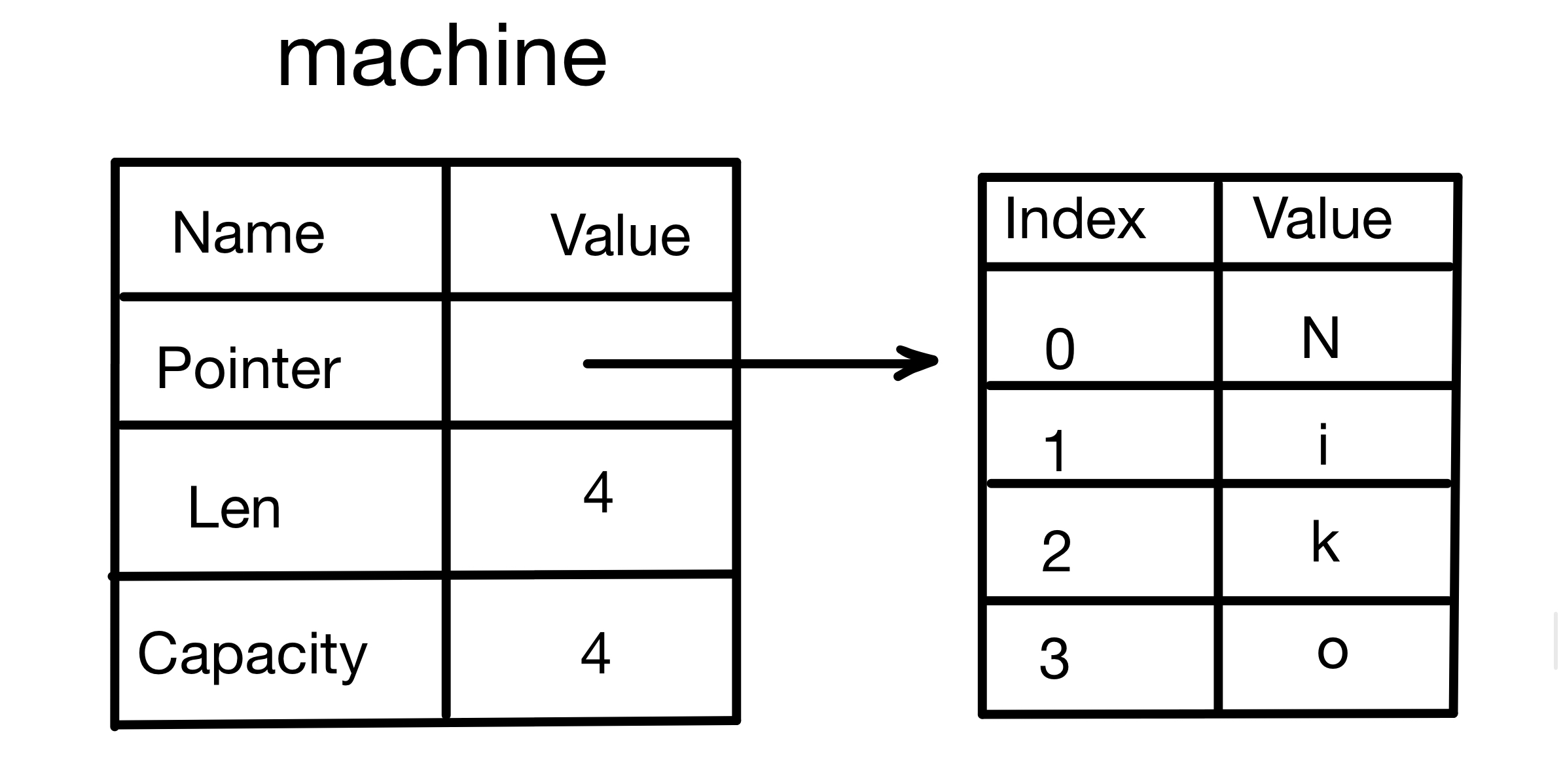
- A pointer to the memory that stores the string contents
- A length
- A capacity
This part of the data is pushed onto the stack, while the part that stores the string contents is on the heap. The length (len) is the number of bytes required to store the string contents, and the capacity (capacity) is the total number of bytes of memory String obtained from the operating system.
When the value of machine is assigned to wjq, the data on the stack is copied to wjq, but the data on the heap pointed to by the pointer is not copied.
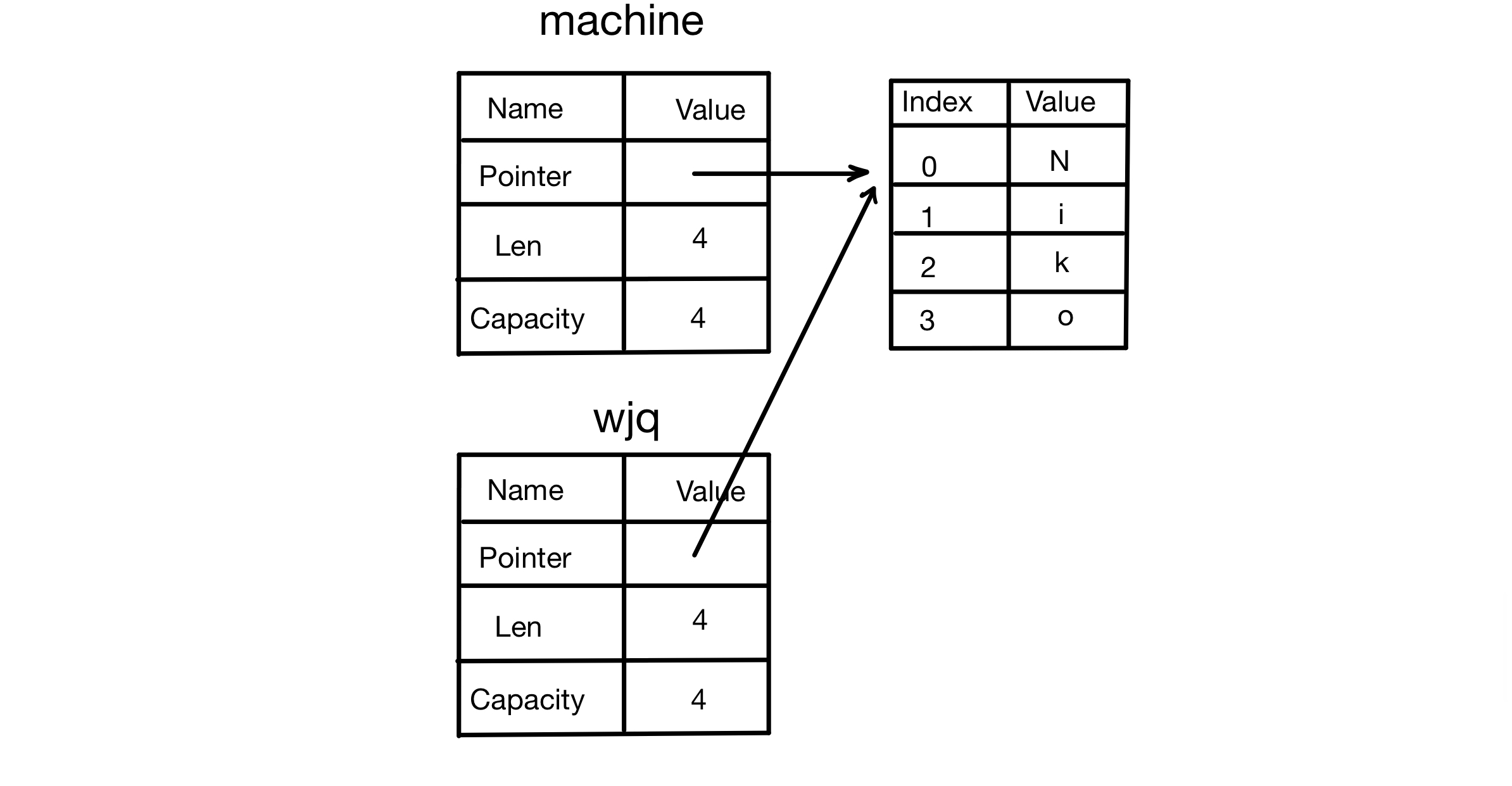
When a variable goes out of scope, Rust automatically calls the drop function and frees the heap memory used by the variable. This was mentioned above. But when machine and wjq go out of scope at the same time, both will try to free the same memory, causing a very serious bug—double free. Its danger has already been explained above, so it will not be elaborated here.
To ensure memory safety, Rust directly invalidates the first variable machine and moves the value to wjq. When machine goes out of scope, Rust does not need to free any memory related to machine (of course wjq still needs to be freed, because it is valid), because machine has already become invalid.
If you try to use machine after it has been invalidated, an error will occur (the code and result are shown below):
Code:
fn main(){
	let machine = String::from("Niko");
	let wjq = machine;
	println!("{}", machine);
}
Result:
error[E0382]: borrow of moved value: `machine`
 --> src/main.rs:4:17
  |
2 |     let machine = String::from("Niko");
  |         ------- move occurs because `machine` has type `String`, which does not implement the `Copy` trait
3 |     let wjq = machine;
  |               ------- value moved here
4 |     println!("{}", machine);
  |                    ^^^^^^^ value borrowed here after move
  |
help: consider cloning the value if the performance cost is acceptable
  |
3 |     let wjq = machine.clone();
  |                      ++++++++

For more information about this error, try `rustc --explain E0382`.
error: could not compile `ownership-move` (bin "ownership-move") due to 1 previous error
People who have studied other languages may have encountered shallow copy and deep copy. Some people consider copying the pointer, length, and capacity to be a shallow copy, but because Rust invalidates machine, a new term is used here: move.
There is a hidden design principle here: Rust does not automatically create deep copies of data. In other words, in terms of runtime performance, any automatic assignment operation is cheap.
2. Clone
If you really want to deeply copy String data on the heap, rather than just the data on the stack, you can use the clone method.
#![allow(unused)]
fn main() {
let machine = String::from("Niko");
let wjq = machine.clone();
}
Using this method, both the stack data and the heap data are fully copied.
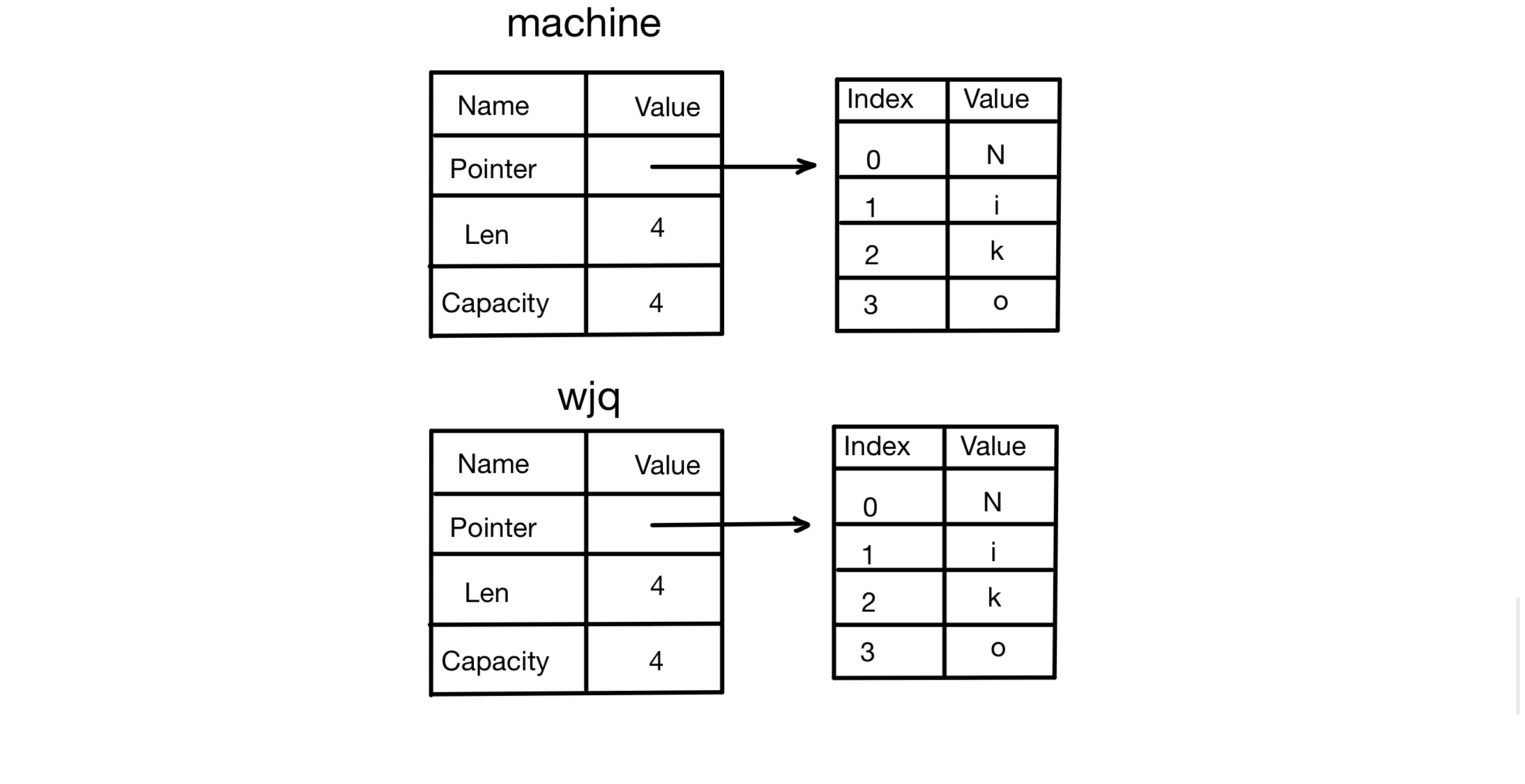
However, cloning is relatively resource-intensive, so use it carefully.
3. Stack Data: Copy
For data on the stack, cloning is not needed; copying is enough.
#![allow(unused)]
fn main() {
let x = 5;
let y = x;
println!("{},{}", x, y)
}
In this example, both x and y are valid because x is an integer type. Integer types are basic types in Rust (such as i32, u32, and so on). Their sizes are already known at compile time, and their values are fully stored on the stack. Because these types implement the Copy trait (you can think of a trait as an interface), assignment is actually a direct copy of the value rather than a transfer of ownership.
For types that implement the Copy trait, creating a new variable such as y triggers a bitwise copy operation, which is very efficient. At the same time, the original variable such as x remains valid. Therefore, in this case, calling clone makes no difference from direct assignment, because the copying behavior is essentially the same.
If a type implements the Copy trait, the old variable is still usable after assignment. If a type or part of a type implements the Drop trait, Rust will not allow it to implement the Copy trait.
Some types that have the Copy trait:
- Any composite type made up only of simple scalar values can implement the Copy trait
- Anything that needs to allocate memory or some other resource cannot implement the Copy trait
For tuples, if all of the elements can implement the Copy trait, then the tuple can as well; if even one element cannot implement the Copy trait, then the entire tuple cannot.
(i32, u32)can implement the Copy trait(i32, String)cannot implement the Copy trait becauseStringcannot implement the Copy trait
4.3 Ownership and Functions
4.3.0 Before the Main Text
After learning Rust’s general programming concepts, you reach the most important part of all of Rust—ownership. It is quite different from other languages, and many beginners find it difficult to learn. This chapter aims to help beginners fully master this feature.
This chapter has five subsections:
- Ownership: Stack Memory vs. Heap Memory
- Ownership Rules, Memory, and Allocation
- Ownership and Functions (this article)
- Reference and Borrowing
- Slice
4.3.1 Passing Values to Functions
In terms of semantics, passing a value to a function is similar to assigning a value to a variable, so to put it in one sentence: function parameter passing works the same way as assignment
Next, let’s explain it in detail: passing a value to a function will cause either a move or a copy.
- For data types that implement the Copy trait, a copy occurs, so the original variable is not affected and can continue to be used.
- For data types that do not implement the Copy trait, a move occurs, so the original variable is invalidated and cannot be used.
A detailed introduction to the Copy trait, moves, and copies was given in the previous article, 4.2. Ownership Rules, Memory, and Allocation, so it will not be repeated here.
fn main() {
    let machine = String::from("6657");
    wjq(machine);

    let x = 6657;
    wjq_copy(x);
    println!("x is: {}", x);
}

fn wjq(some_string: String) {
    println!("{}", some_string);
}

fn wjq_copy(some_number: i32) {
    println!("{}", some_number);
}-
For the variable
machine:Stringis a complex data type, allocated on the heap, and it does not implement the Copy trait.- When
machineis passed to thewjqfunction, a move occurs, meaning ownership is transferred from the variablemachineto the function parametersome_string. - At this point, ownership of
machinehas been transferred. The functionwjqcan use it normally, but the original variablemachineis no longer available. If you try to usemachineafterward, the compiler will report an error.
-
For the variable
x:i32is a basic data type with a fixed size, allocated on the stack, and it implements the Copy trait.- When
xis passed to thewjq_copyfunction, a copy occurs, meaning the value ofxis copied and passed to the function parametersome_number. - Because this is just a value copy, the original variable
xis unaffected and can still be used after the function call.
-
For the variable
some_string:- Its scope starts when it is declared on line 10 and ends when the
}on line 12 is reached. - When it leaves scope, Rust automatically calls the
dropfunction to free the memory occupied bysome_string.
- Its scope starts when it is declared on line 10 and ends when the
-
For the variable
some_number:- Its scope starts when it is declared on line 14 and ends when the
}on line 16 is reached. - Nothing special happens when it leaves scope, because types that implement the Copy trait do not call
Dropwhen they go out of scope.
- Its scope starts when it is declared on line 14 and ends when the
4.3.2 Return Values and Scope
Ownership is also transferred during the process of returning a value from a function.
fn main() {
    let s1 = give_ownership();
    let s2 = String::from("6657");
    let s3 = takes_and_gives_back(s2);
}

fn give_ownership() -> String {
    let some_string = String::from("machine");
    some_string
}

fn takes_and_gives_back(a_string: String) -> String {
    a_string
}-
The behavior of the
give_ownershipfunction:- The
give_ownershipfunction creates aStringvariablesome_string, and ownership of it belongs to thegive_ownershipfunction. - When
some_stringis returned as the function’s return value, ownership is transferred to the caller, namely the variables1. - As a result,
some_stringwill not be dropped after leaving the scope ofgive_ownership, because its ownership has been handed over tos1.
- The
-
The behavior of the
takes_and_gives_backfunction:- The
takes_and_gives_backfunction accepts aStringparametera_string. When the function is called, ownership of the passed-in argument (s2) is transferred to the function parametera_string. - When the function returns
a_string, ownership is transferred once again froma_stringto the caller, namely the variables3. - At this point,
s2is no longer available, because its ownership has been transferred totakes_and_gives_back, and the function’s return value is assigned tos3.
- The
The ownership of a variable always follows the same pattern:
- Assigning a value to another variable causes a move. Only types that implement the Copy trait, such as basic types like
i32andf64, are copied during assignment. - When a variable containing heap data leaves scope, its value is cleaned up by the
dropfunction, unless ownership of the data has been moved to another variable.
4.3.3 Letting a Function Use a Value Without Taking Ownership
Sometimes the intent of the code is for a function to use a variable, but you do not want to lose the right to use the data as a result. In that case, you can write it like this:
fn main() {
    let s1 = String::from("Hello");
    let (s2, len) = calculate_length(s1);
    println!("The length of '{}' is {}", s2, len);
}

fn calculate_length(s: String) -> (String, usize) {
    let length = s.len();
    (s, length)
}
In this example, s1 has to give ownership to s, but when this function returns, it also returns s intact and hands ownership of the data to s2. In this way, ownership of the data is given back to a variable in the main function, allowing the data under s1 to be used again in main (even though the variable name has changed).
This approach is too troublesome and too clumsy. Rust provides a feature for this scenario called reference, which lets a function use a value without taking ownership of it. This feature will be explained in the next article, 4.4. Reference and Borrowing.
4.4 Reference and Borrowing
4.4.0 Before the Main Text
This section is actually similar to how C++’s move semantics for smart pointers are constrained at the compiler level. The way references are written in Rust becomes, through compiler restrictions, the most ideal and most standardized way to write pointers in C++. So anyone who has studied C++ will definitely find this chapter very familiar.
4.4.1 References
References let a function use a value without taking ownership of it. When declaring one, add & before the type to indicate a reference. For example, a reference to String is &String. If you have studied C++, the dereference operator in C++ is *, and it is the same in Rust.
After learning references, you can simplify the example at the end of the previous article, 4.3. Ownership and Functions.
Here is the previous code:
fn main() {
    let s1 = String::from("hello");
    let (s2, len) = calculate_length(s1);
    println!("The length of '{}' is {}", s2, len);
}

fn calculate_length(s: String) -> (String, usize) {
    let length = s.len();
    (s, length)
}
Here is the modified code:
fn main() {
    let s1 = String::from("hello");
    let length = calculate_length(&s1);
    println!("The length of '{}' is {}", s1, length);
}

fn calculate_length(s: &String) -> usize {
    s.len()
}
Comparing the two, in the latter version, a pointer to the data is passed into the calculate_length function for it to operate on, while ownership of the data remains with the variable s1. There is no need to return a tuple, and there is no need to declare another variable s2, which makes it much more concise.
The parameter s of the function calculate_length is actually a pointer that points to the stack memory location where s1 resides (it does not directly point to the data on the heap). When this pointer goes out of scope, Rust does not destroy the data it points to, because s does not own it. Rust only pops the pointer information stored on the stack, which means it frees the memory occupied by the leftmost part in the image below.
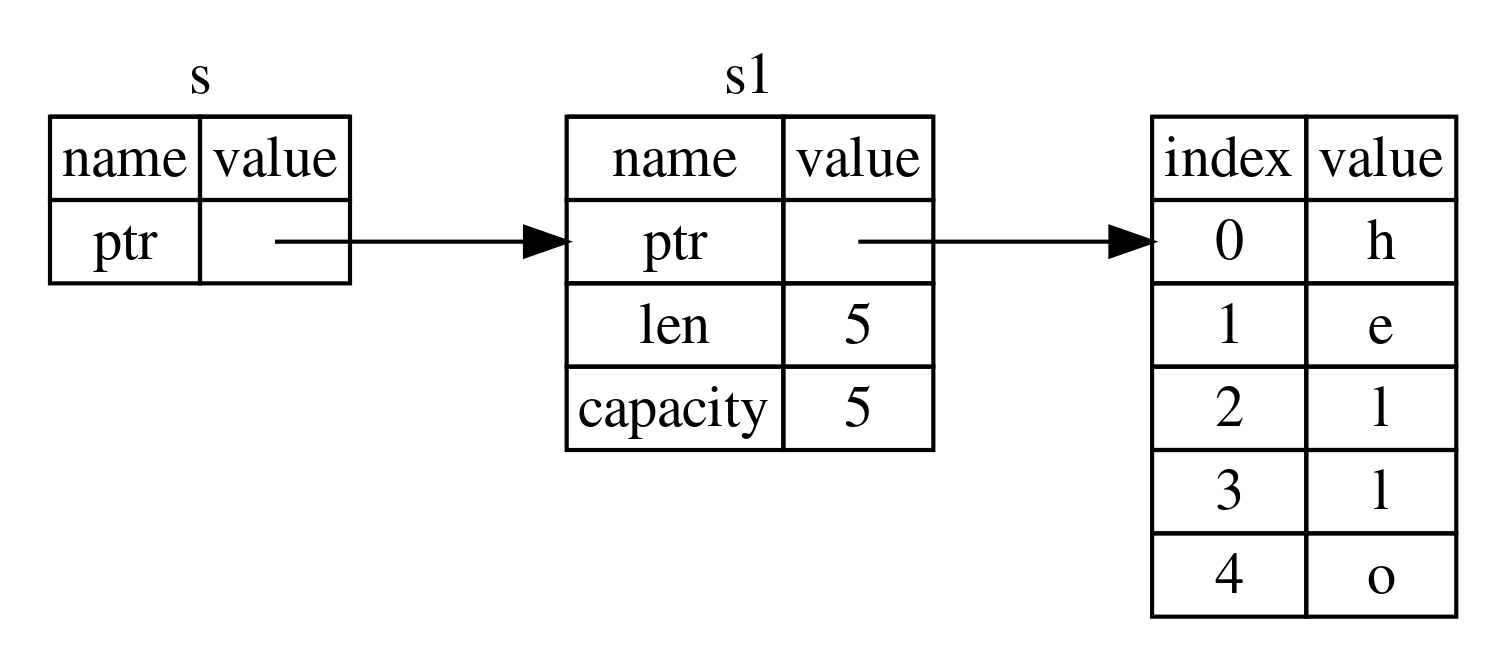
Using a reference as a function parameter is called borrowing.
4.4.2 Properties of Borrowing
Borrowed content cannot be modified unless it is a mutable reference.
Take a house as an example: if you rent out a house that you own, that is borrowing. The tenant can live in it but cannot freely renovate it; this is the property that borrowed content cannot be modified. If you allow the tenant to renovate it, that is a mutable reference.
Using this code as an example:
fn main() {
    let s1 = String::from("hello");
    let length = calculate_length(&s1);
    println!("The length of '{}' is {}", s1, length);
}

fn calculate_length(s: &String) -> usize {
    s.push_str(", world");
    s.len()
}
This code will produce a compile-time error:
error[E0596]: cannot borrow `*s` as mutable, as it is behind a `&` reference
 --> src/main.rs:8:5
  |
8 |     s.push_str(", world");
  |     ^ `s` is a `&` reference, so it cannot be borrowed as mutable
  |
help: consider changing this to be a mutable reference
  |
7 | fn calculate_length(s: &mut String) -> usize {
  |                         +++

For more information about this error, try `rustc --explain E0596`.
error: could not compile `borrowing` (bin "borrowing") due to 1 previous error
The reason for the error is the line s.push_str(", world");: references are immutable by default, but this line modifies the data.
Just like ordinary variable declarations, references are immutable by default, but they become mutable when the mut keyword is added:
fn main() {
    let mut s1 = String::from("hello");
    let length = calculate_length(&mut s1);
    println!("The length of '{}' is {}", s1, length);
}

fn calculate_length(s: &mut String) -> usize {
    s.push_str(", world");
    s.len()
}
Writing it this way will not cause an error, but remember to declare s1 as a mutable variable when you declare it.
This kind of reference that can modify the data is called a mutable reference.
4.4.3 Restrictions on Mutable References
Mutable references have two very important restrictions. The first is: at any given time, for a particular piece of data, there can only be one mutable reference.
Using this code as an example:
fn main() {
    let mut s = String::from("hello");
    let s1 = &mut s;
    let s2 = &mut s;

    println!("{}, {}", s1, s2);
}
Because both s1 and s2 are mutable references pointing to s, and they are used at the same time, the compiler will report an error:
error[E0499]: cannot borrow `s` as mutable more than once at a time
 --> src/main.rs:4:14
  |
3 |     let s1 = &mut s;
  |              ------ first mutable borrow occurs here
4 |     let s2 = &mut s;
  |              ^^^^^^ second mutable borrow occurs here
5 |
6 |     println!("{}, {}", s1, s2);
  |                        -- first borrow later used here

For more information about this error, try `rustc --explain E0499`.
error: could not compile `mutable-ref` (bin "mutable-ref") due to 1 previous error
The purpose of this is to prevent data races. A data race occurs when the following three conditions are all met at the same time:
- Two or more pointers access the same data at the same time
- At least one pointer is used to write to the data
- No mechanism is used to synchronize access to the data
The error message mentions at a time, meaning simultaneously—while the earlier borrow is still in use. So as long as they do not overlap, two mutable references pointing to the same data in different scopes are allowed. The following code illustrates this:
fn main() {
    let mut s = String::from("hello");
    {
        let s1 = &mut s;
    }
    let s2 = &mut s;
}
s1 and s2 do not have the same scope, so pointing to the same piece of data is allowed.
The second important restriction on mutable references is: you cannot have one mutable reference and one immutable reference at the same time. The purpose of a mutable reference is to modify the data, while the purpose of an immutable reference is to keep the data unchanged. If both exist at the same time, then once the mutable reference changes the value, the immutable reference no longer serves its purpose.
fn main() {
    let mut s = String::from("hello");
    let s1 = &mut s;
    let s2 = &s;

    println!("{}, {}", s1, s2);
}
Because s1 is a mutable reference and s2 is an immutable reference, and both are used at the same time pointing to the same piece of data, the compiler will report an error:
error[E0502]: cannot borrow `s` as immutable because it is also borrowed as mutable
 --> src/main.rs:4:14
  |
3 |     let s1 = &mut s;
  |              ------ mutable borrow occurs here
4 |     let s2 = &s;
  |              ^^ immutable borrow occurs here
5 |
6 |     println!("{}, {}", s1, s2);
  |                        -- mutable borrow later used here

For more information about this error, try `rustc --explain E0502`.
error: could not compile `mixed-ref` (bin "mixed-ref") due to 1 previous error
Of course, multiple immutable references can exist at the same time.
In summary: multiple readers (immutable references) can exist simultaneously, multiple writers (mutable references) can exist but not simultaneously, and multiple writers together with simultaneous read/write access are not allowed.
4.4.4 Dangling References
When using pointers, it is very easy to cause an error called a dangling pointer. It is defined as: a pointer refers to some address in memory, but that memory may already have been freed and reassigned for someone else to use.
If you reference some data, Rust’s compiler guarantees that the data will not go out of scope before the reference goes out of scope. This is how Rust ensures that dangling references never occur.
Using this code as an example:
fn main() {
    let r = dangle();
}

fn dangle() -> &String {
    let s = String::from("hello");
    &s
}- A local variable
sis created: The variablesis aString. It is allocated on the stack, but its underlying data is stored on the heap. - A reference to
sis returned: The function returns a reference tosvia&sat the end. sgoes out of scope: After the functiondanglereturns, the variablesleaves scope. According to Rust’s ownership rules, the memory forsis automatically freed. The memory data pointed to by&sno longer stores the data ofs, so the returned reference points to an already freed memory address and becomes a dangling reference.
Rust’s compiler will detect this and report an error at compile time.
4.4.5 Reference Rules
- At any given time, you can only satisfy one of the following conditions:
- One mutable reference
- Any number of immutable references
- References must always be valid
4.5 Slice
4.5.0 Before We Begin
This is the last article in Chapter 4, so let’s also take the opportunity to summarize this chapter:
The concepts of ownership, borrowing, and slices ensure memory safety in Rust programs at compile time. Rust allows programmers to control memory usage in the same way as other systems programming languages, but letting the owner of the data automatically clean it up when it goes out of scope means you do not need to write and debug extra code to gain that control.
After reading this article, I believe you will sincerely marvel at how magical and advanced Rust’s ownership mechanism really is.
4.5.1 Slice Features
-
1. Type and structure
- Slice types are represented as
&[T]or&mut [T], whereTis the type of the elements in the slice. - Immutable slices:
&[T], which only allow read operations. - Mutable slices:
&mut [T], which allow modification.
- Slice types are represented as
-
2. Do not own data
- A slice is essentially a reference to the underlying data, so it does not own the data.
- A slice’s lifetime is the same as the underlying data. When the underlying data is destroyed, the slice becomes invalid too.
4.5.2 String Slices
Take a problem as an example: Write a function that accepts a string as an argument, and returns the first word it finds in that string. If the function does not find any spaces, the entire string is returned.
fn main() {
	let s = String::from("Hello world");
	let word_index = first_word(&s);
	println!("{}", word_index);
}
fn first_word(s:&String) -> usize {
	let bytes = s.as_bytes();
	for (i, &item) in bytes.iter().enumerate() {
		if item == b' ' {
			return i;
		}
	}
	s.len()
}- Because you need to iterate over
Stringelement by element and check whether each value is a space, you use theas_bytesmethod to convertStringinto a byte array. - We will talk about iterators later. For now, all you need to know is that
iteris a method used to retrieve each element in a collection one by one.enumerateis a tool that adds an index to each element on top ofiterand returns the result as a tuple. The first element of the returned tuple is the index, and the second element is a reference to that element.
The program compiles successfully, and the output is 5. That is the index of the space after Hello.
We now have a way to find the index of the end of the first word in a string, but there is a problem. We return a usize ourselves, but it is only a number that has meaning in the context of &String. In other words, because it is a value different from String, there is no guarantee that it will still be valid in the future.
For example, for some reason the code writes s.clear(); after calling first_word to clear s. At that point, the word_index variable no longer means anything. Put another way, the Rust compiler cannot detect the error where the code uses s.clear() while word_index still exists. If you later use word_index to print a character in your code, an error will obviously occur.
This kind of API design requires constantly paying attention to the validity of word_index, and ensuring the synchronization between this index and the String variable s. Unfortunately, this kind of work is often quite tedious and very error-prone, so Rust provides string slices for this kind of problem.
A string slice is a reference to part of a string.
Adding & in front of the original string name indicates a reference to it, and adding [start_index..end_index] after it indicates a reference to part of that string. Note that the range inside [] is left-closed, right-open, so the end index is the next index after the end position of the slice. In plain terms: include the left, exclude the right.
fn main() {
	let s = String::from("hello world");
	let hello = &s[0..5];
	let world = &s[6..11];
}
In this example, the index range from 0 to 5 in s (including 0 but not including 5), namely "hello", is assigned to the hello variable; the index range from 6 to 11 (including 6 but not including 11), namely "world", is assigned to the world variable.
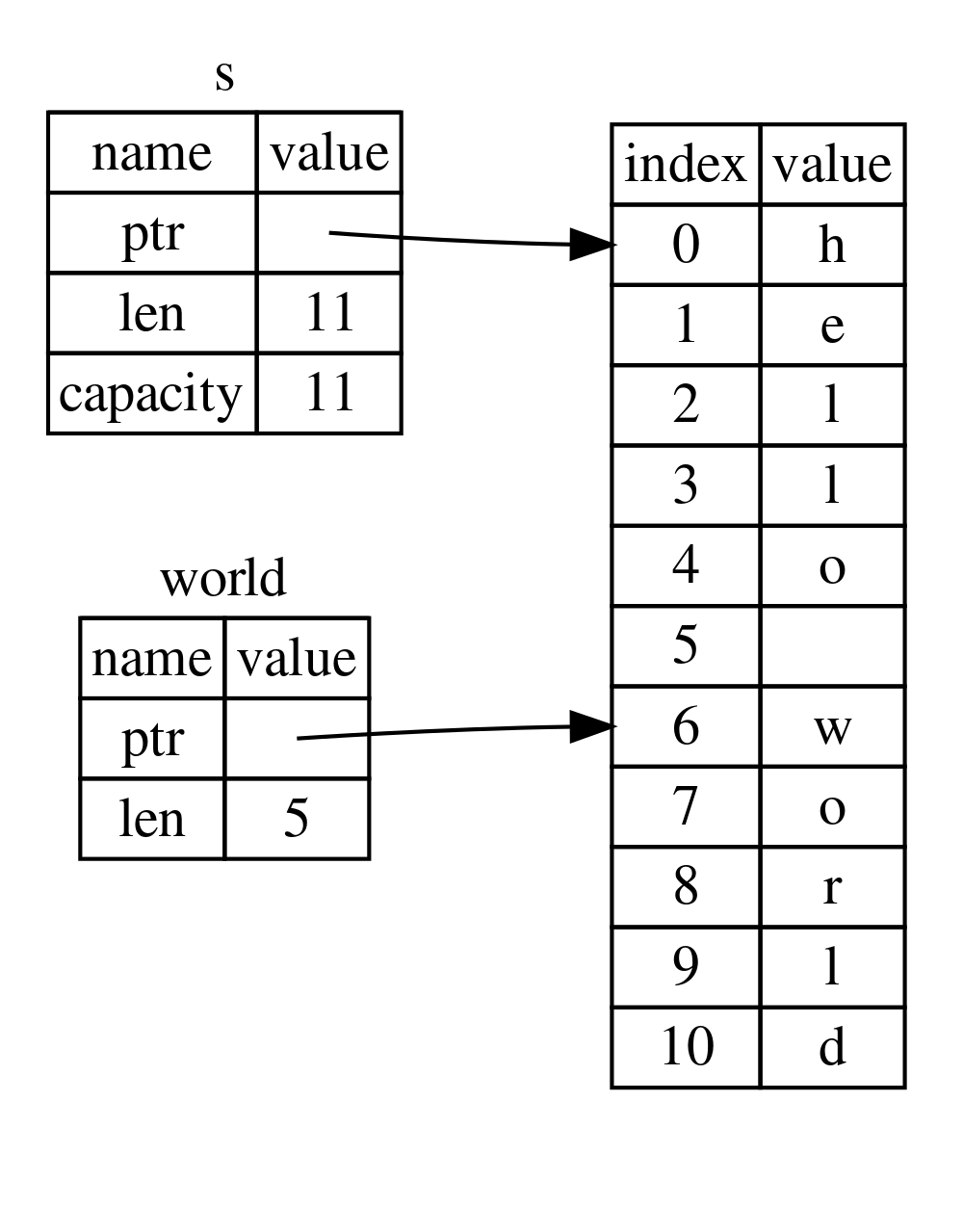 As you can see from the diagram, the
 world variable does not exist independently of s, which allows the compiler to detect many potential problems during compilation.
Of course, there are also a few shorthand forms for indexing:
#![allow(unused)]
fn main() {
let hello = &s[0..5];
}
This variable is sliced starting from index 0, and Rust allows this equivalent form:
#![allow(unused)]
fn main() {
let hello = &s[..5];
}
#![allow(unused)]
fn main() {
let world = &s[6..11];
}This variable is sliced up to the last element of s, and Rust allows this equivalent form:
#![allow(unused)]
fn main() {
let world = &s[6..];
}
If you want to slice the entire string, you can write:
#![allow(unused)]
fn main() {
let whole = &s[..];
}
Notes
- The range indices for string slices must fall on valid
UTF-8boundaries. - If you try to create a string slice from part of a multibyte character, the program will panic and exit.
Rewriting the Code
Now that we have learned slices, we can modify the code at the beginning of the article to optimize it further:
fn main() {
	let mut s = String::from("Hello world");
	let word = first_word(&s);
	println!("{}", word);
}
fn first_word(s:&String) -> &str {
	let bytes = s.as_bytes();
	for (i, &item) in bytes.iter().enumerate() {
		if item == b' ' {
			return &s[..i];
		}
	}
	&s[..]
}&strmeans a string slice.
If you insert s.clear(); between the let word = first_word(&s); line and the println! that uses word, Rust will detect the error and report it:
error[E0502]: cannot borrow `s` as mutable because it is also borrowed as immutable
 --> src/main.rs:4:2
  |
3 |     let word = first_word(&s);
  |                           -- immutable borrow occurs here
4 |     s.clear();
  |     ^^^^^^^^^ mutable borrow occurs here
5 |     println!("{}", word);
  |                    ---- immutable borrow later used here

For more information about this error, try `rustc --explain E0502`.
error: could not compile `slice-clear` (bin "slice-clear") due to 1 previous error
This is because a mutable borrow from s.clear() overlaps with the immutable borrow held by word, violating the borrowing rules.
PS: s.clear() is equivalent to clear(&mut s)
4.5.3 String Literals Are Slices
String literals are stored directly in the binary program and are loaded into static memory when the program runs.
#![allow(unused)]
fn main() {
let s = "Hello, World!";
}
The variable s has type &str, which is a slice pointing to a specific location in the binary program. &str is immutable, so string literals are immutable too.
4.5.4 Passing String Slices as Parameters
#![allow(unused)]
fn main() {
fn first_word(s:&String) -> &str {
}
This is the line that declares the function in the optimized code we just wrote, and there is nothing wrong with this form itself. But experienced Rust developers use &str as the parameter type for s, because then the function can accept both String and &str arguments:
- If the value you pass in is already a string slice, you can call it directly.
- If the value is a
String, you can pass an argument of type&String. When a function parameter needs&strand you pass&String, Rust will implicitly invokeDerefto convert&Stringinto&str.
Using a string slice instead of a string reference as a function parameter makes the API more general without losing any functionality.
Based on this, we can further optimize the earlier code:
fn main() {
	let s = String::from("Hello world");
	let word = first_word(&s);
	println!("{}", word);
}
fn first_word(s:&str) -> &str {
	let bytes = s.as_bytes();
	for (i, &item) in bytes.iter().enumerate() {
		if item == b' ' {
			return &s[..i];
		}
	}
	&s[..]
}
This line:
#![allow(unused)]
fn main() {
let word = first_word(&s);
}
can also be written as:
#![allow(unused)]
fn main() {
let word = first_word(&s[..]);
}
For the former, Rust will implicitly invoke Deref and convert &String into &str; the latter manually converts it to &str.
4.5.5 Slices of Other Types
fn main() {
    let number = [1, 2, 3, 4, 5];
    let num = &number[1..3];
    println!("{:?}", num);
}
Arrays can also use slices. The essence of the num slice is that it stores the pointer to the starting point of the slice in number (index 1 in this example) and the length information.
The output is:
[2, 3]
5.1 Defining and Instantiating Structs
5.1.1 What Is a Struct
The meaning of struct is “structure”. It is a custom data type that allows programs to name and bundle related values into meaningful combinations. It is similar to a “class” or “structure” in other programming languages, but it only provides data storage and does not include methods.
People who have studied C/C++ may already be very familiar with the struct keyword, but there are differences:
-
C:
structis a simple aggregate type used to organize data. It can contain only data and no methods. -
C++:
structis very similar toclass. It can contain data and methods, and the only syntax difference is that the default access level instructispublic, while inclassit isprivate. -
Rust:
structis used only to define data structures and does not include methods. Methods must be defined for the struct through animplblock. Rust provides stricter ownership, lifetime, and memory management mechanisms.
5.1.2 Defining a Struct
- Use the
structkeyword to name the entire struct using CamelCase. - Inside curly braces, define the name and type of every field.
Example: Create a struct customized to store various data for CS professional players on HLTV (additional info: CS professional player data generally consists of Rating, DPR, KAST, Impact, ADR, and KPR).

#![allow(unused)]
fn main() {
struct Stats{
    rating: f32,
    dpr: f32,
    kast: f32,
    impact: f32,
    adr: f32,
    kpr: f32,
}
}
5.1.3 Instantiating a Struct
To use a struct, you need to create an instance of it:
- Assign a concrete value to each field; you cannot omit field values.
- There is no need to specify them in the order in which they were declared.
Using donk as an example, create his database:
fn main() {
    let donk = Stats {
        rating: 1.27,
        impact: 1.4,
        dpr: 0.67,
        adr: 88.8,
        kast: 74.1,
        kpr: 0.85,
    };
}
5.1.4 Accessing the Value of a Field in a Struct
You can use dot notation to access a field’s value in a struct:
fn main() {
    let mut donk = Stats {
        rating: 1.27,
        impact: 1.4,
        dpr: 0.67,
        adr: 88.8,
        kast: 74.1,
        kpr: 0.85,
    };
    donk.rating = 2.59;
}
If you want to change a struct’s values, remember to use the mutable variable keyword mut when instantiating it.
In a struct, the smallest unit of mutability is the entire instance, so you cannot control the mutability of a single field on its own. Once a struct instance is declared mutable, all fields in that instance are mutable.
5.1.5 Using a Struct as a Function Return Value
The last expression in a function is its return value, so if you use a struct as a return value, you only need to make sure that constructing the struct is the last expression in the function (without a semicolon):
#![allow(unused)]
fn main() {
fn change_stats(rating: f32, impact:f32, dpr:f32, adr:f32, kast:f32, kpr:f32) -> Stats{
    Stats {
        rating: rating,
        impact: impact,
        dpr: dpr,
        adr: adr,
        kast: kast,
        kpr: kpr,
    }
}
}
5.1.6 Field Init Shorthand
Rust, like JS and C#, allows field initialization to be shortened in some cases.
When a field name and the corresponding variable name for the field value are the same, you can use shorthand. For example, in the previous code snippet, all field names are the same as the variable names for their values, so it can be shortened to:
#![allow(unused)]
fn main() {
fn change_stats(rating: f32, impact:f32, dpr:f32, adr:f32, kast:f32, kpr:f32) -> Stats{
    Stats {
        rating,
        impact,
        dpr,
        adr,
        kast,
        kpr,
    }
}
}
Of course, this is not limited to cases where everything matches. As long as one field meets the shorthand condition, you can use the shorthand there and keep the normal syntax for the others.
5.1.7 Struct Update Syntax
When you create a new instance based on an existing struct instance, and the new instance has fields that are the same as the old one, you can use update syntax.
For example, if I want to create data for sh1ro, where his rating is 1.25, his impact is 1.2, and the rest are the same as donk’s, this is the basic form:
fn main() {
    let donk = Stats {
        rating: 1.27,
        impact: 1.4,
        dpr: 0.67,
        adr: 88.8,
        kast: 74.1,
        kpr: 0.85,
    };
    let sh1ro = Stats {
        rating: 1.25,
        impact: 1.2,
        dpr: donk.dpr,
		adr: donk.adr,
		kast: donk.kast,
		kpr: donk.kpr,
    };
}
This is a bit cumbersome, so Rust provides this syntactic sugar:
fn main() {
    let donk = Stats {
        rating: 1.27,
        impact: 1.4,
        dpr: 0.67,
        adr: 88.8,
        kast: 74.1,
        kpr: 0.85,
    };
    let sh1ro = Stats {
        rating: 1.25,
        impact: 1.2,
        ..donk
    };
}
You only need to write the parts that changed. For the rest, just write .. followed by the name of the other struct instance, which means that the values of the remaining unassigned fields are the same as the corresponding fields in the other instance.
5.1.8 Tuple Structs
A tuple struct is a type of struct that is similar to a tuple. The whole tuple struct has a name, but the elements inside it do not. It is useful when you want to name an entire tuple, make it distinct from other tuples, and do not need to name each element.
To define a tuple struct, use the struct keyword followed by the name and the types of the elements inside it.
Example:
#![allow(unused)]
fn main() {
struct Color(u8, u8, u8);
struct Point(i32, i32, i32);
let black = Color(0, 0, 0);
let origin = Point(0, 0, 0);
}
Some people jokingly say that tuple structs have no equivalent in traditional programming languages and come from the noble lineage of Haskell. This is because in many traditional object-oriented languages, such as Java and C++, structs or classes are named and have named fields, while tuples are anonymous and based only on order. There is no intermediate form that combines the strengths of both. Rust’s tuple struct concept is directly related to Haskell’s Newtype Pattern. In Haskell, you can define a similar pattern with newtype.
It is worth noting that even if two tuple structs have the same number of elements and the corresponding element types are identical, they should not be considered the same type, because they are different structs.
5.1.9 Unit-Like Structs
Unit-like structs are called unit-like structs because they behave similarly to the unit type (). They are used when you need a type marker or want to implement a trait on some type (which you can think of as an interface) without storing any data in the type itself. This is similar to the empty struct struct{} in Go.
struct ReadOnly;
struct WriteOnly;

fn process_data<T>(_mode: T) {
    // Used only as a type marker
}

fn main() {
    process_data(ReadOnly);
    process_data(WriteOnly);
}
This example implements type markers.
5.1.10 Ownership of Struct Data
#![allow(unused)]
fn main() {
struct User {
active: bool,
username: String,
email: String,
sign_in_count: u64,
}
}
In this example, both username and email use the String type instead of &str, because String is an owned type and owns all of its data. In this case, as long as the instance is valid, the field data inside it is also definitely valid.
Reference types such as &str can also be stored in a struct, but that requires lifetimes (which we will cover later). Simply put, lifetimes ensure that as long as the struct instance is valid, the references inside it are also valid. If a struct stores references without using lifetimes, it will produce an error (missing lifetime specifier).
5.2 Struct Usage Example - Printing Debug Information
5.2.1. Example Requirements
Create a function that calculates the area of a rectangle. The width and length are both of type u32, and the area is also of type u32.
5.2.2. The Simple Approach
The simplest solution is to define the function with two parameters: one for the width and one for the length, both of type &u32 (the example says the values are u32, and in this case the function does not need to take ownership of the data, so we use references by adding & in front of the type). Inside the function, just return the product of the width and length.
fn main() {
    let width = 30;
    let length = 50;
    println!("{}", area(&width, &length));
}

fn area(width: &u32, length: &u32) -> u32 {
    width * length
}
Output:
1500
5.2.3. The Tuple Approach
The simple approach itself is fine, but it has a maintainability problem: width and length are separate parameters, so nowhere in the program is it clear that these parameters are related. Combining the width and length into one value is more readable and easier to manage. For organizing data, a tuple is perfect for this (because the values are the same data type, using an array here would also be fine).
fn main() {
    let rectangle = (30,50);
    println!("{}", area(&rectangle));
}

fn area(dim:&(u32,u32)) -> u32 {
    dim.0 * dim.1
}
Output:
1500
5.2.4. The Struct Approach
The tuple approach does improve maintainability, but the code becomes less readable, because without comments no one knows whether the first item in the tuple represents the width or the length (although that does not matter for calculating area, it matters in larger projects). Tuple elements do not have names. Even tuple structs, which were covered in the previous article, 5.1. Defining and Instantiating Structs, do not have named elements either.
So what kind of data structure can combine two values and give each of them a name? That’s right: struct.
struct Rectangle {
    width: u32,
    length: u32,
}

fn main() {
    let rectangle = Rectangle{
        width: 30,
        length: 50,
    };
    println!("{}", area(&rectangle));
}

fn area(dim:&Rectangle) -> u32 {
    dim.width * dim.length
}
5.2.5. Printing Debug Information for Structs
Starting from the code above, what happens if we add one more line to print the rectangle instance directly? The code is as follows:
struct Rectangle {
    width: u32,
    length: u32,
}

fn main() {
    let rectangle = Rectangle{
        width: 30,
        length: 50,
    };
    println!("{}", area(&rectangle));
    println!("{}", rectangle);  // Print the instance directly
}

fn area(dim:&Rectangle) -> u32 {
    dim.width * dim.length
}
Output:
error[E0277]: `Rectangle` doesn't implement `std::fmt::Display`
  --> src/main.rs:12:20
   |
12 |     println!("{}", rectangle);
   |               --   ^^^^^^^^^ `Rectangle` cannot be formatted with the default formatter
   |               |
   |               required by this formatting parameter
   |
help: the trait `std::fmt::Display` is not implemented for `Rectangle`
  --> src/main.rs:1:1
   |
 1 | struct Rectangle {
   | ^^^^^^^^^^^^^^^^
   = note: in format strings you may be able to use `{:?}` (or {:#?} for pretty-print) instead
First, let’s explain the error: the println! macro can perform many kinds of formatted printing. The {} placeholder tells println! to use the std::fmt::Display trait (think of it as an interface), similar to Python’s toString. The error message tells us that Rectangle does not implement the std::fmt::Display trait, so it cannot be printed this way.
In fact, the basic data types we have covered so far all implement std::fmt::Display by default, because their display format is fairly straightforward. For example, if you print 1, the program can only print the Arabic numeral 1. But for Rectangle, which has two fields, should it print both, only width, or only length? There are too many possibilities, so Rust does not implement std::fmt::Display for structs by default.
But if we keep reading the next line:
= note: in format strings you may be able to use `{:?}` (or {:#?} for pretty-print) instead
the compiler is telling us that we can use {:?} or {:#?} instead of {}. Let’s try the first one:
struct Rectangle {
    width: u32,
    length: u32,
}

fn main() {
    let rectangle = Rectangle{
        width: 30,
        length: 50,
    };
    println!("{}", area(&rectangle));
    println!("{:?}", rectangle);  // Change `{}` to `{:?}`
}

fn area(dim:&Rectangle) -> u32 {
    dim.width * dim.length
}
It still fails:
error[E0277]: `Rectangle` doesn't implement `Debug`
  --> src/main.rs:12:22
   |
12 |     println!("{:?}", rectangle);
   |               ----   ^^^^^^^^^ `Rectangle` cannot be formatted using `{:?}` because it doesn't implement `Debug`
   |               |
   |               required by this formatting parameter
   |
   = help: the trait `Debug` is not implemented for `Rectangle`
   = note: add `#[derive(Debug)]` to `Rectangle` or manually `impl Debug for Rectangle`
help: consider annotating `Rectangle` with `#[derive(Debug)]`
   |
 1 + #[derive(Debug)]
 2 | struct Rectangle {
   |
But the error message has changed. Last time it said std::fmt::Display was not implemented; this time it says Debug is not implemented. Debug, like Display, is also a formatting method. If we keep reading the note:
= note: add `#[derive(Debug)]` to `Rectangle` or manually `impl Debug for Rectangle`
the compiler is suggesting that we add #[derive(Debug)] to the code or manually implement the Debug trait. Here we will use the first option (manually implementing traits will be covered in later chapters):
#[derive(Debug)]
struct Rectangle {
    width: u32,
    length: u32,
}

fn main() {
    let rectangle = Rectangle{
        width: 30,
        length: 50,
    };
    println!("{}", area(&rectangle));
    println!("{:?}", rectangle);
}

fn area(dim:&Rectangle) -> u32 {
    dim.width * dim.length
}
Output:
1500
Rectangle { width: 30, length: 50 }
This time it works. Rust itself includes debug-printing functionality, but you must explicitly opt in for structs in your own code, so you need to add the #[derive(Debug)] attribute before the struct definition. This output shows the struct name, the field names, and their values.
Sometimes a struct has many fields, and the horizontal layout produced by {:?} is not very readable. If you want a more readable output, change {:?} to {:#?}:
#[derive(Debug)]
struct Rectangle {
    width: u32,
    length: u32,
}

fn main() {
    let rectangle = Rectangle{
        width: 30,
        length: 50,
    };
    println!("{}", area(&rectangle));
    println!("{:#?}", rectangle);
}

fn area(dim:&Rectangle) -> u32 {
    dim.width * dim.length
}
Output:
1500
Rectangle {
    width: 30,
    length: 50,
}
In this output, the fields are arranged vertically, which is more readable for structs with many fields.
In fact, Rust provides many traits that we can derive. These traits can add a lot of functionality to custom types. All traits and their behavior can be found in the official guide, and I have attached the link here.
In the code above, Rectangle derives the Debug trait, so it can be printed in debug mode.
Let’s look at another example. Suppose you have a struct representing a point:
#[derive(Debug, Clone, PartialEq)]
struct Point {
    x: i32,
    y: i32,
}

fn main() {
    let point1 = Point { x: 1, y: 2 };
    let point2 = point1.clone();
    println!("{:?}", point1); // Print Point using the Debug trait
    assert_eq!(point1, point2); // Compare two Point values using the PartialEq trait
}
In this example:
#[derive(Debug)]allows you to print an instance of thePointstruct using the{:?}formatting specifier.#[derive(Clone)]allows you to create a copy of aPointinstance.#[derive(PartialEq)]allows you to compare whether twoPointinstances are equal.
5.3 Methods on Structs
5.3.1. What Is a Method?
Methods are similar to functions. They are also declared with the fn keyword, and they also have names, parameters, and return values. But methods are different from functions in a few ways:
- Methods are defined in the context of a
struct(or an enum or a trait object). - The first parameter of a method is always
self, which represents thestructinstance the method belongs to and is called on, similar toselfin Python andthisin JavaScript.
5.3.2. Practical Use of Methods
Let’s continue with an example from the previous article, 5.2. Struct Usage Example - Printing Debug Information:
struct Rectangle {
    width: u32,
    length: u32,
}

fn main() {
    let rectangle = Rectangle{
        width: 30,
        length: 50,
    };
    println!("{}", area(&rectangle));
}

fn area(dim:&Rectangle) -> u32 {
    dim.width * dim.length
}
The area function calculates an area, but it is special: it only applies to rectangles, not to other shapes or other types. If we later add functions that calculate the areas of other shapes, the name area will become ambiguous. Renaming it to rectangle_area would be cumbersome, because every call to this function in main would also need to be changed.
So if we could combine the Rectangle struct, which stores the rectangle’s width and length, with the area function, which only calculates a rectangle’s area, that would be ideal.
For this kind of requirement, Rust provides “implementation”, whose keyword is impl. Follow it with the struct name and a pair of {} braces, and define methods inside just as you would define regular functions.
For this example, the struct name is Rectangle, so we can paste the code for the area function into the braces:
#![allow(unused)]
fn main() {
impl Rectangle {
    fn area(dim:&Rectangle) -> u32 {
        dim.width * dim.length
    }
}
}
But note that this is not yet a method, because the first parameter of a method must be self. The code above is called an associated function, which will be covered below.
There is nothing wrong with writing it this way, but it can be simplified further. As mentioned above, the first parameter of a method is always self, so we can change it like this:
#![allow(unused)]
fn main() {
impl Rectangle {
    fn area(&self) -> u32 {
        self.width * self.length
    }
}
}
Whichever type the method is bound to, self refers to that type. In this code, the area function is bound to Rectangle, so self refers to Rectangle. The area parameter does not need ownership, so we add & before self to indicate a reference.
Of course, after this change, the function call in main must also change—from a function call to a method call: instance.method_name(arguments).
fn main() {
    let rectangle = Rectangle{
        width: 30,
        length: 50,
    };
    println!("{}", rectangle.area());
}
The parentheses in rectangle.area() are empty because the area method was defined using only &self as its parameter, which means the method borrows an immutable reference to self (that is, the rectangle instance). When calling area, you do not need to pass the instance explicitly, because the method call already knows implicitly that self is rectangle.
The full code is as follows:
struct Rectangle {
    width: u32,
    length: u32,
}

impl Rectangle {
    fn area(&self) -> u32 {
        self.width * self.length
    }
}

fn main() {
    let rectangle = Rectangle{
        width: 30,
        length: 50,
    };
    println!("{}", rectangle.area());
}
Output:
1500
5.3.3. How to Define Methods
We already did this in the practical example above, so here is just a summary:
- Define methods inside
impl - The first parameter of a method can be
self,&self, or&mut self. It can take ownership, an immutable reference, or a mutable reference, just like other parameters. - Methods help organize code better, because methods for a type can all be placed inside the same
implblock, so you do not have to search the entire codebase for behaviors related to astruct.
5.3.4. Operators for Method Calls
In C/C++, there are two operators for calling methods:
->: The format isobject->something(). Use this to call methods on the object pointed to by a pointer (that is, whenobjectis a pointer)..: The format isobject.something(). Use this to call methods on the object itself (that is, whenobjectis not a pointer, but an object).
object->something() is actually syntactic sugar. It is equivalent to (*object).something(), and * means dereference. In both cases, the process is to dereference first to get the object, and then call the method on that object.
Rust provides automatic referencing/dereferencing. In other words, when calling methods, Rust automatically adds &, &mut, or * as needed so that object matches the method signature. This is similar to Go.
For example, these two lines of code have the same effect:
#![allow(unused)]
fn main() {
point1.distance(&point2);
(&point1).distance(&point2);
}
Rust will automatically add & before point1 when appropriate.
5.3.5. Method Parameters
In addition to self, methods can also take other parameters—one or more.
For example, based on the code in 5.3.2, we can add a feature that determines whether a rectangle can hold another rectangle (we will not consider rotated placement, and we will not consider the case where the rectangle’s length is greater than its width):
#![allow(unused)]
fn main() {
impl Rectangle {
    fn can_hold(&self, other: &Rectangle) -> bool {
        self.width > other.width && self.length > other.length
    }
}
}
The logic is very easy to understand: as long as both the rectangle’s width and length are larger than the other rectangle’s, it works.
Then we can declare a few Rectangle instances in main and print the comparison result to see whether it works. The complete code is as follows:
struct Rectangle {
    width: u32,
    length: u32,
}

impl Rectangle {
    fn can_hold(&self, other: &Rectangle) -> bool {
        self.width > other.width && self.length > other.length
    }
}

fn main() {
    let rect1 = Rectangle{
        width: 30,
        length: 50,
    };
    let rect2 = Rectangle{
        width: 10,
        length: 40,
    };
    println!("{}", rect1.can_hold(&rect2));
}
Output:
true
5.3.6. Associated Functions
You can define functions inside an impl block that do not take self as the first parameter. These are called associated functions (not methods). They are not called on an instance, but they are associated with the type. For example, String::from() is an associated function named from on the String type.
Associated functions are usually used as constructors, meaning they are used to create an instance of the associated type.
For example, based on the code in 5.3.2, we can add a constructor for a square (a square is also a special kind of rectangle):
#![allow(unused)]
fn main() {
impl Rectangle {
    fn square(size: u32) -> Rectangle {
        Rectangle{
            width: size,
            length: size,
        }
    }
}
}
Only one parameter is needed, because constructing a square only requires one side length.
Let’s try calling this associated function in main. The format is TypeName::function_name(arguments). The complete code is as follows:
#[derive(Debug)]
struct Rectangle {
    width: u32,
    length: u32,
}

impl Rectangle {
    fn square(size: u32) -> Rectangle {
        Rectangle{
            width: size,
            length: size,
        }
    }
}

fn main() {
    let square = Rectangle::square(10);
    println!("{:?}", square);
}
Output:
Rectangle { width: 10, length: 10 }
:: is not only used for associated functions; it is also used for modules to create namespaces (this will be covered later).
5.3.7. Multiple impl Blocks
Each struct can have multiple impl blocks.
For example, suppose I want to put all the methods and associated functions mentioned in this article into one code sample.
You can write it like this (multiple impl blocks):
#[derive(Debug)]
struct Rectangle {
    width: u32,
    length: u32,
}

impl Rectangle {
    fn area(&self) -> u32 {
        self.width * self.length
    }
}

impl Rectangle {
    fn can_hold(&self, other: &Rectangle) -> bool {
        self.width > other.width && self.length > other.length
    }
}

impl Rectangle {
    fn square(size: u32) -> Rectangle {
        Rectangle{
            width: size,
            length: size,
        }
    }
}

fn main() {
    let square = Rectangle::square(10);
    println!("{:?}", square);
}
You can also write it like this, combining everything into one impl block:
#[derive(Debug)]
struct Rectangle {
    width: u32,
    length: u32,
}

impl Rectangle {
    fn area(&self) -> u32 {
        self.width * self.length
    }

    fn can_hold(&self, other: &Rectangle) -> bool {
        self.width > other.width && self.length > other.length
    }

    fn square(size: u32) -> Rectangle {
        Rectangle{
            width: size,
            length: size,
        }
    }
}

fn main() {
    let square = Rectangle::square(10);
    println!("{:?}", square);
}
6.1 Enums
6.1.1. What Is an Enum?
Enums allow us to define a type by listing all possible values. This is similar to enums in other programming languages, but Rust enums are more flexible and powerful because they can associate data and methods, similar to classes or structs in other languages.
6.1.2. Defining an Enum
For example, an IP address has only two possibilities—IPv4 and IPv6. It is either IPv4 or IPv6, so this is a great use case for an enum, because a value of an enum can only be one of its variants (all possible values of the enum).
#![allow(unused)]
fn main() {
enum IpAddrKind{
	V4,
	V6,
}
}
This code uses the enum keyword to declare an enum type called IpAddrKind. It has two variants—V4 and V6—which represent IPv4 and IPv6 respectively.
6.1.3. Enum Values
Creating an enum value is very simple. The format is enum_name::variant. For example:
#![allow(unused)]
fn main() {
let four = IpAddrKind::V4;
let six = IpAddrKind::V6;
}
The variants of an enum live in the namespace of the enum’s identifier, and that identifier is the name of the enum type.
We can declare a function that takes IpAddrKind as its parameter, and the value passed in can be either V4 or V6:
#![allow(unused)]
fn main() {
fn route(ip_addr: IpAddrKind) {
    match ip_addr {
        IpAddrKind::V4 => println!("IPv4"),
        IpAddrKind::V6 => println!("IPv6"),
    }
}
}
Let’s try it out: Complete code:
enum IpAddrKind{
    V4,
    V6,
}

fn main() {
    let four = IpAddrKind::V4;
    let six = IpAddrKind::V6;
    // Call the function
    route(four);
    route(six);
    route(IpAddrKind::V4);
}

fn route(ip_addr: IpAddrKind) {
    match ip_addr {
        IpAddrKind::V4 => println!("IPv4"),
        IpAddrKind::V6 => println!("IPv6"),
    }
}
Output:
IPv4
IPv6
IPv4
6.1.4. Attaching Data to Enum Variants
An enum is a custom data type, so it can be used as the type of a field in a struct, for example:
#![allow(unused)]
fn main() {
struct IpAddr {
    kind: IpAddrKind,
    address: String,
}
}
The kind field in IpAddr is of type IpAddrKind and stores the network protocol; the other field, address, is of type String and stores the specific IP address.
With this struct, we can declare variables in main() that store IPv4 and IPv6 information:
fn main() {
    let home = IpAddr {
        kind: IpAddrKind::V4,
        address: String::from("127.0.0.1"),
    };
    let loopback = IpAddr {
        kind: IpAddrKind::V6,
        address: String::from("::1"),
    };
}
Rust allows data to be attached directly to enum variants, for example:
#![allow(unused)]
fn main() {
enum IpAddr {
	V4(String),
	V6(String),
}
}
You add a type after each variant (they do not have to be the same type). Here, both V4 and V6 are followed by the String type.
The advantages of this approach are:
- No need to use an extra struct
- Each variant can have a different type and a different amount of associated data
For example:
#![allow(unused)]
fn main() {
enum IpAddr {
	V4(u8, u8, u8, u8),
	V6(String),
}
}
An IPv4 address is actually made up of four 8-bit numbers (that is, four values that fit in u8), while IPv6 is a string, so String should be used. If we want to store a V4 address as four u8 values but still represent a V6 address as a String, we cannot use a struct. An enum handles this situation easily.
Let’s rewrite the previous code:
enum IpAddrKind{
    V4(u8, u8, u8, u8),
    V6(String),
}

fn main() {
    let home = IpAddrKind::V4(127, 0, 0, 1);
    let loopback = IpAddrKind::V6(String::from("::1"));
}
That is indeed much shorter than the previous code.
6.1.5. IpAddr in the Standard Library
In fact, the standard library already provides an enum for IP addresses. Let’s see how the official version is written:
#![allow(unused)]
fn main() {
struct Ipv4Addr {
    // --snip--
}

struct Ipv6Addr {
    // --snip--
}

enum IpAddr {
    V4(Ipv4Addr),
    V6(Ipv6Addr),
}
}
The contents of Ipv4Addr and Ipv6Addr are not shown here, but that is not the point. The point is that this code shows that any type of data can be placed inside enum variants: for example, strings, numeric types, or structs. It can even include another enum.
6.1.6. Using Methods on Enums
The concept of methods was introduced in the previous article, 5.3. Methods on Structs, so we will not go into too much detail here. Methods are defined with the impl keyword, as shown below:
enum Message {
    Quit,
    Move { x: i32, y: i32 },
    Write(String),
    ChangeColor(i32, i32, i32),
}
impl Message {
    fn call(&self) {
        println!("Something happens");
    }
}
fn main(){
	let m = Message::Write(String::from("hello"));
    m.call();
}
This enum has four different variants:
Quit: does not carry any data.Move: contains an anonymous struct.Write: contains aString.ChangeColor: contains threei32values.
In main, the variable m is declared as the Write variant of the Message enum, with the String value hello attached to it. Then the call method is invoked on m, which prints Something happens.
6.2 The Option Enum
6.2.1. What Is the Option Enum?
It is defined in the standard library and included in the prelude (the pre-imported module). It is used to describe a scenario where:
a value may exist, and if so, what data type it has; or it may simply not exist.
6.2.2. Rust Has No Null
In most other languages, there is a Null value, which represents no value.
In those languages, a variable can be in two states:
- Null (
Null) - Non-null
Null’s inventor, Tony Hoare, said in his 2009 talk “Null References: The Billion Dollar Mistake”:
I call it my billion-dollar mistake. At that time, I was designing the first comprehensive type system for references in an object-oriented language. My goal was to ensure that all use of references should be absolutely safe, with checking performed automatically by the compiler. But I couldn’t resist the temptation to put in a null reference, simply because it was so easy to implement. This has led to innumerable errors, vulnerabilities, and system crashes, which have probably caused a billion dollars of pain and damage in the last forty years.
The problem with Null is very obvious, and even its inventor does not think it is a good thing. For example, if a variable is of type string and needs to be concatenated with another string, but the variable is actually Null, then an error will occur during concatenation. For Java users, the most common error is NullPointerException. In one sentence, when you try to use a Null value as if it were a non-Null value, some kind of error will occur.
Therefore, Rust does not provide Null. However, for the concept that Null is trying to express—namely, a value that is currently invalid or does not exist for some reason—Rust provides a similar enum called Option<T>.
6.2.3. Option<T>
It is defined in the standard library like this:
#![allow(unused)]
fn main() {
enum Option<T>{
	Some(T),
	None,
}
}- The
Somevariant can carry some data, and its data type isT.<T>is actually a generic parameter (covered later). Noneis the other variant, but it does not carry any data, because it represents the case where a value does not exist.
Because it is included in the Prelude, you can use Option<T>, Some(T), and None directly.
Look at an example:
fn main(){
    let some_number = Some(5);
    let some_char = Some('e');

    let absent_number: Option<i32> = None;
}- For the first two statements, the values are written inside the parentheses, so the Rust compiler can infer their data types. For example,
some_numberhas typeOption<i32>, andsome_charhas typeOption<char>. Of course, you can also write the type explicitly, but it is unnecessary unless you want to force a specific type. - For the last statement, the assigned value is the
Nonevariant. The compiler cannot infer fromNonewhat typeTinOption<T>should be, so you need to declare the concrete type explicitly. That is whyOption<i32>is written here.
In this example, the first two variables are valid values, while the last variable does not contain a valid value.
6.2.4. The Advantages of Option<T>
- In Rust,
Option<T>andT(Tcan be any data type) are different types. You cannot treatOption<T>asT. - If you want to use the
TinsideOption<T>, you must first convert it toT. This prevents programmers from ignoring the possibility of null values and directly operating on variables that may be empty. Rust’sOption<T>design forces developers to handle these cases explicitly. For example, in C#, if you writestring a = null;and thenstring b = a + "12345";, and you do not check whetherais null (or ignore the possibility thatais null), an error will occur on the second line. In Rust, as long as a value’s type is notOption<T>, that value is definitely not null.
For example:
fn main(){
    let x: i8 = 5;
    let y: Option<i8> = Some(5);

    let sum = x + y;
}
If you run this code, the compiler will report an error:
error[E0277]: cannot add `Option<i8>` to `i8`
   --> src/main.rs:5:17
    |
  5 |     let sum = x + y;
    |                 ^ no implementation for `i8 + Option<i8>`
    |
    = help: the trait `Add<Option<i8>>` is not implemented for `i8`
help: the following other types implement trait `Add<Rhs>`
   --> /Users/stanyin/.rustup/toolchains/stable-aarch64-apple-darwin/lib/rustlib/src/rust/library/core/src/ops/arith.rs:98:9
    |
 98 |         impl const Add for $t {
    |         ^^^^^^^^^^^^^^^^^^^^^ `i8` implements `Add`
...
113 | add_impl! { usize u8 u16 u32 u64 u128 isize i8 i16 i32 i64 i128 f16 f32 f64 f128 }
    | ---------------------------------------------------------------------------------- in this macro invocation
    |
   ::: /Users/stanyin/.rustup/toolchains/stable-aarch64-apple-darwin/lib/rustlib/src/rust/library/core/src/internal_macros.rs:22:9
    |
 22 |         impl const $imp<$u> for &$t {
    |         ^^^^^^^^^^^^^^^^^^^^^^^^^^^ `&i8` implements `Add<i8>`
...
 33 |         impl const $imp<&$u> for $t {
    |         ^^^^^^^^^^^^^^^^^^^^^^^^^^^ `i8` implements `Add<&i8>`
...
 44 |         impl const $imp<&$u> for &$t {
    |         ^^^^^^^^^^^^^^^^^^^^^^^^^^^^ `&i8` implements `Add`
    = note: this error originates in the macro `add_impl` (in Nightly builds, run with -Z macro-backtrace for more info)
The error means that the types Option<i8> and i8 cannot be added together because they are not the same type.
So how can we make x and y add together? It is simple: convert y from Option<i8> to i8:
fn main() {
    let x: i8 = 5;
    let y: Option<i8> = Some(5);

    let sum = match y {
        Some(value) => x + value, // If y is Some, unwrap and add
        None => x,               // If y is None, return x
    };
}
6.3 The Match Control Flow Operator
6.3.1. What Is match?
match allows a value to be compared against a series of patterns and executes the code corresponding to the matching pattern. Patterns can be literals, variable names, wildcards, and more.
Think of a match expression as a coin-sorting machine: coins slide down a track with holes of different sizes, and each coin falls through the first hole that fits it. In the same way, a value goes through each pattern in match, and when it “fits” the first pattern, it falls into the associated code block that will be used during execution.
6.3.2. Practical Use of match
Let’s look at an example: write a function that takes an unknown U.S. coin and determines which coin it is in a counting-machine-like way, then returns its value in cents.
#![allow(unused)]
fn main() {
enum Coin {
    Penny,// 1 cent
    Nickel,// 5 cents
    Dime,// 10 cents
    Quarter,// 25 cents
}

fn value_in_cents(coin: Coin) -> u8 {
    match coin {
        Coin::Penny => 1,
        Coin::Nickel => 5,
        Coin::Dime => 10,
        Coin::Quarter => 25,
    }
}
}-
The
matchkeyword is followed by an expression, which in this example is the valuecoin. This looks very similar to the conditional expression used inif, but there is one big difference: the condition ofifmust be a boolean value, whilematchcan work with any type. In this example, the type ofcoinis theCoinenum we defined in the first line. -
Next comes the braces. Inside the braces there are four branches (called arms in English), and each branch is made up of a pattern to match and the code corresponding to that pattern. The first branch,
Coin::Penny => 1,, usesCoin::Pennyas its pattern. The=>separates the pattern from the code to run, and here the code to run is the value1, meaning it returns1. Different branches are separated by commas. -
When a
matchexpression runs, it compares the expression aftermatch—here,coin—with the branches inside from top to bottom. If a pattern matches the value, the code associated with that pattern runs. If it does not match, the next branch is checked. The code expression corresponding to the successful branch is returned as the value of the entirematchexpression. For example, ifmatchmatches a 5-cent coin, that is,Coin::Nickel, then the whole expression evaluates to5. And because thematchexpression is the last expression invalue_in_cents, its value—5—is returned by the function. -
Here each branch’s code is very simple, so
=>is enough. But if one branch contains multiple lines of code, you need to wrap those lines in braces. For example:
#![allow(unused)]
fn main() {
fn value_in_cents(coin: Coin) -> u8 {
    match coin {
        Coin::Penny => {
            println!("Lucky penny!");
            1
        }
        Coin::Nickel => 5,
        Coin::Dime => 10,
        Coin::Quarter => 25,
    }
}
}
6.3.3. Patterns That Bind Values
Branches in a match can bind to part of the matched value, allowing you to extract values from enum variants.
For example, a friend is trying to collect all 50 state quarters. When we sort change by coin type, we also label the state name associated with each quarter (there are too many U.S. states, so only Alabama and Alaska are shown here):
#[derive(Debug)] // For easier debug printing
enum UsState {
    Alabama,
    Alaska,
}

enum Coin {
    Penny,
    Nickel,
    Dime,
    Quarter(UsState),
}

fn value_in_cents(coin: Coin) -> u8 {
    match coin {
        Coin::Penny => {
            println!("Lucky penny!");
            1
        },
        Coin::Nickel => 5,
        Coin::Dime => 10,
        Coin::Quarter(state) => {
            println!("State quarter from {:?}!", state);
            25
        }
    }
}

fn main() {
    let c = Coin::Quarter(UsState::Alaska);
    println!("{}", value_in_cents(c));
}-
Give the
Coinvariant for a quarter coin a piece of associated data, namely theUsStateenum above. -
In the
value_in_centsfunction, theQuarterbranch also needs to be adjusted. The match pattern changes fromCoin::QuartertoCoin::Quarter(state), which means the value associated withCoin::Quarteris bound to the variablestate, so it can be used in the following block to access that associated value. In some situations, the value associated withCoin::Quartermay not be needed. In that case, you can use the wildcard_to indicate that you do not care about the contents:Coin::Quarter(_) -
In
main, a variablecis declared first, holdingCoin::Quarter(UsState::Alaska). In other words, it stores theCoin::Quartervariant and its associated value is theUsState::Alaskavariant. Thenvalue_in_centsis called.
Let’s look at the output:
State quarter from Alaska!
25
6.3.4. Matching Option<T>
Let’s analyze the last code example from the previous article, 6.2. The Option Enum:
fn main() {
    let x: i8 = 5;
    let y: Option<i8> = Some(5);

    let sum = match y {
        Some(value) => x + value, // If y is Some, unwrap it and add
        None => x,               // If y is None, return x
    };
}- If
yis notNone, unwrap it, bind the value associated withSometovalue, and returnx + value. - If
yisNone, return only the value ofx.
6.3.5. match Must Be Exhaustive
Rust requires match to cover all possibilities so that code remains safe and valid.
Make a small modification to the previous code:
fn main() {
    let x: i8 = 5;
    let y: Option<i8> = Some(5);

    let sum = match y {
        Some(value) => x + value,
    };
}
Output:
error[E0004]: non-exhaustive patterns: `None` not covered
   --> src/main.rs:5:21
    |
  5 |     let sum = match y {
    |                     ^ pattern `None` not covered
    |
note: `Option<i8>` defined here
   --> /Users/stanyin/.rustup/toolchains/stable-aarch64-apple-darwin/lib/rustlib/src/rust/library/core/src/option.rs:600:1
    |
600 | pub enum Option<T> {
    | ^^^^^^^^^^^^^^^^^^
...
604 |     None,
    |     ---- not covered
    = note: the matched value is of type `Option<i8>`
help: ensure that all possible cases are being handled by adding a match arm with a wildcard pattern or an explicit pattern as shown
    |
  6 ~         Some(value) => x + value,
  7 ~         None => todo!(),
    |
Rust detected that the possibility of None was not covered, so it reported an error. Once you add a branch to handle None, everything is fine.
If there are too many possibilities or you do not want to handle some of them, you can use the wildcard _.
6.3.6. Wildcards
First write the branches you want to handle as usual, and use the wildcard _ for everything else.
For example: v is a u8 variable, and we want to determine whether v is 0.
use rand::Rng;  // Use an external crate
fn main(){
    let v: u8 = rand::thread_rng().gen_range(0..=255);  // Generate a random number
    println!("{}", v);
    match v {
        0 => println!("zero"),
        _ => println!("not zero"),
    }
}
u8 has 256 possible values, so it is naturally impossible to write one branch for each value using match. Therefore, you can write a branch for 0 and use the wildcard _ for everything else.
Output:
133
not zero
6.4 Simple Control Flow - If Let
6.4.1. What Is if let?
The if let syntax allows if and let to be combined into a less verbose way to handle a value that matches one pattern while ignoring the rest of the patterns.
You can think of if let as syntactic sugar for match, meaning it lets you write code for just one specific pattern.
6.4.2. Practical Use of if let
For example, v is a u8 variable. Determine whether v is 0, and print zero if it is.
use rand::Rng;  // Use an external crate
fn main(){
    let v: u8 = rand::thread_rng().gen_range(0..=255);  // Generate a random number
    println!("{}", v);
    match v {
        0 => println!("zero"),
        _ => (),
    }
}
Here we only need to distinguish between 0 and non-0. In this case, using if let is even simpler:
use rand::Rng;  // Use an external crate
fn main(){
    let v: u8 = rand::thread_rng().gen_range(0..=255);  // Generate a random number
    println!("{}", v);
    if let 0 = v {
        println!("zero");
    };
}
Note: if let uses = rather than ==.
Let’s make a small change to the example above: v is a u8 variable. Determine whether v is 0; if it is, print zero, otherwise print not zero.
use rand::Rng;  // Use an external crate
fn main(){
    let v: u8 = rand::thread_rng().gen_range(0..=255);  // Generate a random number
    println!("{}", v);
    match v {
        0 => println!("zero"),
        _ => println!("not zero"),
    }
}
In this case, all you need to do is add an else branch to if let:
use rand::Rng;  // Use an external crate
fn main(){
    let v: u8 = rand::thread_rng().gen_range(0..=255);  // Generate a random number
    println!("{}", v);
    if let 0 = v {
        println!("zero");
    } else {
	    println!("not zero");
    }
}
6.4.3. Trade-offs When Using if let
Compared with match, if let has less code, less indentation, and fewer boilerplate parts. But if let gives up exhaustiveness.
So whether to use if let or match depends on the actual requirements. There is a trade-off here between conciseness and exhaustiveness.
6.4.4. The Difference Between if let and if
Many beginners get confused about the difference between if let and if, because it seems like anything if let can do, if can also do. But they are fundamentally different: if let is pattern matching, while if is a conditional statement.
The condition after if can only be a boolean, while if let matches whether a specific pattern is satisfied, which is suitable for extracting values from enums, Option, Result, or other types that support pattern matching.
For example:
fn main(){
	let x = Some(5);
	if let Some(value) = x {
	    println!("Found a value: {}", value);
	} else {
	    println!("No value found");
	}
}
if cannot unwrap an Option. To achieve this effect, you must use pattern matching (match and if let).
7.1 Package, Crate, and Module Definitions
7.1.1 Rust Code Organization
Code organization mainly includes:
- Which details can be exposed publicly, and which details are private
- Which names are valid within a scope
- …
These features are collectively called the module system, which includes the following concepts, from broadest to most specific:
- Package: a Cargo feature that lets you build, test, and share crates. You can think of it as a project
- Crate: a module tree that can produce either a library or an executable
- Module: it lets you control code organization, scope, and private paths
- Path: a way to name items such as structs, functions, or modules
7.1.2 Packages and Crates
There are two types of crates:
- Binary: an executable program that can run independently. It must contain a
mainfunction as the entry point. It is usually used to implement a concrete application or command-line tool. - Library: a reusable code module that cannot be run directly. It does not have a
mainfunction; instead, it exposes public functions or modules for other code to call.
A crate root refers to the source file (that is, a .rs file), and it is also the entry file such as main.rs. The Rust compiler starts here when building the root module of the crate.
A package contains:
- A
Cargo.tomlfile that describes how to build these crates - Either one library crate or no library crate
- Any number of binary crates
- But at least one crate, whether library or binary
7.1.3 Cargo Conventions
If you open the Cargo.toml of a local Rust project, for example mine:
[package]
name = "RustStudy"
version = "0.1.0"
edition = "2021"

[dependencies]
rand = "0.8.5"
you will notice that there is no mention of an entry file. That is because Cargo treats src/main.rs as the crate root of a binary crate by default, and the crate name is the same as the package name. In other words, the binary crate name and the package name are both RustStudy (as written on the second line of the TOML file). This reflects the idea that convention is better than configuration.
If this project, or package, has a lib.rs file under the src directory, that means the package contains a library crate, and that lib.rs is the crate root of the library crate. The crate name is also the same as the package name, which is RustStudy.
Cargo passes the crate root file to rustc to build the library or binary.
As mentioned earlier, a package can contain many binary crates. In that case, you can place source files (that is, .rs files) under the src/bin directory, and each file there is a separate binary crate (a separate program).
7.1.4 The Role of Crates
The role of a crate is to combine related functionality into a single scope, making it easier to share between projects. It also helps prevent naming conflicts. For example, to access the functionality of the rand crate, which generates random numbers, you need to use its name, rand.
7.1.5 Defining Modules to Control Scope and Privacy
A module is the feature that groups code inside a crate, dividing it into several modules. It improves readability and makes functionality easier to reuse. It can control the privacy of items—whether they are public or private.
To create a module, use the mod keyword, then write the module name after it, followed by curly braces.
Modules can also be nested, and the nested ones are called submodules. A module can contain definitions of other items such as structs, enums, constants, traits, and functions.
Let’s look at an example. Write this in lib.rs under the src directory:
#![allow(unused)]
fn main() {
mod front_of_house {
    mod hosting {
        fn add_to_waitlist() {}

        fn seat_at_table() {}
    }

    mod serving {
        fn take_order() {}

        fn serve_order() {}

        fn take_payment() {}
    }
}
}
In this example, hosting and serving are submodules of front_of_house, and front_of_house is the parent module. Several functions are defined under these two submodules.
main.rs and lib.rs are called crate roots. The contents of these two files implicitly form a module named crate, which sits at the root of the entire module tree (the top level in the diagram). The following is the module tree for the lib.rs example above:
crate
 └── front_of_house
     ├── hosting
     │   ├── add_to_waitlist
     │   └── seat_at_table
     └── serving
         ├── take_order
         ├── serve_order
         └── take_payment
7.2 Path Pt. 1 - Relative Paths, Absolute Paths, and the Pub Keyword
7.2.1 Introduction to Paths
In Rust, if you want to find something inside a module, you must know and use its path. Rust paths are similar to file-system paths and are somewhat like namespaces in other languages.
There are two kinds of paths:
- Absolute paths: start from the crate root, using the crate name or the literal value
crate(the example below will make this clear) - Relative paths: start from the current module, using
self(itself),super(the parent), or the current module’s identifier
A path consists of at least one identifier, and identifiers are connected with ::.
7.2.2 Using Paths
Look at an example (lib.rs):
#![allow(unused)]
fn main() {
mod front_of_house {
    mod hosting {
        fn add_to_waitlist() {}

        fn seat_at_table() {}
    }
}

pub fn eat_at_restaurant(){
	crate::front_of_house::hosting::add_to_waitlist();
	front_of_house::hosting::add_to_waitlist();
}
}
hosting is a submodule of front_of_house, and two functions, add_to_waitlist and seat_at_table, are defined under hosting.
In the same scope as front_of_house, there is also a function called eat_at_restaurant. Inside that function, add_to_waitlist is called once with an absolute path and once with a relative path.
For the absolute path, the function eat_at_restaurant and the front_of_house module containing add_to_waitlist are in the same file, lib.rs, which means they are in the same crate (lib.rs implicitly forms the crate module, as explained in 7.1. Package, Crate, and Module Definitions). So an absolute path starts with crate and proceeds level by level, separating each identifier with :::
#![allow(unused)]
fn main() {
crate::front_of_house::hosting::add_to_waitlist();
}
For the relative path, because the function eat_at_restaurant and the front_of_house module containing add_to_waitlist are at the same level, you can start directly from the module name and still proceed level by level with :::
#![allow(unused)]
fn main() {
front_of_house::hosting::add_to_waitlist();
}
In real projects, whether you use an absolute path or a relative path mainly depends on whether the code that defines the item (for example, add_to_waitlist) and the code that uses the item (for example, eat_at_restaurant) will move together. If they move together, meaning their relative path does not change, then use a relative path. Otherwise, use an absolute path. But most of the time, absolute paths are still used, because then the code that defines an item and the code that uses it can move independently of each other.
Let’s run the code next:
error[E0603]: module `hosting` is private
  --> src/lib.rs:10:25
   |
10 |     crate::front_of_house::hosting::add_to_waitlist();
   |                            ^^^^^^^  --------------- function `add_to_waitlist` is not publicly re-exported
   |                            |
   |                            private module
   |
note: the module `hosting` is defined here
  --> src/lib.rs:2:5
   |
 2 |     mod hosting {
   |     ^^^^^^^^^^^

error[E0603]: module `hosting` is private
  --> src/lib.rs:11:18
   |
11 |     front_of_house::hosting::add_to_waitlist();
   |                     ^^^^^^^  --------------- function `add_to_waitlist` is not publicly re-exported
   |                     |
   |                     private module
   |
note: the module `hosting` is defined here
  --> src/lib.rs:2:5
   |
 2 |     mod hosting {
   |     ^^^^^^^^^^^
Both the absolute-path call and the relative-path call report this error. The meaning of the error is that the hosting module is private.
This is a good opportunity to talk about the concept of a privacy boundary.
7.2.3 Privacy Boundary
A module does more than organize code; it can also define privacy boundaries. If you want to make a function or struct private, you can place it inside a module, just like the functions in the previous example—they are inside the hosting module.
By default, Rust makes all items (functions, methods, structs, enums, modules, constants, and so on) private. For private items, external code cannot call them or depend on them. Rust does this because it wants internal details to stay hidden by default, so programmers can clearly know which internal implementations can be changed without breaking external code.
Rust’s privacy boundary also has a rule: parent modules cannot access private items in child modules, which is still meant to hide implementation details; child modules can use all items from ancestor modules, because child modules are defined in the context of their parent and other ancestor modules. To put it another way: a father cannot read his son’s diary, but the son can use his father’s money.
To make something public, add the pub keyword when defining the module.
7.2.4 The pub Keyword
Adding pub before mod makes a module public. Let’s slightly modify the previous code:
#![allow(unused)]
fn main() {
mod front_of_house {
    pub mod hosting {
        pub fn add_to_waitlist() {}

        fn seat_at_table() {}
    }
}

pub fn eat_at_restaurant(){
	crate::front_of_house::hosting::add_to_waitlist();
	front_of_house::hosting::add_to_waitlist();
}

}
Note: both the hosting module and the add_to_waitlist() function need the pub keyword in front of them.
Compile again, and this time the compiler does not report an error.
Someone may ask: why does front_of_house not need pub? It is private, but there is no error when calling it. That is because it is the root level of the file, and root-level items can call each other whether they are private or public.
7.3 Path Pt. 2 - Accessing Parent Modules and Pub on Structs and Enums
7.3.1 super
We can access items in a parent module’s path by using super at the start of a path, just like using .. syntax to start a file-system path. For example:
#![allow(unused)]
fn main() {
fn deliver_order() {}

mod back_of_house {
    fn fix_incorrect_order() {
        cook_order();
        super::deliver_order();
    }

    fn cook_order() {}
}
}
Of course, you can use an absolute path to achieve the same result:
#![allow(unused)]
fn main() {
fn deliver_order() {}

mod back_of_house {
    fn fix_incorrect_order() {
        cook_order();
        crate::deliver_order();
    }

    fn cook_order() {}
}
}
7.3.2 pub struct
If you put the pub keyword before struct, the struct becomes public, as shown below:
#![allow(unused)]
fn main() {
mod back_of_house {
	pub struct Breakfast {
		toast: String,
		seasonal_fruit: String,
	}
}
}
Note that although this struct is public, the fields inside a struct are private by default, unless you add the pub keyword.
In Rust, in most cases if something does not have pub, then it is private. (Special cases will be discussed later.)
Making a field public is also simple. Here is the code after changing toast in Breakfast to public:
#![allow(unused)]
fn main() {
mod back_of_house {
	pub struct Breakfast {
		pub toast: String,
		seasonal_fruit: String,
	}
}
}
Let’s look at a more complex example:
#![allow(unused)]
fn main() {
mod back_of_house {
    pub struct Breakfast {
        pub toast: String,
        seasonal_fruit: String,
    }

    impl Breakfast {
        pub fn summer(toast: &str) -> Breakfast {
            Breakfast {
                toast: String::from(toast),
                seasonal_fruit: String::from("peaches"),
            }
        }
    }
}

pub fn eat_at_restaurant(){
    let mut meal = back_of_house::Breakfast::summer("Rye");
    meal.toast = String::from("Wheat");
}
}- On top of the struct, we define an associated function
summer, whose parameter is the string slicetoastand whose return value isBreakfast. The value ofBreakfast.toastwill be the value of that argument, and the value ofBreakfast.seasonal_fruitwill be set topeaches. In essence,summeris a constructor that creates an instance ofBreakfast. - In the
eat_at_restaurantfunction, we first use a relative path to callsummerand construct an instance, then assign it to the mutable variablemeal. Thetoastfield inmealis set toRye, andseasonal_fruitispeachesas written in the constructor. On the next line, because thetoastfield is public,meal.toastcan be modified directly, and here it is changed toWheat.
Would writing meal.seasonal_fruit = String::from("blueberries"); inside the eat_at_restaurant function cause an error? The answer is yes, because fields inside a struct are private by default. seasonal_fruit was not declared public, so external code cannot modify it, and this line attempts to modify it, which causes an error.
7.3.3 pub enum
Just like struct, an enum also becomes public if you add the pub keyword. For example:
#![allow(unused)]
fn main() {
mod back_of_house {
    pub enum Appetizer {
        Soup,
        Salad,
    }
}

pub fn eat_at_restaurant() {
    let order1 = back_of_house::Appetizer::Soup;
    let order2 = back_of_house::Appetizer::Salad;
}
}
But unlike struct, where the fields are private by default, the variants of a public enum are public by default, so you do not need to put pub before each variant. This differs from Rust’s default-private rule because only public variants on a public enum are useful, while having some private fields in a struct does not affect its use.
But note that the prerequisite for variants of an enum to be public is that the enum itself is declared public.
7.4 Keyword Use Pt. 1 - Using Use and the As Keyword
7.4.1 The Role of use
The role of use is to bring a path into the current scope. The imported item still follows privacy rules, which means only public parts can be brought in and used.
7.4.2 Using use
Look at an example:
#![allow(unused)]
fn main() {
mod front_of_house {
    pub mod hosting {
        pub fn add_to_waitlist() { }
        fn seat_at_table() { }
    }
}

use crate::front_of_house::hosting;

pub fn eat_at_restaurant() {
    hosting::add_to_waitlist();
}
}
Here, we first declare a front_of_house module, and inside it we declare a public submodule hosting. Under hosting there are two functions: the public add_to_waitlist and the private seat_at_table.
Then we use the use keyword to bring the hosting submodule under front_of_house from crate (that is, the whole file) into the current scope. This is similar to creating a file link in a file system, and also somewhat like using namespace in C++.
After importing it this way, the name hosting can be used directly in the current scope, as if the hosting module had been defined at the crate root.
In the eat_at_restaurant function below, because hosting has already been brought into the current scope, when calling add_to_waitlist, you do not need to write an absolute path starting from crate, nor a relative path starting from front_of_house; you can start directly from hosting.
But note that the imported module still follows privacy rules, so the seat_at_table function still cannot be called.
use can use either an absolute path or a relative path. For example, the line above:
#![allow(unused)]
fn main() {
use crate::front_of_house::hosting;
}can be changed to:
#![allow(unused)]
fn main() {
use front_of_house::hosting;
}In general, however, absolute paths are used more often.
7.4.3 use Conventions
In the example above, we imported only up to the hosting module, but the function we call is only add_to_waitlist. Can we import add_to_waitlist directly? Actually, yes:
#![allow(unused)]
fn main() {
mod front_of_house {
pub mod hosting {
pub fn add_to_waitlist() { }
fn seat_at_table() { }
}
}
use crate::front_of_house::hosting::add_to_waitlist;
pub fn eat_at_restaurant() {
add_to_waitlist();
}
}This is also fine, but it is not recommended.
If there is a lot of code, you may no longer know whether add_to_waitlist is defined locally or in another module. Therefore, for functions, the usual practice is to import their parent module and call the function through that parent module, to indicate that the function is not defined locally. But you only need to import up to the parent of the function; no need to import too much, otherwise there will be too much repeated typing.
For other items, such as structs and enums, it is generally better to import the full path, all the way to the item itself, rather than importing only the parent module. For example:
use std::collections::HashMap;
fn main() {
let mut map = HashMap::new();
map.insert(1, 2);
}When using the HashMap struct from the standard library’s collections module, you import the item itself directly. When using it, you refer to it simply as HashMap, without the parent module.
If there are items with the same name, whether they are functions or not, import them through their parent modules to distinguish them. For example:
use std::fmt;
use std::io;
fn f1() -> fmt::Result { }
fn f2() -> io::Result { }
fn main() { }In this example (ignoring compilation issues; this is only a demonstration), I need both Result from fmt and Result from io, so I need to import the parent modules fmt and io.
If you do not want to write it this way, you can also use the as keyword.
7.4.4 The as Keyword
The as keyword can assign a local alias to an imported path. For example, let’s modify the example above:
use std::fmt::Result;
use std::io::Result as IoResult;
fn f1() -> Result { }
fn f2() -> IoResult { }
fn main() { }This way, you do not need to import only the parent module; you can import the item directly.
7.5 Keyword Use Pt. 2 - Re-exports
7.5.1 Re-exporting Names with pub use
After using use to bring a path into scope, that name is private within the lexical scope.
Using the code from 7.4. Keyword Use Pt. 1 - Using Use and the As Keyword as an example:
#![allow(unused)]
fn main() {
mod front_of_house {
pub mod hosting {
pub fn add_to_waitlist() { }
fn seat_at_table() { }
}
}
use crate::front_of_house::hosting::add_to_waitlist;
pub fn eat_at_restaurant() {
add_to_waitlist();
}
}For external code, eat_at_restaurant is accessible because it was declared with the pub keyword, but external code cannot see the add_to_waitlist used inside eat_at_restaurant, because items imported with use are private by default. If you want external code to access it as well, you need to add pub in front of use:
#![allow(unused)]
fn main() {
mod front_of_house {
pub mod hosting {
pub fn add_to_waitlist() { }
fn seat_at_table() { }
}
}
pub use crate::front_of_house::hosting::add_to_waitlist;
pub fn eat_at_restaurant() {
add_to_waitlist();
}
}This allows external code to access the item brought in with use.
When we want to expose code publicly, we can use this technique to adjust the outward-facing API instead of following the internal code structure exactly. In this way, the internal structure and the outward view of the code may differ a bit. After all, the person writing the code and the person calling the code usually expect different things.
To summarize: pub use both re-exports the item into the current scope and makes that item available for external code to import into their scope.
7.5.2 Using External Packages
First, add the package name and version of the dependency to Cargo.toml, and Cargo will download that package and its dependencies from crates.io to your local machine (you can also use an unofficial crate and fetch it from GitHub, but that is strongly discouraged). Then use use in the code to bring the specific item into scope.
Do you remember the guessing game from 2.2. Number Guessing Game Pt. 2 - Generating Random Numbers? Back then we needed the rand package to generate random numbers. We will still use rand as an example:
Step 1: Modify Cargo.toml
Open your project’s Cargo.toml file, and under [dependencies], write the package name and version, connected with =:
[package]
name = "RustStudy"
version = "0.1.0"
edition = "2021"
[dependencies]
rand = "0.8.5"
Step 2: Import the Package in Source Code
To use something from a package, just use use to import the corresponding path. Here I need the methods that generate random numbers, so I bring the Rng trait into scope like this:
#![allow(unused)]
fn main() {
use rand::Rng;
}The Rust standard library, std, is also treated as an external package, but it is built into Rust itself, so you do not need to add it to Cargo.toml. You can just import it in the source code with use, which is somewhat like libraries such as re, os, and ctype in Python.
For example, if we want to import the HashMap struct from the collections module under std, we write:
#![allow(unused)]
fn main() {
use std::collections::HashMap;
}No changes to Cargo.toml are needed.
7.5.3 Cleaning Up Many use Statements with Nested Paths
Sometimes you use multiple items from the same package or module, and the beginning of the path is the same, but you still have to write it repeatedly. If there are many imports, writing them one by one is not practical. Rust therefore allows nested paths to simplify imports on a single line. This is similar to the brace expansion feature in bash.
The format is:
#![allow(unused)]
fn main() {
use common_part::{different_part1, different_part2, ...}
}Look at an example:
#![allow(unused)]
fn main() {
use std::cmp::Ordering;
use std::io;
}They share the common part std, so they can be rewritten with a nested path:
#![allow(unused)]
fn main() {
use std::{cmp::Ordering, io};
}If one import is a subpath of another import, Rust also allows the self keyword when using nested paths, as shown below:
#![allow(unused)]
fn main() {
use std::io;
use std::io::Write;
}This can be shortened to:
#![allow(unused)]
fn main() {
use std::io::{self, Write};
}7.5.4 The Wildcard *
Using * brings all public items in a path into scope. For example, if I want to import all public items from the collections module under the std library, I can write:
#![allow(unused)]
fn main() {
use std::collections::*;
}But this kind of import must be used very carefully, and is usually avoided.
Its use cases are:
- Importing all tested code into the
testmodule during testing - Sometimes used in prelude modules
7.6 Splitting Modules Into Separate Files
7.6.1 Moving Module Contents to Another File
If the module name is followed by ; instead of a code block when defining a module, Rust will look for a .rs file with the same name as the module under the src directory and load its contents. Whether the module’s contents are in the same file or in different files, the structure of the module tree does not change.
Take a look at an example(lib.rs):
#![allow(unused)]
fn main() {
mod front_of_house {
pub mod hosting {
pub fn add_to_waitlist() { }
}
}
pub use crate::front_of_house::hosting::add_to_waitlist;
pub fn eat_at_restaurant() {
add_to_waitlist();
}
}This way, all modules are placed in the same file. If you want to move them into different files, do this:
Step 1: Create a New File
If you want to split out front_of_house, you need to create a .rs file with the same name under the src directory:
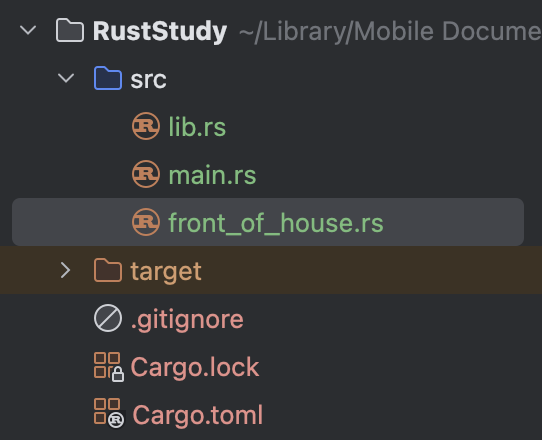
Step 2: Cut the Code
Cut the code that was originally under front_of_house from its original location into the front_of_house.rs file, that is, cut out this part:
#![allow(unused)]
fn main() {
pub mod hosting {
pub fn add_to_waitlist() { }
}
}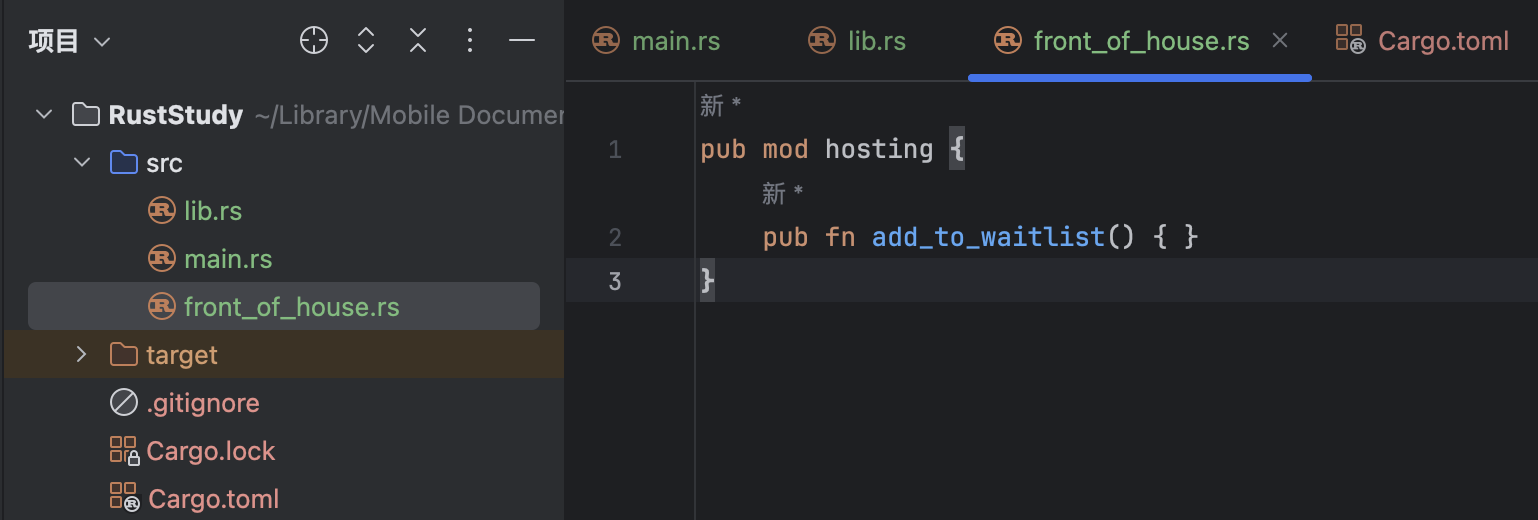
Step 3: Modify the Original Location
Open the original place where front_of_house was defined (lib.rs). At this point, you no longer need the code block after it, so delete it together with the {} and add a ; instead (do not touch other unrelated code). The original code is (lib.rs):
#![allow(unused)]
fn main() {
mod front_of_house {
pub mod hosting {
pub fn add_to_waitlist() { }
}
}
pub use crate::front_of_house::hosting::add_to_waitlist;
pub fn eat_at_restaurant() {
add_to_waitlist();
}
}Change it to (lib.rs):
#![allow(unused)]
fn main() {
mod front_of_house;
pub use crate::front_of_house::hosting::add_to_waitlist;
pub fn eat_at_restaurant() {
add_to_waitlist();
}
}
7.6.2 Splitting Submodules
What if you have many modules under front_of_house? Then you will need to put these submodules into different files to better organize code. But how? Put all submodules in the folder src like what we just did? Then src contains too many files and the hierarchical relationship between the modules cannot be displayed.
Rust gives a pretty good solution for it: put all submodule files in a folder named by their father module. Specifically, you need to create a folder with the same name as the parent module first, and then use a .rs file inside that folder to store the submodule or items.
For example, if I want to split out hosting as a separate file, I do not just create a .rs file with the same name in src. I first need to create a folder with the same name as the parent module. In this example, the parent module is named front_of_house, so I need to create a folder named front_of_house.
Then create a .rs file in that folder with the same name as the item or module. In this example, since I want to split out hosting, the file should be named hosting.rs.
Store the contents of hosting in hosting.rs, which is:
#![allow(unused)]
fn main() {
pub fn add_to_waitlist() { }
}Now you can delete the code block of hosting module in front_of_house.rs together with the {} and add a ;, same process as what we did to lib.rs. Change it from (front_of_house.rs):
#![allow(unused)]
fn main() {
pub mod hosting {
pub fn add_to_waitlist() { }
}
}to simply:
#![allow(unused)]
fn main() {
pub mod hosting;
}
Rust also supports splitting modules in the form of module_name/mod.rs. All modules are stored in mod.rs. Folder names imply module names. This method is still fully supported in Rust, but in modern Rust code, it is usually more like a continuation of the old-style module layout rather than the default preference.
If we use this method to split modules, it will look like:
7.6.3 Benefits of Splitting
As modules grow larger, this technique lets programmers move a module’s contents into other files.
8.1 Vector
8.1.0. Chapter Overview
Chapter 8 is mainly about common collections in Rust. Rust provides many collection-like data structures, and these collections can hold many values. However, the collections covered in Chapter 8 are different from arrays and tuples.
The collections in Chapter 8 are stored on the heap rather than on the stack. That also means their size does not need to be known at compile time; at runtime, they can grow or shrink dynamically.
This chapter focuses on three collections: Vector (this article), String, and HashMap.
8.1.1. Using Vector to Store Multiple Values
Vector is written as Vec<T>, where T represents a generic type parameter that can be replaced with the desired data type during actual use.
Vector is provided by the standard library. It stores multiple values of the same type contiguously in memory. You can think of it as a resizable array.
To create a Vector, use the Vec::new function. See the example:
fn main() {
let v: Vec<i32> = Vec::new();
let v = vec![1, 2, 3];
let v = Vec::with_capacity(10);
}let v: Vec<i32> = Vec::new(): Declares aVectorwithi32elements usingVec::new(commonly used).let v = vec![1, 2, 3]: Creates aVectorwith initial values using thevec!macro. Here,1, 2, 3are inserted into the vector. Usingvec![]with no content is also valid (commonly used).let v = Vec::with_capacity(10): Creates an empty vector with pre-allocated capacity for at least 10 elements. Suitable when you know the approximate number of elements, reducing reallocations and improving performance.
The first method (Vec::new()) requires explicit type annotation (Vec<i32>) because it creates an empty vector with no elements. Without contextual information for Rust to infer the type, it would cause an error. With context, Rust can infer the element type.
The second method (vec![]) doesn’t require explicit type annotation because the Rust compiler infers the element type (i32) from the initial values.
8.1.2. Updating a Vector
1. Adding Elements
Use the push method to add elements to the end of a vector:
fn main() {
let mut v = Vec::new();
v.push(1);
}- Note: The vector must be mutable (declared with
mut) to add elements. - In
let mut v = Vec::new();, the element type is inferred asi32from the subsequentpush(1)operation.
Other methods for adding elements:
fn main() {
let mut v = Vec::new();
v.extend([1, 2, 3]); // Batch insertion
v.insert(1, 99); // Insert at index (panics if out-of-bounds)
let mut a = vec![1, 2, 3];
let mut b = vec![4, 5, 6];
a.append(&mut b); // Moves all elements from `b` to `a` (empties `b`)
}2. Removing Elements from a Vector
pop(): Removes and returns the last element wrapped in Option (covered in 6.2. The Option Enum). Returns None if empty.
fn main() {
let mut v = vec![1, 2, 3];
let x = v.pop(); // Returns Some(3)
}remove(index): Deletes the element at the specified index and returns it. Shifts subsequent elements left. Panics if index is invalid.
fn main() {
let mut v = vec![1, 2, 3];
let x = v.remove(1); // Returns 2 (v becomes [1, 3])
}clear(): Removes all elements. Length becomes 0, but capacity remains.
fn main() {
let mut v = vec![1, 2, 3];
v.clear(); // v is now []
}Like any struct, when a Vector goes out of scope, it and its elements are automatically cleaned up.
3. Reading Elements of a Vector
There are two ways to access values in a Vector: using indexing or the get method. For example, given a vector containing [1, 2, 3, 4, 5], access and print the third element:
fn main() {
let v = vec![1, 2, 3, 4, 5];
let third = &v[2]; // Indexing
println!("The third element is {}", third);
match v.get(2) { // get method with match
Some(third) => println!("The third element is {}", third),
None => println!("There is no third element."),
};
}let third = &v[2];: Uses indexing to access the element at position 2 (third element). The&indicates a reference.v.get(2): Uses thegetmethod for access. Since it returns anOptiontype, we usematch(covered in 6.3. The Match Control Flow Operator) to unpack it. If a value exists, it binds tothirdand prints; if not (None), it prints “There is no third element.”
Both methods achieve the same result but handle invalid access (e.g., out-of-bounds index) differently.
Testing with indexing (invalid access):
fn main() {
let v = vec![1, 2, 3, 4, 5];
let third = &v[100]; // Index 100 is out-of-bounds
println!("The third element is {}", third);
}Output:
thread 'main' panicked at src/main.rs:3:19:
index out of bounds: the len is 5 but the index is 100
note: run with `RUST_BACKTRACE=1` environment variable to display a backtrace
The program triggers panic! and terminates.
Testing with get (invalid access):
fn main() {
let v = vec![1, 2, 3, 4, 5];
match v.get(100) { // Index 100 is out-of-bounds
Some(third) => println!("The third element is {}", third),
None => println!("There is no third element."),
};
}Output:
There is no third element.
Since get cannot access index 100, it returns None.
Guideline: Use indexing when out-of-bounds access should terminate the program via panic!. Otherwise, prefer get for safe handling.
8.1.3. Ownership and Borrowing Rules
Remember the borrowing rule discussed in Chapter 4.2. Ownership Rules, Memory, and Allocation? You cannot have mutable and immutable references in the same scope at the same time. This rule still applies to Vector. Example:
fn main() {
let mut v = vec![1, 2, 3, 4, 5];
let first = &v[0];
v.push(6);
println!("The first element is {}", first);
}Output:
error[E0502]: cannot borrow `v` as mutable because it is also borrowed as immutable
--> src/main.rs:4:5
|
3 | let first = &v[0];
| - immutable borrow occurs here
4 | v.push(6);
| ^^^^^^^^^ mutable borrow occurs here
5 | println!("The first element is {}", first);
| ----- immutable borrow later used here
- The
pushfunction has the signature&mut self, value: T.&mutmeans thatpushtreats the passed-in variable as a mutable reference. In the example,vis used as a mutable reference here. let first = &v[0];makesfirstan immutable reference tov. Because the two references exist in the same scope, an error is produced.println!treats the values passed to it as immutable references.
Because mutable and immutable references appear at the same time in this scope, the program fails to compile.
Someone might wonder: push adds things to the end of a Vector, and the earlier elements are not affected. Why does Rust make this so complicated?
That is because the elements of a Vector are stored contiguously in memory. If you add an element to the end and there happens to be something occupying the space after it, there may be no room for the new element. In that case, the system must reallocate memory and find a large enough area to hold the Vector after the new element is added. When that happens, the original memory block may be freed or reallocated, but the reference still points to the old memory address, creating a dangling reference (discussed in Chapter 4.4, Reference and Borrowing).
8.1.4. Iterating Over Values in a Vector
Using a for loop is the most common approach. Example:
fn main() {
let v = vec![1, 2, 3, 4, 5];
for i in &v {
println!("{}", i);
}
}Output:
1
2
3
4
5
Of course, if you want to modify elements inside the loop, that is also possible. You only need to make v mutable and change &v to &mut v:
fn main() {
let mut v = vec![1, 2, 3, 4, 5];
for i in &mut v {
*i += 10;
}
for i in v {
println!("{}", i);
}
}Note: the * in front of *i on the fourth line is there because i is essentially of type &mut i32. It stores a pointer rather than the actual i32 value, so you need to dereference it first and turn i into an mut i32 value to get the actual number before you can perform addition or subtraction.
Output:
11
12
13
14
15
8.2 Vector and Enum Applications
8.2.0. Chapter Overview
Chapter 8 is mainly about common collections in Rust. Rust provides many collection-like data structures, and these collections can hold many values. However, the collections covered in Chapter 8 are different from arrays and tuples.
The collections in Chapter 8 are stored on the heap rather than on the stack. That also means their size does not need to be known at compile time; at runtime, they can grow or shrink dynamically.
This chapter focuses on three collections: Vector, String, and HashMap.
8.2.1. How Vector and Enum Complement Each Other
Although Vector can grow or shrink dynamically, all of its elements must still be the same data type. But sometimes we need to store different types of data on the heap. What should we do in that case?
Remember the enum type introduced in 6.1. Enums? Enum variants can carry attached data, and that attached data can be of different types. Most importantly, the variants all belong to the same enum type. In other words, all variants are the same type, so they can be stored in a Vector.
This allows us to use an enum to make it possible to store different data types inside a Vector.
8.2.2. Vector + enum
Let’s look at a practical example of using Vector plus an enum:
enum SpreadSheetCell {
Int(i32),
Float(f64),
Text(String),
}
fn main() {
let row = vec![
SpreadSheetCell::Int(5567),
SpreadSheetCell::Text("up up".to_string()),
SpreadSheetCell::Float(114.514),
];
}This example simulates the behavior of Excel cells. A cell can store only one of the following: an integer, a floating-point number, or a string. So we define the SpreadSheetCell enum, which has three variants used to store integers (Int), floating-point numbers (Float), and strings (Text).
In the main function, we declare the variable row to store one row of cells. Because the number of cells in a row is not fixed, we need a Vector to store them. In this example, the Vector is initialized with three cells: the first stores the integer 5567, the second stores the string "up up", and the third stores the floating-point number 114.514.
Through this example, we can see that by using an enum that can carry data, we can indirectly store different data types in a Vector.
So why does Rust need to know the element type of a Vector at compile time? Because only then can Rust determine how much heap memory is needed to hold the Vector. In addition, if different element types were allowed in a Vector, some bulk operations on the elements might be valid for some types but invalid for others, which would cause the program to fail. Using an enum together with a match expression allows Rust to know all possible cases in advance at compile time, so it can handle them correctly at runtime.
In this example, Vector does make it possible to store different data types, but only if we know exactly what the possible data types are, in other words, if the set is exhaustive. If the type has infinitely many possibilities, or is non-exhaustive, then even an enum cannot help, because the enum cannot even be defined. For such cases, Rust provides traits, but that will be covered later.
8.3 String Type Pt.1 - String Creation, Updating, and Concatenation
8.3.0. Chapter Overview
Chapter 8 is mainly about common collections in Rust. Rust provides many collection-like data structures, and these collections can hold many values. However, the collections covered in Chapter 8 are different from arrays and tuples.
The collections in Chapter 8 are stored on the heap rather than on the stack. That also means their size does not need to be known at compile time; at runtime, they can grow or shrink dynamically.
This chapter focuses on three collections: Vector, String (this article), and HashMap.
8.3.1. Why Strings Are So Frustrating for Rust Developers
Rust developers, especially beginners, are often confused by strings for the following reasons:
- Rust tends to expose possible errors.
- String data structures are complex.
- Rust strings use
UTF-8encoding.
8.3.2. What Is a String?
A string is a collection based on bytes, and it provides methods that can parse bytes into text.
At the core language level in Rust, there is only one string type: the string slice str, which usually appears in borrowed form, that is, &str.
A string slice is a reference to a UTF-8 encoded string stored somewhere else. For example, string literals are stored directly in Rust’s binary, so they are also a kind of string slice.
The String type comes from the standard library, not from the core language. It is growable, mutable, owned, and also uses UTF-8 encoding.
8.3.3. What Does “String” Actually Refer To?
When people say “string,” they usually mean both String and &str, not just one of them. Both types are heavily used in the standard library, and both use UTF-8 encoding. But here we mainly focus on String, because it is more complex.
8.3.4. Other String Types
The Rust standard library also provides other string types, such as OsString, OsStr, CString, and CStr. Note that these types all end with either String or Str, which is related to the naming pattern of String and string slices mentioned earlier.
In general, types ending with String are owned, while types ending with Str are usually borrowed.
These different string types can store text with different encodings or represent data in different memory layouts.
Some library crates provide more options for strings, but we will not cover them here.
8.3.5. Creating a New String
Because the essence of String is a collection of bytes, many operations from Vec<T> can also be used on String.
String::new() can be used to create an empty string. Example:
fn main(){
let mut s = String::new();
}In general, however, String is created from initial values. In that case, you can use the to_string method to create a String. This method can be used on types that implement the Display trait, including string literals. Example:
fn main() {
let data = "wjq";
let s = data.to_string();
let s1 = "wjq".to_string();
}data is a string literal. Using to_string converts it to a String and stores it in s. You can also write the string literal directly and then call .to_string(), which is the assignment performed for s1. These two operations have the same effect.
to_string is not the only method. Another way is to use the String::from function:
#![allow(unused)]
fn main() {
let s = String::from("wjq");
}This function has the same effect as the to_string method.
Because strings are used so often, Rust provides many different general-purpose APIs for us to choose from. Some functions may seem redundant at first glance, but in practice they each have their own use. In real code, you can choose whichever style you prefer.
8.3.6. Updating String
As mentioned earlier, the size of String can grow or shrink. Because its essence is a collection of bytes, its contents can also be modified. Its operations are similar to those of Vector, and String can also be concatenated.
1. push_str()
First, let’s look at push_str(). It appends a string slice to a String. Example:
fn main() {
let mut s = String::from("6657");
s.push_str("up up");
println!("{}", s);
}Output:
6657up up
The signature of push_str is push_str(&mut self, string: &str). Its parameter is a borrowed string slice, and a string literal is a slice, so "up up" can be passed in. This method does not take ownership of the argument, so the passed-in value remains valid and can continue to be used.
2. push
The second method is push(), which appends a single character to a String. Example:
fn main() {
let mut s = String::from("665");
s.push('7');
println!("{}", s);
}Note: characters must use single quotes.
Output:
6657
3. +
Rust allows you to concatenate strings using +. Example:
fn main() {
let s1 = String::from("6657");
let s2 = String::from("up up");
let s3 = s1 + &s2;
println!("{}", s3);
}Note: the value before the plus sign must be a String, and the value after the plus sign must be a string slice.
In this example, however, the type of the value after the plus sign is actually &String, not &str. That is because Rust uses deref coercion here to force &String into &str.
Of course, because s2 is passed in by reference, s2 is still valid after concatenation. But s1 has had its ownership moved into s3, so s1 becomes invalid after concatenation.
Output:
6657up up
4. format!
The format! macro can concatenate strings more flexibly. Example:
fn main() {
let s1 = String::from("cn");
let s2 = String::from("Niko");
let s3 = String::from("fan club");
let s = format!("{} {} {}", s1, s2, s3);
println!("{}", s);
}It uses placeholders instead of variables, which is very similar to println!. The difference is that println! prints the result, while format! returns the concatenated string.
Output:
cn Niko fan club
Of course, the same effect can also be achieved with +, but the code is a little more cumbersome:
fn main() {
let s1 = String::from("cn");
let s2 = String::from("Niko");
let s3 = String::from("fan club");
let s = s1 + " " + &s2 + " " + &s3;
println!("{}", s);
}The best thing about format! is that it does not take ownership of any arguments, so all of those arguments can continue to be used afterward.
8.4 String Type Pt.2 - Bytes, Scalar Values, Grapheme Clusters, and String Operations
8.4.0. Chapter Overview
Chapter 8 is mainly about common collections in Rust. Rust provides many collection-like data structures, and these collections can hold many values. However, the collections covered in Chapter 8 are different from arrays and tuples.
The collections in Chapter 8 are stored on the heap rather than on the stack. That also means their size does not need to be known at compile time; at runtime, they can grow or shrink dynamically.
This chapter focuses on three collections: Vector, String (this article), and HashMap.
8.4.1. You Cannot Use Indexing to Access String
String in Rust is different from that in other languages: you cannot access it by indexing. Example:
fn main() {
let s = String::from("6657 up up");
let a = s[0];
}Output:
error[E0277]: the type `str` cannot be indexed by `{integer}`
--> src/main.rs:3:15
|
3 | let a = s[0];
| ^ string indices are ranges of `usize`
|
= help: the trait `SliceIndex<str>` is not implemented for `{integer}`
= note: you can use `.chars().nth()` or `.bytes().nth()`
for more information, see chapter 8 in The Book: <https://doc.rust-lang.org/book/ch08-02-strings.html#indexing-into-strings>
= note: required for `String` to implement `Index<{integer}>`
The error says that the String type cannot be indexed with an integer. Looking further down, we can see that String does not implement the Index<{integer}> trait.
8.4.2. Internal Representation of String
String is a wrapper around Vec<u8>, where u8 means a byte. We can use the len() method on String to return the string length. Example:
fn main() {
let len = String::from("Niko").len();
println!("{}", len);
}Output:
4
This string uses UTF-8 encoding, and len is 4, which means the string occupies 4 bytes. So in this example, each letter takes up one byte.
But that is not always the case. For example, if we change the string to another language (here, Russian written in Cyrillic):
fn main() {
let hello = String::from("Здравствуйте");
println!("{}", hello.len());
}If you count the letters in this string, there are 12, but the output is:
24
That means each letter in this language takes up two bytes (Chinese characters take three bytes each). The term used to refer to a “letter” here is a Unicode scalar value, and each Cyrillic letter here corresponds to two bytes.
From this example, you can see that numeric indexing into String does not always correspond to a complete Unicode scalar value, because some scalar values occupy more than one byte, while numeric indexing can only read one byte at a time.
Another example: the Cyrillic letter З corresponds to two bytes, whose values are 208 and 151. If numeric indexing were allowed, then taking index 0 of Здравствуйте would give you 208, which by itself is meaningless because it is missing the second byte needed to form a Unicode scalar value. So to avoid this kind of bug that would be hard to notice immediately, Rust bans numeric indexing on String, preventing misunderstandings early in development.
8.4.3. Bytes, Scalar Values, and Grapheme Clusters
There are three ways to view strings in Rust: bytes, scalar values, and grapheme clusters. Among them, grapheme clusters are the closest to what we usually call “letters.”
1. Bytes
Example:
fn main() {
let s = String::from("नमस्ते"); // Hindi written in Devanagari script
for b in s.bytes() {
print!("{} ", b);
}
}This Devanagari string may look like it contains four letters. We use the .bytes() method to get the bytes it corresponds to. The output is:
224 164 168 224 164 174 224 164 184 224 165 141 224 164 164 224 165 135
These 18 bytes show how the computer stores the string.
2. Scalar Values
Now let’s view it as Unicode scalar values:
fn main() {
let s = String::from("नमस्ते");
for b in s.chars() {
print!("{} ", b);
}
}Using the .chars() method gives the scalar values corresponding to this string. The output is:
न म स ् त े
It has 6 scalar values, and some of them are combining marks rather than standalone letters. They only make sense when combined with the preceding characters.
This also explains why this Devanagari string takes 18 bytes: each of the 6 scalar values takes 3 bytes, and 6 × 3 gives 18 bytes.
3. Grapheme Clusters
Because obtaining grapheme clusters from a String is complicated, the Rust standard library does not provide this functionality. We will not demonstrate it here, but you can use a third-party crate from crates.io to implement it.
In short, if this string were printed as grapheme clusters, it would look like this:

8.4.4. Why String Cannot Be Indexed
- Numeric indexing may return an incomplete value that cannot form a full Unicode scalar value, leading to bugs that are not immediately visible.
- Indexing is supposed to take constant time, or
O(1), butStringcannot guarantee that: finding the nth character requires scanning from the start of the string, because each character can take a variable number of bytes.
8.4.5. Slicing String
You can use [] with a range inside it to create a string slice. For detailed coverage of string slices, see Chapter 4.5, Slices. Example:
fn main() {
let hello = String::from("Здравствуйте");
let s = &hello[0..4];
println!("{}", s);
}As mentioned earlier, one Cyrillic letter takes two bytes. This string slice takes the first 4 bytes of the string, which means the first two letters. The output is:
Зд
What if the string slice takes the first three bytes instead? That would mean the slice contains the first letter plus half of the second letter. What happens in that case? Look at the following example:
fn main() {
let hello = String::from("Здравствуйте");
let s = &hello[0..3];
println!("{}", s);
}Output:
thread 'main' panicked at src/main.rs:3:19:
end byte index 3 is not a char boundary; it is inside 'д' (bytes 2..4 of string)
note: run with `RUST_BACKTRACE=1` environment variable to display a backtrace
The program triggers panic!, and the error message says that end byte index 3 is not a char boundary. In other words, slicing must follow char boundaries. For Cyrillic, that means slicing in units of two bytes.
8.4.6. Iterating Over String
- For scalar values, use the
.chars()method. Example:
fn main() {
let s = String::from("नमस्ते");
for b in s.chars() {
print!("{} ", b);
}
}- For bytes, use the
.bytes()method. Example:
fn main() {
let s = String::from("नमस्ते");
for b in s.bytes() {
print!("{} ", b);
}
}- For grapheme clusters, the standard library does not provide a method, but you can use a third-party crate.
8.5 HashMap Pt.1 - Defining, Creating, Merging, and Accessing HashMaps
8.5.0. Chapter Overview
Chapter 8 is mainly about common collections in Rust. Rust provides many collection-like data structures, and these collections can hold many values. However, the collections covered in Chapter 8 are different from arrays and tuples.
The collections in Chapter 8 are stored on the heap rather than on the stack. That also means their size does not need to be known at compile time; at runtime, they can grow or shrink dynamically.
This chapter focuses on three collections: Vector, String, and HashMap (this article).
8.5.1. What Is a HashMap?
HashMap is written as HashMap<K, V>, where K stands for key and V stands for value. A HashMap stores data as key-value pairs, with one key corresponding to one value. Many languages support this kind of collection data structure, but they may call it something else—for example, the same concept in C# is called a dictionary.
The internal implementation of HashMap uses a hash function, which determines how keys and values are stored in memory.
In a Vector, we use indices to access data. But sometimes you want to look up data by key—of any type that implements the Eq and Hash traits—instead of by index, or you may not know which index the data is at. In that case, you can use a HashMap.
Note that HashMap is homogeneous, which means that all keys in one HashMap must be the same type, and all values must be the same type.
8.5.2. Creating a HashMap
- Because
HashMapis not used as often, Rust does not include it in the prelude. Before using it, you need to importHashMapby writinguse std::collections::HashMap;at the top of the file. - To create an empty
HashMap, use theHashMap::new()function. - To add data, use the
insert()method.
Example:
use std::collections::HashMap;
fn main() {
let mut scores: HashMap<String, i32> = HashMap::new();
}Here a variable named scores is created to store a HashMap. Because Rust is a strongly typed language, it must know what data types you are storing in the HashMap. Since there is no surrounding context for the compiler to infer from, you must explicitly declare the key and value types when you declare the HashMap. In this code, the keys of scores are set to String, and the values are set to i32.
Of course, if you later add data to this HashMap, Rust will infer the key and value types from the inserted data. Data is added with the insert() method. Example:
use std::collections::HashMap;
fn main() {
let mut scores = HashMap::new();
scores.insert(String::from("dev1ce"), 0);
}Because a key-value pair is inserted into scores on line 5, and the key String::from("dev1ce") is of type String while the value 0 is of type i32 (Rust’s default integer type is i32), the compiler will infer that scores is a HashMap<String, i32>, so there is no need to explicitly declare the type on the fourth line.
8.5.3. Combining Two Vectors into One HashMap
On a Vector whose element type is a tuple, you can use the collect method to build a HashMap. Put another way, if you have two Vectors and all of the values in them have a one-to-one correspondence, you can use collect to put the data from one Vector into the keys and the data from the other into the values of a HashMap. Example:
use std::collections::HashMap;
fn main() {
let player = vec![String::from("dev1ce"), String::from("Zywoo")];
let initial_scores = vec![0, 100];
let scores: HashMap<_, _> = player.into_iter().zip(initial_scores).collect();
}- The
playerVectorstores player names, and its elements are of typeString. - The
initial_scoresVectorstores the score corresponding to each player. player.into_iter()andinitial_scores(which also becomes an iterator when passed tozip) yield owned values from the twoVectors. Using.zip()creates a sequence of tuples with elements fromplayerfirst and elements frominitial_scoressecond. If you want to swap the order of the elements, you can simply swap the two iterators in the code. Then.collect()is used to convert the tuples into aHashMap. Becauseinto_iteris used, theHashMaptakes ownership of those values (the originalVectors are consumed).- One last thing to note is that
.collect()supports conversion into many data structures. If you do not explicitly declare its type when writing the code, the program will fail. Here the type is specified asHashMap<_, _>. The two data types inside<>can be inferred by the compiler from the code, that is, from the twoVectortypes, so you can use_as a placeholder and let it infer the types automatically.
8.5.4. HashMap and Ownership
For data types that implement the Copy trait, such as i32 and most simple data types, the value is copied into the HashMap, and the original variable remains usable. For types that do not implement Copy, such as String, ownership is transferred to the HashMap.
If you insert references into a HashMap, the value itself is not moved. During the lifetime of the HashMap, the referenced values must remain valid.
8.5.5. Accessing Values in a HashMap
You can access values with the get method. The get method takes a HashMap key as its argument, and it returns an Option<&V> enum. Example:
use std::collections::HashMap;
fn main() {
let mut scores = HashMap::new();
scores.insert(String::from("dev1ce"), 0);
scores.insert(String::from("Zywoo"), 100);
let player_name = String::from("dev1ce");
let score = scores.get(&player_name);
match score {
Some(score) => println!("{}", score),
None => println!("Player not found"),
};
}- First, an empty
HashMapcalledscoresis created, and then two key-value pairs,("dev1ce", 0)and("Zywoo", 100), are inserted usinginsert. The key type isString, and the value type isi32. - Then a
Stringvariable namedplayer_nameis declared with the value"dev1ce". - Next, the
getmethod on theHashMapis used to look up the value corresponding to theplayer_namekey inscores(&means reference). But becausegetreturns anOptionenum, theOptionvalue is first assigned toscoreand then unwrapped later. - Finally, a
matchexpression is used to handlescore. If the corresponding value is found, thescoreenum is theSomevariant, and the value associated withSomeis bound toscoreand then printed. If nothing is found, thescoreenum is theNonevariant, and"Player not found"is printed.
Output:
0
8.5.6. Iterating Over a HashMap
You usually iterate over a HashMap with a for loop. Example:
use std::collections::HashMap;
fn main() {
let mut scores = HashMap::new();
scores.insert(String::from("dev1ce"), 0);
scores.insert(String::from("Zywoo"), 100);
for (k, v) in &scores {
println!("{}: {}", k, v);
}
}This for loop uses a reference to the HashMap, namely &scores, because after iterating you usually still want to keep using the HashMap. Using a reference means you do not lose ownership. The (k, v) on the left is pattern matching: the first value is the key, which is assigned to k, and the second is the value, which is assigned to v.
One possible output (iteration order is arbitrary and may differ between runs):
dev1ce: 0
Zywoo: 100
8.6 HashMap Pt.2 - Updating HashMaps
8.6.0. Chapter Overview
Chapter 8 is mainly about common collections in Rust. Rust provides many collection-like data structures, and these collections can hold many values. However, the collections covered in Chapter 8 are different from arrays and tuples.
The collections in Chapter 8 are stored on the heap rather than on the stack. That also means their size does not need to be known at compile time; at runtime, they can grow or shrink dynamically.
This chapter focuses on three collections: Vector, String, and HashMap (this article).
8.6.1. Updating a HashMap
A variable-sized HashMap means that the number of key-value pairs can change. However, at any given moment, one key can correspond to only one value. When you want to update data in a HashMap, there are several possible cases:
-
The key you want to update already has a corresponding value in the
HashMap:- Replace the existing value with a new value
- Keep the existing value and ignore the new value
- Merge the existing value with the new value, which means modifying the existing value
-
The key does not exist: add a key-value pair
1. Replacing an Existing Value
If you insert a key-value pair into a HashMap, but the key already exists, the program assigns the new value to that key and overwrites the old one. Example:
use std::collections::HashMap;
fn main() {
let mut scores = HashMap::new();
scores.insert(String::from("dev1ce"), 0);
scores.insert(String::from("dev1ce"), 60);
println!("{:?}", scores);
}Here the same key is assigned a value twice: first 0, then 60. The first value is overwritten by the second, which means the final value corresponding to "dev1ce" is 60.
Output:
{"dev1ce": 60}
2. Insert a Value Only if the Key Has No Existing Value
This is the most common case. In this situation, you first need to check whether the original HashMap already contains the key. If it does not, then insert the new value.
Rust provides the entry method to check whether the original HashMap already contains the key. Its argument is the key, and its return value is an Entry enum, which represents whether the value exists. Example:
use std::collections::HashMap;
fn main() {
let mut scores = HashMap::new();
scores.insert(String::from("dev1ce"), 0);
let e = scores.entry(String::from("dev1ce"));
println!("{:?}", e);
}This is the case where the key already exists. Output:
Entry(OccupiedEntry { key: "dev1ce", value: 0, .. })
In other words, if the key already exists, the entry method returns an occupied entry (OccupiedEntry) wrapping the existing key-value pair.
Now let’s try the case where the key does not exist. Code:
use std::collections::HashMap;
fn main() {
let mut scores = HashMap::new();
scores.insert(String::from("dev1ce"), 0);
let e = scores.entry(String::from("Zywoo"));
println!("{:?}", e);
}Output:
Entry(VacantEntry("Zywoo"))
If the key does not exist, it returns a vacant entry (VacantEntry) associated with the new key.
Now that we can check whether the original HashMap already contains the key, how do we insert or skip insertion based on whether it exists?
Rust provides the or_insert method on Entry, whose argument is the value you want to add. Based on whether the entry is occupied or vacant, it decides whether to insert: if the entry is occupied (the key already exists), it keeps the existing value and does not insert a new one; if the entry is vacant (the key does not exist), it inserts the provided value. Most importantly, it returns a value: a mutable reference to the value for that key. If the key already exists, it returns a mutable reference to the value already in the HashMap; if the key does not exist, it first inserts the key-value pair and then returns a mutable reference to the inserted value. This behavior can be used to build simple counters, as we will see later.
Example:
use std::collections::HashMap;
fn main() {
let mut scores = HashMap::new();
scores.insert(String::from("dev1ce"), 0);
scores.entry(String::from("Zywoo")).or_insert(100);
scores.entry(String::from("dev1ce")).or_insert(60);
println!("{:?}", scores);
}- The first
entrystatement looks up"Zywoo". Since it is not found, a vacant entry is returned, andor_insertcreates the key-value pair("Zywoo", 100)using that key and the argument100. - The second
entrystatement looks up"dev1ce". Since it is found, an occupied entry is returned, andor_insertdoes not insert a new value, so("dev1ce", 0)remains unchanged.
Output (key order may vary):
{"Zywoo": 100, "dev1ce": 0}
If this still feels complicated, you can think of scores.entry(String::from("Zywoo")).or_insert(100); as two lines of code:
#![allow(unused)]
fn main() {
let e = scores.entry(String::from("Zywoo"));
e.or_insert(100);
}3. Updating Based on Existing Values
Let’s start with an example:
use std::collections::HashMap;
fn main() {
let text = "That's one small step for [a] man, one giant leap for mankind.";
let mut map = HashMap::new();
for word in text.split_whitespace() {
let count = map.entry(word).or_insert(0);
*count += 1;
}
println!("{:#?}", map);
}- First, a string literal containing a sentence is declared and assigned to
text. - Then a
HashMapcalledmapis created. - Next comes the
forloop.text.split_whitespace()splitstextinto an iterator over strings, andforis used to iterate over it. - During iteration, the code checks whether each word appears in the
map. If it does, no new value is inserted. If it does not,0is inserted as the new value for that key. The key thing to understand iscount: because the return value ofor_insertis a mutable reference to the value for that key, each time a word appears, the code dereferences the mutable reference and adds1, which is equivalent to completing one count.
8.6.2. Hash Functions
By default, HashMap uses a cryptographically strong hash function that can resist denial-of-service (DoS) attacks. However, this function is not the fastest hash algorithm available; its advantage is better security. If you think its performance is not good enough, you can also specify a different hasher to switch to another function. A hasher refers to a type that implements the BuildHasher trait.
9.1 Unrecoverable Errors and Panic!
9.1.1 Rust Error Handling Overview
Rust is extremely reliable, and that reliability extends to error handling. In most cases, Rust forces you to think about where errors might occur and then ensures at compile time that they are handled properly.
In Rust, errors are divided into two broad categories:
- Recoverable errors: for example, a file not being found. In that case, you can pass the error message to the user and let the user try again.
- Unrecoverable errors: another way to say “bug”, for example, an out-of-bounds index.
Most other programming languages do not make this distinction deliberately. They usually handle both through a single mechanism such as exceptions. Rust does not have a similar exception mechanism.
- For recoverable errors, Rust provides the
Result<T, E>type, which will be covered in 9.2. Result Enum and Recoverable Errors Pt. 1. - For unrecoverable errors, Rust provides the
panic!macro. When this macro is executed, the program stops running.
9.1.2 panic!
Sometimes something terrible happens in code, and the developer has no real way to deal with it. To handle this situation, Rust provides the panic! macro.
When this macro runs, the following happens:
- It prints an error message.
- Then it unwinds and cleans up the call stack.
- It exits the program.
9.1.3 When panic! Happens: Unwinding or Aborting
Unwinding the call stack does a lot of work, because Rust walks back through the stack and cleans up data from every function it encounters along the way.
By contrast, Rust also offers the option to abort. This means no cleanup is performed; the program stops immediately, and the memory used by the program is left for the operating system to clean up later.
If you want a smaller binary, change the setting from “unwind” to “abort”: set panic = "abort" in the appropriate profile section of Cargo.toml.
Here is my Cargo.toml as an example:
[package]
name = "RustStudy"
version = "0.1.0"
edition = "2021"
[dependencies]
rand = "0.8.5"
[profile.release]
panic = "abort"
profile.release means running in release mode.
9.1.4 The panic! Macro
Let’s look at an example of the panic! macro:
fn main() {
panic!("Something went wrong");
}This is a very simple example. The argument to the panic! macro is the error message, and it will be printed when the program stops.
Output:
thread 'main' panicked at src/main.rs:2:5:
Something went wrong
stack backtrace:
0: __rustc::rust_begin_unwind
at /rustc/ac68faa20c58cbccd01ee7208bf3b6e93a7d7f96/library/std/src/panicking.rs:689:5
1: core::panicking::panic_fmt
at /rustc/ac68faa20c58cbccd01ee7208bf3b6e93a7d7f96/library/core/src/panicking.rs:80:14
2: RustStudy::main
at ./src/main.rs:2:5
3: core::ops::function::FnOnce::call_once
at /Users/stanyin/.rustup/toolchains/stable-aarch64-apple-darwin/lib/rustlib/src/rust/library/core/src/ops/function.rs:250:5
note: Some details are omitted, run with `RUST_BACKTRACE=full` for a verbose backtrace.
In the earlier articles, the program also panicked, but I did not paste the stack backtrace into the article then because we had not covered it yet. What you see above is the complete panic information. Now let’s break it down:
- The first line tells you where the panic occurred — line 2, column 5 of
main.rsin thesrcdirectory. - The second line is the error message defined by the program.
- Starting from the third line, the
stack backtraceis the backtrace information. At the position labeled2ismain.rs. The backtrace contains the list of all functions that were called to reach the place where the error occurred, and below that — at position3— is the code that called our code, which may include Rust’s core library, the standard library, or third-party libraries. - The final
noteline says you can setRUST_BACKTRACEtofullto get all the detailed information. On Windows, typeset RUST_BACKTRACE=full && cargo runin the terminal. On macOS/Linux, typeexport RUST_BACKTRACE=full && cargo run.
To obtain debugging information like this, there is one more prerequisite: the program must be running in debug mode rather than release mode (--release). cargo build and cargo run use debug mode by default, so just make sure not to pass the --release flag.
9.2 Result Enum and Recoverable Errors Pt. 1 - Match, Expect, and Unwrap Handling Errors
9.2.1 The Result Enum
Usually, errors are not serious enough to stop the entire program. A function may fail or encounter an error for reasons that are often easy to explain and respond to. For example, a program may try to open a file that does not exist; in that case, you would usually consider creating the file rather than terminating the program immediately.
Rust provides the Result enum to handle these potentially failing cases. Its definition is:
#![allow(unused)]
fn main() {
enum Result<T, E> {
Ok(T),
Err(E),
}
}It has two generic type parameters, T and E, and two variants, each associated with data. Ok is associated with T, and Err is associated with E. Generics will be discussed in 10.2. Generics. For now, just know that T is the type of the data returned by the Ok variant when the operation succeeds, and E is the type of the error returned by the Err variant when the operation fails.
Take a look at an example:
use std::fs::File;
fn main() {
let f = File::open("6657.txt");
}This code tries to open a file, but that file may not exist. In other words, the function may fail, so the return value of File::open is the Result enum. The first type parameter in this Result is std::fs::File, the file type returned on success, and the second is std::io::Error, the I/O error returned on failure.
9.2.2 Handling Result with match
Like the Option enum, Result and its variants are brought into scope by the prelude, so you do not need to import them explicitly when writing code. For example:
use std::fs::File;
fn main() {
let f = File::open("6657.txt");
let f = match f {
Ok(file) => file,
Err(e) => panic!("Error: {}", e),
};
}If the returned value is Ok, then the value associated with it is bound to file and returned to f. If the returned value is Err, then the error message is bound to e, printed by the panic! macro, and the program stops.
9.2.3 Matching Different Errors
Let’s improve the previous example. If the file is missing, create it. Only if creating the file also fails, or if some other error occurs besides “file not found” — such as not having permission to open it — should panic! be triggered.
use std::fs::File;
use std::io::ErrorKind;
fn main() {
let f = File::open("6657.txt");
let f = match f {
Ok(file) => file,
Err(e) => match e.kind() {
ErrorKind::NotFound => match File::create("6657.txt") {
Ok(fc) => fc,
Err(e) => panic!("Problem creating file: {:?}", e),
},
other_error => panic!("Problem opening file: {:?}", other_error),
},
};
}- At the outermost level, if
fisOk, then the file is returned tof. - But the
Errcase is handled differently. The data carried byErris of typestd::io::Error. Thisstructhas a.kind()method, which returns a value of typestd::io::ErrorKind. That type is also an enum, also provided by the standard library, and its variants describe the different errors thatiooperations may cause. ErrorKindhas a variant calledErrorKind::NotFound, which means the file does not exist. In that case, the file should be created, which we will discuss below. BesidesErrorKind::NotFound, there may be other errors, such as lacking permission to read. Here, the other errors are bound toother_error, printed bypanic!, and then the program stops.- To create a file, you can use
File::create(), whose parameter is the file name. Creating a file can also fail, for example because of insufficient permissions, so the return value ofFile::create()is also aResult. Then anothermatchexpression is used to handle it. If it isOk(creation succeeded), the value associated withOk— that is, the newly createdFilehandle — is bound tofcand returned tof. If it isErr(creation failed), the error associated withErris bound toe, printed bypanic!, and the program stops.
match is indeed used quite often, but it is also fairly primitive. The nesting here greatly reduces readability, although compared with some other languages it may still be more readable. 13.1. What Is a Closure and How to Use Closures will introduce a concept called a closure. Many methods on Result accept closures as parameters, and those methods are implemented using match, which can make the code much more concise. I am showing an example that uses closures here, but we will not cover it until Chapter 13.
use std::fs::File;
use std::io::ErrorKind;
fn main() {
let greeting_file = File::open("6657.txt").unwrap_or_else(|error| {
if error.kind() == ErrorKind::NotFound {
File::create("6657.txt").unwrap_or_else(|error| {
panic!("Problem creating the file: {error:?}");
})
} else {
panic!("Problem opening the file: {error:?}");
}
});
}9.2.4 The unwrap Method
match expressions are flexible and useful, but the code they produce is indeed a bit more complex. The Result enum itself also defines many helper methods for different tasks, and one of the most commonly used is unwrap.
If unwrap receives Ok, it returns the value attached to Ok; if it receives Err, unwrap calls the panic! macro. For example, here is a rewrite of the code from 9.2.2 using unwrap:
use std::fs::File;
fn main() {
let f = File::open("6657.txt").unwrap();
}unwrap is essentially a shortcut for a match expression. Its drawback is that the error message cannot be customized.
9.2.5 The expect Method
What if I want the convenience of unwrap but also want a custom error message? For that situation, Rust provides the expect method. If you remember, we already used this method in the number guessing game from 2.1. Number Guessing Game Pt. 1.
Try rewriting the unwrap example with expect:
use std::fs::File;
fn main() {
let f = File::open("6657.txt").expect("file not found");
}9.3 Result Enum and Recoverable Errors Pt. 2 - Error Propagation, Question Mark Operator, and Chained Calls
9.3.1 Propagating Errors
When a function you write contains calls that may fail, you can either handle the error inside the function or return the error to the caller and let the caller decide how to handle it.
Take a look at an example:
use std::fs::File;
use std::io::{self, Read};
fn read_username_from_file() -> Result<String, io::Error> {
let f = File::open("6657.txt");
let mut f = match f {
Ok(file) => file,
Err(e) => return Err(e),
};
let mut s = String::new();
match f.read_to_string(&mut s) {
Ok(_) => Ok(s),
Err(e) => Err(e),
}
}
fn main() {
let result = read_username_from_file();
}The intention of this code is to read a username from a file:
-
Its return type is the
Resultenum. The two type parameters,TandE, correspond toStringandio::Error. In other words, when everything goes smoothly, the function returns theOkvariant ofResult, and theOkvalue contains aStringusername. If a problem occurs, the function returns theErrvariant ofResult, and that variant contains an instance ofio::Error. -
Looking at the function body, it first uses
File::opento try to open a file and assigns theResulttof. Then it performs amatchonf(the secondfis made mutable becauseread_to_stringbelow uses&mut self). If the operation succeeds, it returnsfileand assigns the value tof. If the operation fails, it returnsErr(e). Here,eis the specific error that occurred, and when the function body encounters thereturnkeyword, execution ends immediately and the value afterreturn— namelyErr(e)— is returned. The error type happens to beio::Error, so the return value matches theResulttype parameters. -
If
File::opensucceeds, the function then creates a mutableStringcalledsand callsread_to_stringto read the file contents intos. Of course,read_to_stringmay also fail, so amatchexpression follows it. -
This
matchexpression has no semicolon at the end, and it is also the last expression in the function, so it becomes the function’s return value. Thematchhas two branches. If the operation succeeds, it returns theOkvariant ofResultand wraps theStringvaluesinside it. If the operation fails, it returns theErrvariant, wraps the erroreinside it, and returns it. The error type returned byread_to_stringalso happens to beio::Error, so the return value matches theResulttype parameters.
9.3.2 The ? Operator
Error propagation is very common in Rust, so Rust provides the ? operator specifically to simplify the process.
Use ? to achieve the same effect as the example above:
use std::fs::File;
use std::io::{self, Read};
fn read_username_from_file() -> Result<String, io::Error> {
let mut f = File::open("6657.txt")?;
let mut s = String::new();
f.read_to_string(&mut s)?;
Ok(s)
}
fn main() {
let result = read_username_from_file();
}- For the first
?(line 5):File::openreturns aResult, and adding?means that ifFile::openreturnsOk, the value insideOkbecomes the result of the expression and is assigned tof. IfFile::openreturnsErr, then function execution stops andErrtogether with the wrapped error information is returned as the function’s return value — that is,return Err(e). In other words, the effect of line 5 is equivalent to:
#![allow(unused)]
fn main() {
let f = File::open("6657.txt");
let mut f = match f {
Ok(file) => file,
Err(e) => return Err(e),
};
}-
For the second
?(line 7): ifread_to_stringsucceeds, execution continues. The successful return value is not actually used in the code, but if it fails, function execution stops andErrtogether with the wrapped error information is returned as the function’s return value — that is,return Err(e). -
If everything succeeds up to that point, the expression
Ok(s)wraps theStringvaluesinOkand returns it.
To summarize: when ? is used on a Result, if it is Ok, the value inside Ok becomes the result of the expression and execution continues; if the operation fails, that is, if it is Err, then Err becomes the return value of the entire function, just like using return.
9.3.3 ? and the from Function
Rust provides the from function. It comes from the std::convert::From trait, and its job is to convert between errors, turning one error type into another. Errors received by ? are implicitly handled by from, which looks at the error type the current function is supposed to return and converts to that type.
Using the code from just now as an example, the return value of read_username_from_file is Result<String, io::Error>, so from can see that the function needs io::Error as the error return type and will convert different error types into io::Error. In this case, all errors inside the function body happen to already be io::Error, so no conversion is needed.
This feature is very useful when different error causes need to be mapped into the same error type. The prerequisite is that the involved error types implement From trait so they can be converted into the error type being returned.
9.3.4 Chained Calls
In fact, the previous example can be optimized further by using chained calls. The optimized code looks like this:
use std::fs::File;
use std::io::{self, Read};
fn read_username_from_file() -> Result<String, io::Error> {
let mut s = String::new();
File::open("6657.txt")?.read_to_string(&mut s)?;
Ok(s)
}
fn main() {
let result = read_username_from_file();
}As just mentioned, when ? is used on a Result, if it is Ok, the value inside Ok becomes the result of the expression and execution continues. That means the assignment step in the original code can be eliminated, and chained calls can be used directly.
9.3.5 ? Can Only Be Used in Functions That Return Result or Option
Take a look at an example:
use std::fs::File;
fn main() {
let result = File::open("6657.txt")?;
}Output:
error[E0277]: the `?` operator can only be used in a function that returns `Result` or `Option` (or another type that implements `FromResidual`)
--> src/main.rs:3:40
|
2 | fn main() {
| --------- this function should return `Result` or `Option` to accept `?`
3 | let result = File::open("6657.txt")?;
| ^ cannot use the `?` operator in a function that returns `()`
|
help: consider adding return type
|
2 ~ fn main() -> Result<(), Box<dyn std::error::Error>> {
3 | let result = File::open("6657.txt")?;
4 + Ok(())
|
The error message says that the ? operator can only be used with return types such as Result or Option, which implement the Try trait, while main returns (), the unit type, which is equivalent to returning nothing.
But who says the return type of main must be the unit type? If you change the return type to Result, wouldn’t that solve it?
The code is as follows:
use std::error::Error;
use std::fs::File;
fn main() -> Result<(), Box<dyn Error>> {
let result = File::open("6657.txt")?;
Ok(())
}-
Changing the return type to
Result<(), Box<dyn Error>>means that if the program runs normally, it returns theOkvariant, which contains the unit type. If it does not run normally, it returns theErrvariant, which containsBox<dyn Error>(Errorhere isstd::error::Error). This is a trait object, which will be covered later; for now, you can simply think of it as any possible error type. -
If the file is read successfully,
?returns the file data wrapped inOk, assigns it toresult, and then execution continues.Ok(())is the last expression inmain, so it returns theOkvariant and wraps the unit type. -
If the file cannot be read successfully,
?returnsErr(e)as the return value ofmain, and execution ends there.
9.4 When Should You Use Panic!
9.4.1 General Principles
Chapter 9.1, “Unrecoverable Errors and panic!”, already explained that Rust has two kinds of errors: recoverable and unrecoverable.
Calling panic! is equivalent to an unrecoverable error. Returning a Result type means the error is propagated, and such an error is recoverable.
If you think you can decide on behalf of the caller of your code that a situation is unrecoverable, then you can write panic!.
If your function returns Result, you are effectively giving the caller of the code the right to decide how to handle the error. The caller can then decide whether to recover from it, or it can consider the error unrecoverable and call panic! itself.
In short, if you are defining a function that may fail, prefer returning Result. If you believe a situation is definitely unrecoverable, use panic!.
9.4.2 Scenarios Where panic! Is Appropriate
When writing example code to demonstrate certain concepts, panic! is acceptable. In this kind of program, error handling often uses unwrap-style approaches that can trigger a panic. Here, unwrap acts like a placeholder, and code for different errors can later be written separately for each function.
You can use panic! when writing prototype code. At that stage, you may not yet know how to handle errors, and the unwrap and expect methods are very convenient during prototyping because they can trigger panics and leave clear markers in the code. Later, you can use those markers to handle the errors more specifically.
You can use panic! when writing test code. If a method call fails in test code, the entire test should be considered a failure, and failure is exactly what panic! can mark.
9.4.3 You Know Better Than the Compiler
Sometimes you can be certain that a function call will return Ok and will never panic. In that case, you can use unwrap. However, because the return type is something like Result, the compiler still thinks it may fail, while you know it cannot.
Take a look at an example:
use std::net::IpAddr;
fn main(){
let home: IpAddr = "127.0.0.1".parse().unwrap();
}This example uses the IpAddr enum. In main, the string "127.0.0.1" is parsed. We know that "127.0.0.1" is a valid IP address, so the return value is definitely Ok, which means unwrap can be used here and will never panic.
9.4.5 Guiding Advice for Error Handling
When your code may end up in a bad state, it is usually best to use panic!. A bad state means that certain assumptions, guarantees, agreements, or invariants have been broken.
For example, invalid values, conflicting values, or missing values are passed into the code. And any of the following is true:
- This bad state is unexpected.
- Code after this point cannot continue to run if it is in this bad state.
- There is no good way to encode the information in the type being used.
Let’s look at some concrete scenarios:
- A meaningless parameter value is passed in:
panic! - External uncontrollable code returns an invalid state and you cannot fix it:
panic! - If failure is expected, such as parsing a string into a number:
Result - When your code operates on a value, you should first verify that the value is valid. If it is not:
panic!This is mainly for security reasons, because attempting to operate on an invalid value may expose vulnerabilities in the code. This is also why the standard library reports an error when code tries to access out of bounds: trying to access memory that does not belong to the current data structure is a common security problem. In addition, functions usually have certain contracts: they can run correctly only when the input satisfies specific conditions, and when those contracts are violated, they should panic. Breaking those contracts often indicates a bug on the caller’s side, and the resulting error should not be left for the caller to fix. It should be dealt with immediately by panicking.
9.4.6 Creating a Custom Type for Validation
Take the number guessing game from 2.1. Number Guessing Game Pt. 1 as an example. Some code has been omitted:
fn main() {
loop {
// --snip--
let guess: i32 = match guess.trim().parse() {
Ok(num) => num,
Err(_) => continue,
};
if guess < 1 || guess > 100 {
println!("The secret number will be between 1 and 100.");
continue;
}
match guess.cmp(&secret_number) {
// --snip--
}
}The original code has been changed a little:
- The type of
guesshas been changed fromu32toi32, so negative numbers can be accepted. - If the user enters a value less than 1 or greater than 100, the user is told that the secret number is between 1 and 100.
If parsing the string into an integer fails, continue is triggered to start the next iteration. If the number is outside the range 1 to 100, continue is triggered again. For this small program, the validation can be written directly inside main. In a large project, however, if every function needs validation, writing the validation logic over and over again inside each function would be quite troublesome.
In such cases, you can create a new type and put the validation logic into the constructor for that type. In this way, only values that pass validation can successfully create an instance, and you do not need to worry about whether the values you receive are valid later on.
Look at the example:
pub struct Guess {
value: i32,
}
impl Guess {
pub fn new(value: i32) -> Guess {
if value < 1 || value > 100 {
panic!("Guess value must be between 1 and 100, got {value}.");
}
Guess { value }
}
pub fn value(&self) -> i32 {
self.value
}
}
fn main() {
loop {
// --snip--
let guess: i32 = match guess.trim().parse() {
Ok(num) => num,
Err(_) => continue,
};
let guess = Guess::new(guess);
match guess.value().cmp(&secret_number) {
// --snip--
}
}new is the instance constructor. If the value is not between 1 and 100, it will panic!. If no panic occurs, a Guess instance is created and the value field is set to the value that was passed in.
There is also a method called value, which extracts the value of the value field from the struct and returns it.
In the main function below, you can remove the validation that checks whether the value is between 1 and 100 and instead use the Guess::new constructor to perform the validation.
If you need the actual value of guess, for example when using match, you can use the value method to get it.
10.1 Extract Function to Eliminate Repeated Code
10.1.1 Repeated Code
Let’s look at an example:
fn main(){
let number_list = vec![1,2,3,4,5];
let mut largest = number_list[0];
for &item in number_list.iter(){
if item > largest{
largest = item;
}
}
println!("The largest number is {}", largest);
}The purpose of this program is to find the largest value in a Vector. Its logic is easy to understand: take the first element as a temporary largest value, then use a loop to compare every element in the Vector. If the current element is greater than the value stored as the largest, assign the current element to largest.
Output:
The largest number is 5
If a new requirement is added at this point and you need to find the largest value in another Vector, you can still write it using the same logic:
fn main(){
let number_list = vec![1,2,3,4,5];
let mut largest = number_list[0];
for &item in number_list.iter(){
if item > largest{
largest = item;
}
}
println!("The largest number is {}", largest);
let number_list = vec![6,7,8,9,10];
let mut largest = number_list[0];
for &item in number_list.iter(){
if item > largest{
largest = item;
}
}
println!("The largest number is {}", largest);
}But you can see that this way produces far too much repeated code.
Repeated code is easy to get wrong. Once we need to change the logic, we have to make the same change in multiple places.
So it is highly recommended to create abstractions by defining functions. The code looks like this:
fn largest(list: &[i32]) -> i32{
let mut largest = list[0];
for &item in list.iter(){
if item > largest{
largest = item;
}
}
largest
}
fn main(){
let number_list = vec![1,2,3,4,5];
let largest_num = largest(&number_list);
println!("The largest number is {}", largest_num);
let number_list = vec![6,7,8,9,10];
let largest_num = largest(&number_list);
println!("The largest number is {}", largest_num);
}This declares a function called largest. It takes a slice whose element type is i32, and returns an i32. The logic inside the function is the same as above. Note that the parameter &[i32] is a slice, which is essentially a reference. The specific introduction to slices is in 4.5. Slices (Slice), so I won’t go into it here.
This function can also be written in the following way without changing the logic:
#![allow(unused)]
fn main() {
fn largest(list: &[i32]) -> i32{
let mut largest = list[0];
for &item in list{
if item > largest{
largest = item;
}
}
largest
}
}Compared with the previous version, this one removes the explicit iterator call .iter(), but it does not affect the code’s behavior, because the slice reference itself implements IntoIterator, so for can iterate over list directly. These two forms are semantically equivalent. Rust’s for loop automatically calls iter() for slices, so the explicit iterator call can be omitted. Which style you choose mainly depends on code style and personal preference.
There is another way:
#![allow(unused)]
fn main() {
fn largest(list: &[i32]) -> i32{
let mut largest = list[0];
for item in list{
if *item > largest{
largest = *item;
}
}
largest
}
}The biggest difference between this version and the previous two is that it explicitly dereferences item (*item) in order to compare its value.
In the previous two versions, destructuring via dereferencing pattern matching was used. You can think of it like this: &item = &i32, so if both sides drop the &, then item = i32. largest is also of type i32, so the two types match and can be compared directly. Naturally, there is no need to dereference later. If item does not have & in front of it, then item is of type &i32, while largest is of type i32. The two types cannot be compared directly, so you must first dereference it, which means adding * in front of item.
Output:
The largest number is 5
The largest number is 10
10.1.2 Steps to Eliminate Repetition
- Identify repeated code
- Create a function, extract the repeated code into the function body, and specify the function’s inputs and return value in the function signature
- Replace the repeated code with function calls
10.2 Generics
10.2.1 What Are Generics
The main purpose of generics is to improve code reusability. They are suitable for handling repeated-code problems, and can also be seen as separating data from algorithms.
Generics are abstract substitutes for concrete types or other attributes. In other words, generic code is not the final code you write; it is more like a template with some placeholders.
The compiler replaces those placeholders with concrete types at compile time. Let’s look at an example:
#![allow(unused)]
fn main() {
fn largest<T>(list:&[T]) -> T {
//......
}
}This function definition uses a generic type parameter. T is the so-called “placeholder.” When you write the code, T can represent any type, but during compilation the compiler replaces T with a concrete type based on the actual usage. This process is called monomorphization.
T is the generic type parameter. In fact, you can use any valid identifier as the type-parameter name, but by convention people usually use an uppercase T (for Type). When choosing a generic type-parameter name, it is usually very short; one letter is often enough. If you really want to make it longer, use camel-case naming.
10.2.2 Generics in Function Definitions
When defining a function with generics, you need to place the generic type parameter in the function signature. Generic type parameters are usually used to specify parameter and return types.
Using the code from 10.1. Extract Function to Eliminate Repeated Code as an example, here it is with a small generic modification:
#![allow(unused)]
fn main() {
fn largest<T>(list: &[T]) -> T{
let mut largest = list[0];
for &item in list{
if item > largest{
largest = item;
}
}
largest
}
}You can understand the whole function definition like this: the function largest has a generic type parameter T, it accepts a slice as its argument, the slice’s elements are of type T, and the return value is also of type T.
Try compiling it, and the output is:
error[E0369]: binary operation `>` cannot be applied to type `T`
--> src/main.rs:4:17
|
4 | if item > largest{
| ---- ^ ------- T
| |
| T
|
help: consider restricting type parameter `T` with trait `PartialOrd`
|
1 | fn largest<T: std::cmp::PartialOrd>(list: &[T]) -> T{
| ++++++++++++++++++++++
For now, we won’t discuss the reason or how to fix it. You only need to know that this is roughly how generic parameters are written. Later articles will explain how to specify a particular trait.
10.2.3 Generics in struct Definitions
Generic type parameters defined in structs are mainly used in their fields. For example:
struct Point<T> {
x: T,
y: T,
}
fn main() {
let integer = Point { x: 5, y: 10 };
let float = Point { x: 1.0, y: 4.0 };
}Add <> after the struct name and write the generic parameter name inside it, and that generic type can be applied to each field in the struct.
In main, this struct is instantiated. The two fields in integer are both i32, and the two fields in float are both f64. Because x and y are both declared as T, the instantiated x and y must also be the same type. The two types must remain consistent.
What if I want x and y to be two different types? Easy: declare two generic type parameters.
struct Point<T, U> {
x: T,
y: U,
}
fn main() {
let integer = Point { x: 5, y: 1.0 };
let float = Point { x: 1.0, y: 40 };
}At this point, the instantiated x and y can be different types, of course they can also be the same type.
Note that although multiple generic type parameters are allowed, too many generics will reduce readability. Usually, that means the code should be reorganized into more, smaller units.
10.2.4 Generics in enum Definitions
Much like structs, generic type parameters in enums are mainly used in their variants, allowing enum variants to hold generic data types. The most common examples are Option<T> and Result<T, E>.
For example:
#![allow(unused)]
fn main() {
enum Option<T> {
Some(T),
None,
}
enum Result<T, E> {
Ok(T),
Err(E),
}
}- In the
Optionenum,Some(T)is the variant that holds a value of typeT, while theNonevariant means it holds no value. Because theOptionenum uses generics,Option<T>can represent a possible value no matter what type that value is - Likewise, an enum can use multiple generic type parameters. For example, the
Resultenum usesTandE: theOkvariant storesT, and theErrvariant storesE
10.2.5 Generics in Method Definitions
Methods can be attached to enums or structs. Since enums and structs can use generic parameters, methods can too, as shown here:
#![allow(unused)]
fn main() {
struct Point<T> {
x: T,
y: T,
}
impl<T> Point<T> {
fn x(&self) -> &T {
&self.x
}
}
}The x method is essentially a getter. When implementing methods for Point<T>, you need to add <T> after the impl keyword. This indicates that the implementation is for generic T, not for some concrete type.
Of course, if you are implementing a method for a specific type, you do not need that:
#![allow(unused)]
fn main() {
impl Point<i32> {
fn x1(&self) -> &i32 {
&self.x
}
}
}The x1 method exists only on the concrete type Point<i32>, and other Point<T> types do not have this method, similar to specialization and partial specialization in C++.
Another important point is that the generic type parameters in the struct can differ from the generic type parameters in the method. For example:
struct Point<T, U> {
x: T,
y: U,
}
impl<T, U> Point<T, U> {
fn mixup<V, W>(self, other: Point<V, W>) -> Point<T, W> {
Point {
x: self.x,
y: other.y,
}
}
}
fn main() {
let p1 = Point { x: 5, y: 10.4 };
let p2 = Point { x: "Hello", y: 'c' };
let p3 = p1.mixup(p2);
println!("p3.x = {}, p3.y = {}", p3.x, p3.y);
}The method mixup is implemented for Point<T, U>. It has two generic type parameters, V and W. The two type parameters in the method are different from the two type parameters in Point, although the actual types may also end up being the same. The second parameter of mixup is other, whose type is also Point, but that Point does not necessarily use the same data types as the Point referred to by self, so two new generic type parameters are needed. Looking at the return type, it is Point<T, W>: T comes from Point<T, U>, and W comes from Point<V, W>.
Now look at main: first p1 is declared, and its two fields are i32 and f64; then p2 is declared, and its two fields are &str (string slice) and char (a single character, represented with ''). Then mixup is used. p1 corresponds to Point<T, U>, and p2 corresponds to Point<V, W>. From their field types, we can infer that T is i32, U is f64, V is &str, and W is char. The return type of mixup is Point<T, W>, which in this example becomes Point<i32, char>.
Output:
p3.x = 5, p3.y = c
10.2.6 Performance of Generic Code
Code written with generics runs just as fast as code written with concrete types. Rust performs monomorphization at compile time, replacing generic types with concrete types, so there is no type-substitution process during execution.
For example:
fn main() {
let integer = Some(5);
let float = Some(5.0);
}Here integer is Option<i32>, and float is Option<f64>. During compilation, the compiler expands Option<T> into Option_i32 and Option_f64:
#![allow(unused)]
fn main() {
enum Option_i32 {
Some(i32),
None,
}
enum Option_f64 {
Some(f64),
None,
}
}In other words, the generic definition Option<T> is replaced by two concrete type definitions.
The monomorphized main function also becomes this:
enum Option_i32 {
Some(i32),
None,
}
enum Option_f64 {
Some(f64),
None,
}
fn main(){
let integer = Option_i32::Some(5);
let float = Option_f64::Some(5.0);
}10.3 Trait Pt.1 - Trait Definitions, Bounds, and Implementation
10.3.1 What Is a Trait
Trait means feature or characteristic. Traits are used to describe to the Rust compiler what capabilities a type has and which behaviors it can share with other types. Traits define shared behavior in an abstract way.
There is also the concept of trait bounds, which can constrain a generic type parameter to a type that implements a specific behavior. In other words, it requires the generic type parameter to implement certain traits.
Traits in Rust are somewhat similar to interfaces in other languages, but there are still differences.
10.3.2 Defining a Trait
The behavior of a type is made up of the methods that the type itself can call. Sometimes different types have the same methods, and in that case we say those types share the same behavior. Traits provide a way to group methods together, thereby defining the behavior required to achieve a certain purpose.
- Use the
traitkeyword to define a trait. Methods in a trait can be written as signatures only (ending with;, no method body), or they can include a default implementation (covered later) - A trait can have multiple methods, and each required method signature is written on its own line and ends with
; - For methods without a default implementation, the type implementing that trait must provide concrete method bodies
For example:
#![allow(unused)]
fn main() {
pub trait Summary {
fn summarize(&self) -> String;
}
}Adding pub before trait makes it public. The trait is named Summary, and it contains a method signature called summarize. Aside from &self, it has no other parameters, the return type is String, and the signature ends with ;. There is no method body, so there is no concrete implementation. Of course, a trait can contain many method signatures:
#![allow(unused)]
fn main() {
pub trait Summary {
fn summarize(&self) -> String;
fn summarize1(&self) -> String;
fn summarize2(&self) -> String;
//......
}
}10.3.3 Implementing a Trait for a Type
Implementing a trait for a type is very similar to implementing methods for a type, but there are also differences.
The syntax for implementing methods for a type is to follow the impl keyword with the type:
#![allow(unused)]
fn main() {
impl Yyyy {....}
}Implementing a trait for a type looks like this:
#![allow(unused)]
fn main() {
impl Xxxx for Yyyy {....}
}Xxxxrefers to the trait nameYyyyrefers to the type name- Inside the braces, you need to write the concrete implementations for the trait’s method signatures
For example (lib.rs):
#![allow(unused)]
fn main() {
pub trait Summary {
fn summarize(&self) -> String;
}
pub struct NewsArticle {
pub headline: String,
pub location: String,
pub author: String,
pub content: String,
}
impl Summary for NewsArticle {
fn summarize(&self) -> String {
format!("{}, by {} ({})", self.headline, self.author, self.location)
}
}
pub struct Tweet {
pub username: String,
pub content: String,
pub reply: bool,
pub retweet: bool,
}
impl Summary for Tweet {
fn summarize(&self) -> String {
format!("{}: {}", self.username, self.content)
}
}
}- The struct
NewsArticlerepresents a news article. It has four fields:headlinefor the title,locationfor the location,authorfor the author, andcontentfor the content - The struct
Tweetrepresents a tweet on X (formerly Twitter). It has four fields:username,content,reply, andretweet
These two struct types are certainly different, and most of their fields are different too. But they can both have the same behavior—providing a Summary—so Summary is implemented separately for both types.
#![allow(unused)]
fn main() {
impl Summary for NewsArticle {
fn summarize(&self) -> String {
format!("{}, by {} ({})", self.headline, self.author, self.location)
}
}
}This block implements the trait for NewsArticle. Because the trait definition includes the summarize method signature, a concrete implementation must be written here: use the format! macro to combine self.headline, self.author, and self.location into a string and return it.
#![allow(unused)]
fn main() {
impl Summary for Tweet {
fn summarize(&self) -> String {
format!("{}: {}", self.username, self.content)
}
}
}This block implements the trait for Tweet as well, again providing the concrete implementation of summarize: use the format! macro to combine self.username and self.content into a string and return it.
Now let’s move to main.rs and look at how the instances are called:
use RustStudy::{Summary, Tweet};
fn main() {
let tweet = Tweet {
username: String::from("horse_ebooks"),
content: String::from(
"of course, as you probably already know, people",
),
reply: false,
retweet: false,
};
println!("1 new tweet: {}", tweet.summarize());
}Remember that our code is written in lib.rs, before using something in main.rs, you need to bring it into scope first. The syntax is:
#![allow(unused)]
fn main() {
use your_package_name::...::the_module_you_need;
}Your package name is the project name in Cargo.toml; just copy it from there.
Summary is imported because the summarize method under the Summary trait is used. Tweet is imported because the Tweet struct is used.
Look at the output:
1 new tweet: horse_ebooks: of course, as you probably already know, people
10.3.4 Trait Constraints
The prerequisites for implementing a trait for a type are:
- The type itself (for example
Tweet) or the trait itself (for example lettingVectorimplement a localSummary) must be defined in the local crate - You cannot implement an external trait for an external type. For example, in a local crate implementing the standard library’s
Displaytrait for the standard library’sVectorThis restriction is part of the language’s coherence rules. More specifically, it is the orphan rule, so named because the parent type is not defined in the current crate. This rule ensures that other people’s code cannot arbitrarily break your code, and vice versa. Without this rule, two crates could implement the same trait for the same type, and Rust would not know which implementation to use.
10.3.5 Default Implementations
Sometimes it is very useful to provide default behavior for some or all methods in a trait. This lets us avoid writing custom behavior for every single type implementation. We can still implement trait methods for specific types.
When implementing a trait for certain types, we can choose whether to keep or override each method’s default implementation.
The previous version was:
#![allow(unused)]
fn main() {
pub trait Summary {
fn summarize(&self) -> String;
}
}The previous version only wrote the method signature and did not provide an implementation, but in fact a default implementation can be added:
Default implementation:
#![allow(unused)]
fn main() {
pub trait Summary {
fn summarize(&self) -> String {
String::from("(Read more...)")
}
}
}The default implementation here simply returns the string "(Read more...)".
Because this method already has a default implementation in the trait, a concrete type can use that default implementation directly instead of providing its own.
Using NewsArticle as an example, it originally had its own implementation (also called an override of the default implementation):
#![allow(unused)]
fn main() {
impl Summary for NewsArticle {
fn summarize(&self) -> String {
format!("{}, by {} ({})", self.headline, self.author, self.location)
}
}
}If you delete this concrete implementation, NewsArticle will use the default implementation:
#![allow(unused)]
fn main() {
impl Summary for NewsArticle {}
}There is one more thing to know: a method with a default implementation can call other methods in the trait, even if those methods do not have default implementations:
#![allow(unused)]
fn main() {
pub trait Summary {
fn summarize_author(&self) -> String;
fn summarize(&self) -> String {
format!("(Read more from {}...)", self.summarize_author())
}
}
}The default implementation of summarize calls summarize_author, even though summarize_author is only a signature and has no concrete implementation. But if you want to implement summarize for a type, you first need to implement summarize_author:
#![allow(unused)]
fn main() {
impl Summary for NewsArticle {
fn summarize_author(&self) -> String {
format!("@{}", self.author)
}
}
}PS: Since NewsArticle uses the default implementation of summarize, there is no need to write a default implementation of summarize here.
One thing to note about this style: you cannot call the default implementation from within an overridden method implementation.
10.4 Trait Pt.2 - Traits as Parameters and Return Types, Trait Bounds
10.4.1 Using Traits as Parameters
Let’s continue using the content from 10.3 Trait Pt.1 - Trait Definitions, Bounds, and Implementation as the example:
#![allow(unused)]
fn main() {
pub trait Summary {
fn summarize(&self) -> String;
}
pub struct NewsArticle {
pub headline: String,
pub location: String,
pub author: String,
pub content: String,
}
impl Summary for NewsArticle {
fn summarize(&self) -> String {
format!("{}, by {} ({})", self.headline, self.author, self.location)
}
}
pub struct Tweet {
pub username: String,
pub content: String,
pub reply: bool,
pub retweet: bool,
}
impl Summary for Tweet {
fn summarize(&self) -> String {
format!("{}: {}", self.username, self.content)
}
}
}If we define a new function notify, which takes NewsArticle and Tweet as the two types and prints Breaking news!, followed by the return value of calling the summarize method from Summary on the parameter, there is a problem:
the function accepts two different struct types. How can we make the parameter work for two types?
Let’s think about it: what do these two structs have in common? Exactly—they both implement the Summary trait. Rust provides a solution for this situation:
#![allow(unused)]
fn main() {
pub fn notify(item: &impl Summary) {
println!("Breaking news! {}", item.summarize());
}
}Just write the parameter type as impl some_trait. Since both of these structs implement the Summary trait, we write impl Summary. And because this function does not need ownership of the data, we write it as a reference: &impl Summary. If some other data type also implements Summary, it can be passed in as well.
The impl trait syntax is suitable for simple cases. For more complex cases, trait bound syntax is usually used.
Using the same code, but written with trait bounds:
#![allow(unused)]
fn main() {
pub fn notify<T: Summary>(item: &T) {
println!("Breaking news! {}", item.summarize());
}
}These two forms are equivalent.
However, with two parameters the difference between these forms becomes clearer. Suppose I want to design a new notify1 function. It takes two parameters, and the content after Breaking news! is the return value of calling summarize on each parameter.
Trait-bound version:
#![allow(unused)]
fn main() {
pub fn notify1<T: Summary>(item1: &T, item2: &T) {
println!("Breaking news! {} {}", item1.summarize(), item2.summarize());
}
}impl trait version:
#![allow(unused)]
fn main() {
pub fn notify1(item1: &impl Summary, item2: &impl Summary) {
println!("Breaking news! {} {}", item1.summarize(), item2.summarize());
}
}Clearly, these two forms are not equivalent. With the trait-bound version, item1 and item2 must be the same concrete type (both are &T). With the impl Trait version, item1 and item2 can be different types, as long as each implements Summary (for example, one NewsArticle and one Tweet). Use the trait-bound form when you need the parameters to share one type; use impl Trait when allowing different types is fine and the signature stays simple.
In simple cases, impl Trait is convenient shorthand for an anonymous generic with a trait bound. For more complex signatures—multiple parameters that must share a type, or many bounds—named trait bounds (or a where clause) are usually clearer.
So what if the notify function needs its parameter to implement both the Display trait and the Summary trait? In other words, how do you write two or more trait bounds?
Example:
#![allow(unused)]
fn main() {
pub fn notify_with_display<T: Summary + std::fmt::Display>(item: &T) {
println!("Breaking news! {}", item);
}
}Use + to connect each trait bound.
Another point: because Display is not in the prelude, when writing it you need to spell out its path. You can also import Display at the top of the code first, like this: use std::fmt::Display. Then you can write Display directly in the trait bounds:
#![allow(unused)]
fn main() {
use std::fmt::Display;
pub fn notify_with_display<T: Summary + Display>(item: &T) {
println!("Breaking news! {}", item);
}
}Don’t forget that impl trait is also syntax sugar, and in that syntax sugar you also connect trait bounds with +:
#![allow(unused)]
fn main() {
use std::fmt::Display;
pub fn notify_with_display(item: &(impl Summary + Display)) {
println!("Breaking news! {}", item);
}
}This form has one drawback: if there are too many trait bounds, the large amount of constraint information will reduce the readability of the function signature. To solve this, Rust provides an alternative syntax: write the trait bounds after the function signature using a where clause.
Here is the ordinary syntax for multiple trait bounds:
#![allow(unused)]
fn main() {
use std::fmt::Display;
use std::fmt::Debug;
pub fn special_notify<T: Summary + Display, U: Summary + Debug>(item1: &T, item2: &U) {
println!("Breaking news! {} and {}", item1.summarize(), item2.summarize());
}
}The same code rewritten with a where clause:
#![allow(unused)]
fn main() {
use std::fmt::Display;
use std::fmt::Debug;
pub fn special_notify<T, U>(item1: &T, item2: &U)
where
T: Summary + Display,
U: Summary + Debug,
{
println!("Breaking news! {} and {}", item1.summarize(), item2.summarize());
}
}This syntax is very similar to C#.
10.4.2 Using Traits as Return Types
Just like using traits as parameters, using traits as return values can also use impl trait. For example:
#![allow(unused)]
fn main() {
fn returns_summarizable() -> impl Summary {
Tweet {
username: String::from("horse_ebooks"),
content: String::from(
"of course, as you probably already know, people",
),
reply: false,
retweet: false,
}
}
}This syntax has a drawback: if the return type implements a certain trait, then you must ensure that all possible return values of this function/method are only one type. That is because the impl form has some limitations in how it works, which is why Rust does not support it in every case. But Rust does support dynamic dispatch, which will be covered later.
For example:
#![allow(unused)]
fn main() {
fn returns_summarizable(flag:bool) -> impl Summary {
if flag {
Tweet {
username: String::from("horse_ebooks"),
content: String::from(
"of course, as you probably already know, people",
),
reply: false,
retweet: false,
}
} else {
NewsArticle {
headline: String::from("Penguins win the Stanley Cup Championship!"),
location: String::from("Pittsburgh, PA, USA"),
author: String::from("Iceburgh, Scotland"),
content: String::from(
"The Pittsburgh Penguins once again are the best \
hockey team in the NHL.",
),
}
}
}
}There are two possible return types depending on the value of flag: Tweet and NewsArticle. At that point, the compiler will report an error:
error[E0308]: `if` and `else` have incompatible types
--> src/lib.rs:42:9
|
32 | / if flag {
33 | | / Tweet {
34 | | | username: String::from("horse_ebooks"),
35 | | | content: String::from(
36 | | | "of course, as you probably already know, people",
... | |
39 | | | retweet: false,
40 | | | }
| | |_________- expected because of this
41 | | } else {
42 | | / NewsArticle {
43 | | | headline: String::from("Penguins win the Stanley Cup Championship!"),
44 | | | location: String::from("Pittsburgh, PA, USA"),
45 | | | author: String::from("Iceburgh, Scotland"),
... | |
49 | | | ),
50 | | | }
| | |_________^ expected `Tweet`, found `NewsArticle`
51 | | }
| |_______- `if` and `else` have incompatible types
|
help: you could change the return type to be a boxed trait object
|
31 - fn returns_summarizable(flag:bool) -> impl Summary {
31 + fn returns_summarizable(flag:bool) -> Box<dyn Summary> {
|
help: if you change the return type to expect trait objects, box the returned expressions
|
33 ~ Box::new(Tweet {
34 | username: String::from("horse_ebooks"),
...
39 | retweet: false,
40 ~ })
41 | } else {
42 ~ Box::new(NewsArticle {
43 | headline: String::from("Penguins win the Stanley Cup Championship!"),
...
49 | ),
50 ~ })
|
The error message says that the return types of if and else are incompatible, meaning they are not the same type.
Trait Bound Example
Do you still remember the code for comparing numbers that was mentioned in 10.2. Generics? I’ll paste it here:
#![allow(unused)]
fn main() {
fn largest<T>(list: &[T]) -> T{
let mut largest = list[0];
for &item in list{
if item > largest{
largest = item;
}
}
largest
}
}I’ll also paste the error that occurred at that time:
error[E0369]: binary operation `>` cannot be applied to type `T`
--> src/main.rs:4:17
|
4 | if item > largest{
| ---- ^ ------- T
| |
| T
|
help: consider restricting type parameter `T` with trait `PartialOrd`
|
1 | fn largest<T: std::cmp::PartialOrd>(list: &[T]) -> T{
| ++++++++++++++++++++++
Now that we have learned traits, does your understanding of this code and its error message feel different?
Let’s start by analyzing the error message. The error says that the comparison operator > cannot be applied to type T. The help line below says to consider restricting type parameter T, and further down it gives the concrete approach: add std::cmp::PartialOrd after T (in the trait bound, you only need to write PartialOrd because it is in the prelude, so the full path is not needed). This is actually the trait used for comparisons. Try modifying it according to the hint:
#![allow(unused)]
fn main() {
fn largest<T: PartialOrd>(list: &[T]) -> T{
let mut largest = list[0];
for &item in list{
if item > largest{
largest = item;
}
}
largest
}
}It still reports an error:
error[E0508]: cannot move out of type `[T]`, a non-copy slice
--> src/main.rs:2:23
|
2 | let mut largest = list[0];
| ^^^^^^^
| |
| cannot move out of here
| move occurs because `list[_]` has type `T`, which does not implement the `Copy` trait
|
help: if `T` implemented `Clone`, you could clone the value
--> src/main.rs:1:12
|
1 | fn largest<T: PartialOrd>(list: &[T]) -> T{
| ^ consider constraining this type parameter with `Clone`
2 | let mut largest = list[0];
| ------- you could clone this value
help: consider borrowing here
|
2 | let mut largest = &list[0];
| +
error[E0507]: cannot move out of a shared reference
--> src/main.rs:3:18
|
3 | for &item in list{
| ---- ^^^^
| |
| data moved here because `item` has type `T`, which does not implement the `Copy` trait
|
help: consider removing the borrow
|
3 - for &item in list{
3 + for item in list{
|
But the error is different this time: the element cannot be moved out of list, because T in list does not implement the Copy trait. The help below says that if T implements the Clone trait, consider cloning the value. There is also another help below that suggests borrowing.
Based on the above information, there are three solutions:
- Add the
Copytrait to the generic type - Use cloning, which means adding the
Clonetrait to the generic type - Use borrowing
Which solution should we choose? It depends on your needs. I want this function to handle collections of numbers and characters. Since numbers and characters are stored on the stack, they both implement the Copy trait, so it is enough to add Copy to the generic type:
fn largest<T: PartialOrd + Copy>(list: &[T]) -> T{
let mut largest = list[0];
for &item in list{
if item > largest{
largest = item;
}
}
largest
}
fn main() {
let number_list = vec![34, 50, 25, 100, 65];
let result = largest(&number_list);
println!("The largest number is {}", result);
let char_list = vec!['y', 'm', 'a', 'q'];
let result = largest(&char_list);
println!("The largest char is {}", result);
}Output:
The largest number is 100
The largest char is y
What if I want this function to compare a String collection? Since String is stored on the heap, it does not implement the Copy trait, so the idea of adding Copy to the generic type does not work.
Then try cloning, which means adding the Clone trait to the generic type:
fn largest<T: PartialOrd + Clone>(list: &[T]) -> T{
let mut largest = list[0].clone();
for &item in list.iter() {
if item > largest{
largest = item;
}
}
largest
}
fn main() {
let string_list = vec![String::from("dev1ce"), String::from("Zywoo")];
let result = largest(&string_list);
println!("The largest string is {}", result);
}Output:
error[E0507]: cannot move out of a shared reference
--> src/main.rs:3:18
|
3 | for &item in list.iter() {
| ---- ^^^^^^^^^^^
| |
| data moved here because `item` has type `T`, which does not implement the `Copy` trait
|
help: consider removing the borrow
|
3 - for &item in list.iter() {
3 + for item in list.iter() {
|
The error says that data cannot be moved because this form requires Copy, which String does not provide. What should we do?
Then do not move the data; do not use pattern matching. Remove the & in front of item, so item changes from T to an immutable reference &T. Then use the dereference operator * during comparison to dereference &T back to T and compare it with largest (the code below uses this approach), or add & in front of largest to make it &T. In short, the two values being compared must have the same type:
fn largest<T: PartialOrd + Clone>(list: &[T]) -> T{
let mut largest = list[0].clone();
for item in list.iter() {
if *item > largest{
largest = item.clone();
}
}
largest
}
fn main() {
let string_list = vec![String::from("dev1ce"), String::from("Zywoo")];
let result = largest(&string_list);
println!("The largest string is {}", result);
}Remember that T does not implement the Copy trait, so when assigning to largest, you need to use the clone method.
Output:
The largest string is dev1ce
This form is written this way because the return value is T. If you change the return value to &T, then cloning is no longer needed:
fn largest<T: PartialOrd>(list: &[T]) -> &T{
let mut largest = &list[0];
for item in list.iter() {
if item > largest{
largest = item;
}
}
largest
}
fn main() {
let string_list = vec![String::from("dev1ce"), String::from("Zywoo")];
let result = largest(&string_list);
println!("The largest string is {}", result);
}But remember that when initializing largest, you must set it to &T, so you need to add & in front of list[0] to make it a reference. Also, when comparing, both sides should be the same kind of value: here item and largest are both &T, so you can write item > largest directly.
10.4.3 Conditionally Implementing Methods with Trait Bounds
If you use trait bounds on an impl block with generic type parameters, you can conditionally implement methods for types that implement specific traits.
For example:
#![allow(unused)]
fn main() {
use std::fmt::Display;
struct Pair<T> {
x: T,
y: T,
}
impl<T> Pair<T> {
fn new(x: T, y: T) -> Self {
Self { x, y }
}
}
impl<T: Display + PartialOrd> Pair<T> {
fn cmp_display(&self) {
if self.x >= self.y {
println!("The largest member is x = {}", self.x);
} else {
println!("The largest member is y = {}", self.y);
}
}
}
}No matter what the concrete type of T is, the new function will always exist on Pair. But the cmp_display method exists only when T implements both Display and PartialOrd.
You can also conditionally implement one trait for any type that implements another trait. Implementing a trait for all types that satisfy a trait bound is called a blanket implementation.
Take the standard library’s to_string function as an example:
#![allow(unused)]
fn main() {
impl<T: Display> ToString for T {
// ......
}
}This means that ToString is implemented for all types that satisfy the Display trait, which is what a blanket implementation is: any type that implements Display can call methods on ToString.
Using an integer as an example:
#![allow(unused)]
fn main() {
let s = 3.to_string();
}This works because i32 implements the Display trait, so it can call the to_string method from ToString.
10.5 Lifetime Definition and Significance, Borrow Checker, and Generic Lifetimes
10.5.1 What Is a Lifetime
Every reference in Rust has its own lifetime. The purpose of a lifetime is to keep a reference valid; in other words, it is the scope during which a reference remains valid.
In most cases, lifetimes are implicit and can be inferred. If the lifetimes of references may be related in different ways, you must annotate lifetimes manually.
Lifetimes are probably the most distinctive feature of Rust compared with other languages, so they are very hard to learn.
10.5.2 Why Lifetimes Exist
The main purpose of lifetimes is to avoid dangling references. This concept was already discussed in 4.4. Reference and Borrowing, and I’ll repeat the earlier explanation here:
When using pointers, it is very easy to trigger an error called a Dangling Pointer. It is defined as follows: a pointer references an address in memory, but that memory may already have been freed and reallocated for someone else to use. If you reference some data, the Rust compiler guarantees that the data will not go out of scope before the reference does. This is how Rust ensures that dangling references never appear.
Take this example:
fn main() {
let r;
{ // small braces
let x = 5;
r = &x;
}
println!("{}", r);
}- In this example,
ris declared first but not initialized. The purpose is to letrexist in the scope outside the small braces (as shown by the comment position). Of course, Rust has noNullvalue, sorcannot be used before it is initialized. - Inside the small braces, the variable
xis declared and assigned the value5. The next line assigns a reference toxtor. - After that small braces scope ends,
ris printed outside it.
This code is invalid because when r is printed, x has already gone out of scope and been destroyed. So the value of r—that is, the memory address referenced by x—now points to memory that has already been freed, and the data it points to is no longer x. That creates a dangling reference, so the compiler reports an error.
Output:
error[E0597]: `x` does not live long enough
--> src/main.rs:5:7
|
4 | let x = 5;
| - binding `x` declared here
5 | r = &x;
| ^^ borrowed value does not live long enough
6 | }
| - `x` dropped here while still borrowed
7 | println!("{}", r);
| - borrow later used here
The error says that the borrowed value does not live long enough. That is because when the inner-braces scope ends, x goes out of scope, but r has a larger scope and can continue to be used. To ensure program safety, any operation based on r cannot run correctly at that point.
Rust checks whether code is valid through the borrow checker.
10.5.3 The Borrow Checker
The borrow checker compares scopes to determine whether all borrows are valid. In the example above, the borrow checker sees that r is a reference to x, but r lives longer than x, so it reports an error.
How do we solve this problem? Easy: make x live at least as long as r.
fn main() {
let x = 5;
let r = &x;
println!("{}", r);
}In this case, x lives from line 2 to line 5, and r lives from line 3 to line 5. So x’s lifetime fully covers r’s lifetime, and the program does not report an error.
10.5.4 Generic Lifetimes in Functions
Take this example:
fn main() {
let string1 = String::from("abcd");
let string2 = "xyz";
let result = longest(string1.as_str(), string2);
println!("The longest string is {result}");
}
fn longest(x: &str, y: &str) -> &str {
if x.len() > y.len() {
x
} else {
y
}
}-
string1is aString, whilestring2is a string slice&str. These two values are passed into thelongestfunction (string1first needs to be converted to&str), and the returned value is printed. -
The logic of
longestis to compare the two input parameters and return the longer one.
Output:
error[E0106]: missing lifetime specifier
--> src/main.rs:9:33
|
9 | fn longest(x: &str, y: &str) -> &str {
| ---- ---- ^ expected named lifetime parameter
|
= help: this function's return type contains a borrowed value, but the signature does not say whether it is borrowed from `x` or `y`
help: consider introducing a named lifetime parameter
|
9 | fn longest<'a>(x: &'a str, y: &'a str) -> &'a str {
| ++++ ++ ++ ++
The error says that a lifetime annotation is missing, more specifically that the return type is missing a lifetime parameter. As the help text says, the function’s return type contains a borrowed value, but the function signature does not say whether that borrowed value comes from x or from y. Consider introducing a named lifetime parameter.
Look at this function again:
#![allow(unused)]
fn main() {
fn longest(x: &str, y: &str) -> &str {
if x.len() > y.len() {
x
} else {
y
}
}
}Clearly, the return value of this function is either x or y, but which one it is cannot be known in advance. The specific lifetimes of the two input parameters x and y are also unknown here, if we look at the function on its own. So, unlike the earlier example, we cannot compare scopes to determine whether the returned reference will remain valid. The borrow checker cannot do that either, because it does not know whether the lifetime of the return type is tied to x or to y.
In fact, even if the return value is fixed, writing it this way still causes an error:
#![allow(unused)]
fn main() {
fn longest(x: &str, y: &str) -> &str {
x
}
}Output:
error[E0106]: missing lifetime specifier
--> src/main.rs:9:33
|
9 | fn longest(x: &str, y: &str) -> &str {
| ---- ---- ^ expected named lifetime parameter
|
= help: this function's return type contains a borrowed value, but the signature does not say whether it is borrowed from `x` or `y`
help: consider introducing a named lifetime parameter
|
9 | fn longest<'a>(x: &'a str, y: &'a str) -> &'a str {
| ++++ ++ ++ ++
The compiler still cannot tell, because the function signature does not express where the borrowed value in the return type comes from.
So this has nothing to do with the logic inside the function body; it is entirely about the function signature. How should we change it? We can follow the suggestion in the error message:
= help: this function's return type contains a borrowed value, but the signature does not say whether it is borrowed from `x` or `y`
help: consider introducing a named lifetime parameter
|
9 | fn longest<'a>(x: &'a str, y: &'a str) -> &'a str {
| ++++ ++ ++ ++
Since it tells us to add a generic lifetime parameter, we will add one:
#![allow(unused)]
fn main() {
fn longest<'a>(x: &'a str, y: &'a str) -> &'a str {
if x.len() > y.len() {
x
} else {
y
}
}
}'a represents a lifetime named a. x, y, and the return type all use lifetime a, which means the lifetimes of x, y, and the return value are the same.
The phrase “the same” is not entirely precise, because the actual lifetimes of the x and y values in main differ a little. We will talk about that in 10.6. Lifetime Syntax and Examples.
Now let’s look at the full code:
fn main() {
let string1 = String::from("abcd");
let string2 = "xyz";
let result = longest(string1.as_str(), string2);
println!("The longest string is {result}");
}
fn longest<'a>(x: &'a str, y: &'a str) -> &'a str {
if x.len() > y.len() {
x
} else {
y
}
}Output:
The longest string is abcd
Lifetime Syntax and Examples
10.6.1 Lifetime Annotation Syntax
- Annotating lifetimes does not change how long a reference lives.
- If a function specifies generic lifetime parameters, it can accept references with any lifetime.
- Lifetime annotations are mainly used to describe relationships between the lifetimes of multiple references, but they do not affect lifetimes themselves.
Lifetime parameter names must start with ', are usually all lowercase, and are very short. Many developers use 'a as the lifetime parameter name.
Lifetime annotations go after the & symbol, and a space separates the annotation from the reference type.
10.6.2 Lifetime Annotation Examples
&i32: a plain reference&'a i32: a reference with an explicit lifetime, where the referenced type isi32&'a mut i32: a mutable reference with an explicit lifetime
A single lifetime annotation by itself is meaningless. The purpose of lifetime annotations is to describe the relationships between multiple generic lifetimes to Rust.
Take the code from 10.5. Lifetime Definition and Significance, Borrow Checker, and Generic Lifetimes as an example:
fn main() {
let string1 = String::from("abcd");
let string2 = "xyz";
let result = longest(string1.as_str(), string2);
println!("The longest string is {result}");
}
fn longest<'a>(x: &'a str, y: &'a str) -> &'a str {
if x.len() > y.len() {
x
} else {
y
}
}The lifetimes of the parameter x, the parameter y, and the return value in longest are all 'a, which means that x, y, and the return value must have the “same” lifetime.
From the example above, you can also see that when using lifetime annotations in a function signature, generic lifetime parameters must be declared inside <>. This signature tells Rust that there is a lifetime 'a, and that x, y, and the return value must live at least as long as 'a.
Because lifetime annotations are mainly used to describe relationships between the lifetimes of multiple references, but they do not affect lifetimes themselves, this writing does not change the lifetimes of the arguments. It only gives the borrow checker constraints that can be used to detect invalid calls. So the longest function does not need to know exactly how long x and y live; it only needs some scope that can stand in for 'a while satisfying the function signature’s constraints.
When a function references code outside itself, or when it is referenced by outside code, it is almost impossible to determine the lifetimes of the parameters and return values using Rust compiler alone. The lifetimes used by such a function may change from call to call. That is exactly why lifetimes sometimes need to be annotated manually.
In the example code, when we pass concrete references into the longest function, which scope is used to replace 'a? It is the overlapping part of the scopes of x and y, in other words, the shorter of the two lifetimes. And because the return value also has lifetime 'a, the returned reference remains valid in the overlap between the scopes of x and y.
That is why in 10.5. Lifetime Definition and Significance, Borrow Checker, and Generic Lifetimes and earlier in this article, the word “same” was placed in quotes: it does not mean literally identical lifetimes, but rather the overlapping part.
Next, let’s see how lifetime annotations constrain calls to longest. If we change the example above so that string1 has a different scope and string2 becomes a String, what happens?
fn main() {
let string1 = String::from("abcd");
{
let string2 = String::from("xyz");
let result = longest(string1.as_str(), string2.as_str());
println!("The longest string is {result}");
}
}
fn longest<'a>(x: &'a str, y: &'a str) -> &'a str {
if x.len() > y.len() {
x
} else {
y
}
}Here, the scope of string1 is from line 2 to line 8, and the scope of string2 is from line 4 to line 7. When these are passed into longest, the function looks for the overlapping part—or, in other words, the shorter lifetime—which is the scope of string2, from line 4 to line 7. So the scope represented by 'a is from line 4 to line 7. result is valid inside the inner scope, that is, until the closing brace on line 7, so the code is still valid within 'a.
What if I change the scope of result instead?
fn main() {
let string1 = String::from("abcd");
let result;
{
let string2 = String::from("xyz");
result = longest(string1.as_str(), string2.as_str());
}
println!("The longest string is {result}");
}
fn longest<'a>(x: &'a str, y: &'a str) -> &'a str {
if x.len() > y.len() {
x
} else {
y
}
}In this case, the scope of string1 is from line 2 to line 9, and the scope of string2 is from line 5 to line 7. When these are passed into longest, the function looks for the overlapping part—or, in other words, the shorter lifetime—which is the scope of string2, from line 5 to line 7. So the generic lifetime parameter 'a of the function refers to the scope from line 5 to line 7, and the return value should also have that same scope. However, the result variable that receives the return value actually lives from line 3 to line 9, which exceeds the scope represented by 'a, so the program reports an error:
error[E0597]: `string2` does not live long enough
--> src/main.rs:6:44
|
5 | let string2 = String::from("xyz");
| ------- binding `string2` declared here
6 | result = longest(string1.as_str(), string2.as_str());
| ^^^^^^^ borrowed value does not live long enough
7 | }
| - `string2` dropped here while still borrowed
8 | println!("The longest string is {result}");
| ------ borrow later used here
The compiler says that string2 does not live long enough. To ensure that the result printed on line 8 is valid, string2 must remain valid until the outer scope ends. Because the function parameters and return value use the same lifetime, Rust can point out this problem.
Let’s repeat the most important point from this article one more time: the actual lifetime represented by 'a is the shorter one of the two lifetimes of x and y.
10.7. Input and Output Lifetimes and the 3 Rules
10.7.1 A Deeper Understanding of Lifetimes
1. The Way Lifetime Parameters Are Specified Depends on What the Function Does
Take the code from 10.6. Lifetime Syntax and Examples as an example:
#![allow(unused)]
fn main() {
fn longest<'a>(x: &'a str, y: &'a str) -> &'a str {
if x.len() > y.len() {
x
} else {
y
}
}
}The reason this function signature is written this way is that it is not known whether the return value will be x or y. If I modify the code so that the return value is fixed as x, then there is no need to give y an explicit lifetime:
#![allow(unused)]
fn main() {
fn longest<'a>(x: &'a str, y: &str) -> &'a str {
x
}
}So this function signature does not constrain y’s lifetime.
2. When a Function Returns a Reference, the Lifetime Parameter of the Return Type Must Match One of the Input Lifetimes
If the returned reference does not point to any parameter, the returned content becomes a dangling reference, because a value created inside the function leaves scope when the function ends, and the returned reference points to memory that has been freed.
Take this example:
#![allow(unused)]
fn main() {
fn longest<'a>(x: &'a str, y: &str) -> &'a str {
let result = String::from("Something");
result.as_str()
}
}In this function, a String value named result is created, and then the as_str method is called on result to return a string slice (&str), which is really just a reference. That then causes an error:
error[E0515]: cannot return value referencing local variable `result`
--> src/main.rs:3:5
|
3 | result.as_str()
| ------^^^^^^^^^
| |
| returns a value referencing data owned by the current function
| `result` is borrowed here
The error message says that a value referencing the local variable result cannot be returned, because the returned value is data owned by the function itself. This is the same reason mentioned just now: once the internal data goes out of scope, it is cleaned up.
What if I want to return a value created inside the function? Then I do not return a reference; I return the value directly:
#![allow(unused)]
fn main() {
fn longest(x: &str, y: &str) -> String {
let result = String::from("Something");
result
}
}This is equivalent to transferring ownership of the function’s value to the caller, and the caller is responsible for cleaning up that memory. This version also does not need an explicit lifetime, because the return value has nothing to do with the parameters, and only references have lifetime problems.
From this example, you can see that lifetime syntax is fundamentally used to relate the lifetimes of a function’s different parameters and return values. Once those relationships are established, Rust has enough information to support operations that preserve memory safety and to reject operations that could lead to dangling pointers or other violations of memory safety.
10.7.2 Lifetime Annotations in Structs
In earlier articles, we only defined self-owned types in structs, such as i32 and String. In fact, struct fields can also be reference types, and if they are references, you need to add lifetime annotations to each reference.
Take this example:
struct ImportantExcerpt<'a> {
part: &'a str,
}
fn main() {
let novel = String::from("Call me Ishmael. Some years ago...");
let first_sentence = novel.split('.').next().unwrap();
let i = ImportantExcerpt {
part: first_sentence,
};
}ImportantExcerpt has only one field, part, and its type is a string slice, which is a reference type. Because it is a reference type, a lifetime annotation is required.
The way to annotate a lifetime is the same as with generics: add <> after the struct name and write the lifetime generic parameter inside it. Here that is 'a. The part reference must live longer than the struct instance itself. As long as the instance exists, the part reference must also exist; if part disappears first, the instance will definitely be invalid.
Look at main: it first creates a String named novel, then uses split and next to extract the first sentence from the string (unwrap is used to unwrap the Option type, which was introduced in 9.2. Result Enum and Recoverable Errors Pt.1). The type of this sentence is &str, which is a reference. Then it creates an instance i of ImportantExcerpt and uses that reference as the value of the part field.
This is valid because the scope of first_sentence is from line 7 to line 11, while the scope of i is from line 8 to line 11. So the part field lives longer than the instance and fully covers i’s lifetime.
10.7.3 Lifetime Elision
Every reference has a lifetime, and functions or structs that use lifetimes need lifetime parameters.
Then why does this code, taken from 4.5. Slice, compile without any lifetime annotations?
fn main() {
let s = String::from("Hello world");
let word = first_word(&s);
println!("{}", word);
}
fn first_word(s:&str) -> &str {
let bytes = s.as_bytes();
for (i, &item) in bytes.iter().enumerate() {
if item == b' ' {
return &s[..i];
}
}
&s[..]
}The reason this function compiles without lifetime annotations has historical roots: in early versions of Rust (before 1.0), this code would not compile, because every reference was required to have an explicit lifetime. The function signature would have had to look like this:
#![allow(unused)]
fn main() {
fn first_word<'a>(s: &'a str) -> &'a str {
}Later, the Rust team found that in certain situations Rust programmers kept writing the same lifetime annotations over and over, and those situations were predictable. They had clear patterns, so the Rust team encoded those patterns directly into the compiler, allowing the borrow checker to infer lifetimes automatically in those cases without explicit annotations from the programmer.
The significance of knowing this history is that more deterministic patterns may be discovered in the future and added to the compiler. In the future, there may be fewer lifetime annotations to write. Thank goodness.
The patterns built into Rust’s reference analysis are called the lifetime elision rules. Programmers do not need to follow them manually; they are special cases handled by the compiler. If your code matches these cases, explicit lifetime annotations are unnecessary.
However, lifetime elision does not provide complete inference. If a reference is still ambiguous after the rule is applied, a compilation error will still occur. The solution is to add lifetimes manually to show the relationships between references.
10.7.4 Input and Output Lifetimes
If a lifetime appears in a function or method parameter, it is called an input lifetime.
If it appears in a function or method return value, it is called an output lifetime.
10.7.5 The Three Rules of Lifetime Elision
The compiler uses three rules to determine lifetimes when they are not explicitly annotated:
- Rule 1 is used for input lifetimes
- Rules 2 and 3 are used for output lifetimes
- If the compiler still cannot determine the lifetime after applying all three rules, it reports an error
- These three rules apply not only to function or method definitions, but also to
implblocks
Rule 1: Each reference parameter gets its own lifetime. A single-parameter function has one lifetime, a two-parameter function has two lifetimes, and so on.
Rule 2: If there is exactly one input lifetime parameter, that lifetime is assigned to all output lifetime parameters. In other words, if there is only one input lifetime, that lifetime is the lifetime of every possible return value of the function.
Rule 3: If there are multiple input lifetime parameters, but one of them is &self or &mut self (that is, the function is a method), then the lifetime of self is assigned to all output lifetime parameters.
1. Successful Example
Now that the rules are clear, let’s look at an example:
#![allow(unused)]
fn main() {
fn first_word(s:&str) -> &str {
//...
}
}Put yourself in the compiler’s place and think about how to use the three rules to find the omitted lifetime in this function signature.
First, apply Rule 1—each reference parameter gets its own lifetime. There is only one parameter here, so there is only one lifetime. At this point, the compiler infers:
#![allow(unused)]
fn main() {
fn first_word<'a>(s:&'a str) -> &str {
//...
}
}Because there is only one input lifetime, Rule 2 also applies here—if there is exactly one input lifetime parameter, that lifetime is assigned to all output lifetime parameters. So the input lifetime is assigned to the output lifetime. At this point, the compiler infers:
#![allow(unused)]
fn main() {
fn first_word<'a>(s:&'a str) -> &'a str {
//...
}
}Because there is only one input lifetime, and this function is not a method, Rule 3 does not apply.
Now every reference in the function has a lifetime, so the compiler can continue analyzing the code without the programmer manually annotating the lifetimes in the function signature.
2. Failure Example
Look at the second example:
#![allow(unused)]
fn main() {
fn longest(x:&str, y:&str) -> &str {
//...
}
}This function signature has two reference inputs, and the return type is also a reference. Try these three rules:
First, apply Rule 1—each reference parameter gets its own lifetime. There are two parameters here, so there are two lifetimes:
#![allow(unused)]
fn main() {
fn longest<'a, 'b>(x:&'a str, y:&'b str) -> &str {
//...
}
}Because there are two reference parameters, Rule 2 does not apply.
Because this function is not a method, Rule 3 does not apply.
After applying all three rules, the return value’s lifetime is still undetermined, so the compiler reports an error. In other words, you must declare the lifetime explicitly.
10.8. Lifetime Annotations in Method Definitions and Static Lifetime
10.8.1 Lifetime Annotations in Method Definitions
Do you still remember the three lifetime elision rules mentioned in the previous article, 10.7. Input and Output Lifetimes and the 3 Rules?
Rule 1: Each reference parameter gets its own lifetime. A single-parameter function has one lifetime, a two-parameter function has two lifetimes, and so on.
Rule 2: If there is exactly one input lifetime parameter, that lifetime is assigned to all output lifetime parameters. In other words, if there is only one input lifetime, that lifetime is the lifetime of every possible return value of the function.
Rule 3: If there are multiple input lifetime parameters, but one of them is &self or &mut self (that is, the function is a method), then the lifetime of self is assigned to all output lifetime parameters.
In the example from 10.7. Input and Output Lifetimes and the 3 Rules, we applied Rules 1 and 2, but not Rule 3, because Rule 3 applies only to methods. So here we will talk about Rule 3, which is lifetime annotations in method definitions.
A method needs a struct, and using lifetimes on a struct when defining methods works the same way as generic parameters do (see 10.7. Input and Output Lifetimes and the 3 Rules).
Where a lifetime parameter is declared and used depends on whether the lifetime parameter is related to fields, method parameters, or return values.
Lifetime names for struct fields are always declared after the impl keyword and then used after the struct name, because these lifetimes are part of the struct type itself.
Inside method signatures in an impl block, references must be tied to the lifetime of the struct field reference, or they can also be independent. In addition, lifetime elision rules often make lifetime annotations unnecessary in methods.
Enough talk—let’s look at an example:
struct ImportantExcerpt<'a> {
part: &'a str,
}
impl<'a> ImportantExcerpt<'a> {
fn level(&self) -> i32 {
3
}
}
fn main() {
let novel = String::from("Call me Ishmael. Some years ago...");
let first_sentence = novel.split('.').next().unwrap();
let i = ImportantExcerpt {
part: first_sentence,
};
}First, the ImportantExcerpt struct is defined, and then the level method is defined for it. The level method takes only &self as a parameter, and its return value is i32, so it does not reference anything.
The phrase “lifetime names for struct fields are always declared after the impl keyword and then used after the struct name” refers to the fact that line 4 writes <'a> after impl, and <'a> is also written after the struct name ImportantExcerpt.
Note that neither of the two <'a> annotations on line 4 can be omitted, but the level function does not need a lifetime annotation on &self because lifetime elision Rules 1 and 2 apply.
Now add another method:
#![allow(unused)]
fn main() {
impl<'a> ImportantExcerpt<'a> {
fn announce_and_return_part(&self, announcement: &str) -> &str {
println!("Attention please: {announcement}");
self.part
}
}
}According to lifetime elision Rule 1, the &self and announcement parameters each receive a lifetime:
#![allow(unused)]
fn main() {
impl<'a> ImportantExcerpt<'a> {
fn announce_and_return_part<'a, 'b>(&'a self, announcement: &'b str) -> &str {
println!("Attention please: {announcement}");
self.part
}
}
}According to lifetime elision Rule 3, the return value is assigned the same lifetime as &self:
#![allow(unused)]
fn main() {
impl<'a> ImportantExcerpt<'a> {
fn announce_and_return_part<'a, 'b>(&'a self, announcement: &'b str) -> &'a str {
println!("Attention please: {announcement}");
self.part
}
}
}At this point, all lifetimes have been inferred, so the compiler can compile the code successfully.
10.8.2 The 'static Lifetime
Rust has a special lifetime called 'static, which means the entire duration of the program, or the whole execution time of the program.
For example, all string literals have the 'static lifetime, such as:
#![allow(unused)]
fn main() {
let s: &'static str = "I have a static lifetime.";
}This is a string literal, so it can be annotated with 'static.
The reason string literals have the 'static lifetime is that they are stored directly in the binary file and placed in static memory at runtime, so they are always available.
Before assigning 'static to an ordinary reference—which the compiler often suggests when it reports an error—you must think carefully: do you really need this reference to live for the entire duration of the program? Most likely, the compiler error appears because of a dangling reference or a lifetime mismatch. At that point, you should try to solve those problems instead of simply slapping a 'static lifetime on it.
10.8.3 Generic Type Parameters, Trait Bounds, and Lifetimes
Finally, let’s look at an example that uses generic type parameters, trait bounds, and lifetimes at the same time:
#![allow(unused)]
fn main() {
use std::fmt::Display;
fn longest_with_an_announcement<'a, T>(
x: &'a str,
y: &'a str,
ann: T,
) -> &'a str
where
T: Display,
{
println!("Announcement! {ann}");
if x.len() > y.len() {
x
} else {
y
}
}
}The purpose of this function is to return the longer of the two string slices x and y, but it now has one more parameter, ann, which stands for announcement. Its type is the generic type T, and according to the constraint in where, T can be replaced by any type that implements the Display trait.
11.1 Writing and Running Tests
11.1.1 What Is Testing
In Rust, a test is a function used to verify whether non-test code behaves as expected.
A test function usually performs three actions:
- Arrange data/state
- Act on the code under test
- Assert the result
In some languages, these three actions are called the 3A steps.
11.1.2 Anatomy of a Test Function
A test function is still just a function; the difference is that it must be annotated with the test attribute.
An attribute is metadata for Rust code. It does not change the logic of the code it decorates; it only adds decoration, or annotation. In fact, we already used this in 5.2. Struct Usage Example - Printing Debug Information.
Adding #[test] to a function turns it into a test function.
11.1.3 Running Tests
Putting aside what is inside the test function for now, how do we run it after writing it? We use the cargo test command to run all tests.
This command builds a test runner executable. It runs the functions annotated with test one by one and reports whether they succeeded.
When you create a library project with Cargo, it generates a test module with a ready-made test function that you can use as a reference when writing other test functions. In fact, you can add any number of test modules or test functions.
For example:
Create a new library project named adder:
$ cargo new adder --lib
Creating library `adder` package
note: see more `Cargo.toml` keys and their definitions at https://doc.rust-lang.org/cargo/reference/manifest.html
$ cd adder
Open the project (lib.rs):
#![allow(unused)]
fn main() {
pub fn add(left: usize, right: usize) -> usize {
left + right
}
#[cfg(test)]
mod tests {
use super::*;
#[test]
fn it_works() {
let result = add(2, 2);
assert_eq!(result, 4);
}
}
}This is a test function because it is annotated with #[test], not because it is inside a test module. A test module can also contain ordinary functions.
Use cargo test to run the tests:
$ cargo test
Compiling adder v0.1.0 (file:///projects/adder)
Finished `test` profile [unoptimized + debuginfo] target(s) in 0.12s
Running unittests src/lib.rs (target/debug/deps/adder-302521ba8d0f0bdf)
running 1 test
test tests::it_works ... ok
test result: ok. 1 passed; 0 failed; 0 ignored; 0 measured; 0 filtered out; finished in 0.00s
Doc-tests adder
running 0 tests
test result: ok. 0 passed; 0 failed; 0 ignored; 0 measured; 0 filtered out; finished in 0.00s
Let’s analyze this output:
- First come compiling, finishing, and running.
- Next is
running 1 test, which means one test is being executed. The next line shows that the test istests::it_works. Its result isok. This project has only one test, but if there were multiple tests,cargo testwould run all of them. - Then comes
test result: ok., which means all tests in the project passed. Specifically,1 passed; 0 failed; 0 ignored; 0 measured; 0 filtered outmeans one test passed, zero failed, zero were ignored, zero were benchmark tests, and zero were filtered out. Doc-tests adderrefers to the results of documentation tests. Rust can compile code that appears in API documentation, which helps ensure that documentation always stays in sync with the actual code.
If we rename the function, where will the output change?
#![allow(unused)]
fn main() {
pub fn add(left: usize, right: usize) -> usize {
left + right
}
#[cfg(test)]
mod tests {
use super::*;
#[test]
fn exploration() { // renamed to exploration
let result = add(2, 2);
assert_eq!(result, 4);
}
}
}Output:
$ cargo test
Compiling adder v0.1.0 (file:///projects/adder)
Finished `test` profile [unoptimized + debuginfo] target(s) in 0.08s
Running unittests src/lib.rs (target/debug/deps/adder-302521ba8d0f0bdf)
running 1 test
test tests::exploration ... ok
test result: ok. 1 passed; 0 failed; 0 ignored; 0 measured; 0 filtered out; finished in 0.00s
Doc-tests adder
running 0 tests
test result: ok. 0 passed; 0 failed; 0 ignored; 0 measured; 0 filtered out; finished in 0.00s
You can see that the test name changed from tests::it_works to tests::exploration.
11.1.4 Test Failures
If a test function triggers panic!, the test fails. Since each test runs in its own thread, the main thread monitors those threads. When the main thread sees that a test has crashed by triggering panic!, that test is marked as failed.
For example:
#![allow(unused)]
fn main() {
pub fn add(left: usize, right: usize) -> usize {
left + right
}
#[cfg(test)]
mod tests {
use super::*;
#[test]
fn exploration() {
let result = add(2, 2);
assert_eq!(result, 4);
}
#[test]
fn another() {
panic!("Make this test fail");
}
}
}The another function calls panic! directly. Run it and see the result:
$ cargo test
Compiling adder v0.1.0 (file:///projects/adder)
Finished `test` profile [unoptimized + debuginfo] target(s) in 0.08s
Running unittests src/lib.rs (target/debug/deps/adder-302521ba8d0f0bdf)
running 2 tests
test tests::exploration ... ok
test tests::another ... FAILED
failures:
---- tests::another stdout ----
thread 'tests::another' (448960) panicked at src/lib.rs:17:9:
Make this test fail
note: run with `RUST_BACKTRACE=1` environment variable to display a backtrace
failures:
tests::another
test result: FAILED. 1 passed; 1 failed; 0 ignored; 0 measured; 0 filtered out; finished in 0.00s
error: test failed, to rerun pass `--lib`
tests::another failed, while tests::exploration is still ok. The reason is thread 'tests::another' panicked at src/lib.rs:17:9, which means panic! was triggered at line 17, column 9 of src/lib.rs, that is, where the macro appears in the source code.
To summarize, test result: FAILED means the overall test run failed. More specifically, 1 passed; 1 failed; 0 ignored; 0 measured; 0 filtered out.
11.2 Assertions
11.2.1 Using the assert! Macro to Check Test Results
The assert! macro comes from the standard library and is used to determine whether a condition is true. It accepts an expression whose return type is boolean:
- When the value inside
assert!istrue, the test passes andassert!does nothing extra. - When the value inside
assert!isfalse,assert!callspanic!, and the test fails.
For example:
#![allow(unused)]
fn main() {
#[derive(Debug)]
struct Rectangle {
width: u32,
height: u32,
}
impl Rectangle {
fn can_hold(&self, other: &Rectangle) -> bool {
self.width > other.width && self.height > other.height
}
}
}The Rectangle struct stores the width and height of a rectangle. It defines a can_hold method to determine whether one rectangle can fit inside another rectangle, ignoring diagonal placement. The logic is easy to understand: just check whether both the width and height of the current rectangle are greater than those of the other rectangle.
How should we test this method? Since its return type is exactly bool, assert! is a perfect fit:
#![allow(unused)]
fn main() {
#[derive(Debug)]
struct Rectangle {
width: u32,
height: u32,
}
impl Rectangle {
fn can_hold(&self, other: &Rectangle) -> bool {
self.width > other.width && self.height > other.height
}
}
#[cfg(test)]
mod tests {
use super::*;
#[test]
fn larger_can_hold_smaller() {
let larger = Rectangle {
width: 8,
height: 7,
};
let smaller = Rectangle {
width: 5,
height: 1,
};
assert!(larger.can_hold(&smaller));
}
}
}Since test is a module, if code inside the test module wants to use items from outside, it must first import them into the current scope. Here, we write use super::*;, and * imports everything from the outer module into the test module. For more details on this part, see 7.2. Path Pt. 1 and 7.3. Path Pt. 2.
Then look at the test function below. First, it declares two rectangles, larger and smaller, which store the width and height of the large rectangle and the small rectangle respectively. That is the Arrange step.
The assert! macro below calls can_hold, which is the Act step.
Finally, assert! is used to determine whether the test succeeds.
In this example, the width and height stored in larger can definitely contain smaller, so the result must be true, and the test passes.
Run cargo test:
$ cargo test
Compiling rectangle v0.1.0 (file:///projects/rectangle)
Finished `test` profile [unoptimized + debuginfo] target(s) in 0.12s
Running unittests src/lib.rs (target/debug/deps/rectangle-2f89d610a9fe6c00)
running 1 test
test tests::larger_can_hold_smaller ... ok
test result: ok. 1 passed; 0 failed; 0 ignored; 0 measured; 0 filtered out; finished in 0.00s
Doc-tests rectangle
running 0 tests
test result: ok. 0 passed; 0 failed; 0 ignored; 0 measured; 0 filtered out; finished in 0.00s
What if the smaller rectangle cannot hold the larger one?
#![allow(unused)]
fn main() {
#[cfg(test)]
mod tests {
use super::*;
#[test]
fn larger_can_hold_smaller() {
//...
}
#[test]
fn smaller_cannot_hold_larger() {
let larger = Rectangle {
width: 8,
height: 7,
};
let smaller = Rectangle {
width: 5,
height: 1,
};
assert!(!smaller.can_hold(&larger));
}
}
}Another test function, smaller_cannot_hold_larger, is declared. smaller.can_hold(&larger) must return false, but a negation operator ! is placed in front of it, so the final value received by assert! is still true, and the test passes:
$ cargo test
Compiling rectangle v0.1.0 (file:///projects/rectangle)
Finished `test` profile [unoptimized + debuginfo] target(s) in 0.08s
Running unittests src/lib.rs (target/debug/deps/rectangle-2f89d610a9fe6c00)
running 2 tests
test tests::larger_can_hold_smaller ... ok
test tests::smaller_cannot_hold_larger ... ok
test result: ok. 2 passed; 0 failed; 0 ignored; 0 measured; 0 filtered out; finished in 0.00s
Doc-tests rectangle
running 0 tests
test result: ok. 0 passed; 0 failed; 0 ignored; 0 measured; 0 filtered out; finished in 0.00s
Both tests pass, which means the can_hold method is probably fine.
Now change the method so that the width comparison in can_hold uses < instead of >:
#![allow(unused)]
fn main() {
#[derive(Debug)]
struct Rectangle {
width: u32,
height: u32,
}
impl Rectangle {
fn can_hold(&self, other: &Rectangle) -> bool {
self.width < other.width && self.height > other.height
}
}
}The logic is now wrong. Run the same test functions:
$ cargo test
Compiling rectangle v0.1.0 (file:///projects/rectangle)
Finished `test` profile [unoptimized + debuginfo] target(s) in 0.07s
Running unittests src/lib.rs (target/debug/deps/rectangle-2f89d610a9fe6c00)
running 2 tests
test tests::smaller_cannot_hold_larger ... ok
test tests::larger_can_hold_smaller ... FAILED
failures:
---- tests::larger_can_hold_smaller stdout ----
thread 'tests::larger_can_hold_smaller' (454276) panicked at src/lib.rs:28:9:
assertion failed: larger.can_hold(&smaller)
note: run with `RUST_BACKTRACE=1` environment variable to display a backtrace
failures:
tests::larger_can_hold_smaller
test result: FAILED. 1 passed; 1 failed; 0 ignored; 0 measured; 0 filtered out; finished in 0.00s
error: test failed, to rerun pass `--lib`
One test failed, which means the error was successfully caught. That is also the purpose of writing tests: to discover problems as early as possible.
11.2.2 Testing Equality with assert_eq! and assert_ne!
The eq in assert_eq! stands for equal, and the ne in assert_ne! stands for not equal. Both come from the standard library.
These two macros take two arguments and determine whether the two values are equal. Usually, you pass the result of the code under test as one argument and the expected result as the other argument, and then the macros check whether the two results are equal.
In practice, these macros work a lot like the == and != operators. The difference is that if they fail, they automatically print the values of both arguments, which helps the developer understand why the test failed.
There are some requirements for using these macros. They print values in debug format, so the arguments must implement the PartialEq and Debug traits. All primitive types and most standard library types already do, but custom structs and enums must implement these traits themselves. Both traits are derivable, so for your own types this is usually as simple as:
#![allow(unused)]
fn main() {
#[derive(PartialEq, Debug)]
struct Point {
x: i32,
y: i32,
}
}With that annotation, you can compare Point values with assert_eq! / assert_ne!, and a failed assertion can print the values.
Here is an example using assert_eq!:
#![allow(unused)]
fn main() {
pub fn add_two(a: usize) -> usize {
a + 2
}
#[cfg(test)]
mod tests {
use super::*;
#[test]
fn it_adds_two() {
let result = add_two(2);
assert_eq!(result, 4);
}
}
}The add_two function adds 2 to its argument. The test function it_adds_two calls add_two; since 2 + 2 = 4, the expected value of add_two(2) is 4, so you just put 4 and the function call into the macro. In Rust, the expected value and the function call can actually be swapped. Some languages require a specific order, but Rust does not. The value on the left side (the first argument) is simply called the left value, and the other is called the right value.
Output:
$ cargo test
Compiling adder v0.1.0 (file:///projects/adder)
Finished `test` profile [unoptimized + debuginfo] target(s) in 0.07s
Running unittests src/lib.rs (target/debug/deps/adder-302521ba8d0f0bdf)
running 1 test
test tests::it_adds_two ... ok
test result: ok. 1 passed; 0 failed; 0 ignored; 0 measured; 0 filtered out; finished in 0.00s
Doc-tests adder
running 0 tests
test result: ok. 0 passed; 0 failed; 0 ignored; 0 measured; 0 filtered out; finished in 0.00s
Next we introduce a logic bug by changing add_two from a + 2 to a + 3, leaving everything else unchanged, and see what happens:
#![allow(unused)]
fn main() {
pub fn add_two(a: usize) -> usize {
a + 3
}
#[cfg(test)]
mod tests {
use super::*;
#[test]
fn it_adds_two() {
let result = add_two(2);
assert_eq!(result, 4);
}
}
}Output:
$ cargo test
Compiling adder v0.1.0 (file:///projects/adder)
Finished `test` profile [unoptimized + debuginfo] target(s) in 0.07s
Running unittests src/lib.rs (target/debug/deps/adder-302521ba8d0f0bdf)
running 1 test
test tests::it_adds_two ... FAILED
failures:
---- tests::it_adds_two stdout ----
thread 'tests::it_adds_two' (455023) panicked at src/lib.rs:12:9:
assertion `left == right` failed
left: 5
right: 4
note: run with `RUST_BACKTRACE=1` environment variable to display a backtrace
failures:
tests::it_adds_two
test result: FAILED. 0 passed; 1 failed; 0 ignored; 0 measured; 0 filtered out; finished in 0.00s
error: test failed, to rerun pass `--lib`
The test caught the bug. The failure message shows that left was 5 (the result of add_two(2)) and right was 4.
There is also assert_ne!, which passes when the two values are not equal and fails when they are equal. It is most useful when you are not sure what a value will be, but you know what it should not be.
11.3 Custom Error Messages
11.3.1 Adding Error Messages
In 11.2. Assertions, we learned about the assert!, assert_eq!, and assert_ne! macros, and this article covers their advanced usage.
These three macros can accept custom error messages, but that is optional. If you add a custom message, it will be printed together with the standard failure message:
- For
assert!, the first argument is required and the custom message is the second argument. - For
assert_eq!andassert_ne!, the first two arguments are required and the custom message is the third argument.
After you pass in the custom message, it will be sent to the format! macro to build a string. Since format! can use {} placeholders, the message you pass in can also use placeholders.
For example:
#![allow(unused)]
fn main() {
pub fn greeting(name: &str) -> String {
format!("Hello {name}!")
}
#[cfg(test)]
mod tests {
use super::*;
#[test]
fn greeting_contains_name() {
let result = greeting("Carol");
assert!(result.contains("Carol"));
}
}
}greetingtakes a string slice parameter namedname, and returns a string formed by concatenatingHello,name, and!.- The
greeting_contains_nametest function first assigns the value returned bygreeting("Carol")toresult, and then calls thecontainsmethod onresultto check whetherresultcontains"Carol".
This code passes the test as is.
Now let’s manually introduce a bug by modifying the greeting function:
#![allow(unused)]
fn main() {
pub fn greeting(name: &str) -> String {
format!("Hello!")
}
#[cfg(test)]
mod tests {
use super::*;
#[test]
fn greeting_contains_name() {
let result = greeting("Carol");
assert!(result.contains("Carol"));
}
}
}This test will fail:
$ cargo test
Compiling greeter v0.1.0 (file:///projects/greeter)
Finished `test` profile [unoptimized + debuginfo] target(s) in 0.14s
Running unittests src/lib.rs (target/debug/deps/greeter-647141eed08f233c)
running 1 test
test tests::greeting_contains_name ... FAILED
failures:
---- tests::greeting_contains_name stdout ----
thread 'tests::greeting_contains_name' (455732) panicked at src/lib.rs:12:9:
assertion failed: result.contains("Carol")
note: run with `RUST_BACKTRACE=1` environment variable to display a backtrace
failures:
tests::greeting_contains_name
test result: FAILED. 0 passed; 1 failed; 0 ignored; 0 measured; 0 filtered out; finished in 0.00s
error: test failed, to rerun pass `--lib`
However, the failure message only says that a panic occurred at line 12, column 9. It does not provide friendlier or more useful information. What should we do? Add a custom message:
#![allow(unused)]
fn main() {
pub fn greeting(name: &str) -> String {
format!("Hello!")
}
#[cfg(test)]
mod tests {
use super::*;
#[test]
fn greeting_contains_name() {
let result = greeting("Carol");
assert!(
result.contains("Carol"),
"Greeting did not contain name, value was `{result}`"
);
}
}
}Output:
$ cargo test
Compiling greeter v0.1.0 (file:///projects/greeter)
Finished `test` profile [unoptimized + debuginfo] target(s) in 0.09s
Running unittests src/lib.rs (target/debug/deps/greeter-647141eed08f233c)
running 1 test
test tests::greeting_contains_name ... FAILED
failures:
---- tests::greeting_contains_name stdout ----
thread 'tests::greeting_contains_name' (456094) panicked at src/lib.rs:12:9:
Greeting did not contain name, value was `Hello!`
note: run with `RUST_BACKTRACE=1` environment variable to display a backtrace
failures:
tests::greeting_contains_name
test result: FAILED. 0 passed; 1 failed; 0 ignored; 0 measured; 0 filtered out; finished in 0.00s
error: test failed, to rerun pass `--lib`
You can see that the custom message appears in the error output. Such messages are more meaningful in practice, which makes it easier to find the cause of the error.
11.4 Using should_panic to Check Panics
11.4.1 Verifying Error-Handling Cases
In addition to verifying whether code returns the correct value, tests also need to verify whether code handles error cases as expected. For example, you can write a test to verify whether code panics under a specific condition.
Such tests need the extra should_panic attribute. For functions marked with it, if a panic occurs inside the function, the test passes; otherwise it fails.
For example:
#![allow(unused)]
fn main() {
pub struct Guess {
value: i32,
}
impl Guess {
pub fn new(value: i32) -> Guess {
if value < 1 || value > 100 {
panic!("Guess value must be between 1 and 100, got {value}.");
}
Guess { value }
}
}
#[cfg(test)]
mod tests {
use super::*;
#[test]
#[should_panic]
fn greater_than_100() {
Guess::new(200);
}
}
}- The
Guessstruct has a field namedvalueof typei32. It provides an associated functionnewfor creating aGuessinstance, but only if the argument passed tonewis between 1 and 100; otherwise it panics. - The
greater_than_100test function passes a value greater than 100 tonew. A panic should occur, so the test function is marked with theshould_panicattribute, written as#[should_panic].
Test result:
$ cargo test
Compiling guessing_game v0.1.0 (file:///projects/guessing_game)
Finished `test` profile [unoptimized + debuginfo] target(s) in 0.12s
Running unittests src/lib.rs (target/debug/deps/guessing_game-bdc6b9a45c563cc0)
running 1 test
test tests::greater_than_100 - should panic ... ok
test result: ok. 1 passed; 0 failed; 0 ignored; 0 measured; 0 filtered out; finished in 0.00s
Doc-tests guessing_game
running 0 tests
test result: ok. 0 passed; 0 failed; 0 ignored; 0 measured; 0 filtered out; finished in 0.00s
Now let’s intentionally introduce a bug by removing the value > 100 check from new:
#![allow(unused)]
fn main() {
pub struct Guess {
value: i32,
}
impl Guess {
pub fn new(value: i32) -> Guess {
if value < 1 {
panic!("Guess value must be between 1 and 100, got {value}.");
}
Guess { value }
}
}
#[cfg(test)]
mod tests {
use super::*;
#[test]
#[should_panic]
fn greater_than_100() {
Guess::new(200);
}
}
}Now Guess::new(200); inside the test function will not panic. But because the function is marked with should_panic, a test that should have panicked but did not will fail:
$ cargo test
Compiling guessing_game v0.1.0 (file:///projects/guessing_game)
Finished `test` profile [unoptimized + debuginfo] target(s) in 0.09s
Running unittests src/lib.rs (target/debug/deps/guessing_game-bdc6b9a45c563cc0)
running 1 test
test tests::greater_than_100 - should panic ... FAILED
failures:
---- tests::greater_than_100 stdout ----
note: test did not panic as expected at src/lib.rs:21:8
failures:
tests::greater_than_100
test result: FAILED. 0 passed; 1 failed; 0 ignored; 0 measured; 0 filtered out; finished in 0.00s
error: test failed, to rerun pass `--lib`
11.4.2 Making should_panic More Precise
Sometimes tests that use should_panic can be a bit vague, because they only tell you whether the code panicked, even if the panic was not the one the programmer expected.
To make the test more precise, you can add an optional expected argument to should_panic. Then the program checks whether the failure message contains the specified text.
For example:
#![allow(unused)]
fn main() {
pub struct Guess {
value: i32,
}
impl Guess {
pub fn new(value: i32) -> Guess {
if value < 1 {
panic!(
"Guess value must be greater than or equal to 1, got {value}."
);
} else if value > 100 {
panic!(
"Guess value must be less than or equal to 100, got {value}."
);
}
Guess { value }
}
}
#[cfg(test)]
mod tests {
use super::*;
#[test]
#[should_panic(expected = "less than or equal to 100")]
fn greater_than_100() {
Guess::new(200);
}
}
}- The struct above has been slightly changed: the
value < 1andvalue > 100cases innewnow use two different panic messages. - An
expectedargument is added toshould_panic, and the text after=is the expected error message. The test passes only if the function panics and the panic message contains the expected text; otherwise it fails.
This program will definitely pass.
Using the same pattern, let’s manually introduce an error. For example, swap the panic messages for values less than 1 and greater than 100 in new:
#![allow(unused)]
fn main() {
pub struct Guess {
value: i32,
}
impl Guess {
pub fn new(value: i32) -> Guess {
if value < 1 {
panic!(
"Guess value must be less than or equal to 100, got {value}."
);
} else if value > 100 {
panic!(
"Guess value must be greater than or equal to 1, got {value}."
);
}
Guess { value }
}
}
#[cfg(test)]
mod tests {
use super::*;
#[test]
#[should_panic(expected = "less than or equal to 100")]
fn greater_than_100() {
Guess::new(200);
}
}
}Test result:
$ cargo test
Compiling guessing_game v0.1.0 (file:///projects/guessing_game)
Finished `test` profile [unoptimized + debuginfo] target(s) in 0.08s
Running unittests src/lib.rs (target/debug/deps/guessing_game-bdc6b9a45c563cc0)
running 1 test
test tests::greater_than_100 - should panic ... FAILED
failures:
---- tests::greater_than_100 stdout ----
thread 'tests::greater_than_100' (457156) panicked at src/lib.rs:12:13:
Guess value must be greater than or equal to 1, got 200.
note: run with `RUST_BACKTRACE=1` environment variable to display a backtrace
note: panic did not contain expected string
panic message: "Guess value must be greater than or equal to 1, got 200."
expected substring: "less than or equal to 100"
failures:
tests::greater_than_100
test result: FAILED. 0 passed; 1 failed; 0 ignored; 0 measured; 0 filtered out; finished in 0.00s
error: test failed, to rerun pass `--lib`
The failure message shows that the test did panic, but the panic message did not contain the expected string less than or equal to 100. In this case, the panic message we actually received was Guess value must be greater than or equal to 1, got 200.. That gives us enough information to fix the bug.
11.5 Using Result<T, E> in Tests
11.5.1 Test Functions That Return the Result Enum
So far, the reason tests have failed has always been a panic!, but that is not the only way a test can fail.
Tests that use the Result enum are also easy to write. You only need to accept the value returned by the code under test. If it matches expectations, return the Ok variant; otherwise return the Err variant. Since enum variants can carry data, you can also attach error information to Err to help with debugging.
If it is Ok, the test passes; otherwise it fails.
For example:
#![allow(unused)]
fn main() {
pub fn add(left: usize, right: usize) -> usize {
left + right
}
#[cfg(test)]
mod tests {
use super::*;
#[test]
fn it_works() -> Result<(), String> {
let result = add(2, 2);
if result == 4 {
Ok(())
} else {
Err(String::from("two plus two does not equal four"))
}
}
}
}The it_works function has the return type Result<(), String>. When the test passes, it returns Ok(()); when the test fails, it returns Err containing a String with an error message.
This test will definitely pass.
Writing tests that return Result<T, E> also lets you use the ? operator in the test body, which is convenient when any step that returns Err should fail the test.
One thing to keep in mind when using Result for tests: do not use the should_panic attribute on tests written with Result<T, E> (as discussed in 11.4. Using should_panic to Check Panics). To assert that an operation returns Err, use something like assert!(value.is_err()) instead of ?.
11.6 Controlling Test Execution - Parallel and Sequential Tests
11.6.1 Controlling How Tests Run
Like cargo run, cargo test compiles the code and produces a binary used for testing, except that cargo test runs in test mode.
You can change cargo test’s behavior by passing arguments. If you pass no arguments, the default behavior is:
- Run all tests in parallel
- Capture all output when tests pass, so it is easier to read test-related output. If a test fails, the output is shown so the programmer can debug.
Command-line arguments come in two categories:
- Arguments for
cargo testitself, placed immediately aftercargo test - Arguments for the generated executable, placed after
--. For example,cargo test -- --helpshows all arguments available after--, that is, all arguments for the executable.
11.6.2 Running Tests in Parallel
When running multiple tests, Rust uses multiple threads by default so tests run in parallel. This is faster, but the tests must not depend on one another, and they must not depend on shared state such as the environment, working directory, or environment variables.
If two tests depend on shared state, and one test changes that state before the other finishes, the other tests that share the same state will be affected.
If you do not want tests to run in parallel, or if you want to control exactly how many threads are used, you can use the --test-threads argument, which is passed to the binary. Put the thread count right after this argument.
For example, cargo test -- --test-threads=1 uses one thread, which means multiple tests take longer than they would in parallel. But it has an advantage: because the tests run sequentially, they are less likely to interfere with one another through shared state.
11.6.3 Showing Function Output
By default, if a test passes, Rust’s test library captures output written to standard output, such as println! output. If a test fails, the printed output is shown together with the failure message.
For example:
#![allow(unused)]
fn main() {
fn prints_and_returns_10(a: i32) -> i32 {
println!("I got the value {a}");
10
}
#[cfg(test)]
mod tests {
use super::*;
#[test]
fn this_test_will_pass() {
let value = prints_and_returns_10(4);
assert_eq!(value, 10);
}
#[test]
fn this_test_will_fail() {
let value = prints_and_returns_10(8);
assert_eq!(value, 5);
}
}
}- The function under test,
prints_and_returns_10, prints the value it receives and then returns 10. - The
this_test_will_passtest passes 4 to the function, so the function prints 4 and then compares the fixed return value with 10. This test succeeds. - The
this_test_will_failtest passes 8 to the function, so the function prints 8 and then compares the fixed return value with 5. This test fails.
One possible test result (because tests run in parallel by default, the order of the test … ok / FAILED lines can vary between runs):
$ cargo test
Compiling silly-function v0.1.0 (file:///projects/silly-function)
Finished `test` profile [unoptimized + debuginfo] target(s) in 0.12s
Running unittests src/lib.rs (target/debug/deps/silly_function-29f9dcbce4b62bb8)
running 2 tests
test tests::this_test_will_pass ... ok
test tests::this_test_will_fail ... FAILED
failures:
---- tests::this_test_will_fail stdout ----
I got the value 8
thread 'tests::this_test_will_fail' (457588) panicked at src/lib.rs:19:9:
assertion `left == right` failed
left: 10
right: 5
note: run with `RUST_BACKTRACE=1` environment variable to display a backtrace
failures:
tests::this_test_will_fail
test result: FAILED. 1 passed; 1 failed; 0 ignored; 0 measured; 0 filtered out; finished in 0.00s
error: test failed, to rerun pass `--lib`
The success case does not appear in the test output, but the failure case does: I got the value 8.
If you want successful tests to print their output too, add the flag cargo test -- --show-output. One possible output (status-line order may again vary):
$ cargo test -- --show-output
Compiling silly-function v0.1.0 (file:///projects/silly-function)
Finished `test` profile [unoptimized + debuginfo] target(s) in 0.13s
Running unittests src/lib.rs (target/debug/deps/silly_function-29f9dcbce4b62bb8)
running 2 tests
test tests::this_test_will_pass ... ok
test tests::this_test_will_fail ... FAILED
successes:
---- tests::this_test_will_pass stdout ----
I got the value 4
successes:
tests::this_test_will_pass
failures:
---- tests::this_test_will_fail stdout ----
I got the value 8
thread 'tests::this_test_will_fail' (461014) panicked at src/lib.rs:19:9:
assertion `left == right` failed
left: 10
right: 5
note: run with `RUST_BACKTRACE=1` environment variable to display a backtrace
failures:
tests::this_test_will_fail
test result: FAILED. 1 passed; 1 failed; 0 ignored; 0 measured; 0 filtered out; finished in 0.00s
error: test failed, to rerun pass `--lib`
11.7 Running Tests by Name
11.7.1 Running a Subset of Tests by Name
If you want to choose which tests to run, pass the test name or names as arguments to cargo test.
For example:
#![allow(unused)]
fn main() {
pub fn add_two(a: usize) -> usize {
a + 2
}
#[cfg(test)]
mod tests {
use super::*;
#[test]
fn add_two_and_two() {
let result = add_two(2);
assert_eq!(result, 4);
}
#[test]
fn add_three_and_two() {
let result = add_two(3);
assert_eq!(result, 5);
}
#[test]
fn one_hundred() {
let result = add_two(100);
assert_eq!(result, 102);
}
}
}If you only want to run the one_hundred test, write cargo test one_hundred:
$ cargo test one_hundred
Compiling adder v0.1.0 (file:///projects/adder)
Finished `test` profile [unoptimized + debuginfo] target(s) in 0.12s
Running unittests src/lib.rs (target/debug/deps/adder-302521ba8d0f0bdf)
running 1 test
test tests::one_hundred ... ok
test result: ok. 1 passed; 0 failed; 0 ignored; 0 measured; 2 filtered out; finished in 0.00s
To run a single test, just specify its exact name. To run multiple tests, specify part of the test name (module names work too) as the argument, and all tests that match that name will run.
For example, if I want to run add_two_and_two() and add_three_and_two, both of which contain add in their names, I can write cargo test add:
$ cargo test add
Compiling adder v0.1.0 (file:///projects/adder)
Finished `test` profile [unoptimized + debuginfo] target(s) in 0.11s
Running unittests src/lib.rs (target/debug/deps/adder-302521ba8d0f0bdf)
running 2 tests
test tests::add_three_and_two ... ok
test tests::add_two_and_two ... ok
test result: ok. 2 passed; 0 failed; 0 ignored; 0 measured; 1 filtered out; finished in 0.00s
11.8 Ignoring Tests
11.8.1 Ignore Some Tests and Run the Rest
Some tests take a long time to run, so in most cases you may want to ignore them when running cargo test unless you explicitly run them.
For these tests, Rust provides the ignore attribute, which marks them as not run by default.
For example:
#![allow(unused)]
fn main() {
#[cfg(test)]
mod tests {
use super::*;
#[test]
fn it_works() {
let result = add(2, 2);
assert_eq!(result, 4);
}
#[test]
#[ignore]
fn expensive_test() {
assert_eq!(5, 1 + 1 + 1 + 1 + 1)
}
}
}Because expensive_test is marked with the ignore attribute, it will not run under cargo test unless you explicitly ask for it.
Here is the test output:
$ cargo test
Compiling adder v0.1.0 (file:///projects/adder)
Finished `test` profile [unoptimized + debuginfo] target(s) in 0.10s
Running unittests src/lib.rs (target/debug/deps/adder-302521ba8d0f0bdf)
running 2 tests
test tests::expensive_test ... ignored
test tests::it_works ... ok
test result: ok. 1 passed; 0 failed; 1 ignored; 0 measured; 0 filtered out; finished in 0.00s
Doc-tests adder
running 0 tests
test result: ok. 0 passed; 0 failed; 0 ignored; 0 measured; 0 filtered out; finished in 0.00s
11.8.2 Run Only Ignored Tests
How do you run only the ignored tests? Add the argument cargo test -- --ignored:
$ cargo test -- --ignored
Compiling adder v0.1.0 (file:///projects/adder)
Finished `test` profile [unoptimized + debuginfo] target(s) in 0.11s
Running unittests src/lib.rs (target/debug/deps/adder-302521ba8d0f0bdf)
running 1 test
test tests::expensive_test ... ok
test result: ok. 1 passed; 0 failed; 0 ignored; 0 measured; 1 filtered out; finished in 0.00s
Doc-tests adder
running 0 tests
test result: ok. 0 passed; 0 failed; 0 ignored; 0 measured; 0 filtered out; finished in 0.00s
Controlling which tests the program runs ensures that cargo test returns quickly. If you have plenty of time and want to run all tests, including both ignored and non-ignored ones, use cargo test -- --include-ignored.
11.9 Unit Tests
11.9.1 Test Categories
Rust divides tests into two categories: unit tests and integration tests.
- Unit tests are smaller and more focused. Each one tests a single module in isolation, and they can also test private interfaces.
- Integration tests live completely outside the codebase. They use your code the same way external code does. Integration tests can only access public interfaces, and each test may use multiple modules.
11.9.2 The #[cfg(test)] Annotation
The purpose of unit tests is to isolate a small piece of code so we can quickly determine whether it behaves as expected. We usually keep unit tests and the code under test in the same file under src.
By convention, each source file should also have a test module to hold these functions, and #[cfg(test)] is used to annotate the test module. Code marked with this annotation is compiled and run only when cargo test is executed; it is not compiled when you run cargo build.
Those are the rules for unit tests. Integration tests live in a different directory, so they do not need the #[cfg(test)] annotation.
cfg in #[cfg(test)] is short for configuration. Using it tells Rust that the annotated item is included only under the specified configuration option.
For example:
#![allow(unused)]
fn main() {
pub fn add(left: usize, right: usize) -> usize {
left + right
}
#[cfg(test)]
mod tests {
use super::*;
#[test]
fn it_works() {
let result = add(2, 2);
assert_eq!(result, 4);
}
}
}The configuration option in #[cfg(test)] is test. This configuration option is provided by Rust for compiling and running tests, and items under #[cfg(test)] are compiled and run only when you execute cargo test.
11.9.3 Testing Private Functions
Rust allows you to test private functions, which is not always the case in other languages.
For example:
#![allow(unused)]
fn main() {
pub fn add_two(a: usize) -> usize {
internal_adder(a, 2)
}
fn internal_adder(left: usize, right: usize) -> usize {
left + right
}
#[cfg(test)]
mod tests {
use super::*;
#[test]
fn internal() {
let result = internal_adder(2, 2);
assert_eq!(result, 4);
}
}
}Even though internal_adder is not declared public with pub, it can still be called inside the test module.
11.10 Integration Tests
11.10.1 What Are Integration Tests
In Rust, integration tests live completely outside the library being tested. Integration tests call the library the same way other code does, which also means they can only call public APIs.
The purpose of integration tests is to verify that multiple parts of the library work together correctly. This differs from unit tests, which are smaller and more focused. Unit tests test a single module in isolation and can also test private interfaces.
Sometimes code that works fine on its own can still fail when used together. Integration tests exist to find and solve such problems as early as possible. Therefore, integration test coverage is important.
11.10.2 The tests Directory
To create integration tests, first create a tests directory.
This directory sits alongside src, and cargo automatically looks for integration test files there. You can create any number of integration test files in this directory. During compilation, cargo treats each test file as a separate package, that is, a separate crate.
Here is a demonstration of creating integration test files:
1. Create the tests Directory
Create a folder named tests next to src:
2. Create a Test File
Create a .rs test file inside tests and give it a name. Here I used integration_test.rs:
3. Move the Test Code Into the Test File
Using the code from 11.9. Unit Tests (lib.rs) as an example:
#![allow(unused)]
fn main() {
pub fn add_two(a: usize) -> usize {
internal_adder(a, 2)
}
fn internal_adder(left: usize, right: usize) -> usize {
left + right
}
#[cfg(test)]
mod tests {
use super::*;
#[test]
fn internal() {
let result = internal_adder(2, 2);
assert_eq!(result, 4);
}
}
}Because every integration test file is a separate crate, the file (integration_test.rs) must first import the contents of lib.rs into scope if it wants to test that crate.
In this example, since I named the project RustStudy, the package name is RustStudy as well. If you are unsure, check the name field in your Cargo.toml. In this example, you can write use RustStudy; to import it, and you can also import a specific function if you want.
After importing, you can write the test function directly. There is no need to write #[cfg(test)], because code under the tests directory is only run when you execute cargo test. You only need to annotate the test function with #[test].
The full code looks like this (integration_test.rs):
#![allow(unused)]
fn main() {
use RustStudy;
#[test]
fn it_adds_two() {
let result = RustStudy::add_two(2);
assert_eq!(result, 4);
}
}Output:
$ cargo test
Compiling RustStudy v0.1.0 (file:///projects/RustStudy)
Finished `test` profile [unoptimized + debuginfo] target(s) in 0.15s
Running unittests src/lib.rs (target/debug/deps/RustStudy-48a2c23cb22e1ddc)
running 1 test
test tests::internal ... ok
test result: ok. 1 passed; 0 failed; 0 ignored; 0 measured; 0 filtered out; finished in 0.00s
Running tests/integration_test.rs (target/debug/deps/integration_test-e60608d740742c0c)
running 1 test
test it_adds_two ... ok
test result: ok. 1 passed; 0 failed; 0 ignored; 0 measured; 0 filtered out; finished in 0.00s
Doc-tests RustStudy
running 0 tests
test result: ok. 0 passed; 0 failed; 0 ignored; 0 measured; 0 filtered out; finished in 0.00s
You can see that this output shows two tests being run: one from lib.rs (a unit test) and one from integration_test.rs (an integration test).
11.10.3 Running a Specific Integration Test
To run a specific integration test function, use cargo test <test_name>. To run all test functions in a specific test file, use cargo test --test <file_name>.
For example:
Now there are two files under tests. If I only want to run the test functions in integration_test.rs, I can run:
cargo test --test integration_test
11.10.4 Submodules in Integration Tests
Because each file under tests is compiled as a separate crate, these files do not share behavior with one another, unlike the files under src.
So if I want to extract repeated logic in test functions into a helper function to avoid duplication, how should I write it?
For example, I create a common.rs file under tests to store helper functions:
Try running the tests:
$ cargo test
Compiling RustStudy v0.1.0 (file:///projects/RustStudy)
Finished `test` profile [unoptimized + debuginfo] target(s) in 0.13s
Running unittests src/lib.rs (target/debug/deps/RustStudy-48a2c23cb22e1ddc)
running 1 test
test tests::internal ... ok
test result: ok. 1 passed; 0 failed; 0 ignored; 0 measured; 0 filtered out; finished in 0.00s
Running tests/common.rs (target/debug/deps/common-5306c3915df25199)
running 0 tests
test result: ok. 0 passed; 0 failed; 0 ignored; 0 measured; 0 filtered out; finished in 0.00s
Running tests/integration_test.rs (target/debug/deps/integration_test-e60608d740742c0c)
running 1 test
test it_adds_two ... ok
test result: ok. 1 passed; 0 failed; 0 ignored; 0 measured; 0 filtered out; finished in 0.00s
Doc-tests RustStudy
running 0 tests
test result: ok. 0 passed; 0 failed; 0 ignored; 0 measured; 0 filtered out; finished in 0.00s
You can see that common.rs appears in the test output. But since common.rs is only meant to store helper functions, it does not need to be tested itself. That is the wrong way to do it.
The correct approach is to create a common directory under tests, place a mod.rs file inside it, and move the helper functions there. Then delete the old common.rs:
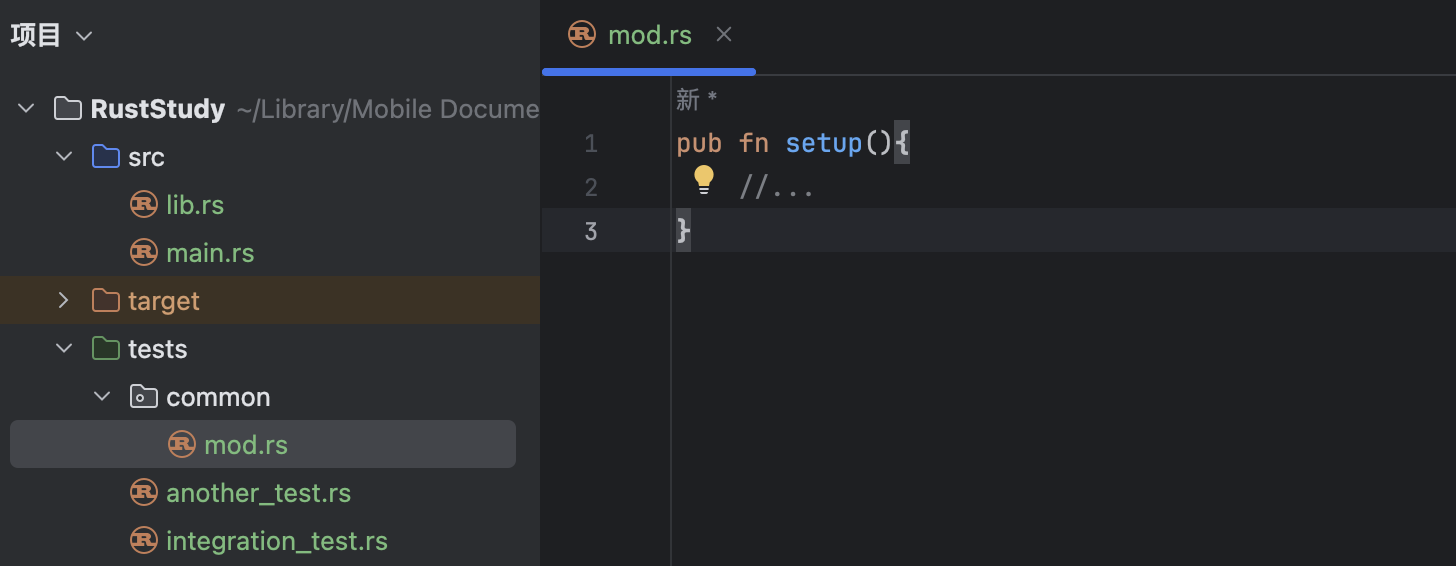
This is another naming convention that Rust understands. Rust will not treat the common module as an integration test file, and common will no longer appear in the test output, because subdirectories under tests are not compiled as separate crates.
If you want to use the contents there in an integration test file, just write mod <folder_name>; at the top of the file. In this example, that would be mod common;. When using it, write common::your_function. In this example, that would be common::setup().
11.10.5 Integration Tests for Binary Crates
If a project is a binary crate, meaning it only has src/main.rs and no src/lib.rs, you cannot create integration tests under tests, even if you do, you cannot import functions from main.rs into scope. That is because only a library crate, meaning one with lib.rs, can expose functions for other crates to use.
A binary crate means it runs independently. Therefore, Rust binary projects usually put this logic in lib.rs and keep only a simple call in main.rs. In that way, the project is treated as a library crate and can use integration tests to check the code.
12.1 Receiving Command-Line Arguments
12.1.0 Before We Begin
In Chapter 12, we will build a real project: a command-line program. This program is a grep (Global Regular Expression Print), a tool for global regular-expression search and output. Its job is to search for the specified text in the specified file.
This project has several steps:
- Receive command-line arguments (this article)
- Read files
- Refactor: improve modules and error handling
- Use TDD (test-driven development) to develop library functionality
- Use environment variables
- Write error messages to standard error instead of standard output
12.1.1 Standardizing the Input Format
First we need to define a standard input format for passing arguments. I use the following convention:
cargo run text filename.txt
12.1.2 Reading Command-Line Arguments
After standardizing the input, the next problem is reading command-line arguments.
We need a function from Rust’s standard library: std::env::args(). This function returns an iterator (covered in 13.5. Iterators Pt. 1) that yields a series of values. For an iterator, you can use the collect method to turn that series of values into a collection, such as a Vector.
As discussed in 7.4. Use Pt. 1, when a function is nested inside more than one module, we usually bring its parent module into scope.
Here is the code:
use std::env;
fn main() {
let args:Vec<String> = env::args().collect();
}Because collect produces a collection, but Rust cannot infer the element type of that collection, we must explicitly declare args as Vec<String>.
Let’s use dbg! to see what happens:
use std::env;
fn main() {
let args:Vec<String> = env::args().collect();
dbg!(args);
}Output 1, with no arguments:
$ cargo run
Compiling minigrep v0.1.0 (/tmp/minigrep)
Finished `dev` profile [unoptimized + debuginfo] target(s) in 0.12s
Running `target/debug/minigrep`
[src/main.rs:5:2] args = [
"target/debug/minigrep",
]
Output 2, with arguments:
$ cargo run -- needle haystack
Compiling minigrep v0.1.0 (/tmp/minigrep)
Finished `dev` profile [unoptimized + debuginfo] target(s) in 0.07s
Running `target/debug/minigrep needle haystack`
[src/main.rs:5:2] args = [
"target/debug/minigrep",
"needle",
"haystack",
]
The -- in the second example is used to separate the arguments for the Cargo command from the arguments passed to the program. It tells Cargo that what follows is not a Cargo option or argument, but arguments that should be passed to the program when it runs. env::args does not read or store it.
You can see that even without arguments, this Vector still has one element: the currently executing binary itself, which in this example is "target/debug/minigrep". So the arguments we actually need begin at the second element of args, that is, at index 1.
Once we know where the needed arguments are stored, we can declare variables to hold them. Declare query to store the text to search for, and filename to store the file name:
#![allow(unused)]
fn main() {
let query = &args[1];
let filename = &args[2];
}This works, but if the user enters too few arguments and the index is out of bounds, Rust will panic and stop the program. Of course, you can also combine match with get:
#![allow(unused)]
fn main() {
let query = match args.get(1) {
Some(arg) => arg,
None => panic!("No query provided"),
};
let filename = match args.get(2) {
Some(arg) => arg,
None => panic!("No file name provided"),
};
}We will use the first approach here.
Then print the two variables so the user can confirm the input:
#![allow(unused)]
fn main() {
println!("Searching for {}", query);
println!("In file {}", filename);
}12.1.3 The Full Code
Here is all the code written up to this article:
use std::env;
fn main() {
let args:Vec<String> = env::args().collect();
let query = &args[1];
let filename = &args[2];
println!("Searching for {}", query);
println!("In file {}", filename);
}12.2 Read Files
12.2.0 Before We Begin
In Chapter 12, we will build a real project: a command-line program. This program is a grep (Global Regular Expression Print), a tool for global regular-expression search and output. Its job is to search for the specified text in the specified file.
This project has several steps:
- Receive command-line arguments
- Read files (this article)
- Refactor: improve modules and error handling
- Use TDD (test-driven development) to develop library functionality
- Use environment variables
- Write error messages to standard error instead of standard output
12.2.2 Review
Here is all the code written up to the previous article:
use std::env;
fn main() {
let args:Vec<String> = env::args().collect();
let query = &args[1];
let filename = &args[2];
println!("Searching for {}", query);
println!("In file {}", filename);
}At this point, the code handles reading the user’s command-line input. Next we need to read the file based on that input.
12.2.3 Reading a File
To read a file, we need to import std::fs, which handles file-related operations:
#![allow(unused)]
fn main() {
use std::fs;
}Next, read the file using filename:
#![allow(unused)]
fn main() {
let contents = fs::read_to_string(filename);
}Reading can fail, so the return value is not the contents directly but a Result enum. For that enum, you can use expect to unwrap it. The argument to expect is the error message to print if something goes wrong (expect is covered in detail in 9.2. Result Enum and Recoverable Errors Pt. 1).
#![allow(unused)]
fn main() {
let contents = fs::read_to_string(filename)
.expect("Something went wrong while reading the file");// line break here is only to keep the line short
}If the file is read successfully, print the contents:
#![allow(unused)]
fn main() {
println!("With text:\n{}", contents);
}12.2.4 Testing the Code
At this point, we can test the code.
Here is all the code written so far:
use std::env;
use std::fs;
fn main() {
let args:Vec<String> = env::args().collect();
let query = &args[1];
let filename = &args[2];
println!("Searching for {}", query);
println!("In file {}", filename);
let contents = fs::read_to_string(filename)
.expect("Something went wrong while reading the file");// line break here is only to keep the line short
println!("With text:\n{}", contents);
}First, create a .txt file in the project directory. You can name it whatever you like; I used poem.txt. Put some text in it, for example:
I'm nobody! Who are you?
Are you nobody, too?
Then there's a pair of us - don't tell!
They'd banish us, you know.
How dreary to be somebody!
How public, like a frog
To tell your name the livelong day
To an admiring bog!
Then run the command:
cargo run -- the poem.txt
- The
--separates Cargo command arguments from program arguments. It tells Cargo that what follows is not a Cargo option or argument, but an argument passed to the program. It is not read or stored. theis the text to search for and is stored inquerypoem.txtis the file name and is stored infilename
Output:
$ cargo run -- the poem.txt
Compiling minigrep v0.1.0 (/tmp/minigrep)
Finished `dev` profile [unoptimized + debuginfo] target(s) in 0.08s
Running `target/debug/minigrep the poem.txt`
Searching for the
In file poem.txt
With text:
I'm nobody! Who are you?
Are you nobody, too?
Then there's a pair of us - don't tell!
They'd banish us, you know.
How dreary to be somebody!
How public, like a frog
To tell your name the livelong day
To an admiring bog!
No problems.
12.3 Refactoring Pt.1 - Improving Modularity
12.3.0 Before We Begin
In Chapter 12, we will build a real project: a command-line program. This program is a grep (Global Regular Expression Print), a tool for global regular-expression search and output. Its job is to search for the specified text in the specified file.
This project has several steps:
- Receive command-line arguments
- Read files
- Refactor: improve modules and error handling (this article)
- Use TDD (test-driven development) to develop library functionality
- Use environment variables
- Write error messages to standard error instead of standard output
12.3.1 Why Refactor
The purpose of refactoring is to improve modularity and error handling.
Here is all the code written up to the previous article:
use std::env;
use std::fs;
fn main() {
let args:Vec<String> = env::args().collect();
let query = &args[1];
let filename = &args[2];
println!("Searching for {}", query);
println!("In file {}", filename);
let contents = fs::read_to_string(filename)
.expect("Something went wrong while reading the file");
println!("With text:\n{}", contents);
}This code has four problems:
-
The
mainfunction is doing too much. It handles command-line parsing and file reading. The guiding principle of program design is that each function should handle only one responsibility, so the function should be split up. -
The variables
queryandfilenamestore program configuration, whilecontentsstores file contents. As code and variables accumulate, it becomes harder to track what each variable actually means. These values should be stored in a struct. -
File-reading errors are handled with
expect, which always prints an error message and panics no matter what went wrong. That is not ideal, because a file read failure might mean the file does not exist, or it might be a permissions problem. The panic message"Something went wrong while reading the file"does not help the user diagnose the issue. -
If
expectis used throughout the program, users will see error messages coming from Rust internals, such as"Index out of bounds", which makes it hard to understand what actually caused the problem. It is better to centralize error handling so future maintainers only need to consider one place when changing the logic, and so the error messages shown to users are understandable.
12.3.2 A Guiding Principle for Separating Concerns in Binary Programs
Many Rust binary projects run into the same organizational problem: they put too much functionality and too many responsibilities into main. The Rust community has a guiding principle for separating concerns in binary programs:
- Split the program into
main.rsandlib.rs, and put business logic inlib.rs - If the logic is small, keeping it in
main.rsis fine - As the logic becomes more complex, extract it from
main.rsintolib.rs
After this split, the responsibilities that should remain in main in this example are:
- Call the command-line parsing logic using the argument values
- Perform other configuration
- Call the
runfunction inlib.rs - Handle any problems that
runmay return
12.3.3 Separating Logic
Take another look at the code:
use std::env;
use std::fs;
fn main() {
let args:Vec<String> = env::args().collect();
let query = &args[1];
let filename = &args[2];
println!("Searching for {}", query);
println!("In file {}", filename);
let contents = fs::read_to_string(filename)
.expect("Something went wrong while reading the file");
println!("With text:\n{}", contents);
}First, extract the command-line argument handling:
#![allow(unused)]
fn main() {
fn parse_config(args: &[String]) -> (&str, &str) {
let query = &args[1];
let filename = &args[2];
(query, filename)
}
}&[String]means a slice of aVectorwhose elements areString- There is no need to print
queryandfilenamehere, so that part is removed
Then change main to call parse_config:
fn main() {
let args:Vec<String> = env::args().collect();
let (query, filename) = parse_config(&args);
let contents = fs::read_to_string(filename)
.expect("Something went wrong while reading the file");
println!("With text:\n{}", contents);
}12.3.4 Using a Struct
parse_config returns query and filename together as a tuple, and then main splits those two tuple values back into two variables. This back-and-forth splitting and combining shows that the abstraction in the program is not ideal.
query and filename are both part of the configuration and are related to each other, so putting them in a tuple does not express that relationship well enough. A struct is a better fit:
struct Config {
query: String,
filename: String,
}
fn main() {
let args:Vec<String> = env::args().collect();
let config = parse_config(&args);
let contents = fs::read_to_string(config.filename)
.expect("Something went wrong while reading the file");
println!("With text:\n{}", contents);
}
fn parse_config(args: &[String]) -> Config {
let query = args[1].clone();
let filename = args[2].clone();
Config {
query,
filename,
}
}In parse_config, note that indexing into args yields &String (a reference), because args has type &[String] and does not own the data. But Config expects owned String values, not &String, so we clone to gain ownership.
Cloning uses more time and memory than storing references directly, but it saves us from dealing with lifetimes and makes the code more direct and simpler. In some scenarios, giving up a bit of performance in exchange for simplicity is well worth considering.
Of course, using String::from to wrap the values also works:
#![allow(unused)]
fn main() {
fn parse_config(args: &[String]) -> Config {
let query = &args[1];
let filename = &args[2];
Config {
query: String::from(query),
filename: String::from(filename),
}
}
}There are other valid ways to write this code too, but here I will use the cloning approach.
12.3.5 Turning a Function Into a Struct Method
Since parse_config creates a Config instance, it is effectively a constructor. A constructor can be written like this:
#![allow(unused)]
fn main() {
impl Config {
fn new(args: &[String]) -> Config {
let query = args[1].clone();
let filename = args[2].clone();
Config {
query,
filename,
}
}
}
}Just place this function on the Config implementation block (for details on methods, see 5.3. Methods on Structs). I also renamed parse_config to new, because I am treating it as a constructor (constructors are usually named new).
After this change, main also needs to be updated:
#![allow(unused)]
fn main() {
let config = Config::new(&args);
}12.3.6 The Full Code
Here is all the code written up to this article:
use std::env;
use std::fs;
struct Config {
query: String,
filename: String,
}
fn main() {
let args:Vec<String> = env::args().collect();
let config = Config::new(&args);
let contents = fs::read_to_string(config.filename)
.expect("Something went wrong while reading the file");
println!("With text:\n{}", contents);
}
impl Config {
fn new(args: &[String]) -> Config {
let query = args[1].clone();
let filename = args[2].clone();
Config {
query,
filename,
}
}
}12.4 Refactoring Pt.2 - Error Handling
12.4.0 Before We Begin
In Chapter 12, we will build a real project: a command-line program. This program is a grep (Global Regular Expression Print), a tool for global regular-expression search and output. Its job is to search for the specified text in the specified file.
This project has several steps:
- Receive command-line arguments
- Read files
- Refactor: improve modules and error handling (this article)
- Use TDD (test-driven development) to develop library functionality
- Use environment variables
- Write error messages to standard error instead of standard output
12.4.1 Review
In the previous section, to improve modularity, we created a struct for the variables and moved the argument-parsing function into a method on that struct. Here is all the code written up to the previous article:
use std::env;
use std::fs;
struct Config {
query: String,
filename: String,
}
fn main() {
let args:Vec<String> = env::args().collect();
let config = Config::new(&args);
let contents = fs::read_to_string(config.filename)
.expect("Something went wrong while reading the file");
println!("With text:\n{}", contents);
}
impl Config {
fn new(args: &[String]) -> Config {
let query = args[1].clone();
let filename = args[2].clone();
Config {
query,
filename,
}
}
}12.4.2 Unexpected Input
The program works correctly only when the user provides valid input. Let’s try running it without arguments:
$ cargo run
Compiling minigrep v0.1.0 (/tmp/minigrep)
Finished `dev` profile [unoptimized + debuginfo] target(s) in 0.18s
Running `target/debug/minigrep`
thread 'main' (469490) panicked at src/main.rs:20:21:
index out of bounds: the len is 1 but the index is 1
note: run with `RUST_BACKTRACE=1` environment variable to display a backtrace
It reports Index out of bounds. As the programmer, we know this is because there were not enough arguments, so the program went out of bounds when using an index to fetch them. But a user cannot understand this error message, so they cannot correct the mistake.
What this article will do is make the program’s error messages easier to understand.
12.4.3 Specifying Error Messages
The way to help users understand the error is to provide our own error message. In the previous example, the panic happened when Config::new tried to access an out-of-bounds index, so let’s modify that part:
#![allow(unused)]
fn main() {
impl Config {
fn new(args: &[String]) -> Config {
if args.len() < 3 {
panic!("not enough arguments");
}
let query = args[1].clone();
let filename = args[2].clone();
Config {
query,
filename,
}
}
}
}If args contains fewer than three elements, panic and print "not enough arguments" to tell the user that too few arguments were provided.
Try running it without arguments again:
$ cargo run
Compiling minigrep v0.1.0 (/tmp/minigrep)
Finished `dev` profile [unoptimized + debuginfo] target(s) in 0.07s
Running `target/debug/minigrep`
thread 'main' (465520) panicked at src/main.rs:21:13:
not enough arguments
note: run with `RUST_BACKTRACE=1` environment variable to display a backtrace
This error message is much better than the previous one.
However, some extra information is still shown, such as thread 'main' (465520) panicked at src/main.rs:21:13: and note: run with RUST_BACKTRACE=1 environment variable to display a backtrace. Those are for programmers, not for users, so they should be removed too.
12.4.4 Using the Result Type
panic! is appropriate when the program itself has a bug. But here, the problem is that the program was used incorrectly because there were too few arguments. For this kind of problem, using Result to propagate the error is the best choice (see 9.2. Result Enum and Recoverable Errors Pt. 1 and Pt. 2 for details):
#![allow(unused)]
fn main() {
impl Config {
fn new(args: &[String]) -> Result<Config, &'static str> {
if args.len() < 3 {
return Err("not enough arguments");
}
let query = args[1].clone();
let filename = args[2].clone();
Ok(Config { query, filename})
}
}
}- Error information must be wrapped in
Err, and successful return values must be wrapped inOk. - The
Okvariant ofResultreturns aConfiginstance, whileErrreturns an&strstring literal. However, the compiler does not know where that&strcomes from or how long its lifetime is, so we need a lifetime annotation. We want it to remain valid for the entire program run, so we write it as&'static str, the static lifetime.
Since the return type of new has changed, the code in main that receives its value must also change:
#![allow(unused)]
fn main() {
let config = Config::new(&args).unwrap_or_else(|err| {
println!("Problem parsing arguments: {}", err);
process::exit(1);
});
}The unwrap_or_else method accepts a Result. If it is Ok, it returns the value inside Ok, similar to unwrap. If it is Err, the method calls a closure.
A closure is an anonymous function that we define and pass as an argument to unwrap_or_else. Its syntax uses two pipes ||, with a variable name in the middle as the parameter. Here it is err, which can be used inside the closure body, such as when printing the error.
Then we use process::exit from the standard library. Remember to import it first with use std::process;. Calling exit terminates the program immediately, and its argument, 1 in the example, becomes the program’s exit status code. This means that after println!("Problem parsing arguments: {}", err);, the program stops, so there is no thread 'main' (465520) panicked at src/main.rs:21:13: or backtrace note.
Try it:
$ cargo run
Compiling minigrep v0.1.0 (/tmp/minigrep)
Finished `dev` profile [unoptimized + debuginfo] target(s) in 0.07s
Running `target/debug/minigrep`
Problem parsing arguments: not enough arguments
The concept of closures will be covered in 13.1. Closures Pt. 1, so it is fine if this does not make complete sense yet; a rough understanding is enough here.
12.4.5 The Full Code
Here is all the code written up to this article:
use std::env;
use std::fs;
use std::process;
struct Config {
query: String,
filename: String,
}
fn main() {
let args:Vec<String> = env::args().collect();
let config = Config::new(&args).unwrap_or_else(|err| {
println!("Problem parsing arguments: {}", err);
process::exit(1);
});
let contents = fs::read_to_string(config.filename)
.expect("Something went wrong while reading the file");
println!("With text:\n{}", contents);
}
impl Config {
fn new(args: &[String]) -> Result<Config, &'static str> {
if args.len() < 3 {
return Err("not enough arguments");
}
let query = args[1].clone();
let filename = args[2].clone();
Ok(Config { query, filename})
}
}12.5 Refactoring Pt.3 - Moving Business Logic
12.5.0 Before We Begin
In Chapter 12, we will build a real project: a command-line program. This program is a grep (Global Regular Expression Print), a tool for global regular-expression search and output. Its job is to search for the specified text in the specified file.
This project has several steps:
- Receive command-line arguments
- Read files
- Refactor: improve modules and error handling (this article)
- Use TDD (test-driven development) to develop library functionality
- Use environment variables
- Write error messages to standard error instead of standard output
12.5.1 Review
The previous two articles completed modularization optimization and error handling. In this article, we will do further optimization on that basis.
Here is all the code written up to the previous article:
use std::env;
use std::fs;
use std::process;
struct Config {
query: String,
filename: String,
}
fn main() {
let args:Vec<String> = env::args().collect();
let config = Config::new(&args).unwrap_or_else(|err| {
println!("Problem parsing arguments: {}", err);
process::exit(1);
});
let contents = fs::read_to_string(config.filename)
.expect("Something went wrong while reading the file");
println!("With text:\n{}", contents);
}
impl Config {
fn new(args: &[String]) -> Result<Config, &'static str> {
if args.len() < 3 {
return Err("not enough arguments");
}
let query = args[1].clone();
let filename = args[2].clone();
Ok(Config { query, filename})
}
}12.5.2 Extracting Logic from main
As discussed in 12.3. Refactoring Pt. 1, we follow the guiding principle for separating concerns in binary programs:
- Split the program into
main.rsandlib.rs, and put business logic inlib.rs - If the logic is small, keeping it in
main.rsis fine - As the logic becomes more complex, extract it from
main.rsintolib.rs
According to that principle, everything in main except configuration parsing and error handling should be extracted into a run function. That keeps main small enough that we can verify correctness just by reading it, while the rest of the logic can be verified through tests (see 11.1. Writing and Running Tests for tests).
For the code we have so far, the run function should be:
#![allow(unused)]
fn main() {
fn run(config: Config) {
let contents = fs::read_to_string(config.filename)
.expect("Something went wrong while reading the file");
println!("With text:\n{}", contents);
}
}main should also call run:
fn main() {
let args:Vec<String> = env::args().collect();
let config = Config::new(&args).unwrap_or_else(|err| {
println!("Problem parsing arguments: {}", err);
process::exit(1);
});
run(config);
}12.5.3 Improving Error Handling in run
Right now, run uses expect for file-reading errors. That kind of error handling calls panic!. What we want instead is to propagate errors with Result, just like Config::new:
#![allow(unused)]
fn main() {
fn run(config: Config) -> Result<(), Box<dyn Error>> {
let contents = fs::read_to_string(config.filename)?;
println!("With text:\n{}", contents);
Ok(())
}
}-
The
Okvariant ofResultcorresponds to(), the unit type. This type means “nothing is returned” or “there is nothing here,” which is fine becauserundoes not need to return anything on success. The final lineOk(())returnsOkwith a unit value. -
The
Errvariant ofResultisBox<dyn Error>. You do not need to understand it in depth yet; just know that it represents any type that implements thestd::error::Errortrait (here I wrote justErrorbecause I imported it withuse std::error::Error;). This means different error types can be returned in different situations.dynis short for dynamic. -
The
?symbol was explained in detail in 9.3. Result Enum and Recoverable Errors Pt. 2. Briefly,read_to_stringreturns aResult. Adding?means that ifread_to_stringreturnsOk, the value insideOkis returned and assigned to the variable; if it returnsErr, the function terminates immediately and returns theErrand its attached error information. In other words,?is equivalent to:
#![allow(unused)]
fn main() {
let contents = match fs::read_to_string(config.filename){
Ok(contents) => contents,
Err(e) => return Err(e.into()),
};
}(e.into() converts the io::Error into Box<dyn Error> so the return types match. The ? operator does this conversion for you.)
With this change, the error is propagated to the caller, which is main, so main must handle the error:
fn main() {
let args:Vec<String> = env::args().collect();
let config = Config::new(&args).unwrap_or_else(|err| {
println!("Problem parsing arguments: {}", err);
process::exit(1);
});
if let Err(e) = run(config) {
println!("Application error: {}", e);
process::exit(1);
}
}The if let used here is syntactic sugar for match; think of it as a match that handles only one branch. See 6.4. Simple Control Flow - If Let for details. Note that if let and if are not the same thing, so do not confuse them.
12.5.4 Moving the Business Logic
Now that all the functions and error handling are separated, the next step is to move them into lib.rs.
The things to move are these functions, structs, and related imports.
The result after moving them (lib.rs) is:
#![allow(unused)]
fn main() {
use std::error::Error;
use std::fs;
pub struct Config {
pub query: String,
pub filename: String,
}
impl Config {
pub fn new(args: &[String]) -> Result<Config, &'static str> {
if args.len() < 3 {
return Err("not enough arguments");
}
let query = args[1].clone();
let filename = args[2].clone();
Ok(Config { query, filename})
}
}
pub fn run(config: Config) -> Result<(), Box<dyn Error>> {
let contents = fs::read_to_string(config.filename)?;
println!("With text:\n{}", contents);
Ok(())
}
}Note: all structs, methods on structs, and functions used by main.rs must be marked pub so they can be called.
Now look at main.rs:
use std::env;
use std::process;
use minigrep::Config;
fn main() {
let args:Vec<String> = env::args().collect();
let config = Config::new(&args).unwrap_or_else(|err| {
println!("Problem parsing arguments: {}", err);
process::exit(1);
});
if let Err(e) = minigrep::run(config) {
println!("Application error: {}", e);
process::exit(1);
}
}All refactoring tasks are complete. The next step is to write tests (12.6. Developing Library Functionality with TDD).
12.6 Developing Library Functionality with TDD
12.6.0 Before We Begin
In Chapter 12, we will build a real project: a command-line program. This program is a grep (Global Regular Expression Print), a tool for global regular-expression search and output. Its job is to search for the specified text in the specified file.
This project has several steps:
- Receive command-line arguments
- Read files
- Refactor: improve modules and error handling
- Use TDD (test-driven development) to develop library functionality (this article)
- Use environment variables
- Write error messages to standard error instead of standard output
12.6.1 Review
Here is all the code written up to the previous article.
lib.rs:
#![allow(unused)]
fn main() {
use std::error::Error;
use std::fs;
pub struct Config {
pub query: String,
pub filename: String,
}
impl Config {
pub fn new(args: &[String]) -> Result<Config, &'static str> {
if args.len() < 3 {
return Err("not enough arguments");
}
let query = args[1].clone();
let filename = args[2].clone();
Ok(Config { query, filename})
}
}
pub fn run(config: Config) -> Result<(), Box<dyn Error>> {
let contents = fs::read_to_string(config.filename)?;
println!("With text:\n{}", contents);
Ok(())
}
}main.rs:
use std::env;
use std::process;
use minigrep::Config;
fn main() {
let args:Vec<String> = env::args().collect();
let config = Config::new(&args).unwrap_or_else(|err| {
println!("Problem parsing arguments: {}", err);
process::exit(1);
});
if let Err(e) = minigrep::run(config) {
println!("Application error: {}", e);
process::exit(1);
}
}In the previous sections, we moved the business logic into lib.rs. That helps a lot with writing tests, because the logic in lib.rs can be called directly with different parameters without running the program from the command line, and we can verify its return values. In other words, we can test the business logic directly.
12.6.2 What Is Test-Driven Development?
TDD stands for Test-Driven Development. It usually follows these steps:
- Write a failing test, run it, and make sure it fails for the expected reason
- Write or modify just enough code to make the new test pass
- Refactor the code you just added or changed to make sure the tests still pass
- Return to step 1 and continue
TDD is just one of many software development methods, but it can guide and help code design. Writing tests first and then writing code to pass those tests also helps maintain a high level of test coverage during development.
In this article, we will use TDD to implement the search logic: search for the specified string in the file contents and put the matching lines into a list. This function will be named search.
12.6.3 Modifying the Code
Follow the TDD steps:
1. Write a Failing Test
First, write a test module in lib.rs:
#![allow(unused)]
fn main() {
#[cfg(test)]
mod tests {
use super::*;
#[test]
fn one_result() {
let query = "duct";
let contents = "\
Rust:
safe, fast, productive.
Pick three.";
assert_eq!(vec!["safe, fast, productive."],search(query, contents));
}
}
}That is, because "duct" stored in query appears in the line "safe, fast, productive.", the return value should be a Vector of string slices with only one element: "safe, fast, productive.".
The return value is a Vector because search is expected to handle multiple matching results. Of course, this particular test can only have one result, which is why the test is named one_result.
After writing the test module, write the search function:
#![allow(unused)]
fn main() {
pub fn search<'a>(query: &str, contents: &'a str) -> Vec<&'a str> {
vec![]
}
}- To make the function callable from outside, it must be declared
pub. - The function needs lifetime annotations because it has more than one non-
selfparameter, so Rust cannot tell which parameter’s lifetime matches the return value. - The elements in the returned
Vectorare string slices taken fromcontents, so the return value should have the same lifetime ascontents. That is why both are annotated with the same lifetime'a, whilequerydoes not need a lifetime annotation. - The function body only needs to compile, because the first step of TDD is to write a failing test. Failure is the desired outcome right now.
Test result:
$ cargo test
Compiling minigrep v0.1.0 (/tmp/minigrep)
Finished `test` profile [unoptimized + debuginfo] target(s) in 0.13s
Running unittests src/lib.rs (target/debug/deps/minigrep-dfdfbb86b622af32)
running 1 test
test tests::one_result ... FAILED
failures:
---- tests::one_result stdout ----
thread 'tests::one_result' (469719) panicked at src/lib.rs:41:9:
assertion `left == right` failed
left: ["safe, fast, productive."]
right: []
note: run with `RUST_BACKTRACE=1` environment variable to display a backtrace
failures:
tests::one_result
test result: FAILED. 0 passed; 1 failed; 0 ignored; 0 measured; 0 filtered out; finished in 0.00s
error: test failed, to rerun pass `--lib`
The test failed, but that is fine. This is exactly what the first TDD step is supposed to produce.
2. Write Just Enough Code for the New Test to Pass
With step 1 done, move on to TDD step 2: write or modify just enough code to make the new test pass.
Think through how search should work: iterate over each line of contents, check whether that line contains the query string, and if it does, put the line into the list of results; if it does not, do nothing and move to the next line. Finally, return all the results in a Vector.
- To iterate over each line, use the
linesmethod. It returns an iterator (13.5. Iterators Pt. 1 covers iterators in more detail) that yields the string’s contents one line at a time. - To check whether a line contains the
querystring, use thecontainsmethod. It returns a boolean:trueif there is a match, andfalseotherwise. - Do not forget to push matching lines into the
Vector.
With that in mind, you can write the code:
#![allow(unused)]
fn main() {
pub fn search<'a>(query: &str, contents: &'a str) -> Vec<&'a str> {
let mut results = Vec::new();
for line in contents.lines() {
if line.contains(query) {
results.push(line);
}
}
results
}
}Note: you do not need to declare the element type of results explicitly, because later you push line (a &str) into the Vector, and Rust infers that the elements are &str.
Now run the tests:
$ cargo test
Compiling minigrep v0.1.0 (/tmp/minigrep)
Finished `test` profile [unoptimized + debuginfo] target(s) in 0.15s
Running unittests src/lib.rs (target/debug/deps/minigrep-dfdfbb86b622af32)
running 1 test
test tests::one_result ... ok
test result: ok. 1 passed; 0 failed; 0 ignored; 0 measured; 0 filtered out; finished in 0.00s
Running unittests src/main.rs (target/debug/deps/minigrep-4c31ade9c6771135)
running 0 tests
test result: ok. 0 passed; 0 failed; 0 ignored; 0 measured; 0 filtered out; finished in 0.00s
Doc-tests minigrep
running 0 tests
test result: ok. 0 passed; 0 failed; 0 ignored; 0 measured; 0 filtered out; finished in 0.00s
The test passes. No problems.
3. Use search in the run Function
Now that search works, you can call it from run:
#![allow(unused)]
fn main() {
pub fn run(config: Config) -> Result<(), Box<dyn Error>> {
let contents = fs::read_to_string(config.filename)?;
for line in search(&config.query, &contents) {
println!("{}", line);
}
Ok(())
}
}The loop prints each matching line as soon as it is found.
Try a run:
$ cargo run -- frog poem.txt
Compiling minigrep v0.1.0 (/tmp/minigrep)
Finished `dev` profile [unoptimized + debuginfo] target(s) in 0.08s
Running `target/debug/minigrep frog poem.txt`
How public, like a frog
This example matched only one line. Try a query that matches multiple lines:
$ cargo run -- body poem.txt
Finished `dev` profile [unoptimized + debuginfo] target(s) in 0.00s
Running `target/debug/minigrep body poem.txt`
I'm nobody! Who are you?
Are you nobody, too?
How dreary to be somebody!
Try a word that does not appear:
$ cargo run -- monomorphization poem.txt
Finished `dev` profile [unoptimized + debuginfo] target(s) in 0.00s
Running `target/debug/minigrep monomorphization poem.txt`
12.7 Using Environment Variables
12.7.0 Before We Begin
Chapter 12 builds a sample project: a command-line program. The program is grep (Global Regular Expression Print), a tool for global regular-expression searching and output. Its function is to search for specified text in a specified file.
This project is divided into these steps:
- Receiving command-line arguments
- Reading files
- Refactoring: improving modules and error handling
- Using TDD (test-driven development) to develop library functionality
- Using environment variables (this article)
- Writing error messages to standard error instead of standard output
12.7.1 Review
Here is all the code written up to the previous article.
lib.rs:
#![allow(unused)]
fn main() {
use std::error::Error;
use std::fs;
pub struct Config {
pub query: String,
pub filename: String,
}
impl Config {
pub fn new(args: &[String]) -> Result<Config, &'static str> {
if args.len() < 3 {
return Err("not enough arguments");
}
let query = args[1].clone();
let filename = args[2].clone();
Ok(Config {
query,
filename,
})
}
}
pub fn run(config: Config) -> Result<(), Box<dyn Error>> {
let contents = fs::read_to_string(config.filename)?;
for line in search(&config.query, &contents) {
println!("{}", line);
}
Ok(())
}
pub fn search<'a>(query: &str, contents: &'a str) -> Vec<&'a str> {
let mut results = Vec::new();
for line in contents.lines() {
if line.contains(query) {
results.push(line);
}
}
results
}
#[cfg(test)]
mod tests {
use super::*;
#[test]
fn one_result() {
let query = "duct";
let contents = "\
Rust:
safe, fast, productive.
Pick three.";
assert_eq!(vec!["safe, fast, productive."], search(query, contents));
}
}
}main.rs:
use std::env;
use std::process;
use minigrep::Config;
fn main() {
let args: Vec<String> = env::args().collect();
let config = Config::new(&args).unwrap_or_else(|err| {
println!("Problem parsing arguments: {}", err);
process::exit(1);
});
if let Err(e) = minigrep::run(config) {
println!("Application error: {}", e);
process::exit(1);
}
}In the previous article, we used TDD to implement case-sensitive search. In this article, we will improve minigrep with an extra feature: the user can turn on case-insensitive search through an environment variable. We could expose this as a command-line option that the user must type every time, but by using an environment variable, the user can set it once and keep all searches in that terminal session case-insensitive.
12.7.2 Continuing with TDD: Case-Insensitive Search
We will again follow the TDD steps:
- Write a failing test, run it, and make sure it fails for the expected reason
- Write or modify just enough code to make the new test pass
- Refactor the code you just added or changed, and make sure the tests still pass
- Return to step 1 and continue
In this article, we use TDD to add case-insensitive search. The new function will be named search_case_insensitive, and later we will control whether to use it with an environment variable.
12.7.3 Write a Failing Test
Let’s start by naming the case-insensitive function search_case_insensitive.
First, modify the test module so that it contains a case-sensitive test and a case-insensitive test:
#![allow(unused)]
fn main() {
#[cfg(test)]
mod tests {
use super::*;
#[test]
fn case_sensitive() {
let query = "duct";
let contents = "\
Rust:
safe, fast, productive.
Pick three.
Duct tape.";
assert_eq!(vec!["safe, fast, productive."], search(query, contents));
}
#[test]
fn case_insensitive() {
let query = "rUsT";
let contents = "\
Rust:
safe, fast, productive.
Pick three.
Trust me.";
assert_eq!(
vec!["Rust:", "Trust me."],
search_case_insensitive(query, contents)
);
}
}
}Then write the body of search_case_insensitive:
#![allow(unused)]
fn main() {
pub fn search_case_insensitive<'a>(query: &str, contents: &'a str) -> Vec<&'a str> {
vec![]
}
}- To make this function callable from outside, it must be declared public with
pub - The function needs a lifetime annotation because it has multiple non-
selfparameters, and Rust cannot determine which parameter’s lifetime should match the lifetime of the return value - The elements in the returned
Vectorare string slices taken fromcontents, so the return value should have the same lifetime ascontents; that is why both are annotated with the same lifetime'a, whilequerydoes not need a lifetime annotation - The function body only needs to compile, because the first step of TDD is to write a test that fails, so failure is the desired outcome
At this point, running the tests will definitely fail, but that is fine. This is exactly what the first TDD step is supposed to produce.
12.7.4 Write or Modify Just Enough Code for the New Test to Pass
The code for search_case_insensitive is very similar to search, so only a few small changes are needed. The logic is simple: lowercase the query and compare it against lowercase versions of the text:
#![allow(unused)]
fn main() {
pub fn search_case_insensitive<'a>(query: &str, contents: &'a str) -> Vec<&'a str> {
let mut results = Vec::new();
let query = query.to_lowercase();
for line in contents.lines() {
if line.to_lowercase().contains(&query) {
results.push(line);
}
}
results
}
}- The
to_lowercasemethod converts a string to all lowercase - The result of
to_lowercaseis aString, so the newqueryis ownedStringrather than&str. Inside the loop, we use&querybecausecontainsdoes not acceptStringdirectly, so we pass a reference
Run the tests again:
$ cargo test
Compiling minigrep v0.1.0 (/tmp/minigrep)
Finished `test` profile [unoptimized + debuginfo] target(s) in 0.15s
Running unittests src/lib.rs (target/debug/deps/minigrep-dfdfbb86b622af32)
running 2 tests
test tests::case_sensitive ... ok
test tests::case_insensitive ... ok
test result: ok. 2 passed; 0 failed; 0 ignored; 0 measured; 0 filtered out; finished in 0.00s
Running unittests src/main.rs (target/debug/deps/minigrep-4c31ade9c6771135)
running 0 tests
test result: ok. 0 passed; 0 failed; 0 ignored; 0 measured; 0 filtered out; finished in 0.00s
Doc-tests minigrep
running 0 tests
test result: ok. 0 passed; 0 failed; 0 ignored; 0 measured; 0 filtered out; finished in 0.00s
Both tests pass.
12.7.5 Use This Function in run
Now that the function works, we can call it in run.
First, add a field to the Config struct so it can decide whether to use the normal search or the case-insensitive search_case_insensitive:
#![allow(unused)]
fn main() {
pub struct Config {
pub query: String,
pub filename: String,
pub case_sensitive: bool,
}
}Modify run so it checks the configuration:
#![allow(unused)]
fn main() {
pub fn run(config: Config) -> Result<(), Box<dyn Error>> {
let contents = fs::read_to_string(config.filename)?;
let results = if config.case_sensitive {
search(&config.query, &contents)
} else {
search_case_insensitive(&config.query, &contents)
};
for line in results {
println!("{}", line);
}
Ok(())
}
}The new constructor on Config also needs to change so it assigns case_sensitive based on the environment variable:
#![allow(unused)]
fn main() {
impl Config {
pub fn new(args: &[String]) -> Result<Config, &'static str> {
if args.len() < 3 {
return Err("not enough arguments");
}
let query = args[1].clone();
let filename = args[2].clone();
let case_sensitive = std::env::var("IGNORE_CASE").is_err();
Ok(Config {
query,
filename,
case_sensitive,
})
}
}
}Here we use std::env::var (of course, you could also bring std::env into scope first and then use env::var). Its argument is the name of the environment variable, which conventionally is all uppercase. Here I use IGNORE_CASE, which means case-insensitive. If this environment variable is present, the search is treated as case-insensitive; if it is absent, the search is case-sensitive.
std::env::var returns a Result. If the IGNORE_CASE environment variable is set, it returns Ok(String) containing the variable’s value; otherwise it returns Err(std::env::VarError).
After std::env::var, we call is_err. If is_err sees the Err variant, it returns true, which is assigned to case_sensitive; otherwise it assigns false.
PS: honestly, writing this little program in such a rigid way is also a teaching necessity. Halfway through, I was already laughing at how much code there was. When you actually write it, there is no need to be this formal.
12.7.6 The Full Code and a Trial Run
After writing all that, here is the full code up to this point.
lib.rs:
#![allow(unused)]
fn main() {
use std::error::Error;
use std::fs;
pub struct Config {
pub query: String,
pub filename: String,
pub case_sensitive: bool,
}
impl Config {
pub fn new(args: &[String]) -> Result<Config, &'static str> {
if args.len() < 3 {
return Err("not enough arguments");
}
let query = args[1].clone();
let filename = args[2].clone();
let case_sensitive = std::env::var("IGNORE_CASE").is_err();
Ok(Config {
query,
filename,
case_sensitive,
})
}
}
pub fn run(config: Config) -> Result<(), Box<dyn Error>> {
let contents = fs::read_to_string(config.filename)?;
let results = if config.case_sensitive {
search(&config.query, &contents)
} else {
search_case_insensitive(&config.query, &contents)
};
for line in results {
println!("{}", line);
}
Ok(())
}
pub fn search<'a>(query: &str, contents: &'a str) -> Vec<&'a str> {
let mut results = Vec::new();
for line in contents.lines() {
if line.contains(query) {
results.push(line);
}
}
results
}
pub fn search_case_insensitive<'a>(query: &str, contents: &'a str) -> Vec<&'a str> {
let mut results = Vec::new();
let query = query.to_lowercase();
for line in contents.lines() {
if line.to_lowercase().contains(&query) {
results.push(line);
}
}
results
}
#[cfg(test)]
mod tests {
use super::*;
#[test]
fn case_sensitive() {
let query = "duct";
let contents = "\
Rust:
safe, fast, productive.
Pick three.
Duct tape.";
assert_eq!(vec!["safe, fast, productive."], search(query, contents));
}
#[test]
fn case_insensitive() {
let query = "rUsT";
let contents = "\
Rust:
safe, fast, productive.
Pick three.
Trust me.";
assert_eq!(
vec!["Rust:", "Trust me."],
search_case_insensitive(query, contents)
);
}
}
}main.rs:
use std::env;
use std::process;
use minigrep::Config;
fn main() {
let args: Vec<String> = env::args().collect();
let config = Config::new(&args).unwrap_or_else(|err| {
println!("Problem parsing arguments: {}", err);
process::exit(1);
});
if let Err(e) = minigrep::run(config) {
println!("Application error: {}", e);
process::exit(1);
}
}Let’s try running it:
First, run the program without setting the environment variable and use the query to, which should match any line containing the lowercase word to:
$ cargo run -- to poem.txt
Compiling minigrep v0.1.0 (/tmp/minigrep)
Finished `dev` profile [unoptimized + debuginfo] target(s) in 0.07s
Running `target/debug/minigrep to poem.txt`
Are you nobody, too?
How dreary to be somebody!
Now set IGNORE_CASE to 1 and keep everything else the same:
$ IGNORE_CASE=1 cargo run -- to poem.txt
You will get:
Are you nobody, too?
How dreary to be somebody!
To tell your name the livelong day
To an admiring bog!
There are no problems.
Note that if you are using powershell, you set an environment variable like this:
PS> $Env:IGNORE_CASE=1; cargo run -- to poem.txt
This keeps the environment variable available for the entire session. If you want to remove it, write:
PS> Remove-Item Env:IGNORE_CASE
12.8 Writing Error Messages to Standard Error
12.8.0 Before We Begin
Chapter 12 builds a sample project: a command-line program. The program is grep (Global Regular Expression Print), a tool for global regular-expression searching and output. Its function is to search for specified text in a specified file.
This project is divided into these steps:
- Receiving command-line arguments
- Reading files
- Refactoring: improving modules and error handling
- Using TDD (test-driven development) to develop library functionality
- Using environment variables
- Writing error messages to standard error instead of standard output (this article)
12.8.1 Review
Here is all the code written up to the previous article.
lib.rs:
#![allow(unused)]
fn main() {
use std::error::Error;
use std::fs;
pub struct Config {
pub query: String,
pub filename: String,
pub case_sensitive: bool,
}
impl Config {
pub fn new(args: &[String]) -> Result<Config, &'static str> {
if args.len() < 3 {
return Err("not enough arguments");
}
let query = args[1].clone();
let filename = args[2].clone();
let case_sensitive = std::env::var("IGNORE_CASE").is_err();
Ok(Config {
query,
filename,
case_sensitive,
})
}
}
pub fn run(config: Config) -> Result<(), Box<dyn Error>> {
let contents = fs::read_to_string(config.filename)?;
let results = if config.case_sensitive {
search(&config.query, &contents)
} else {
search_case_insensitive(&config.query, &contents)
};
for line in results {
println!("{}", line);
}
Ok(())
}
pub fn search<'a>(query: &str, contents: &'a str) -> Vec<&'a str> {
let mut results = Vec::new();
for line in contents.lines() {
if line.contains(query) {
results.push(line);
}
}
results
}
pub fn search_case_insensitive<'a>(query: &str, contents: &'a str) -> Vec<&'a str> {
let mut results = Vec::new();
let query = query.to_lowercase();
for line in contents.lines() {
if line.to_lowercase().contains(&query) {
results.push(line);
}
}
results
}
#[cfg(test)]
mod tests {
use super::*;
#[test]
fn case_sensitive() {
let query = "duct";
let contents = "\
Rust:
safe, fast, productive.
Pick three.
Duct tape.";
assert_eq!(vec!["safe, fast, productive."], search(query, contents));
}
#[test]
fn case_insensitive() {
let query = "rUsT";
let contents = "\
Rust:
safe, fast, productive.
Pick three.
Trust me.";
assert_eq!(
vec!["Rust:", "Trust me."],
search_case_insensitive(query, contents)
);
}
}
}main.rs:
use std::env;
use std::process;
use minigrep::Config;
fn main() {
let args: Vec<String> = env::args().collect();
let config = Config::new(&args).unwrap_or_else(|err| {
println!("Problem parsing arguments: {}", err);
process::exit(1);
});
if let Err(e) = minigrep::run(config) {
println!("Application error: {}", e);
process::exit(1);
}
}12.8.2 Standard Output vs. Standard Error
The current code prints all information, including error messages, to the terminal. Most terminals provide two output streams: standard output (stdout) and standard error (stderr).
General information should go to standard output, while error messages should go to standard error. The advantage of this separation is that normal output can be redirected into a file while error messages still appear on the screen.
The println! macro can only print to standard output. The eprintln! macro can print to standard error.
Using the current code, run this command in the terminal:
cargo run > output.txt
This redirects output to output.txt, but the command does not include any arguments, so the program should error. Because the error messages are also written to standard output, they end up in output.txt.
A better approach is to print error messages to standard error, which keeps standard output clean and separate from errors.
12.8.3 Modifying the Code
Changing the code so that error messages go to standard error is quite simple. We only need to change all error printing from println! to eprintln!. Because all error handling is in main.rs, we only need a small change there, and lib.rs does not need to be modified at all:
use std::env;
use std::process;
use minigrep::Config;
fn main() {
let args: Vec<String> = env::args().collect();
let config = Config::new(&args).unwrap_or_else(|err| {
eprintln!("Problem parsing arguments: {}", err);
process::exit(1);
});
if let Err(e) = minigrep::run(config) {
eprintln!("Application error: {}", e);
process::exit(1);
}
}Now run the previous command again. It still has no arguments, so the program errors, but this time it will not put the error message into output.txt; instead, it will print directly in the terminal:
$ cargo run > output.txt
Problem parsing arguments: not enough arguments
Then try a normal run with arguments:
$ cargo run -- to poem.txt > output.txt
The output is redirected to output.txt. Open it:
Are you nobody, too?
How dreary to be somebody!
That is the result we want: errors are printed directly in the terminal, while normal output is redirected into the file.
13.1 What Is a Closure and How to Use Closures
13.1.0 Before We Begin
During its design, Rust drew inspiration from many languages, and functional programming had a particularly strong influence on Rust. Functional programming often includes passing functions as values to parameters, returning them from other functions, assigning them to variables for later execution, and so on.
In this chapter, we will discuss some Rust features that are similar to what many languages call functional features:
- Closures (this article)
- Iterators
- Improving the I/O Project with Closures and Iterators
- Performance of Closures and Iterators
13.1.1 What Is a Closure
In one sentence: a closure is an anonymous function that can capture values from its surrounding environment.
A closure has four characteristics:
- A closure is an anonymous function
- This anonymous function can be stored in a variable, passed as an argument to another function, or returned from another function
- You can create a closure in one place and call it in another context to do the work
- A closure can capture values from the scope in which it is defined
13.1.2 An Example of a Closure
To better demonstrate what closures can do, here is an example:
Build a program that generates a personalized workout plan based on factors such as a person’s body metrics. The algorithm itself is not the point; the important part is that it takes a few seconds to run. Our goal is to avoid unnecessary waiting for the user. More specifically, we want to call the algorithm only when necessary, and only once.
Take a look at the code:
use std::thread;
use std::time::Duration;
fn main() {
let simulated_user_specified_value = 10;
let simulated_random_number = 7;
generate_workout(
simulated_user_specified_value,
simulated_random_number,
);
}
fn simulated_expensive_calculation(intensity: u32) -> u32 {
println!("calculating slowly...");
thread::sleep(Duration::from_secs(2));
intensity
}
fn generate_workout(intensity: u32, random_number: u32) {
if intensity < 25 {
println!("Today, do {} pushups!", simulated_expensive_calculation(intensity));
println!("Next, do {} situps!", simulated_expensive_calculation(intensity));
} else {
if random_number == 3 {
println!("Take a break today! Remember to stay hydrated!");
} else {
println!("Today, run for {} minutes!", simulated_expensive_calculation(intensity));
}
}
}-
The
simulated_expensive_calculationfunction simulates that expensive algorithm, andthread::sleepsimulates the time required for the algorithm to finish. Since this is only a demo, the function simply returns theintensityparameter, which represents the user’s requested intensity. -
generate_workouthas two parameters:intensity, which represents the user’s requested workout intensity, andrandom_number, which represents a random number. The logic is: ifintensityis less than 25, printToday, do {} pushups!andNext, do {} situps!. The problem is that both lines call the relatively expensivesimulated_expensive_calculation. Ifintensityis greater than or equal to 25 and the random number is 3, printTake a break today! Remember to stay hydrated!and do not call the expensive function. If the random number is not 3, printToday, run for {} minutes!, which does callsimulated_expensive_calculation.
This function is correct as written, but it is too slow. Our goal is to avoid unnecessary waiting for the user. More specifically, we want to call the algorithm only when necessary, and only once.
First, look at the case in generate_workout where intensity is less than 25:
#![allow(unused)]
fn main() {
if intensity < 25 {
println!("Today, do {} pushups!", simulated_expensive_calculation(intensity));
println!("Next, do {} situps!", simulated_expensive_calculation(intensity));
}This prints Today, do {} pushups! and Next, do {} situps!. The problem is that both lines call the slow simulated_expensive_calculation. In fact, we only need to calculate the result once and reuse it in both outputs.
Let’s optimize this part. We only need to run the calculation once, store the result in a variable, and use that variable in the output, which avoids calling simulated_expensive_calculation twice:
#![allow(unused)]
fn main() {
fn generate_workout(intensity: u32, random_number: u32) {
let expensive_result = simulated_expensive_calculation(intensity);
if intensity < 25 {
println!("Today, do {} pushups!", expensive_result);
println!("Next, do {} situps!", expensive_result);
} else {
if random_number == 3 {
println!("Take a break today! Remember to stay hydrated!");
} else {
println!("Today, run for {} minutes!", expensive_result);
}
}
}
}Here I also replaced the intensity >= 25 and random_number != 3 case with the variable expensive_result that stores the calculation result.
But this creates another problem:
#![allow(unused)]
fn main() {
if random_number == 3 {
println!("Take a break today! Remember to stay hydrated!");
}
}Here we do not need to call the expensive function, but because
#![allow(unused)]
fn main() {
let expensive_result = simulated_expensive_calculation(intensity);
}is executed at the start of the function, the calculation still runs even when the random number is 3. That is an unnecessary call.
This is where closures come in. Let’s rewrite this code with a closure:
#![allow(unused)]
fn main() {
fn generate_workout(intensity: u32, random_number: u32) {
let expensive_closure = |num| {
println!("calculating slowly...");
thread::sleep(Duration::from_secs(2));
num
};
if intensity < 25 {
println!("Today, do {} pushups!", expensive_closure(intensity));
println!("Next, do {} situps!", expensive_closure(intensity));
} else {
if random_number == 3 {
println!("Take a break today! Remember to stay hydrated!");
} else {
println!("Today, run for {} minutes!", expensive_closure(intensity));
}
}
}
}The closure is this part:
#![allow(unused)]
fn main() {
let expensive_closure = |num| {
println!("calculating slowly...");
thread::sleep(Duration::from_secs(2));
num
};
}-
The closure is assigned to the variable
expensive_closure. -
The closure needs parameters, and parameters are placed between the two pipe symbols
||. Here there is only one parameter,num, so we write|num|. If there are two parameters, separate them with a comma, such as|num1, num2|. If no parameters are needed, just write||. -
The parameter
numdoes not need an explicit type annotation because the argument passed in the later call isintensity, whose type isu32, so Rust infers thatnumis alsou32. -
The closure body is written inside
{}, just like any other function. Here we want this closure to do the same work as the expensive calculation function, so the body can be the same. At that point, thesimulated_expensive_calculationfunction can be removed. -
This closure definition only defines a function; it does not execute it. A function only runs when it sees
(), such asexpensive_closure(intensity).
With this version, when intensity is greater than or equal to 25 and random_number is 3, the expensive calculation will not be called, so there is no unnecessary work. However, this still does not solve the problem of repeated closure calls. We will address that in the next article.
13.2 Closure Type Inference and Annotations
13.2.0 Before We Begin
During its design, Rust drew inspiration from many languages, and functional programming had a particularly strong influence on Rust. Functional programming often includes passing functions as values to parameters, returning them from other functions, assigning them to variables for later execution, and so on.
In this chapter, we will discuss some Rust features that are similar to what many languages call functional features:
- Closures (this article)
- Iterators
- Improving the I/O Project with Closures and Iterators
- Performance of Closures and Iterators
13.2.1 Type Inference for Closures
Unlike functions defined with fn, closures do not require explicit type annotations for parameters or return values.
Functions must be explicit because they are part of a public interface exposed to users, and a clearly defined interface helps everyone agree on the parameter and return types.
Closures are not used as exposed interfaces. They are usually stored in variables, they do not need names when used, and they are not exposed to users of our codebase. Therefore, closures do not require explicit type annotations for parameters and return values.
Closures are also usually short and work only in a narrow context, so the compiler can often infer the types. Of course, you can still write the annotations manually if you want to.
Take a look at an example: This is the version using a function definition:
#![allow(unused)]
fn main() {
fn simulated_expensive_calculation(intensity: u32) -> u32 {
println!("calculating slowly...");
thread::sleep(Duration::from_secs(2));
intensity
}
}This is the version using a closure:
#![allow(unused)]
fn main() {
let expensive_closure = |num:u32| -> u32 {
println!("calculating slowly...");
thread::sleep(Duration::from_secs(2));
num
};
}Explicit annotations are used here because there is no surrounding context for Rust to infer the types. If there is context, then they are not needed:
#![allow(unused)]
fn main() {
fn generate_workout(intensity: u32, random_number: u32) {
let expensive_closure = |num| {
println!("calculating slowly...");
thread::sleep(Duration::from_secs(2));
num
};
if intensity < 25 {
println!("Today, do {} pushups!", expensive_closure(intensity));
println!("Next, do {} situps!", expensive_closure(intensity));
} else {
if random_number == 3 {
println!("Take a break today! Remember to stay hydrated!");
} else {
println!("Today, run for {} minutes!", expensive_closure(intensity));
}
}
}
}The parameter num does not need an explicit type annotation because the argument passed in the later call is intensity, whose type is u32, so Rust infers that num is also u32.
13.2.2 Syntax for Function and Closure Definitions
Here are four examples:
#![allow(unused)]
fn main() {
fn add_one_v1 (x: u32) -> u32 { x + 1 }
let add_one_v2 = |x: u32| -> u32 { x + 1 };
let add_one_v3 = |x| { x + 1 };
let add_one_v4 = |x| x + 1 ;
}- The first is a function definition, with a function name, parameter names and types, and a return type
- The second is a closure definition, with parameter and return types. This closure looks very similar to a function definition.
- The third is also a closure, but its parameter and return types are not annotated, so the compiler has to infer them.
- The fourth closure differs from the third in that it does not use curly braces
{}. Because it contains only one expression, the braces can be omitted.
13.2.3 Type Inference for Closures
A closure’s definition will ultimately infer only one specific concrete type for its parameters and return value.
Take a look at an example:
#![allow(unused)]
fn main() {
let example_closure = |x| x;
let s = example_closure(String::from("hello"));
let n = example_closure(5);
}Output:
$ cargo run
Compiling closure-example v0.1.0 (file:///projects/closure-example)
error[E0308]: mismatched types
--> src/main.rs:5:29
|
5 | let n = example_closure(5);
| --------------- ^ expected `String`, found integer
| |
| arguments to this function are incorrect
|
note: expected because the closure was earlier called with an argument of type `String`
--> src/main.rs:4:29
|
4 | let s = example_closure(String::from("hello"));
| --------------- ^^^^^^^^^^^^^^^^^^^^^ expected because this argument is of type `String`
| |
| in this closure call
note: closure parameter defined here
--> src/main.rs:2:28
|
2 | let example_closure = |x| x;
| ^
help: try using a conversion method
|
5 | let n = example_closure(5.to_string());
| ++++++++++++
For more information about this error, try `rustc --explain E0308`.
error: could not compile `closure-example` (bin "closure-example") due to 1 previous error
When the compiler sees the first call to the closure, it determines that both the input and output values are String, so it locks in String as the parameter and return type for this closure. That is why a later call with an integer causes an error.
13.3 Storing Closures with Generic Parameters and Fn Traits
13.3.0 Before We Begin
During its design, Rust drew inspiration from many languages, and functional programming had a particularly strong influence on Rust. Functional programming often includes passing functions as values to parameters, returning them from other functions, assigning them to variables for later execution, and so on.
In this chapter, we will discuss some Rust features that are similar to what many languages call functional features:
- Closures (this article)
- Iterators
- Improving the I/O Project with Closures and Iterators
- Performance of Closures and Iterators
13.3.1 Review
Do you remember the example from 13.1?
Build a program that generates a personalized workout plan based on factors such as a person’s body metrics. The algorithm itself is not the point; the important part is that it takes a few seconds to run. Our goal is to avoid unnecessary waiting for the user. More specifically, we want to call the algorithm only when necessary, and only once.
At that time, we rewrote the code as:
use std::thread;
use std::time::Duration;
fn main() {
let simulated_user_specified_value = 10;
let simulated_random_number = 7;
generate_workout(
simulated_user_specified_value,
simulated_random_number,
);
}
fn generate_workout(intensity: u32, random_number: u32) {
let expensive_closure = |num| {
println!("calculating slowly...");
thread::sleep(Duration::from_secs(2));
num
};
if intensity < 25 {
println!("Today, do {} pushups!", expensive_closure(intensity));
println!("Next, do {} situps!", expensive_closure(intensity));
} else {
if random_number == 3 {
println!("Take a break today! Remember to stay hydrated!");
} else {
println!("Today, run for {} minutes!", expensive_closure(intensity));
}
}
}But there is still a problem: this does not solve the repeated-closure-call problem. When intensity is less than 25, the closure is called twice.
One possible solution is to assign the closure’s value to a local variable and let that local variable be reused by the output statements. The problem with that approach is that it introduces some code duplication.
So a better solution here is: create a struct that holds the closure and its call result. In other words, after the closure is called for the first time, store the result inside the closure holder; if the closure needs to be called again later, just use the cached result. The effect is that the closure runs only when the result is needed, and the result can be cached.
This pattern is usually called memoization or lazy evaluation.
13.3.2 Having a Struct Hold a Closure
Based on the solution above, the current problem is how to make a struct hold a closure.
A struct definition needs to know the type of every field, so if you want to store a closure inside a struct, you must specify the closure’s type.
Each closure instance has its own unique anonymous type. Even if two closures have exactly the same signature, they are still two different types. So storing closures requires generics and trait bounds. The content on generics and trait bounds is covered in 10.4. Trait Pt.2, which is worth a look.
13.3.3 Fn Trait
The Fn trait is provided by the standard library. Every closure implements at least one of the following Fn traits:
FnFnMutFnOnce
The differences among these three Fn traits will be covered in the next article. In this example, Fn is enough.
With that in mind, we can rewrite the example. First, create a struct:
#![allow(unused)]
fn main() {
struct Cache<T: Fn(u32) -> u32>
{
calculation: T,
value: Option<u32>,
}
}- This struct has a generic parameter
T. Since it represents the closure type, its bound is theFntrait (Fnis enough in this example), and because the parameter and return types areu32, we writeFn(u32) -> u32. - The field that stores the closure is
calculation, and its type isT. - The cached value is stored in the
valuefield. Its type isu32, but we do not yet know whether the value has been calculated and cached, so we wrap it inOption, which meansOption<u32>.
First, write a constructor on the struct to create instances:
#![allow(unused)]
fn main() {
impl<T: Fn(u32) -> u32> Cache<T> {
fn new(calculation: T) -> Cache<T> {
Cache {
calculation,
value: None,
}
}
}
}This looks a little messy, so we can rewrite it with a where clause:
#![allow(unused)]
fn main() {
impl<T> Cache<T>
where
T: Fn(u32) -> u32
{
fn new(calculation: T) -> Cache<T> {
Cache {
calculation,
value: None,
}
}
}
}Then, to make value return the cached value if it exists, or calculate it if it does not, write another method:
#![allow(unused)]
fn main() {
fn value(&mut self, arg: u32) -> u32 {
match self.value {
Some(v) => v,
None => {
let v = (self.calculation)(arg);
self.value = Some(v);
v
}
}
}
}If the instance’s value field already has a value, return it. Otherwise calculate the value, store it in the value field, and return it.
Once that is done, we should update generate_workout to use the Cache struct:
#![allow(unused)]
fn main() {
fn generate_workout(intensity: u32, random_number: u32) {
let mut expensive_closure = Cache::new(|num|{
println!("calculating slowly...");
thread::sleep(Duration::from_secs(2));
num
});
if intensity < 25 {
println!("Today, do {} pushups!", expensive_closure.value(intensity));
println!("Next, do {} situps!", expensive_closure.value(intensity));
} else {
if random_number == 3 {
println!("Take a break today! Remember to stay hydrated!");
} else {
println!("Today, run for {} minutes!", expensive_closure.value(intensity));
}
}
}
}expensive_closureis created as an instance ofCache, and we pass the closure intonew. We addmuttoexpensive_closurebecause later calls may change the value stored in thevaluefield.- All later uses of the result go through the
valuemethod.
13.3.4 Limitations of the Cache Implementation
The Cache field here is a cache, used to store a value, but this implementation has limitations.
Here is the Cache definition and its methods:
#![allow(unused)]
fn main() {
struct Cache<T: Fn(u32) -> u32>
{
calculation: T,
value: Option<u32>,
}
impl<T> Cache<T>
where
T: Fn(u32) -> u32
{
fn new(calculation: T) -> Cache<T> {
Cache {
calculation,
value: None,
}
}
fn value(&mut self, arg: u32) -> u32 {
match self.value {
Some(v) => v,
None => {
let v = (self.calculation)(arg);
self.value = Some(v);
v
}
}
}
}
}The value method always ends up with the same value: if the value field has no value, it calculates one and stores it in the field. After that, any later use of value gets the originally calculated value, no matter what argument is passed in.
That may sound a little vague, so let’s look at an example:
#![allow(unused)]
fn main() {
fn call_with_different_values(){
let mut c = Cache::new(|a| a);
let v1 = c.value(1);
let v2 = c.value(2);
}
}-
cis an instance ofCache, and a closure is passed in. -
In the line
let v1 = c.value(1);, the originalvaluefield incis empty. At that point, passing in1makes thevaluefield becomeSome(1)(valueis anOptiontype). -
In the line
let v2 = c.value(2);, because thevaluefield already has a value, it directly takes the1stored invalueand assigns it tov2, even though the argument tovaluein this line is different from the previous one.
If you do not want that behavior, you should use a HashMap instead of a single value, using the HashMap key as the args passed to the value method, and the value as the result of executing the closure. For example:
#![allow(unused)]
fn main() {
struct ForFun<T: Fn(u32) -> u32>
{
calculation: T,
value: HashMap<u32, Option<u32>>,
}
impl<T> ForFun<T>
where
T: Fn(u32) -> u32
{
fn new(calculation: T) -> ForFun<T> {
ForFun {
calculation,
value: HashMap::new(),
}
}
fn value(&mut self, arg: u32) -> u32 {
match self.value.get(&arg) {
Some(v) => v.unwrap(),
None => {
let v = (self.calculation)(arg);
self.value.insert(arg, Some(v));
v
}
}
}
}
}This cache example can only accept the same parameter type and return type. If you want the closure’s parameter type and return type to be different, you can introduce two or more generic parameters. For example:
#![allow(unused)]
fn main() {
struct ForFun<T, R>
where
T: Fn(u32) -> R,
{
calculation: T,
value: Option<R>,
}
}13.4 Capturing the Environment with Closures
13.4.0 Before We Begin
During its design, Rust drew inspiration from many languages, and functional programming had a particularly strong influence on Rust. Functional programming often includes passing functions as values to parameters, returning them from other functions, assigning them to variables for later execution, and so on.
In this chapter, we will discuss some Rust features that are similar to what many languages call functional features:
- Closures (this article)
- Iterators
- Improving the I/O Project with Closures and Iterators
- Performance of Closures and Iterators
13.4.1 Closures Can Capture Their Environment
Closures have a capability that functions do not: a closure can access variables in the scope where it is defined.
Take a look at an example:
fn main() {
let x = 4;
let equal_to_x = |z| z == x;
let y = 4;
assert!(equal_to_x(y));
}The closure part is:
#![allow(unused)]
fn main() {
let equal_to_x = |z| z == x;
}Some people may find it hard to distinguish the roles of = and == here, so let’s rewrite it another way:
#![allow(unused)]
fn main() {
let equal_to_x = |z| {
z == x
};
}In other words, the closure takes z as its parameter, compares it with x (which is 4, because x = 4 was defined above), and returns a boolean. If they are equal, the result is true; otherwise it is false. Note that there is no semicolon after z == x: with a semicolon the block would return () instead of the comparison result.
Here the closure directly accesses the variable x in the same scope, which functions cannot do.
But this feature has a cost: it introduces memory overhead. In most cases we do not need a closure to capture its environment, and we do not want the extra overhead either. That is why functions are not allowed to capture variables from the environment, and defining and using a function never introduces this kind of overhead.
13.4.2 How Closures Capture Values From Their Environment
Closures capture values from the environment in three ways, just like functions receive parameters in three ways:
- Taking ownership, whose trait is
FnOnce.Oncemeans once, because a closure cannot take and consume the same variable more than once, so it can only be called once. - Mutable borrowing, whose trait is
FnMut - Immutable borrowing, whose trait is
Fn
When a programmer creates a closure, Rust infers which trait should be used based on how the closure uses values from the environment:
- All closures implement
FnOnce, because every closure can be called at least once - Closures that do not move captured variables implement
FnMut - Closures that do not need mutable access to captured variables implement
Fn
In fact, these three have an inclusion relationship: every Fn also implements FnMut, and every FnMut also implements FnOnce.
13.4.3 The move Keyword
Using the move keyword before the parameter list forces a closure to take ownership of the environment values it uses. This is most useful when passing a closure to a new thread and moving data so that it belongs to that new thread.
Take a look at an example:
fn main() {
let x = vec![1, 2, 3];
let equal_to_x = move |z| z == x;
println!("can't use x here {:?}", x);
let y = vec![1, 2, 3];
assert!(equal_to_x(y));
}After using move, ownership of x moves into the closure, so x can no longer be used afterward.
13.4.4 Best Practice
When you specify one of the Fn trait bounds, start with Fn. Depending on what happens inside the closure, the compiler will tell you if FnOnce or FnMut is needed instead.
13.5 Iterators - Definitions, the Iterator Trait, and the Next Method
13.5.0 Before We Begin
During its design, Rust drew inspiration from many languages, and functional programming had a particularly strong influence on Rust. Functional programming often includes passing functions as values to parameters, returning them from other functions, assigning them to variables for later execution, and so on.
In this chapter, we will discuss some Rust features that are similar to what many languages call functional features:
- Closures
- Iterators (this article)
- Improving the I/O Project with Closures and Iterators
- Performance of Closures and Iterators
13.5.1 What Is an Iterator
To talk about iterators, we first need to talk about the iterator pattern. The iterator pattern allows you to perform a task on each element in a sequence, one by one. In that process, the iterator is responsible for:
- Traversing each item
- Determining when the sequence has finished iterating
Rust iterators are lazy: unless you call a method that consumes the iterator, the iterator itself does nothing. In other words, if you write an iterator in your code but never use it, it is as if it did nothing at all.
Take a look at an example:
fn main() {
let v1 = vec![1, 2, 3];
let v1_iter = v1.iter();
}v1 is a Vector, and v1.iter() creates an iterator for v1 and assigns it to v1_iter. But v1_iter is not used yet, so the iterator can be considered to have no effect.
Now let’s use the iterator to traverse the values:
fn main() {
let v1 = vec![1, 2, 3];
let v1_iter = v1.iter();
for val in v1_iter {
println!("Got: {}", val);
}
}This is equivalent to using each element in the iterator once in a loop.
13.5.2 The Iterator Trait
All iterators implement the Iterator trait. This trait is defined in the standard library and looks roughly like this:
#![allow(unused)]
fn main() {
pub trait Iterator {
type Item;
fn next(&mut self) -> Option<Self::Item>;
// methods with default implementations elided
}
}Two new pieces of syntax appear here: type Item and Self::Item. These syntax forms define types associated with the trait, and we will talk about that in a later article. For now, all you need to know is that implementing the Iterator trait requires you to define an Item type, and that type is used as the return type of next (the iterator’s return type).
The Iterator trait requires only one method: next. Each time next is called, it returns one item from the iterator, that is, one element of the sequence. Because the return type is Option, the result is wrapped in the Some variant. When iteration ends, None is returned.
In actual use, you can call next directly on the iterator. Take a look at an example:
#![allow(unused)]
fn main() {
#[cfg(test)]
mod tests {
#[test]
fn iterator_demonstration() {
let v1 = vec![1, 2, 3];
let mut v1_iter = v1.iter();
assert_eq!(v1_iter.next(), Some(&1));
assert_eq!(v1_iter.next(), Some(&2));
assert_eq!(v1_iter.next(), Some(&3));
assert_eq!(v1_iter.next(), None);
}
}
}v1is aVector, andv1_iteris its iterator. Because the operations below are considered to change the iterator’s state,mutmust be used to make it mutable.assert_eq!(v1_iter.next(), Some(&1));is the first call tonext, so it returns the first element in theVector, wrapped inSome, which isSome(&1). It is&1because the iterator’s return value is an immutable reference wrapped byOption.assert_eq!(v1_iter.next(), Some(&2));is the second call tonext, so it returns the second element in theVector, wrapped inSome, which isSome(&2).- And so on…
- Calling
nexton an iterator changes the iterator’s internal state that tracks its position in the sequence. In other words, each call consumes one element from the iterator. Theforloop in the 13.5.1 example does not needmutbecause theforloop actually takes ownership ofv1_iter.
13.5.3 Several Iteration Methods
The iter method we just used generates an iterator over immutable references, so the values obtained through next are actually immutable references to the elements in the Vector.
The into_iter method creates an iterator that takes ownership. In other words, as it iterates through the elements, it moves them into the new scope and takes ownership of them.
The iter_mut method uses mutable references when traversing values.
13.6 Methods That Consume and Produce Iterators
13.6.0 Before We Begin
During its design, Rust drew inspiration from many languages, and functional programming had a particularly strong influence on Rust. Functional programming often includes passing functions as values to parameters, returning them from other functions, assigning them to variables for later execution, and so on.
In this chapter, we will discuss some Rust features that are similar to what many languages call functional features:
- Closures
- Iterators (this article)
- Improving the I/O Project with Closures and Iterators
- Performance of Closures and Iterators
13.6.1 Methods That Consume Iterators
In the standard library, the Iterator trait has some methods with default implementations. Some of them call next, which is why implementing the Iterator trait requires implementing next.
Methods that call next are called consuming adaptors because next consumes the iterator one element at a time until the iterator is exhausted.
For example, the sum method takes ownership of the iterator and repeatedly calls next to traverse the items, thereby consuming the iterator. As it iterates, it adds each item to a running total and returns the total when iteration is complete.
#![allow(unused)]
fn main() {
#[cfg(test)]
mod tests {
#[test]
fn iterator_sum() {
let v1 = vec![1, 2, 3];
let v1_iter = v1.iter();
let total: i32 = v1_iter.sum();
assert_eq!(total, 6);
}
}
}13.6.2 Methods That Produce Other Iterators
The Iterator trait also defines other methods called iterator adaptors. They turn the current iterator into a different kind of iterator. You can also chain multiple iterator adaptors together to perform complex operations, and this style of code is quite readable.
Take map as an example. It takes a closure that is applied to each element of the iterator. It transforms each element of the current iterator into another element, and those new elements form a new iterator.
#![allow(unused)]
fn main() {
let v1: Vec<i32> = vec![1, 2, 3];
v1.iter().map(|x| x + 1);
}This code adds 1 to each element in the Vector.
There is nothing wrong with the code itself, but the compiler produces a warning:
$ cargo run
Compiling iterators v0.1.0 (file:///projects/iterators)
warning: unused `Map` that must be used
--> src/main.rs:4:5
|
4 | v1.iter().map(|x| x + 1);
| ^^^^^^^^^^^^^^^^^^^^^^^^
|
= note: iterators are lazy and do nothing unless consumed
= note: `#[warn(unused_must_use)]` (part of `#[warn(unused)]`) on by default
help: use `let _ = ...` to ignore the resulting value
|
4 | let _ = v1.iter().map(|x| x + 1);
| +++++++
warning: `iterators` (bin "iterators") generated 1 warning
Finished `dev` profile [unoptimized + debuginfo] target(s) in 0.06s
Running `target/debug/iterators`
Because Rust iterators are lazy, if you do not consume them (that is, if you do not call consuming adaptor methods), they do nothing. In other words, in this state it does not add 1 to the three elements in the Vector unless a consuming method is called:
#![allow(unused)]
fn main() {
let v1: Vec<i32> = vec![1, 2, 3];
let v2:Vec<_> = v1.iter().map(|x| x + 1).collect();
}Here collect is used as a consuming adaptor to collect the results into some kind of collection. Since collect can produce many collection types, we need to explicitly annotate v2 as a Vec<_>. The _ in Vec<_> tells the compiler to infer the element type.
13.7 Using Closures to Capture the Environment with Iterators
13.7.0 Before We Begin
During its design, Rust drew inspiration from many languages, and functional programming had a particularly strong influence on Rust. Functional programming often includes passing functions as values to parameters, returning them from other functions, assigning them to variables for later execution, and so on.
In this chapter, we will discuss some Rust features that are similar to what many languages call functional features:
- Closures
- Iterators (this article)
- Improving the I/O Project with Closures and Iterators
- Performance of Closures and Iterators
13.7.1 Using Closures to Capture the Environment
The filter method is an iterator adaptor that is usually used together with a closure that captures the environment.
The filter method takes a closure that returns a boolean value as it traverses each element of the iterator. If the return value is true, the current element will be included in the new iterator produced by filter; otherwise, the current element will not be included.
Take an example:
Use filter with a closure to capture the shoe_size variable from the environment and iterate over a collection of Shoe struct instances. It will return only shoes of the specified size.
#![allow(unused)]
fn main() {
#[derive(PartialEq, Debug)]
struct Shoe {
size: u32,
style: String,
}
fn shoes_in_size(shoes: Vec<Shoe>, shoe_size: u32) -> Vec<Shoe> {
shoes.into_iter().filter(|s| s.size == shoe_size).collect()
}
#[cfg(test)]
mod tests {
use super::*;
#[test]
fn filters_by_size() {
let shoes = vec![
Shoe {
size: 10,
style: String::from("sneaker"),
},
Shoe {
size: 13,
style: String::from("sandal"),
},
Shoe {
size: 10,
style: String::from("boot"),
},
];
let in_my_size = shoes_in_size(shoes, 10);
assert_eq!(
in_my_size,
vec![
Shoe {
size: 10,
style: String::from("sneaker")
},
Shoe {
size: 10,
style: String::from("boot")
},
]
);
}
}
}-
The
Shoestruct has two fields:size, which represents the shoe size and is of typeu32, andstyle, which represents the style and is of typeString. -
The
shoes_in_sizefunction takes two parameters:shoes, whose type isVec<Shoe>, andshoe_size, whose type isu32, and it returns aVec<Shoe>. The function body first callsinto_iteron the incomingVectorto create an iterator that takes ownership. Then it usesfilter, whose argument is a closure. The closure checks each element’ssizefield to see whether it matchesshoe_size; if it does, the element is included in the new iterator. Finally,collectis called to turn the result into a collection and return it.
13.8 Creating Custom Iterators
13.8.0 Before We Begin
During its design, Rust drew inspiration from many languages, and functional programming had a particularly strong influence on Rust. Functional programming often includes passing functions as values to parameters, returning them from other functions, assigning them to variables for later execution, and so on.
In this chapter, we will discuss some Rust features that are similar to what many languages call functional features:
- Closures
- Iterators (this article)
- Improving the I/O Project with Closures and Iterators
- Performance of Closures and Iterators
13.8.1 Creating a Custom Iterator With the Iterator Trait
The main step is just one: provide an implementation of next.
Take an example:
Build an iterator that traverses from 1 to 5
#![allow(unused)]
fn main() {
struct Counter {
count: u32,
}
impl Counter {
fn new() -> Counter {
Counter { count: 0 }
}
}
impl Iterator for Counter {
type Item = u32;
fn next(&mut self) -> Option<u32> {
if self.count < 5 {
self.count += 1;
Some(self.count)
} else {
None
}
}
}
}-
First create a struct called
Counter. It has acountfield used to store the value needed during iteration, that is, the iterator’s state. Thecountfield is private rather thanpubso that theCounterstruct manages its own value independently. -
Then write an associated function
newon the struct to create a new instance and make sure the new instance starts from 0. -
Next, implement the
Iteratortrait forCounter. TheIteratortrait has an associated typetype Itemand anextmethod. First set the associated type tou32, which means writingtype Item = u32;. This syntax will be covered in detail in 19.2. Advanced Traits; for now, just know that this iterator returnsu32. -
The return type of
nextisOption<Self::Item>. Since the associated type above isu32, you can think of it asOption<u32>. When thecountfield is less than 5, it keeps increasing by 1; when it is 5 or greater, it returnsNone. That guarantees iteration from 1 to 5.
Now let’s implement something more complex:
Use a Counter struct in two forms: one from 1 to 5 and another from 2 to 5. Multiply each pair of elements from the two iterators, keep only the elements in the new iterator that are divisible by 3, and then return the sum of those elements
#![allow(unused)]
fn main() {
fn using_other_iterator_traits_methods() {
let sum: u32 = Counter::new()
.zip(Counter::new().skip(1))
.map(|(a, b)| a * b)
.filter(|x| x % 3 == 0)
.sum();
}
}- I wrote it on separate lines because the chained call would be too long on one line. If the chain is not long, there is no need to split it across lines.
- The
zipmethod pairs each element from two iterators to form a new iterator. The elements of that new iterator are tuples, and each tuple has two values, one from each iterator. Counter::new()creates aCounterthat goes from 1 to 5, andCounter::new().skip(1)creates aCounterthat skips the first value, so it goes from 2 to 5. When the two are zipped together, the result looks like this:
Counter::new() | Counter::new().skip(1) | |
|---|---|---|
| Tuple 0 | 1 | 2 |
| Tuple 1 | 2 | 3 |
| Tuple 2 | 3 | 4 |
| Tuple 3 | 4 | 5 |
PS: Counter::new() does not iterate to 5 because Counter::new().skip(1) is None at that point, so no more values are produced.
maptakes a closure that is applied to each element of the iterator. It transforms each element of the current iterator into another element, and those new elements form a new iterator. In this example, it multiplies the two values in each tuple stored in the iterator to produce a new iterator.filterkeeps the values divisible by 3 and forms a new iterator through the closure.sumconsumes all elements of the iterator and adds them together.
The final result should be 18.
13.9 Improving the I/O Project with Closures and Iterators
13.9.0 Before We Begin
During its design, Rust drew inspiration from many languages, and functional programming had a particularly strong influence on Rust. Functional programming often includes passing functions as values to parameters, returning them from other functions, assigning them to variables for later execution, and so on.
In this chapter, we will discuss some Rust features that are similar to what many languages call functional features:
- Closures
- Iterators
- Improving the I/O Project with Closures and Iterators (this article)
- Performance of Closures and Iterators
13.9.1 Review
This article uses the grep project from Chapter 12 as an example to show how closures and iterators can improve an I/O project, so let’s review it first.
Chapter 12 builds a practical project: a command-line program. This program is a grep (Global Regular Expression Print) tool, a global regular-expression search and output utility. Its job is to search for specified text in a specified file.
The project is split into these steps:
- Accept command-line arguments
- Read a file
- Refactor to improve modules and error handling
- Develop library functionality with TDD (test-driven development)
- Use environment variables
- Write error messages to standard error instead of standard output
lib.rs:
#![allow(unused)]
fn main() {
use std::error::Error;
use std::fs;
pub struct Config {
pub query: String,
pub filename: String,
pub case_sensitive: bool,
}
impl Config {
pub fn new(args: &[String]) -> Result<Config, &'static str> {
if args.len() < 3 {
return Err("Not enough arguments");
}
let query = args[1].clone();
let filename = args[2].clone();
let case_sensitive = std::env::var("CASE_INSENSITIVE").is_err();
Ok(Config { query, filename, case_sensitive})
}
}
pub fn run(config: Config) -> Result<(), Box<dyn Error>> {
let contents = fs::read_to_string(config.filename)?;
let results = if config.case_sensitive {
search(&config.query, &contents)
} else {
search_case_insensitive(&config.query, &contents)
};
for line in results {
println!("{}", line);
}
Ok(())
}
pub fn search<'a>(query: &str, contents: &'a str) -> Vec<&'a str> {
let mut results = Vec::new();
for line in contents.lines() {
if line.contains(query) {
results.push(line);
}
}
results
}
pub fn search_case_insensitive<'a>(query: &str, contents: &'a str) -> Vec<&'a str> {
let mut results = Vec::new();
let query = query.to_lowercase();
for line in contents.lines() {
if line.to_lowercase().contains(&query) {
results.push(line);
}
}
results
}
#[cfg(test)]
mod tests {
use super::*;
#[test]
fn case_sensitive() {
let query = "duct";
let contents = "\
Rust:
safe, fast, productive.
Pick three.
Duct tape.";
assert_eq!(vec!["safe, fast, productive."], search(query, contents));
}
#[test]
fn case_insensitive() {
let query = "rUsT";
let contents = "\
Rust:
safe, fast, productive.
Pick three.
Trust me.";
assert_eq!(
vec!["Rust:", "Trust me."],
search_case_insensitive(query, contents)
);
}
}
}main.rs:
use std::env;
use std::process;
use minigrep::Config;
fn main() {
let args:Vec<String> = env::args().collect();
let config = Config::new(&args).unwrap_or_else(|err| {
eprintln!("Problem parsing arguments: {}", err);
process::exit(1);
});
if let Err(e) = minigrep::run(config) {
eprintln!("Application error: {}", e);
process::exit(1);
}
}13.9.2 Improving the new Function
Take a look at the new function in lib.rs:
#![allow(unused)]
fn main() {
impl Config {
pub fn new(args: &[String]) -> Result<Config, &'static str> {
if args.len() < 3 {
return Err("Not enough arguments");
}
let query = args[1].clone();
let filename = args[2].clone();
let case_sensitive = std::env::var("CASE_INSENSITIVE").is_err();
Ok(Config { query, filename, case_sensitive})
}
}
}These two lines:
#![allow(unused)]
fn main() {
let query = args[1].clone();
let filename = args[2].clone();
}use cloning. That is because the argument passed in is &[String], which does not have ownership, but the Config struct needs to own the data. Only cloning lets Config own query and filename, even though cloning adds performance overhead.
After learning iterators, we can pass an iterator directly into new so that it can take ownership. We can also use the iterator to handle length checks and indexing, which makes the scope of new’s responsibility clearer.
Before changing new, we need to change how main handles input arguments. Originally it was:
#![allow(unused)]
fn main() {
let args:Vec<String> = env::args().collect();
let config = Config::new(&args).unwrap_or_else(|err| {
eprintln!("Problem parsing arguments: {}", err);
process::exit(1);
});
}Now we remove collect and pass the arguments from env::args() directly to new:
#![allow(unused)]
fn main() {
let config = Config::new(env::args()).unwrap_or_else(|err| {
eprintln!("Problem parsing arguments: {}", err);
process::exit(1);
});
}The return type of env::args() is std::env::Args, which implements the Iterator trait, so it is an iterator.
Now let’s modify new:
#![allow(unused)]
fn main() {
impl Config {
pub fn new(mut args: std::env::Args) -> Result<Config, &'static str> {
if args.len() < 3 {
return Err("Not enough arguments");
}
args.next();
let query = args.next().unwrap();
let filename = args.next().unwrap();
let case_sensitive = std::env::var("CASE_INSENSITIVE").is_err();
Ok(Config { query, filename, case_sensitive})
}
}
}- The parameter
argsis changed tostd::env::Args, and it must also be declared mutable withmutbecausenextis a consuming iterator method. - The line that contains only
args.next();is there because the first value returned byenv::args()is the program name, not an argument. Callingargs.next();skips that value. queryandfilenameare then obtained in order by callingnext. At that point,queryandfilenameare ownedStringvalues. Sincenextreturns anOption, we can useunwrapto extract the value.
13.9.3 Improving the search Function
The current search function looks like this:
#![allow(unused)]
fn main() {
pub fn search<'a>(query: &str, contents: &'a str) -> Vec<&'a str> {
let mut results = Vec::new();
for line in contents.lines() {
if line.contains(query) {
results.push(line);
}
}
results
}
}contents.lines() also returns an iterator. Here we manually check whether each line contains the keyword stored in query, and if it does, we push that line into the Vector and finally return the Vector.
For finding items that satisfy a condition in an iterator and building a new iterator, we can use filter:
#![allow(unused)]
fn main() {
pub fn search<'a>(query: &str, contents: &'a str) -> Vec<&'a str> {
contents.lines().filter(|line| line.contains(query)).collect()
}
}Using contains inside the closure implements the same logic.
Since the ordinary search function can use iterators, the case-insensitive search function can use them too:
#![allow(unused)]
fn main() {
pub fn search_case_insensitive<'a>(query: &str, contents: &'a str) -> Vec<&'a str> {
let query = query.to_lowercase();
contents
.lines()
.filter(|line| line.to_lowercase().contains(&query))
.collect()
}
}Here we still lowercase the query once up front. For each line, line.to_lowercase() creates a temporary lowercase String used only for the contains check, while the original line (a &str into contents) is what gets collected. That keeps the return type Vec<&'a str> valid.
If you instead wrote contents.to_lowercase().lines()...collect(), the iterator would yield references into a temporary lowercase String, and those references could not be returned as &'a str into the original contents—the code would not compile.
In terms of both code volume and readability, using filter is better. In addition, filter reduces temporary variables. Eliminating mutable state (let mut results = Vec::new();) also makes it possible to improve search performance through parallelization in the future, because we no longer need to worry about concurrent access safety for results.
13.10 Performance Comparison - Loops vs Iterators
13.10.0 Before We Begin
During its design, Rust drew inspiration from many languages, and functional programming had a particularly strong influence on Rust. Functional programming often includes passing functions as values to parameters, returning them from other functions, assigning them to variables for later execution, and so on.
In this chapter, we will discuss some Rust features that are similar to what many languages call functional features:
- Closures
- Iterators
- Improving the I/O Project with Closures and Iterators
- Performance of Closures and Iterators (this article)
13.10.1 A Test
To run a benchmark test, load all of The Adventures of Sherlock Holmes by Sir Arthur Conan Doyle into a String and search the contents for the word the. Here are the benchmark results for the search version that uses a for loop and the version that uses iterators:
test bench_search_for ... bench: 19,620,300 ns/iter (+/- 915,700)
test bench_search_iter ... bench: 19,234,900 ns/iter (+/- 657,200)
The iterator version is slightly faster!
We will not explain the benchmark code here, because the point is not to prove that the two versions are equivalent. The point is to get a rough idea of how these two implementations compare in performance.
Iterators are a high-level abstraction in Rust, yet the code they generate after compilation is almost the same as the low-level code we would write by hand. This is called a zero-cost abstraction.
13.10.2 Zero-Cost Abstraction
Zero-cost abstraction means that using an abstraction does not introduce extra runtime overhead.
Rust iterators can achieve zero-cost abstraction because:
1. Generics and Monomorphization
Rust iterators make heavy use of generics to define operations, such as the Iterator trait. During compilation, the compiler instantiates generic code for each concrete type and generates efficient machine code specialized for those types. This process is called monomorphization.
-
Static dispatch: The compiler generates code that calls functions directly for concrete types, so there is no need to look up function addresses at runtime, unlike dynamic dispatch through a virtual table.
-
Optimization opportunities: Because the types are known at compile time, the compiler can deeply optimize the code, such as eliminating function-call overhead and inlining.
2. Inlining and LLVM Optimization
Rust uses LLVM as its backend compiler. The compiler can optimize iterator chains in the following ways:
-
Function inlining: The Rust compiler inlines operations inside iterators, such as
mapandfilter, expanding them into compact code without function-call overhead. -
Loop unrolling and merging: Multiple iterator method calls, such as
map().filter().collect(), can be merged into a single loop at compile time. -
Redundancy elimination: For example, the compiler can directly remove some unnecessary intermediate variables or operations.
The result is that the final code executed by an iterator chain is almost as efficient as a hand-written loop.
3. Lazy Evaluation
Rust iterators are lazy, which means:
-
Before a terminal method is called, such as
collect()orfor_each(), the iterator does not perform any actual work. -
Each intermediate operation, such as
mapandfilter, only creates a new iterator and does not apply the operation immediately.
This lazy design allows the compiler to generate code optimized for the final use case when the iterator is actually used, without introducing unnecessary intermediate data structures or calculations.
4. No Runtime Overhead
One of Rust’s design principles is to avoid runtime costs. Iterator implementations avoid dynamic allocation and runtime polymorphism:
-
Rust iterators are based on static types, so they usually do not require heap allocation, unless you explicitly use
Boxordyn Iterator. -
The
Iteratortrait uses static dispatch, which avoids dynamic dispatch. Even when dynamic dispatch is needed, you must explicitly declaredyn Iterator.
5. No Extra Abstraction Cost
Rust iterators provide functionality by operating directly on the underlying data structures, without introducing extra abstraction layers. For example:
-
An iterator created by calling
.iter()operates directly on the underlying slice or collection, so the overhead is very low. -
Intermediate iterators, such as
MapandFilter, are optimized at compile time into a compact set of instructions instead of introducing unnecessary wrapping.
13.10.3 An Example: An Audio Decoder
The following code comes from an audio decoder. The decoding algorithm uses linear prediction math to estimate future values from a linear function of previous samples. This code uses an iterator chain to perform several mathematical operations on three variables in a range: a buffer slice of data, an array of 12 coefficients, and the amount of data shifting in qlp_shift. We declare the variables in this example but do not assign values to them. Although this code does not mean much outside its original context, it is still a concise, real-world example of how Rust turns high-level ideas into low-level code.
#![allow(unused)]
fn main() {
let buffer: &mut [i32];
let coefficients: [i64; 12];
let qlp_shift: i16;
for i in 12..buffer.len() {
let prediction = coefficients.iter()
.zip(&buffer[i - 12..i])
.map(|(&c, &s)| c * s as i64)
.sum::<i64>() >> qlp_shift;
let delta = buffer[i];
buffer[i] = prediction as i32 + delta;
}
}To compute the prediction value, this code iterates over each of the 12 values in coefficients and uses zip to pair each coefficient with the previous 12 values in buffer. Then, for each pair, it multiplies the values, sums all the results, and shifts the total to the right by qlp_shift bits.
All coefficients are stored in registers, which means accessing these values is very fast. There are no bounds checks on array access at runtime. All of these optimizations that Rust can apply make the generated code extremely efficient. Now that you know this, you can use iterators and closures without fear! They make the code look higher level without causing runtime performance loss.
14.1 Cargo Publishing Configuration
14.1.1 Release Profile
A release profile is a publishing configuration, meaning it is a set of pre-defined configuration options. It is also customizable. We can define our own configurations and use different settings, giving programmers more control over how code is compiled.
Each profile is its own configuration preset and is independent from the others.
Cargo mainly has two profiles:
dev profile: used for development andcargo buildrelease profile: used for publishing andcargo build --release
Using cargo build and cargo build --release will apply two different configuration profiles:
$ cargo build
Finished `dev` profile [unoptimized + debuginfo] target(s) in 0.00s
$ cargo build --release
Finished `release` profile [optimized] target(s) in 0.00s
14.1.2 Custom Profiles
Cargo provides default settings for each profile.
If you want to customize the configuration, whether for dev profile or release profile, you can add a [profile.xxxx] section to Cargo.toml and override a subset of the default settings. Usually we do not override every option; we only override the ones we want to change.
Here is an example:
[profile.dev]
opt-level = 0
[profile.release]
opt-level = 3
The opt-level setting controls how much optimization Rust applies to your code, with values ranging from 0 to 3. Applying more optimizations increases compile time, so if you are developing and compiling code frequently, you may want fewer optimizations even if the generated code runs more slowly, because that speeds up compilation. That is why the default opt-level for dev is 0.
When you are ready to publish code, it is better to spend more time compiling. Code is compiled only once in release mode, but the compiled program runs many times, so release mode trades longer compile time for faster code. That is why the default opt-level for release is 3.
14.2 Documentation Comments and Publishing Crates
14.2.1 crates.io
crates.io is the official package management platform for the Rust programming language, similar to package managers in other languages such as npm for JavaScript and pip for Python. Its main uses include:
- Hosting Rust libraries (crates): Developers can publish their own Rust libraries on crates.io, and other developers can download and use them.
- Dependency management: Cargo, Rust’s build tool and package manager, downloads required dependencies from crates.io to simplify project development.
- Search and discovery: Users can search for existing libraries on crates.io and find solutions that fit their project needs.
- Versioning and updates: crates.io supports version management, so developers can upload new versions of libraries and users can update dependencies easily.
In the guessing game from Chapter 2, we already used the third-party rand crate from crates.io to get random numbers. We can use crates provided by others, and we can also publish our own crates to crates.io for others to use.
Rust and Cargo include features that make your published packages easier for people to find and use. Next we will discuss some of those features and then explain how to publish a package.
14.2.2 Documentation Comments
Use /// to write documentation comments. Documentation comments are used to generate project documentation. They are different from //, which is used for code comments. Documentation comments document the item that follows them (usually a public API).
This documentation is HTML documentation and supports Markdown. It displays documentation comments for public APIs and usually explains how readers should use the API.
Documentation comments are usually placed directly before the item they describe.
Here is an example:
#![allow(unused)]
fn main() {
/// Adds one to the number given.
///
/// # Examples
///
/// ```
/// let arg = 5;
/// let answer = my_crate::add_one(arg);
///
/// assert_eq!(6, answer);
/// ```
pub fn add_one(x: i32) -> i32 {
x + 1
}
}PS: In Markdown, # marks a heading, and ``` marks a code block.
14.2.3 Commands for Generating HTML Documentation
Running cargo doc in the terminal uses the rustdoc tool, which comes with Rust, to generate documentation. The generated documentation is placed in the target/doc directory.
cargo doc --open generates the documentation and opens the result in a web browser:
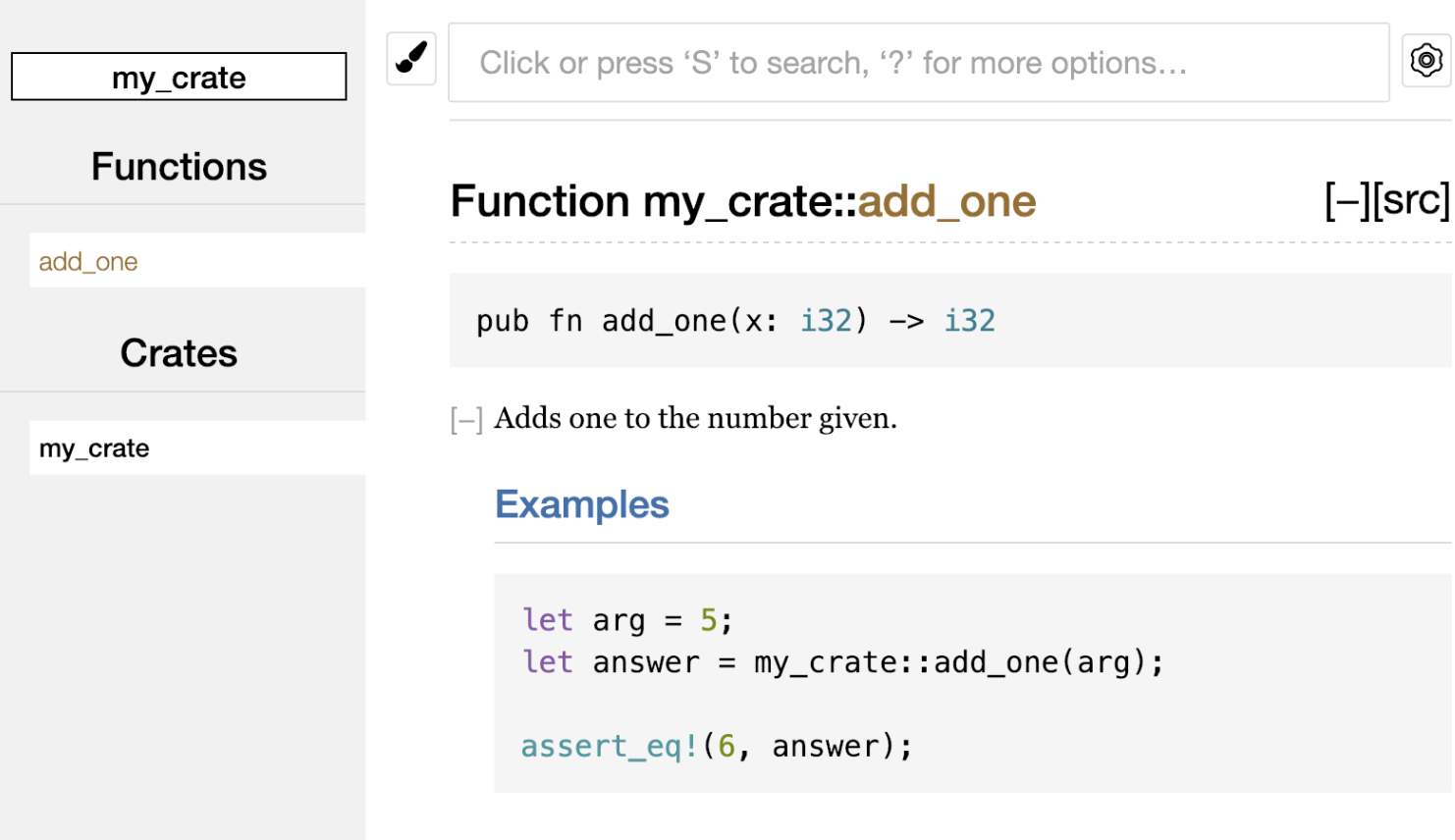
14.2.4 Common Sections
Here are some sections that crate authors often use in their documentation:
# Examplesis the examples section, where sample code is placed in the code block.# Panics: The function being documented may panic. Callers who do not want the program to panic should ensure that the function is not called in those cases.# Errors: If the function returns aResult, then describing the possible error types and the conditions that may cause those errors is helpful to callers, so they can write code that handles different errors in different ways.# Safety: If the function callsunsafe(which we will cover later), there should be a section explaining why the function is unsafe and covering the invariants the caller is expected to uphold.
14.2.5 Documentation Comments as Tests
Code blocks in documentation comments are executed as tests when you run cargo test. You will see this part in the test results:
Doc-tests my_crate
running 1 test
test src/lib.rs - add_one (line 5) ... ok
test result: ok. 1 passed; 0 failed; 0 ignored; 0 measured; 0 filtered out; finished in 0.00s
14.2.6 Adding Documentation Comments for Items with Outer Comments
//! adds documentation to the outer item, rather than to the item that follows the comment. We usually use these documentation comments in the crate root file, conventionally src/lib.rs, or inside a module to document a crate or an entire module:
#![allow(unused)]
fn main() {
//! # My Crate
//!
//! `my_crate` is a collection of utilities to make performing certain
//! calculations more convenient.
/// Adds one to the number given.
///
/// # Examples
///
/// ```
/// let arg = 5;
/// let answer = my_crate::add_one(arg);
///
/// assert_eq!(6, answer);
/// ```
pub fn add_one(x: i32) -> i32 {
x + 1
}
}In this example, we added documentation describing what my_crate does. Because these comments use //!, they document the enclosing item—the crate root—rather than an item that follows them.
The HTML documentation changes accordingly as well:
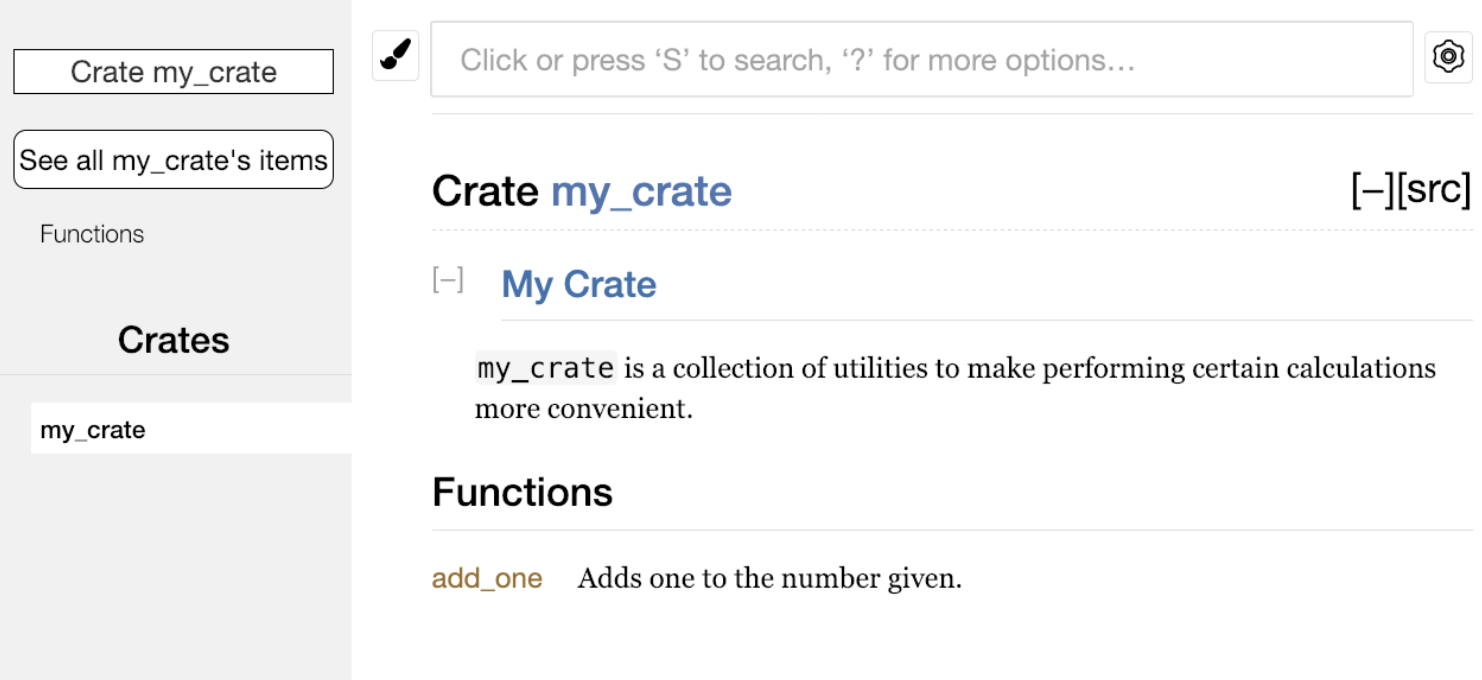
14.3 Re-Exporting APIs with pub use
14.3.1 Re-Exporting APIs with pub use
In Chapter 7, we introduced the mod keyword. We use it to organize code into modules. The pub keyword introduced there can make modules or methods public so that external code can call them. External code then uses the use keyword to bring modules or methods into the current scope.
Using these keywords lets us organize code in a developer-friendly way. However, this structure is not always very friendly for the end users of the codebase. For example, the structure of a crate may be very convenient for developers during development, but not very convenient for users. Developers often split the program into many layers, and users may find it difficult to locate a type hidden deep inside that structure. For example, my_crate::some_module::another_module::UsefulType is cumbersome, while my_crate::UsefulType is much easier to use.
For this kind of problem, there is no need to reorganize the internal code structure. Instead, pub use can be used to re-export items and create a public-facing structure different from the internal private structure. Re-exporting takes a public item from one location and makes it public at another location, as if it had been defined there originally.
Here is an example:
lib.rs:
#![allow(unused)]
fn main() {
//! # Art
//!
//! A library for modeling artistic concepts.
pub mod kinds {
/// The primary colors according to the RYB color model.
pub enum PrimaryColor {
Red,
Yellow,
Blue,
}
/// The secondary colors according to the RYB color model.
pub enum SecondaryColor {
Orange,
Green,
Purple,
}
}
pub mod utils {
use crate::kinds::*;
/// Combines two primary colors in equal amounts to create
/// a secondary color.
pub fn mix(c1: PrimaryColor, c2: PrimaryColor) -> SecondaryColor {
//...
}
}
}- Under the
kindsmodule there are two enum types,PrimaryColorandSecondaryColor, used to store color variants. - Under the
utilsmodule there is a function calledmix. Its job is to mix twoPrimaryColorvalues into aSecondaryColor. The code inside is not shown here. - Putting the enum types under
kindsand the function underutilsis very developer-friendly.
main.rs:
use art::kinds::PrimaryColor;
use art::utils::mix;
fn main() {
let red = PrimaryColor::Red;
let yellow = PrimaryColor::Yellow;
mix(red, yellow);
}This uses the enum types and the mix function from lib.rs. Because it requires three levels to bring them into scope, and because the enum type and function live in different modules, it is quite inconvenient for users.
The generated crate documentation looks like this:
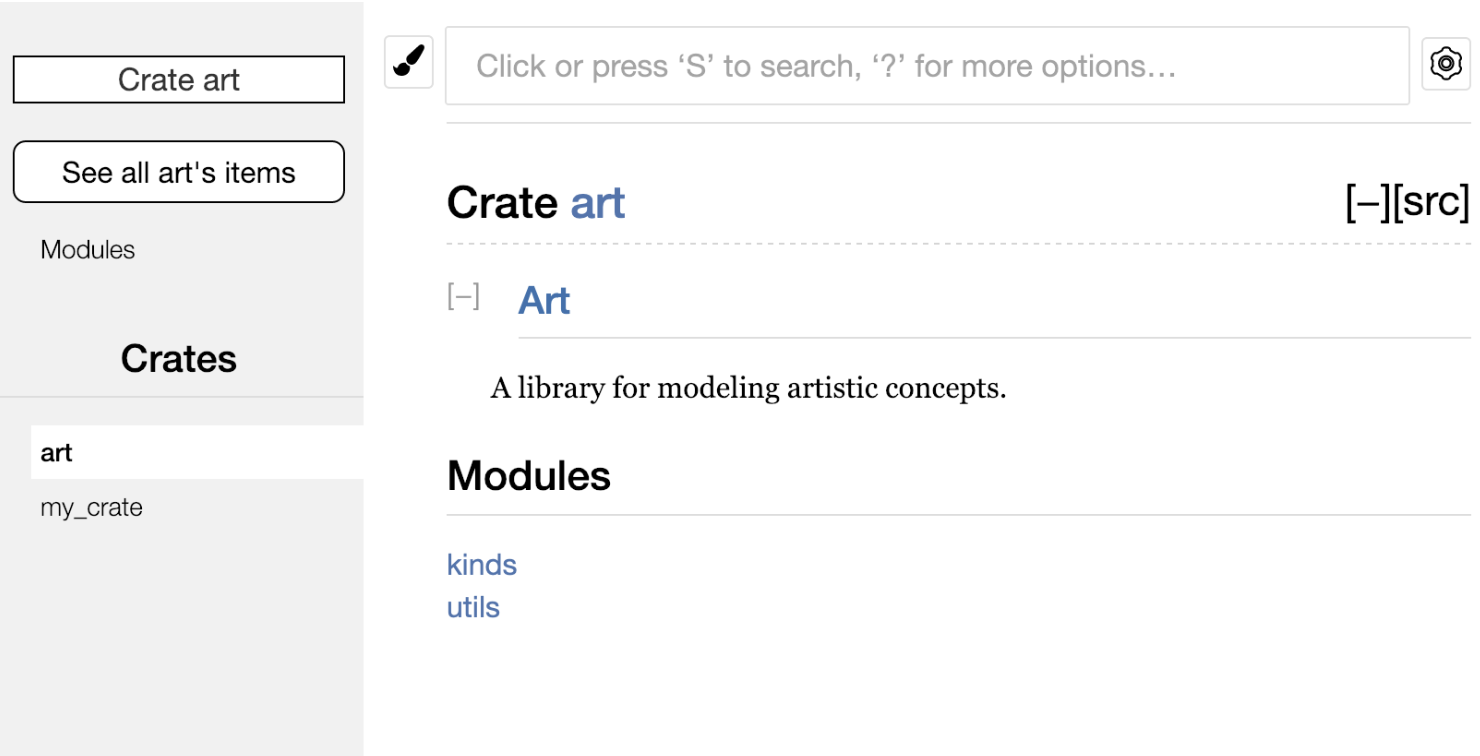
If we refactor the code using re-exports:
lib.rs:
#![allow(unused)]
fn main() {
//! # Art
//!
//! A library for modeling artistic concepts.
pub use self::kinds::PrimaryColor;
pub use self::kinds::SecondaryColor;
pub use self::utils::mix;
pub mod kinds {
/// The primary colors according to the RYB color model.
pub enum PrimaryColor {
Red,
Yellow,
Blue,
}
/// The secondary colors according to the RYB color model.
pub enum SecondaryColor {
Orange,
Green,
Purple,
}
}
pub mod utils {
use crate::kinds::*;
/// Combines two primary colors in equal amounts to create
/// a secondary color.
pub fn mix(c1: PrimaryColor, c2: PrimaryColor) -> SecondaryColor {
//...
}
}
}main.rs:
use art::mix;
use art::PrimaryColor;
fn main() {
let red = PrimaryColor::Red;
let yellow = PrimaryColor::Yellow;
mix(red, yellow);
}At this point, calling the enum type and the function no longer requires writing module paths layer by layer.
The generated crate documentation now looks like this:
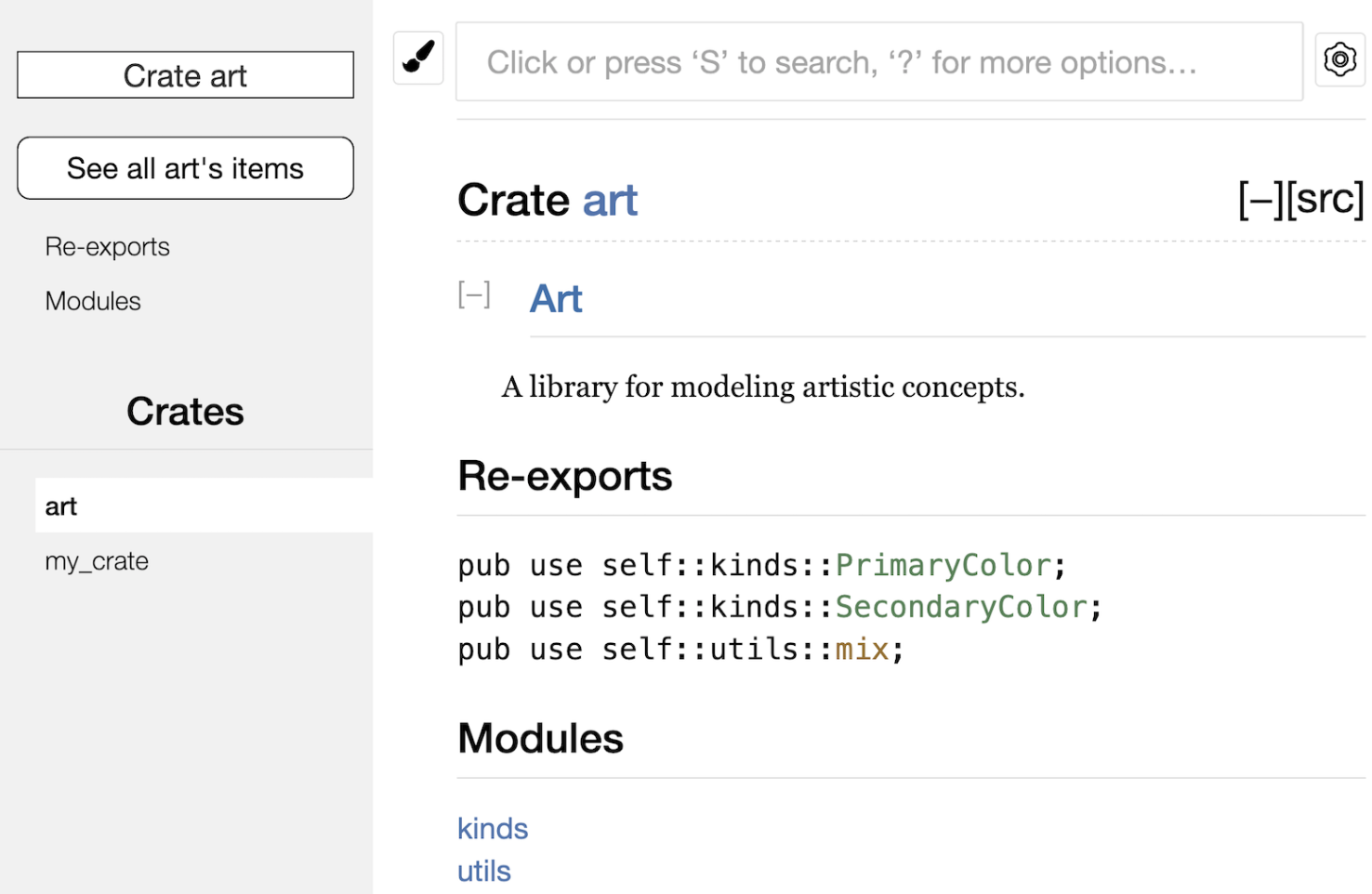 The documentation includes a Re-exports section, and all re-exported items are listed there. For actual users of the crate, this makes it very convenient to find these types and functions.
14.4 Publishing Crates Part 2
14.4.1 Create and Set Up a crates.io Account
Before publishing any crate, you need to have a crates.io account and obtain an API token. To do this, visit the crates.io homepage and sign in with a GitHub account. Currently, only GitHub login is supported. If you are already signed in, open your account settings at https://crates.io/me/ and find the API key. Then use the cargo login command locally and paste your API key when prompted:
$ cargo login
just1a1nexample
This command tells Cargo your API token and stores it locally in ~/.cargo/credentials.toml. Note that this token must not be shared with anyone else. If you leak it, you should revoke it and generate a new token on crates.io.
14.4.2 Add Metadata to the Crate
Before publishing a crate, you also need to add some metadata to the [package] section in Cargo.toml:
- First, make sure the project name is unique on the website.
- Second, write a
description, which is a short introduction. It does not need to be long; one or two sentences is enough. Thedescriptionwill appear in crate search results. - You need to provide the license identifier value used by this crate (you can look it up at spdx.org/licenses/); you can specify multiple licenses, separated by
OR, inlicense. - Semantic version information goes in
version.
Of course, you can provide more information than that; for details, see the Cargo Book.
The full [package] section should look like this:
[package]
name = "guessing_game"
version = "0.1.0"
edition = "2021"
description = "A fun game where you guess what number the computer has chosen."
license = "MIT OR Apache-2.0"
14.4.3 Publish a Crate with a Command
You can publish a crate with the cargo publish command, but only if the metadata is complete and the project name is unique. Your crates.io account must also have a verified email address before publishing is allowed.
If something goes wrong, cargo publish reports an error:
$ cargo publish
Updating crates.io index
warning: manifest has no description, license, license-file, documentation, homepage or repository.
See https://doc.rust-lang.org/cargo/reference/manifest.html#package-metadata for more info.
......
error: failed to publish to registry at https://crates.io
Caused by:
the remote server responded with an error: missing or empty metadata fields: description, license. Please see https://doc.rust-lang.org/cargo/reference/manifest.html for how to upload metadata
I omitted some of the middle content. The Caused by section says that the error was caused by missing metadata.
Once a crate is published, it is permanent: that version cannot be overwritten, and the code cannot be deleted except in certain limited circumstances. This is so projects depending on that version can continue to work normally.
14.4.4 Publish a New Crate Version
If you need to publish a newer version of an existing crate, modify the crate source code, update the version value in Cargo.toml according to semantic versioning, and then publish again.
14.4.5 Yank a Version
Yanking a version prevents new projects from depending on that version, but projects that were already built against it can still use and download it.
The command is cargo yank --vers the-specified-version. For example, to yank version 1.0.1, write:
cargo yank --vers 1.0.1
If you change your mind after yanking and want to undo it, write:
cargo yank --vers 1.0.1 --undo
yank means:
- Projects that already have a generated
Cargo.lockwill not be interrupted by the version being yanked. - Future
Cargo.lockfiles will not use the yanked version.
14.5 Cargo Workspaces
14.5.1 Why Cargo Workspaces Are Needed
Suppose we build a binary crate that contains both a library and an application. As the project grows, the library crate may become larger and larger. In that case, it is usually split into multiple packages. For this need, Rust provides Cargo workspaces, also called cargo workspaces.
Cargo workspaces help manage multiple related crates that need to be developed together. In essence, they are a set of packages that share the same Cargo.lock and output files.
14.5.2 Using a Workspace
There are multiple ways to create a workspace.
Here is an example: this workspace contains one binary crate and one library crate:
- The binary crate has a
mainfunction and depends on the library crate. - One library crate provides a function called
add_one.
1. Create the Workspace Directory
First, create a directory for the workspace. I will name it add. Enter the following commands in the terminal:
$ mkdir add
$ cd add
2. Use the Workspace in the Main Project
Next, inside the add directory, create a Cargo.toml file that configures the entire workspace. This file will not have a [package] section. Instead, it starts with a [workspace] section:
[workspace]
resolver = "2"
members = [
"adder",
]
adder is the name I gave the binary crate, and this list can be extended with more members.
3. Add the Library
$ cargo new adder
Creating binary (application) `adder` package
This command creates the adder crate under add/adder.
At this point, the project structure looks like this:
├── Cargo.lock
├── Cargo.toml
├── adder
│ ├── Cargo.toml
│ └── src
│ └── main.rs
└── target
Note that at this point, we can run cargo build for the add project, and we can also run cargo build for the adder crate under add. However, there will only be one target directory and one Cargo.lock file, both under add, and the build output of the adder crate will also be stored there. Because crates in a workspace are often interdependent, having a separate target directory for each folder would force developers to repeatedly rebuild the other crates in the workspace.
Next, add another crate:
The other crate is called add_one, so update the workspace information:
[workspace]
resolver = "2"
members = [
"adder",
"add_one",
]
Use cargo new to add the library. Remember to use the --lib flag to declare it as a library crate:
$ cargo new add_one --lib
Creating library `add_one` package
Now the project structure looks like this:
├── Cargo.lock
├── Cargo.toml
├── add_one
│ ├── Cargo.toml
│ └── src
│ └── lib.rs
├── adder
│ ├── Cargo.toml
│ └── src
│ └── main.rs
└── target
4. Write the Code
In add_one/src/lib.rs, add an add_one function and a simple unit test:
#![allow(unused)]
fn main() {
pub fn add_one(x: i32) -> i32 {
x + 1
}
#[cfg(test)]
mod tests {
use super::*;
#[test]
fn it_works() {
assert_eq!(3, add_one(2));
}
}
}Now we can make the adder package and our binary depend on add_one. First, add the path dependency add_one to adder/Cargo.toml, because Cargo does not assume that crates in a workspace depend on each other, so we need to make the dependency explicit. Write this in adder/Cargo.toml:
[dependencies]
add_one = { path = "../add_one" }
Next, let’s use the add_one function from the add_one crate. Open adder/src/main.rs, add use at the top to bring add_one into scope, and then modify main to call the add_one function.
use add_one;
fn main() {
let num = 10;
println!("Hello, world! {num} plus one is {}!", add_one::add_one(num));
}5. Build
Run cargo build for the add project:
$ cargo build
Compiling add_one v0.1.0 (file:///projects/add/add_one)
Compiling adder v0.1.0 (file:///projects/add/adder)
Finished `dev` profile [unoptimized + debuginfo] target(s) in 0.11s
No errors occurred; it runs normally.
6. Testing
We can also run tests for a specific package in the workspace from the top-level directory by using the -p flag and specifying the package name. For example, to test only the add_one function:
$ cargo test -p add_one
Finished `test` profile [unoptimized + debuginfo] target(s) in 0.00s
Running unittests src/lib.rs (target/debug/deps/add_one-bd89fda78e7f92a7)
running 1 test
test tests::it_works ... ok
test result: ok. 1 passed; 0 failed; 0 ignored; 0 measured; 0 filtered out; finished in 0.00s
Doc-tests add_one
running 0 tests
test result: ok. 0 passed; 0 failed; 0 ignored; 0 measured; 0 filtered out; finished in 0.00s
If you publish the crates in a workspace to crates.io, each crate in the workspace must be published separately. As with cargo test, we can use -p to target a specific package in the workspace and specify the package name we want to publish.
14.6 Installing Binary Crates
14.6.1 Install a Binary Crate from crates.io
You can use the cargo install command to install a binary crate from crates.io. This is not meant to replace system packages; it is intended as a convenient way for Rust developers to install tools shared by others.
Its limitation is that it can only install crates that have a binary target. A binary target is an executable program, produced by a crate that has src/main.rs or is otherwise configured as a binary crate.
Since there is the concept of a binary target, there is also the concept of a library target. A library target cannot be run by itself.
Usually, the README.md file contains a description of the crate and tells you whether the crate has a library target, a binary target, or both.
14.6.2 cargo install
Binary files installed by cargo install are placed in the bin folder under the home directory.
If you installed Rust with the default rustup configuration, the binary directory is $HOME/.cargo/bin.
To make programs installed by cargo install directly executable, you need to make sure that directory is in the $PATH environment variable.
For example, in Chapter 12 we mentioned the Rust implementation of the grep tool, called ripgrep, which is used to search files. To install ripgrep, we can run:
$ cargo install ripgrep
Updating crates.io index
Downloaded ripgrep v13.0.0
Downloaded 1 crate (243.3 KB) in 0.88s
Installing ripgrep v13.0.0
......
Compiling ripgrep v13.0.0
Finished release [optimized + debuginfo] target(s) in 3m 10s
Installing ~/.cargo/bin/rg
Installed package `ripgrep v13.0.0` (executable `rg`)
Some output has been omitted, but this is roughly what it looks like. The penultimate line shows that the program was installed at ~/.cargo/bin/rg.
In the terminal, use echo $PATH to check whether this directory is in the environment variable.
14.6.3 Extending Cargo with Custom Commands
Cargo is designed so that it can be extended with subcommands.
For example, if a binary in $PATH is named cargo-something, you can run it with cargo something, treating it as if it were a Cargo subcommand.
When you run cargo --list, custom commands like this are also listed. Being able to install extensions with cargo install and then run them like built-in Cargo tools is a very convenient benefit of Cargo’s design.
15.0 Smart Pointer Intro - What Are Smart Pointers and Rust Smart Pointer Traits
15.0.1 Basic Concepts of Pointers
A pointer is a variable that holds an address in memory and points to another piece of data.
The most common pointers in Rust are references, which are written with the & symbol and borrow the value they point to. Aside from referencing data, they have no special behavior and no extra overhead.
15.0.2 An Introduction to Smart Pointers
The concept of smart pointers is not unique to Rust: it originated in C++ and also exists in other languages.
The Rust standard library defines a variety of smart pointers. They provide capabilities beyond what ordinary references can do.
Smart pointers behave like pointers, but they provide extra metadata and functionality.
15.0.3 Differences Between Smart Pointers and References
- References can only borrow data, while smart pointers usually own the data they point to.
- Smart pointers have extra metadata and functionality, such as automatic cleanup and other guarantees.
15.0.4 Common Smart Pointer Types
1. Reference Counting Types
Reference-counting smart pointers support multiple ownership by tracking how many owners there are. When there are no more users, they automatically clean up the data.
2. Smart Pointers in the Standard Library
We have already encountered some smart pointers earlier, such as:
String: owns a region of memory and guarantees that its data is valid UTF-8.Vec<T>: provides metadata such as capacity and allows you to work with dynamic arrays.
15.0.5 How Smart Pointers Are Implemented
Smart pointers are usually implemented with structs, but unlike ordinary structs, they generally implement two important traits:
Deref: allows instances of a smart pointer to behave like references, so programs can support both references and smart pointers.Drop: allows programmers to customize the cleanup code that runs when a smart pointer instance goes out of scope.
In this chapter, we will discuss these two traits and show why they matter for smart pointers.
15.0.6 Chapter Overview
Because smart pointers are a common design pattern, this chapter focuses on the most commonly used smart pointer types in the standard library:
Box<T>: the simplest smart pointer, which stores data on the heap.Rc<T>: a reference-counting smart pointer that supports shared ownership.Ref<T>andRefMut<T>: values accessed throughRefCell<T>, which enforces the borrow rules at runtime instead of compile time.
In addition, this chapter discusses the following topics:
- Interior Mutability Pattern: a design pattern that allows an immutable type to expose an API for modifying its internal values.
- Reference Cycles: how they cause memory leaks and how to prevent them.
By the end of this chapter, you will have a deeper understanding of how smart pointers and related design patterns are used in Rust.
15.1 Using Box<T> to Point to Data on the Heap
15.1.1 Box<T>
Box<T> can be understood simply as a box. It is the simplest smart pointer and allows you to store data on the heap instead of the stack.
The implementation is that Box<T> has a small amount of memory on the stack that stores a pointer to the data living on the heap. In other words, the actual data is stored on the heap. Aside from storing the data on the heap, it has no other overhead, and the tradeoff is that it has no additional features.
At first glance, Box<T> does not seem very different from an ordinary pointer, but the real difference is that Box<T> implements the Deref and Drop traits.
15.1.2 Common Use Cases for Box<T>
When the size of a type cannot be determined at compile time, but the context that uses it needs to know its exact size, Box<T> is a good choice.
When you have a large amount of data and want to transfer ownership, but you need to ensure that it is not copied during the operation.
When you use a value and only care whether it implements a specific trait, not what its concrete type is.
15.1.3 Storing Data on the Heap with Box<T>
Take a look at an example:
fn main() {
let b = Box::new(5);
println!("b = {b}");
}We define the variable b as a value containing a Box pointing to the value 5, which is allocated on the heap. This program will print b = 5.
Like any other owned value, when b goes out of scope, it will free memory just like any other owned value—the memory on both the heap and the stack will be released when the scope ends.
15.1.4 Enabling Recursive Types with Box<T>
At compile time, Rust needs to know how much space a type takes up. However, there is a type called a recursive type whose size cannot be determined at compile time.
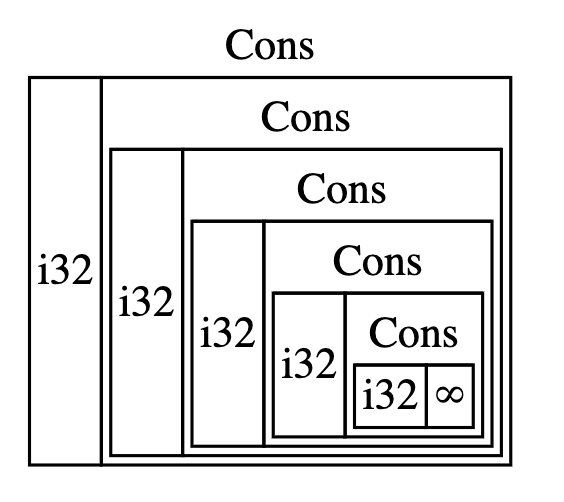 Using this diagram as an example, the
 Cons type has two fields: one field is i32, and the other field is the Cons type itself.
At compile time, Rust needs to know the size of the type. The size of i32 is fixed, but the size of the second Cons field, which is the Cons type itself, cannot be determined.
In this situation, Box<T> can be used. For recursive types, Box<T> makes it possible to determine their size.
This kind of thing exists in functional languages and is called a Cons List.
15.1.5 About Cons List
Cons List is a data structure from the Lisp language. In this structure, each member consists of two elements: one is the value of the current item, such as the i32 in the diagram above; the other is the next element.
This data structure keeps recursing all the way down until the last element. The last member contains only a Nil value and no next element, and the Nil value serves as a terminating marker.
The concepts of Nil and None are not the same. None means an invalid or missing value, while Nil is a terminating marker.
From the diagram, you can see that a Cons List is a kind of linked list.
15.1.6 The Rust Alternative to Cons List
Cons List is not a commonly used collection in Rust. In general, Vec<T> is a better choice.
The following List definition matches the structure of the Cons List above:
#![allow(unused)]
fn main() {
enum List {
Cons(i32, List),
Nil,
}
}The List enum has two variants: Cons and Nil. The Cons variant carries two pieces of data: one of type i32 and one of type List.
There is nothing logically wrong with this definition, but it will fail at compile time:
$ cargo run
Compiling cons-list v0.1.0 (/tmp/ch15-refresh/cons-list)
error[E0072]: recursive type `List` has infinite size
--> src/main.rs:1:1
|
1 | enum List {
| ^^^^^^^^^
2 | Cons(i32, List),
| ---- recursive without indirection
|
help: insert some indirection (e.g., a `Box`, `Rc`, or `&`) to break the cycle
|
2 | Cons(i32, Box<List>),
| ++++ +
For more information about this error, try `rustc --explain E0072`.
error: could not compile `cons-list` (bin "cons-list") due to 1 previous error
This happens because Rust needs to know the size of the type, but it cannot calculate the size of a recursive type.
15.1.7 How Rust Calculates Type Size
First, let’s look at how Rust determines the size of a type. For example:
#![allow(unused)]
fn main() {
enum Message {
Quit,
Move { x: i32, y: i32 },
Write(String),
ChangeColor(i32, i32, i32),
}
}To determine how much space to allocate for a Message value, Rust walks through each variant to see which one requires the most space.
Rust considers Message::Quit to need no space, Message::Move to need enough space to store two i32 values, and so on. Because only one variant exists at a time, the space required by a Message value is the space required by its largest variant—typically Write(String), whose String is larger than three i32 values on common 64-bit platforms.
15.1.8 Using Box to Obtain a Sized Recursive Type
As mentioned earlier, Rust needs to know the size of a type, but it cannot calculate the size of a recursive type. So we can use a type with a known size instead, and Box<T> fits the requirement perfectly: it does not store the data itself, but rather a pointer to the data, and the size of a pointer is the fixed usize.
Rust knows the size of Box<T> because Box<T> is essentially a pointer. A pointer does not directly store the value, so no matter how the data it points to changes, the size of the pointer itself does not change. In other words, the size of the pointer does not vary based on the size of the data it points to.
With that in mind, we can modify the original code. Specifically, we replace the unknown-sized part—the nested List type—with Box<List>:
#![allow(unused)]
fn main() {
enum List {
Cons(i32, Box<List>),
Nil,
}
}This is still recursive, but it no longer stores List directly. Instead, it points indirectly to the List value on the heap, which solves the problem in a roundabout way.
15.1.9 Summary of the Box Type
- It only provides indirect storage and heap allocation.
- It has no extra features.
- It has no performance overhead.
- It is suitable for situations that require indirect storage, such as
Cons List. - It implements the
DerefandDroptraits.
15.2 What Is the Deref Trait, the Dereference Operator, and Implementing the Deref Trait
15.2.1 What Is the Deref Trait
Deref is short for Dereference.
If a type implements the Deref trait, it allows us to customize the behavior of the dereference operator *. By implementing Deref, a smart pointer can be handled like a regular reference.
15.2.2 The Dereference Operator
First, let’s emphasize that a regular reference is also a kind of pointer. Take a look at this example:
fn main(){
let x = 5;
let y = &x;
assert_eq!(x, 5);
assert_eq!(*y, 5);
}xis of typei32and holds the value5;ystores a reference that points to the memory address ofx. Its type is&i32, which meansyis a reference tox.- The first assertion compares
xwith5. Since the value stored inxis5, the two are equal, so the assertion passes. - The second assertion compares
*ywith5.yis a pointer, and if you want to extract the value it points to, you add the dereference symbol*in front of the variable name. In other words, the type ofyis&i32, the type of*yisi32, and because5is also of typei32,*ycan be compared with5, whileycannot.
15.2.3 Using Box<T> as a Reference
Box<T> can replace the reference in the previous example. Take a look:
fn main(){
let x = 5;
let y = Box::new(x);
assert_eq!(x, 5);
assert_eq!(*y, 5);
}It is worth noting that the logic in the previous code and this code is slightly different:
y = &xin the previous example assigns a pointer toxtoy, which is a pointer to stack memory, becausei32is stored on the stack.y = Box::new(x)here copies the value ofxto the heap and then passes the pointer to that heap value toy.
15.2.4 Defining Your Own Smart Pointer
Box<T> is defined as a tuple struct with one element (for tuple structs, see 5.1. Defining and Instantiating Structs). Let’s define a MyBox<T>, which is also a tuple struct:
#![allow(unused)]
fn main() {
struct MyBox<T>(T);
impl<T> MyBox<T> {
fn new(x: T) -> MyBox<T> {
MyBox(x)
}
}
}- First we define a tuple struct
MyBox, using the generic parameterTto stand in for the concrete type, and store a value of typeTin this tuple struct. - Then, through an
implblock, we define anewfunction to create a newMyBoxinstance.
Now let’s write the main function and see whether it works in practice:
fn main(){
let x = 5;
let y = MyBox::new(x);
assert_eq!(x, 5);
assert_eq!(*y, 5);
}The final assertion, assert_eq!(*y, 5), produces an error at *y. The error message is:
error[E0614]: type `MyBox<{integer}>` cannot be dereferenced
--> src/main.rs:14:13
|
14 | assert_eq!(*y, 5);
| ^^ can't be dereferenced
For more information about this error, try `rustc --explain E0614`.
error: could not compile `mybox` (bin "mybox") due to 1 previous error
That means MyBox cannot be dereferenced.
This is because we have not implemented the Deref trait for MyBox.
15.2.5 Implementing the Deref Trait
The Deref trait in the standard library requires us to implement a deref method: this method borrows self and returns a reference to the internal data.
Using the code above as an example, if we want to implement the Deref trait for MyBox—that is, implement the deref method—we can write:
#![allow(unused)]
fn main() {
use std::ops::Deref;
struct MyBox<T>(T);
impl<T> MyBox<T> {
fn new(x: T) -> MyBox<T> {
MyBox(x)
}
}
impl<T> Deref for MyBox<T> {
type Target = T;
fn deref(&self) -> &T {
&self.0
}
}
}use std::ops::Deref;brings theDereftrait into the current scope.- To implement
DerefforMyBox, we writeimpl<T> Deref for MyBox<T>and then implement thederefmethod in thatimplblock. type Target = T;defines the associated type of theDereftrait. Associated types are a slightly different way to define generic parameters, and we will talk about them later.- The
derefmethod borrowsself, that is,&self, and returns a reference of type&T, specifically&self.0: it returns the element at index0in the tuple struct by reference (in this case, there is only one element). Since the return value is a reference, we can use the*dereference operator to access the value.
Let’s run the main function again and see whether there is any problem:
fn main(){
let x = 5;
let y = MyBox::new(x);
assert_eq!(x, 5);
assert_eq!(*y, 5);
}It compiles successfully, so there is no problem.
In fact, the Rust compiler implicitly expands *y in main into:
#![allow(unused)]
fn main() {
*(y.deref())
}It first calls the deref method on MyBox to return a reference, and then uses the dereference operator * for an ordinary dereference operation.
15.3 Implicit Deref Coercion and Mutability
15.3.1 Implicit Deref Coercion for Functions and Methods
Implicit deref coercion is a convenience feature for functions and methods.
Its principle is this: *if type T implements the Deref trait, then deref coercion can convert a reference to T into the reference produced after applying Deref to T.
When a reference of some type is passed to a function or method and its type does not match the declared parameter type, deref coercion happens automatically. The compiler makes a series of calls to deref to convert it to the required parameter type. This happens at compile time, so there is no additional performance overhead.
That sounds a bit abstract, so let’s look at an example. We will continue from the code in the previous article:
#![allow(unused)]
fn main() {
use std::ops::Deref;
struct MyBox<T>(T);
impl<T> MyBox<T> {
fn new(x: T) -> MyBox<T> {
MyBox(x)
}
}
impl<T> Deref for MyBox<T> {
type Target = T;
fn deref(&self) -> &T {
&self.0
}
}
}This is the code from the previous article. It defines the MyBox tuple struct (see 5.1. Defining and Instantiating Structs for an introduction to tuple structs), creates the new function, and implements the Deref trait for it, so we can use ordinary dereference operations on MyBox.
Here is the additional code:
#![allow(unused)]
fn main() {
fn hello(name: &str) {
println!("Hello, {}", name);
}
}The hello function takes &str, that is, a string slice, and prints it.
Now let’s look at the main function:
fn main(){
let m = MyBox::new(String::from("Rust"));
hello(&m);
}m is of type MyBox<String>, and &m is &MyBox<String>. However, hello expects &str, and this code does not cause an error. Why?
First, MyBox already implements the Deref trait, so Rust can call deref to convert &MyBox<String> into &String. That is the somewhat abstract rule we just discussed.
That is still not the end of the conversion. &String and &str are different types, so how does that conversion happen? Because String also implements the Deref trait, and its deref implementation returns a string slice of type &str, Rust uses deref on &String to convert &String into &str. The type finally matches.
If Rust did not have deref coercion, the code would look like this:
#![allow(unused)]
fn main() {
hello(&(*m)[..]);
}- First, use the dereference operator
*to convertmfromMyBox<String>intoString. - Then add the reference symbol
&to convertStringinto&String. - By using the slice syntax
[..], you can get a reference to the full contents of theStringand convert its value from&Stringinto&str.
15.3.2 Deref and Mutability
You can use the DerefMut trait to overload the * operator for mutable references. Compared with Deref, DerefMut adds Mut, which means that DerefMut returns a mutable reference &mut T, whereas Deref returns an immutable reference &T.
When a type and trait satisfy the following three cases, Rust performs deref coercion:
-
When
T: Deref<Target = U>,&Tcan be converted to&U:Timplements theDereftrait, and the return type ofderefunderDerefis&U, so&Tcan be converted to&U. For example, theMyBoxtype in the code above implementsDeref, and itsderefmethod returns&T, so&MyBoxcan be converted to&T. -
When
T: DerefMut<Target = U>,&mut Tcan be converted to&mut U.Timplements theDerefMuttrait (DerefMutreturns a mutable reference&mut T), and the return type ofderefunderDerefMutis&mut U, so&mut Tcan be converted to&mut U. -
When
T: Deref<Target = U>,&mut Tcan be converted to&U. Rust can automatically convert a mutable reference into an immutable reference, but the reverse is definitely not allowed. Converting an immutable reference into a mutable reference requires the reference to be unique (this was discussed in the borrow rules, see 4.4. Reference and Borrowing).
15.4 Drop Trait - Goodbye to Manual Cleanup, Release is Safe
15.4.1 The Meaning of the Drop Trait
If a type implements the Drop trait, it can let the programmer customize what happens when a value goes out of scope. For example, releasing files or network resources.
In some languages, such as C/C++, programmers must write code to free memory or resources every time they finish using an instance of certain types. If they forget, the system may become overloaded and crash. In Rust, programmers can specify code to run whenever a value goes out of scope, and the compiler automatically inserts that code.
Any type can implement the Drop trait, and Drop only requires implementing the drop method, whose parameter is a mutable reference to self. Drop is in the prelude, so you do not need to import it manually. Take a look at an example:
struct CustomSmartPointer {
data: String,
}
impl Drop for CustomSmartPointer {
fn drop(&mut self) {
println!("Dropping CustomSmartPointer with data `{}`!", self.data);
}
}
fn main() {
let c = CustomSmartPointer {
data: String::from("my stuff"),
};
let d = CustomSmartPointer {
data: String::from("other stuff"),
};
println!("CustomSmartPointers created.");
}- The
CustomSmartPointerstruct has adatafield of typeString. impl Drop for CustomSmartPointerimplements theDroptrait forCustomSmartPointer. Inside it, we implement thedropmethod, whose parameter is&mut self. This method is usually used to release resources, but for demonstration purposes, it only prints a line and outputs thedatafield fromself.- In
main, two instances ofCustomSmartPointerare created:cstores"my stuff"anddstores"other stuff". Finally, it prints"CustomSmartPointers created.".
Output:
CustomSmartPointers created.
Dropping CustomSmartPointer with data `other stuff`!
Dropping CustomSmartPointer with data `my stuff`!
The program first prints the content of println! in main, which is "CustomSmartPointers created.". Because c and d go out of scope at the end of main, the program then drops them in reverse order of declaration: first d, then c. Since drop in this Drop implementation prints a line, both values print a line when they are dropped.
15.4.2 Using std::mem::drop to Drop a Value Early
Unfortunately, it is hard to disable automatic drop directly, and there is no need to do so. The purpose of the Drop trait is to handle cleanup automatically.
In addition, Rust does not allow you to call the drop method of the Drop trait manually. However, you can call the standard library function std::mem::drop to drop a value early, which is equivalent to calling the drop method of Drop early. Its parameter is the value to be dropped. Take a look:
struct CustomSmartPointer {
data: String,
}
impl Drop for CustomSmartPointer {
fn drop(&mut self) {
println!("Dropping CustomSmartPointer with data `{}`!", self.data);
}
}
fn main() {
let c = CustomSmartPointer {
data: String::from("my stuff"),
};
let d = CustomSmartPointer {
data: String::from("other stuff"),
};
drop(c);
println!("CustomSmartPointers created.");
}In main, we manually use drop to clean up c, while d is still dropped automatically. The output order should show c before d.
Output:
Dropping CustomSmartPointer with data `my stuff`!
CustomSmartPointers created.
Dropping CustomSmartPointer with data `other stuff`!
Some people may wonder: if c is dropped before it goes out of scope, will the compiler call drop again after it goes out of scope and cause a double free error? The answer is no. Rust’s design is safe. Its ownership system ensures that references are valid, and drop is only called once when the value is determined to no longer be used.
15.5 Rc<T> - Reference-Counting Smart Pointer and Shared Ownership
15.5.1 What Is Rc<T>
Ownership is clear in most situations. For a given value, a programmer can accurately infer which variable owns it.
However, in some scenarios, a single value can be held by multiple owners at the same time, as shown below:
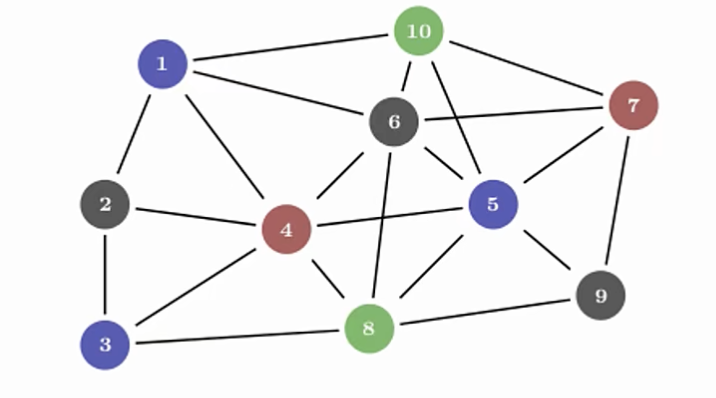
In this data structure, each node has multiple edges pointing to it, so conceptually those nodes belong to every edge pointing at them at the same time. As long as a node still has edges pointing to it, it should not be cleaned up. This is multiple ownership.
To support multiple ownership, Rust provides the Rc<T> type. Rc is short for Reference Counting. This type maintains a counter inside the instance to record how many references point to the value, so it can determine whether the value is still in use. If the reference count is 0, the value can be safely cleaned up, and no dangling-reference problems will occur.
15.5.2 Use Cases for Rc<T>
You can use Rc<T> when you want to share some heap data among multiple parts of a program, but at compile time you cannot determine which part of the program will be the last one to use that data.
Conversely, if we can determine at compile time which part of the program will use the data last, then we only need to make that part of the code the owner. In that case, the compile-time ownership rules are enough to guarantee correctness.
It is worth noting that Rc<T> can only be used in single-threaded scenarios. Later articles will discuss how to use reference counting in multi-threaded code.
15.5.3 Example of Rc<T> in Use
Before using it, note that Rc<T> is not in the prelude, so you must import it manually first.
Rc has a few basic functions:
Rc::clone(&a)increases the reference countRc::strong_count(&a)returns the reference count, specifically the strong-reference count- Since there are strong references, there are also weak references, that is,
Rc::weak_count
Let’s explore the actual use of Rc<T> with an example:
There are three Lists, named a, b, and c. b and c share a. Other details are shown in the diagram:
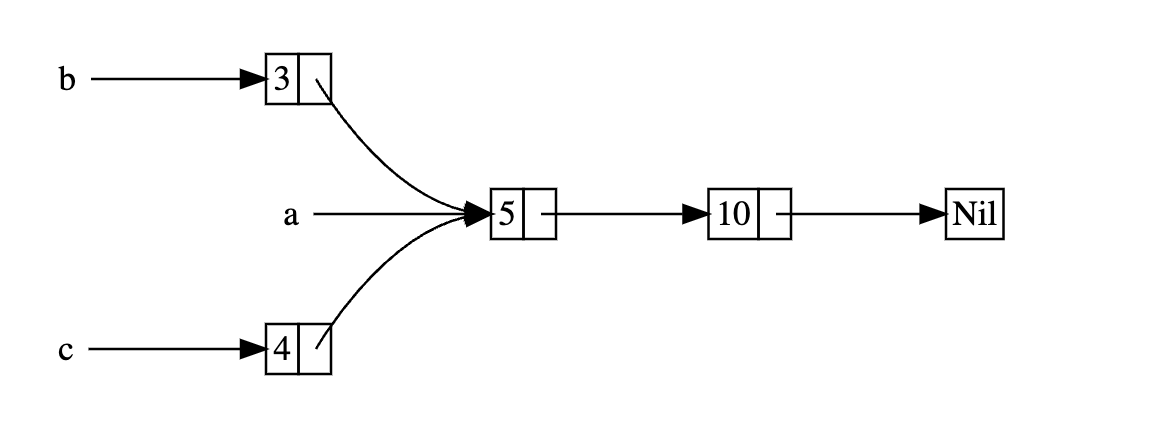
enum List {
Cons(i32, Box<List>),
Nil,
}
use List::{Cons, Nil};
fn main() {
// Newlines in main are only to make the list structure clearer; they are not required.
let a = Cons(5,
Box::new(Cons(10,
Box::new(Nil))));
let b = Cons(3,
Box::new(a));
let c = Cons(4,
Box::new(a));
}- First we create a linked list
List; its structure was explained in detail in 15.1. UsingBox<T>to Point to Data on the Heap, so we will not repeat it here. - In
main, we first write out the structure ofa. - Then we write the first layer of
bandc; for the nested next layer, we just writea.
There is no logical problem, so let’s run it:
error[E0382]: use of moved value: `a`
--> src/main.rs:17:27
|
10 | let a = Cons(5,
| - move occurs because `a` has type `List`, which does not implement the `Copy` trait
...
15 | Box::new(a));
| - value moved here
16 | let c = Cons(4,
17 | Box::new(a));
| ^ value used here after move
|
note: if `List` implemented `Clone`, you could clone the value
--> src/main.rs:1:1
|
1 | enum List {
| ^^^^^^^^^ consider implementing `Clone` for this type
...
15 | Box::new(a));
| - you could clone this value
For more information about this error, try `rustc --explain E0382`.
error: could not compile `rc-list` (bin "rc-list") due to 1 previous error
The error says that a moved value was used. This is because when b was written, a was moved into b, so ownership of a was transferred to b.
How do we fix this?
One way is to change the definition of List so that Cons holds a reference instead of ownership, and then give it the corresponding lifetime parameter. But that lifetime parameter would require every element in List to live at least as long as List itself. The borrow checker will prevent us from compiling such code:
#![allow(unused)]
fn main() {
let a = Cons(10, &Nil);
}Nil is a zero-sized enum variant, but in the expression Cons(10, &Nil) or &Nil, the compiler treats it as a temporary value. This temporary value usually only lives for the current statement (or an even smaller scope), and then it is automatically dropped.
Simply put, &Nil is a temporary value that is used and then destroyed, so its lifetime is shorter than that of the enum. The temporary Nil variant value is dropped before a can take a reference to it.
The correct approach is to use Rc<T>, a reference-counting smart pointer, to let multiple owners share the same heap data and automatically free the memory when no owners remain:
enum List {
Cons(i32, Rc<List>),
Nil,
}
use List::{Cons, Nil};
use std::rc::Rc;
fn main() {
// Newlines in main are only to make the list structure clearer; they are not required.
let a = Rc::new(Cons(5,
Rc::new(Cons(10,
Rc::new(Nil)))));
let b = Cons(3,
Rc::clone(&a));
let c = Cons(4,
Rc::clone(&a));
}When declaring b and c, we use Rc::clone and pass &a as the argument, so b and c do not take ownership of a. Each time Rc::clone is used, the reference count inside the smart pointer increases by 1.
When a is created, Rc::new counts as the first reference, so the counter is 1. b and c each use Rc::clone once, so the count increases by 1 each time, and the final count is 3. The data inside the a smart pointer is cleaned up only when the reference count becomes 0.
In fact, Rc<T> implements the Clone trait, so writing a.clone() when assigning b and c is also possible—it calls the same method as Rc::clone(&a). But because this may be misunderstood as a deep copy—especially by beginners—while it actually only increases the reference count, it is not recommended. Rc::clone is the better choice.
Next, let’s modify main and print some helpful information to see how the reference count changes when c goes out of scope:
fn main() {
let a = Rc::new(Cons(5, Rc::new(Cons(10, Rc::new(Nil)))));
println!("count after creating a = {}", Rc::strong_count(&a));
let b = Cons(3, Rc::clone(&a));
println!("count after creating b = {}", Rc::strong_count(&a));
{
let c = Cons(4, Rc::clone(&a));
println!("count after creating c = {}", Rc::strong_count(&a));
}
println!("count after c goes out of scope = {}", Rc::strong_count(&a));
}Here, c goes out of scope before a and b, so the reference count decreases by 1 after c goes out of scope.
Output:
count after creating a = 1
count after creating b = 2
count after creating c = 3
count after c goes out of scope = 2
What we do not see in this example is that when b and a go out of scope at the end of main, the count becomes 0, and Rc<List> is fully cleaned up.
Because Rc<T> implements the Drop trait, the reference counter is automatically decremented by 1 when Rc<T> goes out of scope. Using Rc<T> allows a single value to have multiple owners, and the count ensures that the value remains valid as long as any owner still exists.
15.5.4 Summary of Rc<T>
Rc<T> allows programmers to share read-only data between different parts of a program through immutable references.
Again, Rc<T> references are immutable. If Rc<T> allowed programmers to hold multiple mutable references, it would violate the borrow rules—multiple mutable references to the same region would lead to data races and inconsistent data.
In real development, you will certainly encounter cases where data needs to be mutable. For that, Rust provides the interior mutability pattern and RefCell<T>, and programmers can combine it with Rc<T> to handle this immutability restriction. That is what the next article will discuss.
15.6 RefCell and Interior Mutability - Escaping Safety Restrictions
15.6.1 What Is Interior Mutability
Interior mutability is one of Rust’s design patterns. It allows programmers to modify data while only holding immutable references.
Usually, such behavior would be forbidden by the borrow rules (see 4.4. Reference and Borrowing), but in order to change data, the interior mutability pattern uses unsafe code inside the data structure to bypass Rust’s normal mutability and borrowing rules.
Unsafe code tells the compiler that we are checking the rules ourselves instead of relying on the compiler to do it for us. Concepts related to unsafe code will be covered in later articles.
15.6.2 RefCell<T>
Unlike Rc<T>, RefCell<T> represents the unique ownership of the data it holds.
To understand the difference between RefCell<T> and Box<T>, we need to revisit the borrow rules (see 4.4. Reference and Borrowing):
- At any given time, you can have either one mutable reference or any number of immutable references, but not both.
- References are always valid.
PS: “At any given time” can be understood as “within a given scope.”
The difference between RefCell<T> and Box<T> is as follows:
| Type | Check Stage | Result of Violating the Rules |
|---|---|---|
Box<T> | Borrow rules checked at compile time | Compile-time error |
RefCell<T> | Borrow rules checked at runtime | Triggers panic |
Checking borrow rules at different stages has different characteristics:
-
Compile time:
- Problems are exposed as early as possible
- There is no runtime overhead
- It is the best choice for most scenarios
- It is Rust’s default behavior
-
Runtime:
- Problems are exposed later, possibly even in production
- There is a small performance cost due to borrow tracking
- It enables certain memory-safe scenarios, such as modifying data inside an immutable environment
When Should You Use RefCell<T>?
The Rust compiler checks all code at compile time. It can understand most code; if there is no problem, compilation succeeds, and if there is a problem, it reports an error.
The Rust compiler is very conservative. Some code cannot be fully analyzed at compile time, and Rust will reject such code directly, even if it is actually correct.
Rust is this conservative to guarantee safety. Although rejecting perfectly valid code can be inconvenient for developers, it avoids catastrophic consequences.
If the compiler cannot analyze a piece of code but the developer can guarantee that the code satisfies the borrow rules, then RefCell<T> is a good choice.
Like RefCell<T>, Rc<T> is only suitable for single-threaded scenarios.
15.6.3 How to Choose Between Box<T>, Rc<T>, and RefCell<T>
You can choose among the three based on the characteristics listed in the table below:
| Feature | Box<T> | Rc<T> | RefCell<T> |
|---|---|---|---|
| Ownership of the same data | One owner | Multiple owners | One owner |
| Mutability / borrow checking | Mutable and immutable borrows (compile-time checks) | Immutable borrows (compile-time checks) | Mutable and immutable borrows (runtime checks) |
One extra note: because RefCell<T> is checked only at runtime, even though RefCell<T> itself is immutable, we can still modify the value stored inside it.
15.6.4 Interior Mutability: Mutably Borrowing an Immutable Value
This title is a little tangled. It means using an &mut reference on a type that has not been declared as mut. An example makes it clear:
fn main() {
let x = 5;
let y = &mut x;
}One implication of the borrow rules is that when you have an immutable value, you cannot mutably borrow it. So this code produces an error:
error[E0596]: cannot borrow `x` as mutable, as it is not declared as mutable
--> src/main.rs:3:13
|
3 | let y = &mut x;
| ^^^^^^ cannot borrow as mutable
|
help: consider changing this to be mutable
|
2 | let mut x = 5;
| +++
For more information about this error, try `rustc --explain E0596`.
error: could not compile `borrowing` (bin "borrowing") due to 1 previous error
However, in some specific situations, we need a value that remains immutable to the outside, but can modify itself inside its methods, and no code other than the value’s own methods can modify it. That is called interior mutability. RefCell<T> exists for exactly this situation.
But RefCell<T> does not completely bypass the borrow rules. Although the compile-time checks pass, violating the borrow rules at runtime will cause the program to panic.
Now let’s look at an example (lib.rs):
Function: track how close a value is to a maximum, and issue a warning when the value reaches a certain level
#![allow(unused)]
fn main() {
pub trait Messenger {
fn send(&self, msg: &str);
}
pub struct LimitTracker<'a, T: Messenger> {
messenger: &'a T,
value: usize,
max: usize,
}
impl<'a, T> LimitTracker<'a, T>
where
T: Messenger,
{
pub fn new(messenger: &'a T, max: usize) -> LimitTracker<'a, T> {
LimitTracker {
messenger,
value: 0,
max,
}
}
pub fn set_value(&mut self, value: usize) {
self.value = value;
let percentage_of_max = self.value as f64 / self.max as f64;
if percentage_of_max >= 1.0 {
self.messenger.send("Error: You are over your quota!");
} else if percentage_of_max >= 0.9 {
self.messenger
.send("Urgent warning: You've used up over 90% of your quota!");
} else if percentage_of_max >= 0.75 {
self.messenger
.send("Warning: You've used up over 75% of your quota!");
}
}
}
}The logic of this example is not important; let’s look at the structure:
-
At the top of the program, we define the
Messengertrait, which contains the signature of thesendmethod: it takes&selfand a string slice parametermsgof type&str. -
Below that, we define a struct called
LimitTracker. It is a generic type with lifetime'aand generic parameterT, whereTmust live for'aand implement theMessengertrait defined at the top of the program.LimitTrackerhas three fields:messenger: of type&'a Tvalue: of typeusizemax: of typeusize
-
Next, an
implblock defines the associated functionnewonLimitTracker. Its parameters aremessengerof type&Tandmaxof typeusize, and it returns aLimitTracker. This function creates aLimitTrackerinstance whose:messengerfield is the value of themessengerparametervaluefield is0maxfield is the value of themaxparameter
-
LimitTrackeralso has a method calledset_value. Its first parameter is a mutable reference toself,&mut self, and its second parameter isvalue, of typeusize. The logic inside the method is simple. It divides theself.valuefield by theself.maxfield (converting both tof64to avoid losing precision) to get a percentage, stores it inpercentage_of_max, and uses thesendmethod from theMessengertrait to send different warnings depending on the size ofpercentage_of_max.
Using Test Doubles for Testing
There is a problem here. If we want to test this set_value method, we need the method to output something that we can assert against. But set_value actually returns nothing, so it does not provide any result for assertions.
What we want to test is that when we create a LimitTracker instance with a value that implements the Messenger trait and a max value, passing in different values will trigger Messenger to send different messages.
To solve this problem, let’s introduce a test double, which in Chinese is called a testing substitute. It is a general testing concept that represents a replacement used in tests. Among test doubles, there is a specific type called a Mock Object, which is responsible for recording what happens during the test. We can use those records to assert whether the test ran correctly.
Rust does not have a built-in equivalent, and the standard library does not provide mock objects, but we can define our own struct to do the same thing.
Let’s continue with the code above:
#![allow(unused)]
fn main() {
#[cfg(test)]
mod tests {
use super::*;
struct MockMessenger {
sent_messages: Vec<String>,
}
impl MockMessenger {
fn new() -> MockMessenger {
MockMessenger {
sent_messages: vec![],
}
}
}
impl Messenger for MockMessenger {
fn send(&self, message: &str) {
self.sent_messages.push(String::from(message));
}
}
#[test]
fn it_sends_an_over_75_percent_warning_message() {
let mock_messenger = MockMessenger::new();
let mut limit_tracker = LimitTracker::new(&mock_messenger, 100);
limit_tracker.set_value(80);
assert_eq!(mock_messenger.sent_messages.len(), 1);
}
}
}-
At the beginning of the test module, we declare a
MockMessengerstruct with one field,sent_messages, which stores sent messages and has typeVec<String>. -
MockMessengerthen gets anewfunction through animplblock to create instances ofMockMessenger. Thesent_messagesfield is initialized with an emptyVector. -
Next, we implement the
Messengertrait defined at the top of the code forMockMessenger. Once this trait is implemented,MockMessengercan be used to create aLimitTrackerbecauseLimitTrackerrequires its generic type to implementMessenger. When thesendmethod is called, the message is stored in thesent_messagesVectoronMockMessenger. -
Finally, the
it_sends_an_over_75_percent_warning_messagetest function tests the over-75-percent case. First, it creates aMockMessengerinstance calledmock_messenger, then creates aLimitTrackerinstance calledlimit_tracker, and then calls a method on theLimitTrackerinstance. Finally, it asserts by checking the number of elements inmock_messenger.sent_messages.
At this point, the code logic has a problem, and running it will produce an error:
error[E0596]: cannot borrow `self.sent_messages` as mutable, as it is behind a `&` reference
--> src/lib.rs:58:13
|
58 | self.sent_messages.push(String::from(message));
| ^^^^^^^^^^^^^^^^^^ `self` is a `&` reference, so it cannot be borrowed as mutable
|
help: consider changing this to be a mutable reference in the `impl` method and the `trait` definition
|
2 ~ fn send(&mut self, msg: &str);
3 | }
...
56 | impl Messenger for MockMessenger {
57 ~ fn send(&mut self, message: &str) {
|
For more information about this error, try `rustc --explain E0596`.
error: could not compile `limit-tracker` (lib test) due to 1 previous error
The error occurs in the send method implementation for MockMessenger:
#![allow(unused)]
fn main() {
impl Messenger for MockMessenger {
fn send(&self, message: &str) {
self.sent_messages.push(String::from(message));
}
}
}We cannot modify MockMessenger to track messages, because the send method’s signature takes an immutable reference to self. We also cannot replace it with &mut self, because then the signature of send would not match the signature defined in the Messenger trait, which uses &self.
For this kind of situation that needs interior mutability, we can use RefCell<T>. We only need to wrap the sent_messages field of MockMessenger in RefCell<T>:
#![allow(unused)]
fn main() {
struct MockMessenger {
sent_messages: RefCell<Vec<String>>,
}
}Because RefCell<T> is not in the prelude, we need to bring it into scope before using it:
#![allow(unused)]
fn main() {
use std::cell::RefCell;
}After making that change, every piece of code that uses the sent_messages field needs to wrap it with RefCell<T> as well:
#![allow(unused)]
fn main() {
impl MockMessenger {
fn new() -> MockMessenger {
MockMessenger {
sent_messages: RefCell::new(vec![]),
}
}
}
}How do we use RefCell? Data created with RefCell can be modified with the borrow_mut method. Calling borrow_mut on the argument gives us a mutable reference, so the send method for MockMessenger can use borrow_mut:
#![allow(unused)]
fn main() {
impl Messenger for MockMessenger {
fn send(&self, message: &str) {
self.sent_messages.borrow_mut().push(String::from(message));
}
}
}This way, even though the send parameter is an immutable reference, the value can still be modified inside the function body through borrow_mut.
Finally, change the assertion in the test function:
#![allow(unused)]
fn main() {
fn it_sends_an_over_75_percent_warning_message() {
let mock_messenger = MockMessenger::new();
let mut limit_tracker = LimitTracker::new(&mock_messenger, 100);
limit_tracker.set_value(80);
assert_eq!(mock_messenger.sent_messages.borrow().len(), 1);
}
}Using borrow on mock_messenger lets us obtain an immutable reference to the value for the assertion.
Now the code works without any issues. The full code is:
#![allow(unused)]
fn main() {
pub trait Messenger {
fn send(&self, msg: &str);
}
pub struct LimitTracker<'a, T: Messenger> {
messenger: &'a T,
value: usize,
max: usize,
}
impl<'a, T> LimitTracker<'a, T>
where
T: Messenger,
{
pub fn new(messenger: &'a T, max: usize) -> LimitTracker<'a, T> {
LimitTracker {
messenger,
value: 0,
max,
}
}
pub fn set_value(&mut self, value: usize) {
self.value = value;
let percentage_of_max = self.value as f64 / self.max as f64;
if percentage_of_max >= 1.0 {
self.messenger.send("Error: You are over your quota!");
} else if percentage_of_max >= 0.9 {
self.messenger
.send("Urgent warning: You've used up over 90% of your quota!");
} else if percentage_of_max >= 0.75 {
self.messenger
.send("Warning: You've used up over 75% of your quota!");
}
}
}
#[cfg(test)]
mod tests {
use super::*;
use std::cell::RefCell;
struct MockMessenger {
sent_messages: RefCell<Vec<String>>,
}
impl MockMessenger {
fn new() -> MockMessenger {
MockMessenger {
sent_messages: RefCell::new(vec![]),
}
}
}
impl Messenger for MockMessenger {
fn send(&self, message: &str) {
self.sent_messages.borrow_mut().push(String::from(message));
}
}
#[test]
fn it_sends_an_over_75_percent_warning_message() {
let mock_messenger = MockMessenger::new();
let mut limit_tracker = LimitTracker::new(&mock_messenger, 100);
limit_tracker.set_value(80);
assert_eq!(mock_messenger.sent_messages.borrow().len(), 1);
}
}
}15.6.5 Recording Borrow Information at Runtime with RefCell<T>
In fact, the borrow_mut and borrow methods used above are like two safe interfaces provided to users:
borrowreturns the smart pointerRef<T>, which implements theDereftraitborrow_mutreturns the smart pointerRefMut<T>, which implements theDerefandDerefMuttraits
RefCell<T> keeps track of how many active Ref<T> and RefMut<T> values exist:
- Each time
borrowis called, the immutable borrow count increases by 1. When anyRef<T>value goes out of scope and is dropped, the immutable borrow count decreases by 1. - Each time
borrow_mutis called, the mutable borrow count increases by 1. When anyRefMut<T>value goes out of scope and is dropped, the mutable borrow count decreases by 1.
Just like the compile-time borrow rules (see 4.4. Reference and Borrowing), RefCell<T> allows us to have many immutable borrows or one mutable borrow at any point in time.
If we try to violate these rules, the implementation of RefCell<T> will panic at runtime because RefCell<T> checks the borrow rules at runtime. The panic already borrowed: BorrowMutError is how RefCell<T> handles borrow-rule violations at runtime.
15.6.6 An Example Combining Rc<T> and RefCell<T>
Rc<T> allows some data to be owned by multiple owners, but it only provides immutable access to that data. If you have an Rc<T> that contains a RefCell<T>, you can get a value that has multiple owners and is mutable.
Now let’s look at mutable data with multiple ownership by combining Rc<T> and RefCell<T>:
#[derive(Debug)]
enum List {
Cons(Rc<RefCell<i32>>, Rc<List>),
Nil,
}
use crate::List::{Cons, Nil};
use std::cell::RefCell;
use std::rc::Rc;
fn main() {
let value = Rc::new(RefCell::new(5));
let a = Rc::new(Cons(Rc::clone(&value), Rc::new(Nil)));
let b = Cons(Rc::new(RefCell::new(3)), Rc::clone(&a));
let c = Cons(Rc::new(RefCell::new(4)), Rc::clone(&a));
*value.borrow_mut() += 10;
println!("a after = {a:?}");
println!("b after = {b:?}");
println!("c after = {c:?}");
}Do you remember the Cons list example from the previous article? We used Rc<T> to allow multiple lists to share ownership of another list. Because Rc<T> only stores immutable values, once any value in the list is created, we cannot change it. With what we learned in this article, let’s add RefCell<T> so we can change values in the list:
- First, when defining the
Listenum, wrap thei32associated withConsinRefCell<>so the value can be mutated. Then wrap thatRefCellinRc<>so multiple owners can share it, and keep the rest unchanged. - Remember to import
RcandRefCellinto the current scope. - Then create the instances with
Rc::new()andRefCell::new().ausesRc::clone()to share the value ofvalue, andbandcuseRc::clone()to share the value ofa(provided thatais wrapped inRc<>). - Finally, use
borrow_mutonRefCell<T>to obtain a mutable borrow ofvalue. Dereferencing with*lets us treat it like ani32so that we can add 10.
Output:
a after = Cons(RefCell { value: 15 }, Nil)
b after = Cons(RefCell { value: 3 }, Cons(RefCell { value: 15 }, Nil))
c after = Cons(RefCell { value: 4 }, Cons(RefCell { value: 15 }, Nil))
As expected, everything works fine.
15.6.7 Other Types That Can Implement Interior Mutability
Cell<T>: accesses data by copying itMutex<T>: used to implement interior mutability in a multi-threaded context
15.7 Reference Cycles Causing Memory Leaks
15.7.1 Memory Leaks
Rust’s extremely high level of safety makes memory leaks hard to happen, but not impossible.
For example, using Rc<T> and RefCell<T> can create reference cycles and cause memory leaks: the reference count of each pointer never decreases to 0, so the values are never cleaned up.
Take a look at an example:
use crate::List::{Cons, Nil};
use std::cell::RefCell;
use std::rc::Rc;
#[derive(Debug)]
enum List {
Cons(i32, RefCell<Rc<List>>),
Nil,
}
impl List {
fn tail(&self) -> Option<&RefCell<Rc<List>>> {
match self {
Cons(_, item) => Some(item),
Nil => None,
}
}
}
fn main() {
let a = Rc::new(Cons(5, RefCell::new(Rc::new(Nil))));
println!("a initial rc count = {}", Rc::strong_count(&a));
println!("a next item = {:?}", a.tail());
let b = Rc::new(Cons(10, RefCell::new(Rc::clone(&a))));
println!("a rc count after b creation = {}", Rc::strong_count(&a));
println!("b initial rc count = {}", Rc::strong_count(&b));
println!("b next item = {:?}", b.tail());
if let Some(link) = a.tail() {
*link.borrow_mut() = Rc::clone(&b);
}
println!("b rc count after changing a = {}", Rc::strong_count(&b));
println!("a rc count after changing a = {}", Rc::strong_count(&a));
}- First, we create a linked list
List, wrappingRc<T>inRefCell<T>so that the internal value can be modified. - Through an
implblock, we define a method calledtailforList, which gets the second element carried by theConsvariant. If it exists, it returns the value wrapped inSome; if it isNil, it returnsNone. - Then in
main, we create twoListinstances,aandb, andbinternally shares the value ofa. This kind of linked-list code is ugly to look at, so I put the structure diagram here: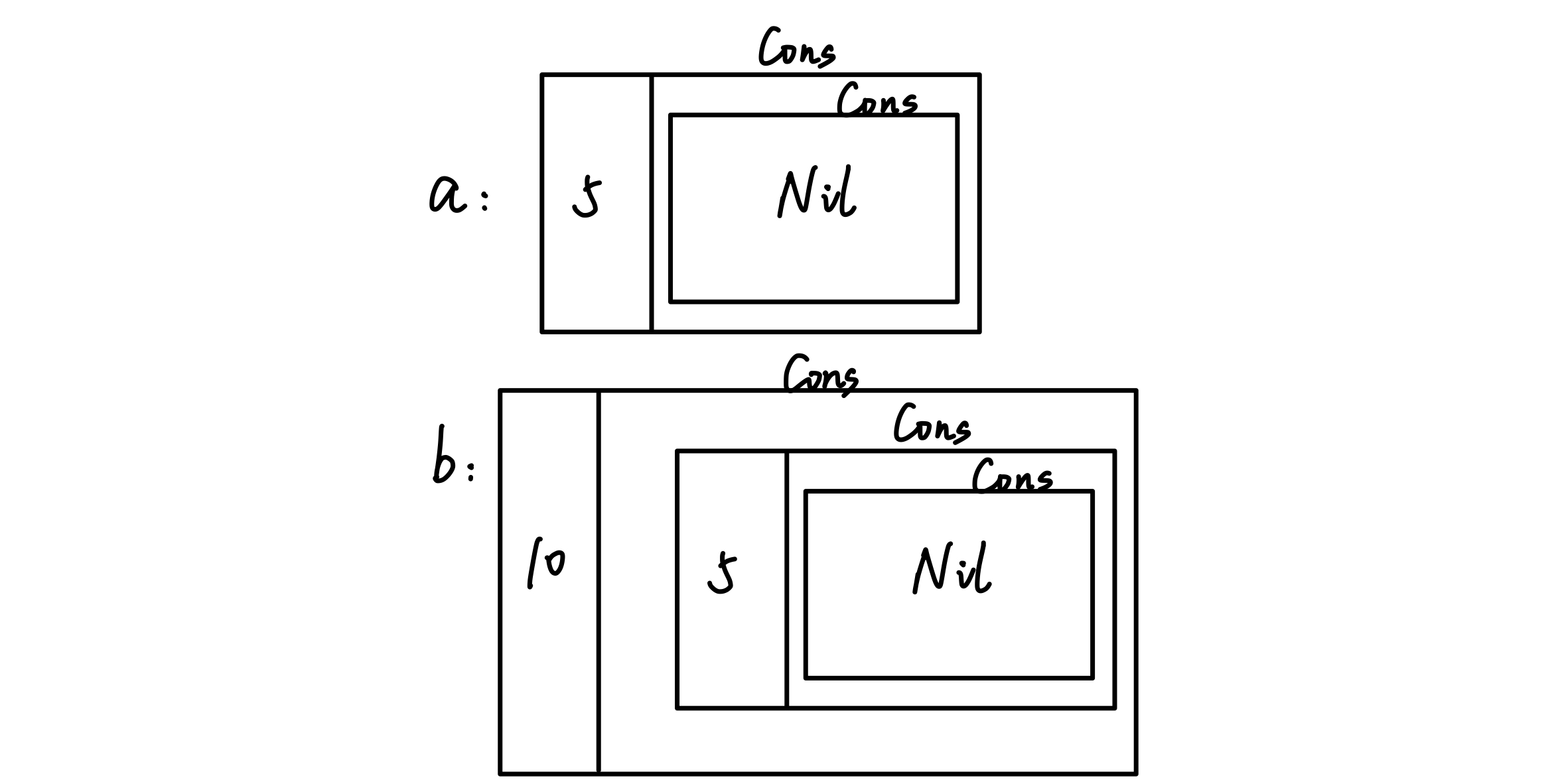
mainalso usesRc::strong_countto get the strong-reference counts ofaandb, uses the customtailmethod to get the second element carried byCons, and prints them withprintln!.- Next, the
if letstatement binds the second value ofa’sConstolink. It usesborrow_mutto obtain a mutable borrow of theRc<List>inside theRefCell, then assigns a clone ofbinto that slot withRc::clone, which changes the internal structure ofainto this: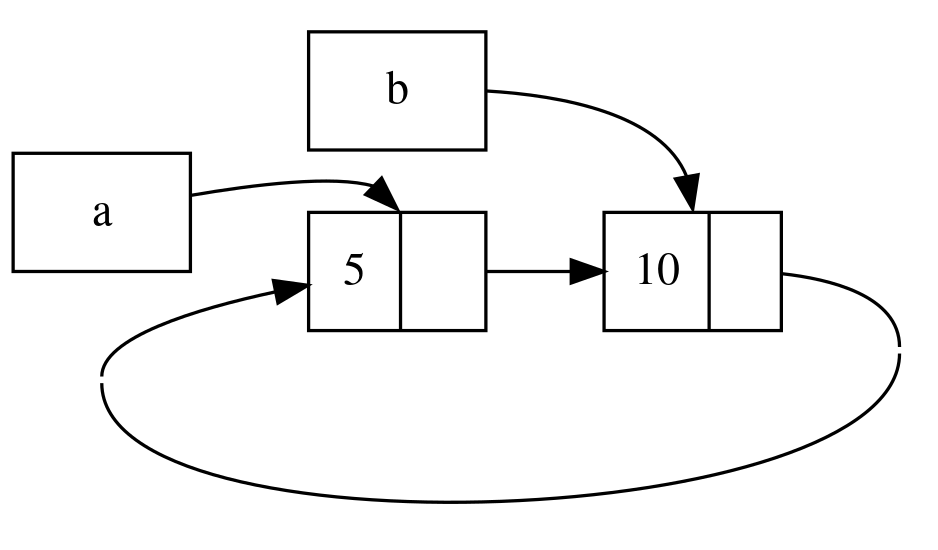
Output:
a initial rc count = 1
a next item = Some(RefCell { value: Nil })
a rc count after b creation = 2
b initial rc count = 1
b next item = Some(RefCell { value: Cons(5, RefCell { value: Nil }) })
b rc count after changing a = 2
a rc count after changing a = 2
- Lines 1 through 5: when
ais first created, the reference count is1. Whenbis declared,ais shared, soa’s reference count becomes2, andbis1. - Lines 6 through 7: the
if letstatement changes the internal structure ofaso thata’s second element points tob, andb’s reference count increases to2. At this point,apoints tob, andbpoints back toa, which creates a reference cycle.
When a and b both go out of scope, Rust drops variable b, which reduces b’s reference count from 2 to 1. At this point, the heap memory for Rc<List> is not deleted because its reference count is 1, not 0. Then Rust drops a, which reduces the reference count of a’s Rc<List> instance from 2 to 1, as shown below. This instance’s memory also cannot be deleted because another Rc<List> instance still references it. The memory allocated for the list will remain unreclaimed forever.
Next, let’s look at what the cycle contains using this line:
#![allow(unused)]
fn main() {
println!("a next item = {:?}", a.tail());
}Rust will try to print this cycle, where a points to b, which points to a, and so on, until the stack overflows. The final result will be a stack overflow error.
15.7.2 How to Prevent Memory Leaks
So is there any way to prevent memory leaks? That depends on the developer; you cannot rely on Rust alone.
Otherwise, you need to reorganize the data structure so that references are split into ownership-holding and non-owning references. Some references are used to express ownership, and some do not express ownership. In a reference cycle, one part has an ownership relationship, and another part does not. In this way, only the ownership-related links affect whether values are cleaned up.
15.7.3 Replacing Rc<T> with Weak<T> to Prevent Cycles
We know that Rc::clone creates a strong reference to the data and increases the reference count inside Rc<T> by 1, and Rc<T> is cleaned up only when strong_count becomes 0.
However, an Rc<T> instance can create a weak reference to a value by calling Rc::downgrade. The return type of this method is Weak<T> (also a smart pointer). Each call to Rc::downgrade increases weak_count instead of strong_count, so weak references do not affect the cleanup of Rc<T>.
15.7.4 Strong vs. Weak
A strong reference is about how to analyze ownership of an Rc<T> instance. A weak reference does not express ownership, and using it does not create reference cycles: when the strong-reference count becomes 0, the weak references automatically disconnect.
Before using a weak reference, you need to make sure that the value it points to still exists. Calling the upgrade method on a Weak<T> instance returns Option<Rc<T>>, and the Option enum is used to verify whether the value exists.
Take a look at an example:
use std::cell::RefCell;
use std::rc::Rc;
#[derive(Debug)]
struct Node {
value: i32,
children: RefCell<Vec<Rc<Node>>>,
}
fn main() {
let leaf = Rc::new(Node {
value: 3,
children: RefCell::new(vec![]),
});
let branch = Rc::new(Node {
value: 5,
children: RefCell::new(vec![Rc::clone(&leaf)]),
});
}The Node struct represents a node with two fields:
- The
valuefield stores the current value, and its type isi32. - The
childrenfield stores child nodes, and its type isRefCell<Vec<Rc<Node>>>.Rc<T>is used here so that all child nodes share ownership. More specifically, we want aNodeto own its child nodes, and we also want to share that ownership with the variable that stores the node itself so that we can directly access everyNodein the tree. To do that, we define theVec<T>items as values of typeRc<Node>.
The requirement here is that each node can point to both its parent node and its child nodes.
Now look at the main function:
leafis created as aNodeinstance, withvalueequal to3andchildrenequal to an emptyVectorwrapped inRefCell.branchis created as aNodeinstance, withvalueequal to5, and itschildrenpoints toleaf.
This means that the Node inside leaf has two owners. At the moment, leaf can be accessed through the children field of branch; however, the reverse is not yet possible through leaf, so we still need to modify it.
To achieve this, we need a bidirectional reference. But bidirectional references create reference cycles, so we need to use Weak<T> to avoid cycles:
#![allow(unused)]
fn main() {
struct Node {
value: i32,
parent: RefCell<Weak<Node>>,
children: RefCell<Vec<Rc<Node>>>,
}
}We add a parent field to represent the parent node, and we use the weak reference Weak<T>. We do not use Vec<> here because this is a tree structure, and a node can only have one parent.
To write it this way, we need to bring Weak<T> into scope and refactor the code below. The full code after modification is:
use std::cell::RefCell;
use std::rc::{Rc, Weak};
#[derive(Debug)]
struct Node {
value: i32,
parent: RefCell<Weak<Node>>,
children: RefCell<Vec<Rc<Node>>>,
}
fn main() {
let leaf = Rc::new(Node {
value: 3,
parent: RefCell::new(Weak::new()),
children: RefCell::new(vec![]),
});
println!("leaf parent = {:?}", leaf.parent.borrow().upgrade());
let branch = Rc::new(Node {
value: 5,
parent: RefCell::new(Weak::new()),
children: RefCell::new(vec![Rc::clone(&leaf)]),
});
*leaf.parent.borrow_mut() = Rc::downgrade(&branch);
println!("leaf parent = {:?}", leaf.parent.borrow().upgrade());
}After leaf is created, we first print the contents of its parent field (at this point, parent does not have any value yet). After branch is created, we print the contents of leaf’s parent field again (at this point, its value is branch).
The statement *leaf.parent.borrow_mut() = Rc::downgrade(&branch); creates a Weak<Node> pointing to branch and stores it in leaf’s parent field:
leaf.parentis the field that representsleaf’s parent node. Its type isRefCell<Weak<Node>>, so we can useborrow_mutto get aRefMut<Weak<Node>>.- The dereference operator
*lets us access the innerWeak<Node>value stored insideRefMut<Weak<Node>>. - The
downgrademethod creates aWeak<Node>frombranchand assigns it toparent.
Output:
leaf parent = None
leaf parent = Some(Node { value: 5, parent: RefCell { value: (Weak) }, children: RefCell { value: [Node { value: 3, parent: RefCell { value: (Weak) }, children: RefCell { value: [] } }] } })
- The first print shows that the
parentfield has not yet been assigned, so its value is theNonevariant underOption. - The second print shows that the parent node has been set to
branch, and the fact that the output does not go on forever shows that this code does not create a reference cycle.
Finally, let’s modify main by adding print statements and changing scopes to see the numbers of strong and weak references:
fn main() {
let leaf = Rc::new(Node {
value: 3,
parent: RefCell::new(Weak::new()),
children: RefCell::new(vec![]),
});
println!(
"leaf strong = {}, weak = {}",
Rc::strong_count(&leaf),
Rc::weak_count(&leaf),
);
{
let branch = Rc::new(Node {
value: 5,
parent: RefCell::new(Weak::new()),
children: RefCell::new(vec![Rc::clone(&leaf)]),
});
*leaf.parent.borrow_mut() = Rc::downgrade(&branch);
println!(
"branch strong = {}, weak = {}",
Rc::strong_count(&branch),
Rc::weak_count(&branch),
);
println!(
"leaf strong = {}, weak = {}",
Rc::strong_count(&leaf),
Rc::weak_count(&leaf),
);
}
println!("leaf parent = {:?}", leaf.parent.borrow().upgrade());
println!(
"leaf strong = {}, weak = {}",
Rc::strong_count(&leaf),
Rc::weak_count(&leaf),
);
}The logic of the code is:
-
After creating
leaf, print how many strong and weak references it has. -
After that, add
{}to create a new scope:- Put the declaration of
branchand the operation that assignsleaf’s parent inside it. - Print the numbers of strong and weak references for
branchandleafat that moment.
- Put the declaration of
-
After leaving the scope:
- Print
leaf’sparent - Print the strong and weak references of
leaf
- Print
Output:
leaf strong = 1, weak = 0
branch strong = 1, weak = 1
leaf strong = 2, weak = 0
leaf parent = None
leaf strong = 1, weak = 0
- Line 1:
leafis created with one strong reference. - Line 2:
branchis created. Afterleaf.parentis set withRc::downgrade(&branch),branchhas one strong reference and one weak reference—the weak count comes fromleaf’sparentfield, not frombranch’s own emptyWeak::new(). - Line 3:
branch.childrenholds a strong reference toleaf, and theleafvariable is also a strong reference, soleafhas two strong references now. - Line 4: because
branchhas already gone out of scope,leaf’sparentfield is nowNone. - Line 5:
branchgoing out of scope causes its strong reference toleafto become invalid, reducingleaf’s strong references by 1 to 1.
16.1 Running Code Concurrently with Threads
16.1.1 What Is Concurrency?
- Concurrent means different parts of a program run independently.
- Parallel means different parts of a program run at the same time.
The Rust Programming Language describes Rust’s support for concurrency with the phrase:
Fearless concurrency
Handling concurrent programming safely and efficiently is another major goal of Rust. As more and more computers use multiple processors, concurrent programming, in which different parts of a program execute independently, and parallel programming, in which different parts of a program execute simultaneously, have become increasingly important. Historically, programming in these environments has been difficult and error-prone—Rust aims to change that.
At first, the Rust team thought that ensuring memory safety and preventing concurrency problems were two separate challenges that required different solutions. Over time, the team discovered that ownership and the type system are a powerful set of tools that help manage both memory safety and concurrency problems!
By leveraging ownership and type checking, many concurrency errors are compile-time errors in Rust rather than runtime errors. As a result, incorrect code is rejected and an explanatory error is shown instead of making you spend a long time trying to reproduce the exact runtime concurrency failure. You can therefore fix the code while you are still working on it, instead of after it has already shipped to production.
We call this aspect of Rust “fearless concurrency.” Fearless concurrency lets you write code with no subtle bugs and refactor it easily without introducing new ones.
The most important sentence is this: Fearless concurrency lets you write code with no subtle bugs and refactor it easily without introducing new ones.
Note: in this chapter, “concurrency” is used as a general term covering both concurrent and parallel execution.
16.1.2 Processes and Threads
In most modern operating systems, code runs in processes, and the system manages multiple processes at the same time. Inside your program, the independent parts that can run simultaneously are called threads.
Because multiple threads can run at the same time, we often split a program’s work into multiple threads so that they can run concurrently. This has both advantages and disadvantages:
- It improves performance.
- It increases complexity: the order in which threads execute cannot be guaranteed.
16.1.3 Problems Caused by Multithreading
- Race condition: threads access data or resources in an inconsistent order.
- Deadlock: two threads wait for each other to finish using the resources they hold, so neither can continue.
- Bugs that occur only in certain situations, making them hard to reproduce reliably and fix.
16.1.4 Ways to Implement Threads
-
Creating threads by calling the operating system’s API is called the 1:1 model, meaning one operating-system thread corresponds to one language thread. Its advantage is that it requires a smaller runtime.
-
A language can implement threads itself, also called green threads. This is the M:N model, meaning M green threads correspond to N system threads. It requires a larger runtime.
Each model has its own strengths and weaknesses, so Rust must balance them against runtime support.
Aside from assembly language, every programming language has some runtime.
Even C/C++, which have very little runtime functionality, still have a small runtime. That is why they can produce small binaries and remain usable in many situations together with other languages.
Some languages add more runtime features to provide more capabilities, such as Java, C#, and Go.
For Rust, the goal is to keep the runtime as close to nonexistent as possible so that it is easy to interoperate with C and achieve high performance. Therefore, the Rust standard library only provides 1:1-thread support.
However, because Rust has strong low-level abstraction capabilities, the community also provides many third-party crates that support the M:N model.
16.1.5 Creating Threads With spawn
You can create a new thread with thread::spawn. It takes one argument: a closure containing the code to run in the new thread.
Take a look at this example:
use std::thread;
use std::time::Duration;
fn main() {
thread::spawn(|| {
for i in 1..10 {
println!("hi number {i} from the spawned thread!");
thread::sleep(Duration::from_millis(1));
}
});
for i in 1..5 {
println!("hi number {i} from the main thread!");
thread::sleep(Duration::from_millis(1));
}
} -
This closure takes no arguments. Its logic is simple: loop from 1 to 10 (not including 10), print each number, and sleep for 1 millisecond in every iteration.
-
The main thread also has a loop from 1 to 5 (not including 5), printing each number and sleeping for 1 millisecond in every iteration.
Because the spawned thread loops from 1 to 10 while the main thread loops from 1 to 5, the main thread finishes first. Rust then ends the program as soon as the main thread finishes, regardless of whether other threads are still running. The output from the main thread and the spawned thread should appear interleaved.
Output (thread interleaving is nondeterministic; this is a representative local run):
hi number 1 from the main thread!
hi number 1 from the spawned thread!
hi number 2 from the main thread!
hi number 2 from the spawned thread!
hi number 3 from the main thread!
hi number 3 from the spawned thread!
hi number 4 from the main thread!
hi number 4 from the spawned thread!
hi number 5 from the spawned thread!
In this sample, after the main thread prints 4 it is about to finish; the spawned thread still gets a little more time and prints two more lines (hi number 4 and hi number 5) before the program shuts down.
This code does not guarantee that the other thread will finish execution, so we need JoinHandle.
16.1.6 Waiting for All Threads to Finish With JoinHandle
The return type of thread::spawn is JoinHandle. This type owns the handle to the spawned thread, and you can wait for that thread to finish by calling its join method.
Calling handle.join() blocks the currently running thread until the thread represented by handle finishes.
Take a look at this example:
use std::thread;
use std::time::Duration;
fn main() {
let handle = thread::spawn(|| {
for i in 1..10 {
println!("hi number {i} from the spawned thread!");
thread::sleep(Duration::from_millis(1));
}
});
for i in 1..5 {
println!("hi number {i} from the main thread!");
thread::sleep(Duration::from_millis(1));
}
handle.join().unwrap();
} - Assign the return value of
thread::spawntohandle. - Finally, call
joinonhandleand thenunwrap. This blocks the current thread—in this example, the main thread—until the thread represented byhandlefinishes.
The reason forunwrapis thathandle.join()returns aResult. If the thread completes successfully, it returnsOk(T), whereTis the thread’s return value. If the thread panics while running, it returnsErr(e), whereeis the error information.
If you are sure the thread will not panic, you can callunwrapdirectly to simplify the code and ignore theErrbranch.
Output (thread interleaving is nondeterministic; this is a representative local run):
hi number 1 from the main thread!
hi number 1 from the spawned thread!
hi number 2 from the main thread!
hi number 2 from the spawned thread!
hi number 3 from the main thread!
hi number 3 from the spawned thread!
hi number 4 from the main thread!
hi number 4 from the spawned thread!
hi number 5 from the spawned thread!
hi number 6 from the spawned thread!
hi number 7 from the spawned thread!
hi number 8 from the spawned thread!
hi number 9 from the spawned thread!
After the main thread prints "hi number 4 from the main thread!", it waits on join, so the spawned thread can keep printing through 9 instead of being cut off when the main loop ends.
Now let’s see what happens when handle.join() is moved before the for loop in main, as shown below:
use std::thread;
use std::time::Duration;
fn main() {
let handle = thread::spawn(|| {
for i in 1..10 {
println!("hi number {i} from the spawned thread!");
thread::sleep(Duration::from_millis(1));
}
});
handle.join().unwrap();
for i in 1..5 {
println!("hi number {i} from the main thread!");
thread::sleep(Duration::from_millis(1));
}
} Output:
hi number 1 from the spawned thread!
hi number 2 from the spawned thread!
hi number 3 from the spawned thread!
hi number 4 from the spawned thread!
hi number 5 from the spawned thread!
hi number 6 from the spawned thread!
hi number 7 from the spawned thread!
hi number 8 from the spawned thread!
hi number 9 from the spawned thread!
hi number 1 from the main thread!
hi number 2 from the main thread!
hi number 3 from the main thread!
hi number 4 from the main thread!
This time, the spawned thread finishes first, and only then does the main thread run its loop.
Using move Closures
move closures are often used together with thread::spawn, because they let you use data from another thread. In other words, when a thread is created, ownership of a value is moved from one thread to another.
Take a look at this example:
use std::thread;
fn main() {
let v = vec![1, 2, 3];
let handle = thread::spawn(|| {
println!("Here's a vector: {v:?}");
});
handle.join().unwrap();} - A
Vectornamedvis created inmain. - The new thread uses
vand prints it. - Finally,
handle.join().unwrap()makes the main thread wait for the spawned thread to finish.
Output:
error[E0373]: closure may outlive the current function, but it borrows `v`, which is owned by the current function
--> src/main.rs:5:32
|
5 | let handle = thread::spawn(|| {
| ^^ may outlive borrowed value `v`
6 | println!("Here's a vector: {v:?}");
| - `v` is borrowed here
|
note: function requires argument type to outlive `'static`
--> src/main.rs:5:18
|
5 | let handle = thread::spawn(|| {
| __________________^
6 | | println!("Here's a vector: {v:?}");
7 | | });
| |______^
help: to force the closure to take ownership of `v` (and any other referenced variables), use the `move` keyword
|
5 | let handle = thread::spawn(move || {
| ++++
For more information about this error, try `rustc --explain E0373`.
error: could not compile `threads` (bin "threads") due to 1 previous error
The error says the closure borrows v because the compiler infers that the closure only needs a borrow, but the closure’s lifetime may outlive v.
For example:
use std::thread;
fn main() {
let v = vec![1, 2, 3];
let handle = thread::spawn(|| {
println!("Here's a vector: {v:?}");
});
drop(v);
handle.join().unwrap();
} While the closure is running in the spawned thread, the main thread may already have reached drop(v) and destroyed v, so v can no longer be used in the spawned thread.
The simplest fix is to move ownership of v into the closure. Just write move before the || pipe:
use std::thread;
fn main() {
let v = vec![1, 2, 3];
let handle = thread::spawn(move || {
println!("Here's a vector: {v:?}");
});
handle.join().unwrap();
} The downside is that the main thread can no longer use v.
16.2 Message Passing For Cross-Thread Data Transfer
16.2.1 Message Passing
One very popular technique for safe concurrency is called message passing. In this mechanism, threads (or actors) communicate by sending messages (data) to one another.
There is a famous saying in Go: Do not communicate by sharing memory; instead, share memory by communicating.
Go’s concurrency model reflects this idea. Rust also provides a concurrency approach based on message passing, specifically by using Channel from the standard library. Go has Channel as well, and the idea is similar.
16.2.2 Understanding Channel
You can think of a programming Channel as a directed waterway, such as a stream or a river. If you put a rubber duck into the river, it flows downstream until it reaches the end of the waterway.
A channel has two parts: a sender and a receiver. The sender is like the upstream point where you put the duck into the river, and the receiver is the downstream point where the duck eventually arrives. One part of the code uses the sender’s methods to send data, and another part checks the receiver for arriving messages. If either the sender or the receiver goes away, the channel is said to be closed.
The basic steps are:
- Call the sender’s method to send data.
- The receiver checks for and receives arriving data.
- If either the sender or the receiver is dropped, the
Channelis closed.
16.2.3 Creating a channel
Use mpsc::channel to create a Channel. mpsc stands for multiple producer, single consumer, meaning there can be multiple senders but only one receiver.
Calling this function returns a tuple with two elements: the sender and the receiver.
Take a look at this example:
use std::sync::mpsc;
use std::thread;
fn main() {
let (tx, rx) = mpsc::channel();
thread::spawn(move || {
let val = String::from("hi");
tx.send(val).unwrap();
});
let received = rx.recv().unwrap();
println!("Got: {received}");
}-
First,
mpsc::channelcreates theChannel, and the returned tuple is destructured with pattern matching intotxandrxfor the sender and receiver. -
Next, a thread is created. The
movekeyword moves ownership of the sendertxinto the spawned thread, because a thread must own the sender in order to send messages through the channel. Thesendmethod is used to send a message. It returns aResult: if the receiver has been dropped, the return value isErr; otherwise, it isOk. Here we simply useunwrapfor error handling, so if the receiver has been dropped, the program will panic. -
The receiver has two methods for getting messages. Here we use
recv(short forreceive). It blocks this thread until a message arrives. The message is wrapped in aResult: if there is a message, it returnsOk; otherwise, it returnsErr. We also useunwrapto handle errors simply.
Output:
Got: hi
The Sender’s send Method
The send method takes the data you want to send and returns a Result. If there is a problem—such as the receiver having been dropped—it returns Err.
Receiver Methods
-
recv: blocks the current thread until a value arrives in theChannel. Once a value is received, it returns aResult. If the sender has been closed, it returnsErr. -
try_recv: does not block the current thread. It returns aResultimmediately. If data arrives, theOkvariant contains the received value; otherwise, it returns an error. It is often used inside a loop to check the result oftry_recv. Once a message arrives, processing begins; if no message has arrived yet, other instructions can run in the meantime.
16.2.4 Ownership Transfer With channel
Ownership is very important in message passing because it helps you write safe concurrent code.
Take a look at this example:
use std::sync::mpsc;
use std::thread;
fn main() {
let (tx, rx) = mpsc::channel();
thread::spawn(move || {
let val = String::from("hi");
tx.send(val).unwrap();
println!("val is {val}");
});
let received = rx.recv().unwrap();
println!("Got: {received}");
}This code adds println!("val is {val}"); and then tries to keep using the value in the thread after it has been passed to send.
Output:
$ cargo run
Compiling message-passing v0.1.0 (/tmp/projects/message-passing)
error[E0382]: borrow of moved value: `val`
--> src/main.rs:10:27
|
8 | let val = String::from("hi");
| --- move occurs because `val` has type `String`, which does not implement the `Copy` trait
9 | tx.send(val).unwrap();
| --- value moved here
10 | println!("val is {val}");
| ^^^ value borrowed here after move
For more information about this error, try `rustc --explain E0382`.
error: could not compile `message-passing` (bin "message-passing") due to 1 previous error
The error occurs because val was already moved when it was passed to send, so borrowing it again is not allowed.
The next example uses multiple sent values to observe how the receiver waits:
use std::sync::mpsc;
use std::thread;
use std::time::Duration;
fn main() {
let (tx, rx) = mpsc::channel();
thread::spawn(move || {
let vals = vec![
String::from("hi"),
String::from("from"),
String::from("the"),
String::from("thread"),
];
for val in vals {
tx.send(val).unwrap();
thread::sleep(Duration::from_secs(1));
}
});
for received in rx {
println!("Got: {received}");
}
}- The spawned thread sends each element in the
Vectorin a loop, pausing for one second after each send. - The main thread uses the receiver as an iterator (because it implements the
Iteratortrait), so there is no need to callrecvexplicitly. Each time a value arrives, it is printed. When the sender finishes and is dropped, theChannelcloses and the loop ends. The program exits.
Output:
Got: hi
Got: from
Got: the
Got: thread
16.2.5 Creating Multiple Senders With Cloning
Let’s make a small change to the previous example:
use std::sync::mpsc;
use std::thread;
use std::time::Duration;
fn main() {
let (tx, rx) = mpsc::channel();
let tx1 = tx.clone();
thread::spawn(move || {
let vals = vec![
String::from("hi"),
String::from("from"),
String::from("the"),
String::from("thread"),
];
for val in vals {
tx1.send(val).unwrap();
thread::sleep(Duration::from_secs(1));
}
});
thread::spawn(move || {
let vals = vec![
String::from("more"),
String::from("messages"),
String::from("for"),
String::from("you"),
];
for val in vals {
tx.send(val).unwrap();
thread::sleep(Duration::from_secs(1));
}
});
for received in rx {
println!("Got: {received}");
}
}There is now an extra spawned thread, and two spawned threads want to send messages to the main thread. In that case, you need two senders. To do that, simply call clone on the sender variable tx, which is the original line let tx1 = tx.clone();.
Output (receive order is nondeterministic; this is a representative local run):
Got: hi
Got: more
Got: from
Got: messages
Got: the
Got: for
Got: thread
Got: you
The data received by the receiver appears interleaved from the two senders.
16.3 Concurrent Shared State
16.3.1 Implementing Concurrency With Shared State
Remember the famous Go saying:
Do not communicate by sharing memory; instead, share memory by communicating.
The previous article, 16.2. Message Passing For Cross-Thread Data Transfer, implemented concurrency through communication. This article explains how to implement concurrency through shared memory. Go does not recommend this approach, but Rust supports concurrency through shared state.
The Channel from the previous article, 16.2. Message Passing For Cross-Thread Data Transfer, is somewhat like single ownership: once a value’s ownership is transferred into the Channel, you can no longer use it. Concurrent shared memory is somewhat like multiple ownership: multiple threads can access the same memory at the same time.
16.3.2 Using Mutex to Allow Only One Thread to Access Data
Mutex is short for mutual exclusion.
At any one time, Mutex allows only one thread to access certain data.
To access the data, a thread must first obtain the lock. In Rust, that means calling the lock method. The lock data structure is part of Mutex, and it keeps track of which thread has exclusive access to the data. Mutex is often described as protecting the data it holds by locking the system around it.
16.3.3 Two Rules of Mutex
- Before using the data, you must try to acquire the lock.
- After using the data protected by
Mutex, you must unlock it so that other threads can acquire the lock.
16.3.4 The Mutex<T> API
Create a Mutex<T> with Mutex::new, passing in the data to be protected. Mutex<T> is effectively a smart pointer.
Before accessing the data, use the lock method to acquire the lock. This method blocks the current thread. The lock method can also fail, so its return value is wrapped in Result. If it succeeds, the value inside Ok is a MutexGuard smart pointer, which implements Deref and Drop.
Take a look at this example:
use std::sync::Mutex;
fn main() {
let m = Mutex::new(5);
{
let mut num = m.lock().unwrap();
*num = 6;
}
println!("m = {m:?}");
}Mutex::newcreates a mutex protecting the value5, and that mutex is assigned tom. So the type ofmisMutex<i32>.- The
{}block creates a new inner scope. Inside that scope,lockis used to acquire the value, andunwrapis used for error handling. BecauseMutexGuardimplements theDereftrait, we can get a reference to the inner data. Sonumis a mutable reference. - Inside the inner scope, dereferencing
*is used to change the value to6. - Because
MutexGuardimplements theDroptrait, the mutex is automatically unlocked when the inner scope ends. - Finally, the updated contents inside the mutex are printed.
Output:
m = Mutex { data: 6, poisoned: false, .. }
16.3.5 Sharing Mutex<T> Across Threads
Take a look at this example:
use std::sync::Mutex;
use std::thread;
fn main() {
let counter = Mutex::new(0);
let mut handles = vec![];
for _ in 0..10 {
let handle = thread::spawn(move || {
let mut num = counter.lock().unwrap();
*num += 1;
});
handles.push(handle);
}
for handle in handles {
handle.join().unwrap();
}
println!("Result: {}", *counter.lock().unwrap());
}counteris essentially a counter, just wrapped inMutexso that it can be used more easily in multiple threads. Its initial value is0.handlesis an emptyVector.- The loop below creates 10 threads, from 0 to 10 (not including 10), and stores each thread’s
handlein the empty collectionhandles. - Inside the thread closure, our intention is to move the
countermutex into the closure (so we usemove), then acquire the mutex and modify its value. Each thread adds 1. When a thread finishes,numgoes out of scope and the mutex is released, so other threads can use it. - In the loop from 0 to 10 (not including 10),
handlesis also iterated over andjoinis used so that the code continues only after every thread represented by eachhandlehas finished. - Finally, the main thread tries to acquire the mutex for
counterand prints it.
Output:
$ cargo run
Compiling shared-state v0.1.0 (/tmp/projects/shared-state)
error[E0382]: borrow of moved value: `counter`
--> src/main.rs:21:29
|
5 | let counter = Mutex::new(0);
| ------- move occurs because `counter` has type `std::sync::Mutex<i32>`, which does not implement the `Copy` trait
...
8 | for _ in 0..10 {
| -------------- inside of this loop
9 | let handle = thread::spawn(move || {
| ------- value moved into closure here, in previous iteration of loop
...
21 | println!("Result: {}", *counter.lock().unwrap());
| ^^^^^^^ value borrowed here after move
For more information about this error, try `rustc --explain E0382`.
error: could not compile `shared-state` (bin "shared-state") due to 1 previous error
The error occurs because ownership was already moved into the thread in the previous iteration of the loop, so this iteration can no longer take ownership of it.
So how can we put counter into multiple threads—that is, how can multiple threads own it?
16.3.6 Multiple Ownership Across Threads
In 15.5. Rc<T> - Reference-Counting Smart Pointer and Shared Ownership, we introduced a smart pointer with multiple ownership called Rc<T>. We can simply wrap counter in Rc:
#![allow(unused)]
fn main() {
let counter = Rc::new(Mutex::new(0));
}Inside the loop, we need to clone it into the thread. Here we use variable shadowing to set the new counter value to a clone of the old one:
#![allow(unused)]
fn main() {
let counter = Rc::clone(&counter);
}Modified code (remember to import Rc before using it):
use std::rc::Rc;
use std::sync::Mutex;
use std::thread;
fn main() {
let counter = Rc::new(Mutex::new(0));
let mut handles = vec![];
for _ in 0..10 {
let counter = Rc::clone(&counter);
let handle = thread::spawn(move || {
let mut num = counter.lock().unwrap();
*num += 1;
});
handles.push(handle);
}
for handle in handles {
handle.join().unwrap();
}
println!("Result: {}", *counter.lock().unwrap());
}Output:
error[E0277]: `Rc<std::sync::Mutex<i32>>` cannot be sent between threads safely
--> src/main.rs:11:36
|
11 | let handle = thread::spawn(move || {
| ------------- ^------
| | |
| ______________________|_____________within this `{closure@src/main.rs:11:36: 11:43}`
| | |
| | required by a bound introduced by this call
12 | | let mut num = counter.lock().unwrap();
13 | |
14 | | *num += 1;
15 | | });
| |_________^ `Rc<std::sync::Mutex<i32>>` cannot be sent between threads safely
|
= help: within `{closure@src/main.rs:11:36: 11:43}`, the trait `Send` is not implemented for `Rc<std::sync::Mutex<i32>>`
note: required because it's used within this closure
--> src/main.rs:11:36
|
11 | let handle = thread::spawn(move || {
| ^^^^^^^
note: required by a bound in `spawn`
--> /Users/stanyin/.rustup/toolchains/stable-aarch64-apple-darwin/lib/rustlib/src/rust/library/std/src/thread/functions.rs:128:8
|
125 | pub fn spawn<F, T>(f: F) -> JoinHandle<T>
| ----- required by a bound in this function
...
128 | F: Send + 'static,
| ^^^^ required by this bound in `spawn`
For more information about this error, try `rustc --explain E0277`.
error: could not compile `shared-state` (bin "shared-state") due to 1 previous error
Look at this part of the error message: `Rc<std::sync::Mutex<i32>>` cannot be sent between threads safely. Rc<Mutex<i32>> cannot be transferred safely between threads. The compiler also tells us why: the trait `Send` is not implemented for `Rc<std::sync::Mutex<i32>>`. Rc<Mutex<i32>> does not implement the Send trait (which will be covered in the next article, 16.4. Extending Concurrency with Send and Sync Traits). Only types that implement Send can be transferred safely between threads.
In 15.5. Rc<T> - Reference-Counting Smart Pointer and Shared Ownership, we also said that Rc<T> cannot be used in multithreaded scenarios: Rc<T> cannot be safely shared across threads. It cannot guarantee that a count update will not be interrupted by another thread. That could cause an incorrect count, which could then lead to a memory leak or deleting a value before we are done with it. What we need is a type exactly like Rc<T> that updates the reference count in a thread-safe way.
So what should multithreaded code use? There is a smart pointer called Arc<T> that can handle this scenario.
16.3.7 Using Arc<T> for Atomic Reference Counting
Arc<T> is similar to Rc<T>, but it can be used in concurrent scenarios. The A in Arc stands for Atomic, meaning it is an atomic reference-counted type. Atomics are another concurrency primitive. This article will not go into Arc<T> in great detail; it is enough to know that atomics work like primitive types but can be safely shared across threads. For more information, see the official Rust documentation.
Why, then, are all primitive types not atomic by default? Why doesn’t the standard library use Arc<T> everywhere? Because thread safety has a performance cost that you only want to pay when you need it.
Fortunately, Arc<T> and Rc<T> have the same API, so the earlier code is easy to change (remember to import Arc before using it):
use std::sync::{Arc, Mutex};
use std::thread;
fn main() {
let counter = Arc::new(Mutex::new(0));
let mut handles = vec![];
for _ in 0..10 {
let counter = Arc::clone(&counter);
let handle = thread::spawn(move || {
let mut num = counter.lock().unwrap();
*num += 1;
});
handles.push(handle);
}
for handle in handles {
handle.join().unwrap();
}
println!("Result: {}", *counter.lock().unwrap());
}16.3.8 RefCell<T>/Rc<T> vs. Mutex<T>/Arc<T>
Mutex<T> provides interior mutability, just like the Cell family. We generally use RefCell<T> wrapped in Rc<T> to get a shared-ownership data type with interior mutability. Likewise, Mutex<T> can be used to mutate the contents inside Arc<T>.
When using Mutex<T>, Rust cannot protect you from various logical errors. Using Rc<T> carries the risk of creating reference cycles, where two Rc<T> values reference each other and cause a memory leak. Similarly, Mutex<T> also carries the risk of creating a deadlock. This happens when an operation needs to lock two resources and two threads each acquire one lock, causing them to wait forever for each other. The standard library API docs for Mutex<T> and MutexGuard are useful. See the Mutex<T> API docs and the MutexGuard API docs.
16.4 Extending Concurrency with Send and Sync Traits
16.4.1 Send and Sync Traits
Rust itself has relatively few concurrency features. The concurrency features mentioned so far come from the standard library rather than the language itself. In fact, you do not need to limit yourself to the standard library—you can implement concurrency yourself.
There are two concurrency concepts in Rust:
std::marker::Synctraitstd::marker::Sendtrait
These two traits are called marker traits because they do not define any methods; they only mark properties.
16.4.2 Send: Allowing Ownership Transfer Between Threads
In the previous article, 16.3. Concurrent Shared State, we tried to pass Rc<T> across threads and failed because it does not implement the Send trait.
In Rust, almost all types implement Send. Almost all primitive types implement the Send trait. But Rc<T> does not implement Send; it can only be used in single-threaded scenarios.
Any type composed entirely of Send types is also marked as Send, which is equivalent to implementing the Send trait.
16.4.3 Sync: Allowing Access From Multiple Threads
Types that implement Sync can be safely referenced by multiple threads. In other words, if T implements Sync, then &T implements Send.
Primitive types all implement Sync. Any type composed entirely of Sync types is also equivalent to Sync. However, Rc<T> is not Sync, and the RefCell<T> and Cell<T> families are not Sync either, while Mutex<T> is Sync.
16.4.4 Manually Implementing Send and Sync Is Unsafe
Because types composed of Send and Sync parts automatically inherit Send and Sync, we do not need to implement these traits manually. As marker traits, they do not even have any methods to implement. They are only used to enforce concurrency-related invariants.
Manually implementing these traits involves writing unsafe Rust code. We will discuss unsafe Rust in later articles (19.1. Unsafe Rust - Escaping Safety Restrictions; for this topic, see also The Rustonomicon); for now, the important point is that when building new concurrent types, the Send and Sync components need to be considered carefully to preserve safety guarantees.
In one sentence: do not try to implement Send and Sync manually!!!
17.1 Rust’s Object-Oriented Programming Features
17.1.0 What Are Object-Oriented Programming Features?
Object-oriented programming (OOP) is a programming model. The concept of objects was introduced in the programming language Simula. These objects influenced Alan Kay’s programming architecture, in which objects send messages to one another. To describe this architecture, he coined the term object-oriented programming in 1967.
Core Concepts
-
Object
- The basic unit of a program, containing properties (state) and behavior (operations).
-
Class
- A template for objects that defines properties and behavior.
-
Encapsulation
- Binds data and operations together, hides internal details, and interacts with the outside world through an interface.
-
Inheritance
- A subclass inherits the properties and behavior of a parent class, improving code reuse.
-
Polymorphism
- The same interface exhibits different behavior, including method overloading and overriding.
-
Abstraction
- Focuses only on the necessary parts and ignores complex implementations, providing a high-level design through classes or interfaces.
Benefits of Object-Oriented Programming
- Modularity and maintainability: Code is easier to maintain and extend.
- Code reuse: Inheritance and abstraction reduce duplicate code.
- Easy extension: New features can be added easily.
- Real-world modeling: Closer to real-world concepts.
- Data safety: Encapsulation protects data and improves security.
17.1.1 Rust’s Object-Oriented Programming Characteristics
There is still no community consensus on which features a language must have to be considered object-oriented. Rust is influenced by many programming paradigms, including OOP. OOP usually includes features such as objects, encapsulation, and inheritance.
There are many definitions of object-oriented programming, and many of them conflict with one another. Some definitions classify Rust as an object-oriented language, while others do not.
In Chapter 13, we talked about Rust’s functional programming features, but Rust is neither a traditional object-oriented language nor a pure functional language. It is a multiparadigm language that combines some features of functional programming and object-oriented programming.
Objects Contain Data and Behavior
The book Design Patterns: Elements of Reusable Object-Oriented Software, by Erich Gamma, Richard Helm, Ralph Johnson, and John Vlissides, known informally as the “Gang of Four,” is a classic work on design patterns. It defines OOP this way:
Object-oriented programs are made up of objects. An object packages both data and the procedures that operate on that data. The procedures are typically called methods or operations.
Based on this definition, Rust is object-oriented: structs and enums contain data, and impl blocks provide methods for them. But in Rust, structs and enums with methods are not called objects.
Encapsulation
Encapsulation means that code outside the object cannot directly access the object’s internal implementation details; the only way to interact with the object is through its public API.
Rust uses the pub keyword to decide which modules, types, functions, or methods in code are public. By default, they are private.
Take a look at this example:
#![allow(unused)]
fn main() {
pub struct AveragedCollection {
list: Vec<i32>,
average: f64,
}
impl AveragedCollection {
pub fn add(&mut self, value: i32) {
self.list.push(value);
self.update_average();
}
pub fn remove(&mut self) -> Option<i32> {
let result = self.list.pop();
match result {
Some(value) => {
self.update_average();
Some(value)
}
None => None,
}
}
pub fn average(&self) -> f64 {
self.average
}
fn update_average(&mut self) {
let total: i32 = self.list.iter().sum();
self.average = total as f64 / self.list.len() as f64;
}
}
}This struct is marked pub so that other code can use it, but its fields are still private. That is because we want to ensure that the average is updated whenever a value is added to or removed from the list. Directly changing the fields would not guarantee that, so users should not be allowed to modify the fields directly. We achieve this by implementing the add, remove, and average methods on the struct.
Inheritance
Inheritance means that one object can reuse the data and behavior of another object without redefining the related code. Rust does not support this feature.
The usual reasons for using inheritance are code reuse and polymorphism.
-
For code reuse, Rust provides default trait methods to share code. If a method in a trait has a default implementation, then any type that implements that trait automatically gets that method. This is very similar to object-oriented languages, where methods implemented in a parent class can be inherited by subclasses. When implementing a trait, you can also override the trait’s default implementation, which is similar to a subclass overriding an inherited method from its parent class.
-
Polymorphism means expecting a type to work where a parent type is required. In other words, if several objects share some common traits, those objects can be substituted for one another at runtime. Rust achieves this with generics and trait bounds: generics allow logic to be more independent of the concrete data type, and trait bounds specify which concrete capabilities the types using that logic must provide. This technique is also called bounded parametric polymorphism.
Nowadays, many languages no longer use inheritance as a built-in programming design. That is because it often risks sharing too much code. A subclass should not always share all the traits of its parent class, but inheritance makes that possible. This reduces flexibility in program design. It also introduces the possibility of calling methods on a subclass that are meaningless or even incorrect, because those methods are not appropriate for the subclass. In addition, some languages allow only single inheritance, meaning a subclass can inherit from only one class, which further limits design flexibility.
17.2 Using Trait Objects to Store Values of Different Types
17.2.1 Requirements
This article uses an example to introduce how to use trait objects in Rust to store values of different types.
In Chapter 8, we mentioned that one limitation of Vecs is that they can store only one element type. We created a workaround in 8.2. Vector + Enum Applications by defining a SpreadsheetCell enum with variants for storing integers, floating-point numbers, and text. This means we can store different types of data in each cell while still having a vector that represents a row of cells. When the items we want to interchange are a fixed set of types that we know when compiling the code, this is a very good solution.
The code looks like this:
enum SpreadSheetCell {
Int(i32),
Float(f64),
Text(String),
}
fn main() {
let row = vec![
SpreadSheetCell::Int(5567),
SpreadSheetCell::Text("up up".to_string()),
SpreadSheetCell::Float(114.514),
];
}However, sometimes we want users of our library to be able to extend the set of types that are valid in a given context. Here is the requirement for this example:
Create a GUI tool that iterates through a list of elements and calls each element’s draw method in turn for rendering (for example, elements such as Button and TextField).
In an object-oriented language such as Java or C#, this requirement could be handled by defining a Component parent class with a draw method. Then you define classes such as Button and TextField that inherit from Component.
The previous article, 17.1. Rust’s Object-Oriented Programming Features, explained that Rust does not provide inheritance, so if we want to build a GUI tool in Rust, we need another approach: define a trait for shared behavior.
17.2.2 Defining a Trait for Shared Behavior
First, let’s clarify some terminology: in Rust, we avoid calling structs or enums objects, because they are separate from impl blocks. Trait objects are somewhat similar to objects in other languages, because they combine data and behavior to some extent.
Trait objects also differ from traditional objects in that we cannot add data to a trait object.
Trait objects are specifically used to abstract shared behavior, and they are not as general-purpose as objects in other languages.
Here is how the GUI tool is written:
#![allow(unused)]
fn main() {
pub trait Draw {
fn draw(&self);
}
pub struct Screen {
pub components: Vec<Box<dyn Draw>>,
}
impl Screen {
pub fn run(&self) {
for component in self.components.iter() {
component.draw();
}
}
}
}- First, we declare a public trait called
Draw, which defines adrawmethod but provides no concrete implementation. - Then we declare a public struct called
Screen, which has a public field calledcomponents. Its type is aVecwhose elements areBox<dyn Draw>.Box<>is used to define a trait object, meaning the value inside the box implements theDrawtrait. - We use an
implblock to define arunmethod forScreen; when it runs, it draws all the elements.
If both are expressing that some type implements some trait or traits, why not use generics instead? Let’s look at the generic version:
#![allow(unused)]
fn main() {
pub trait Draw {
fn draw(&self);
}
pub struct Screen<T: Draw> {
pub components: Vec<T>,
}
impl<T> Screen<T>
where
T: Draw,
{
pub fn run(&self) {
for component in self.components.iter() {
component.draw();
}
}
}
}This is because once T is fixed in a generic Vec<T>, the vector can store only that one type. For example, if the first element inserted into the vector is a Button, then every other element in that vector must also be a Button because all elements in a vector must have the same type.
With Vec<Box<dyn Draw>>, however, if the first element is a Button, you can still store a TextField later, as long as the type implements the Draw trait.
Next, let’s write what a type that implements the Draw trait looks like:
#![allow(unused)]
fn main() {
pub struct Button {
pub width: u32,
pub height: u32,
pub label: String,
}
impl Draw for Button {
fn draw(&self) {
// Draw the button
}
}
}- A
Buttonstruct might havewidth,height, andlabelfields, so we define it this way. - We implement the
Drawtrait forButtonin animplblock, and we ignore the actual drawing logic.
This is only the content of lib.rs; next we write the main program in main.rs:
#![allow(unused)]
fn main() {
use gui::Draw;
struct SelectBox {
width: u32,
height: u32,
options: Vec<String>,
}
impl Draw for SelectBox {
fn draw(&self) {
// Draw a selection box
}
}
}- The
SelectBoxstruct inmain.rshas three fields:width,height, andoptions. - We implement the
Drawtrait forSelectBoxin animplblock, and we ignore the actual drawing logic.
Now look at the main function:
use gui::{Button, Screen};
fn main() {
let screen = Screen {
components: vec![
Box::new(SelectBox {
width: 75,
height: 10,
options: vec![
String::from("Yes"),
String::from("Maybe"),
String::from("No"),
],
}),
Box::new(Button {
width: 50,
height: 10,
label: String::from("OK"),
}),
],
};
screen.run();
}- The main program creates a
Screeninstance containing both aSelectBoxand aButton(wrapped withBox::new()). The reason this vector can hold different types is precisely because we defined a trait object. - Then we call the
runmethod onScreento render it. In practice,rundoes not care what specific type is passed in, as long as that type implements theDrawtrait.
17.2.3 Trait Objects Use Dynamic Dispatch
When Rust applies trait bounds to generics, the compiler performs monomorphization: for every concrete type used to replace the generic parameter, it generates a non-generic implementation of the corresponding functions and methods.
This was explained in 10.2. Generics.
For example:
fn main() {
let integer = Some(5);
let float = Some(5.0);
}Here, integer is Option<i32> and float is Option<f64>. During compilation, the compiler expands Option<T> into Option_i32 and Option_f64:
#![allow(unused)]
fn main() {
enum Option_i32 {
Some(i32),
None,
}
enum Option_f64 {
Some(f64),
None,
}
}In other words, the generic definition Option<T> is replaced with two concrete type definitions.
The monomorphized main function becomes this:
enum Option_i32 {
Some(i32),
None,
}
enum Option_f64 {
Some(f64),
None,
}
fn main() {
let integer = Option_i32::Some(5);
let float = Option_f64::Some(5.0);
}Code generated through monomorphization uses static dispatch, which determines which method to call during compilation.
Dynamic dispatch cannot determine at compile time which method you are actually calling. The compiler generates extra code so that the desired method can be found at runtime. Using trait objects performs dynamic dispatch. The trade-off is some runtime overhead, and it prevents the compiler from inlining method code, which means some optimizations cannot be performed.
17.2.4 Trait Objects Must Be Object Safe
Only traits that are object-safe can be converted into trait objects. Rust uses a series of rules to determine whether a trait is object safe; you only need to remember two:
- The method return type is not
Self. - The method does not contain any generic type parameters.
Take a look at this example:
#![allow(unused)]
fn main() {
pub trait Clone {
fn clone(&self) -> Self;
}
}The standard library’s Clone trait and the clone function signature look like this. Because the return value of clone is Self, the Clone trait is not object safe.
17.3 Implementing an Object-Oriented Design Pattern
17.3.1 The State Pattern
The state pattern is an object-oriented design pattern in which a value’s internal state is represented by several state objects, and the value’s behavior changes as its internal state changes.
Using the state pattern means that when business requirements change, you do not need to modify the code for the value that holds the state, or the code that uses that value; you only need to update the code inside the state objects to change their rules, or add new state objects.
Take a look at this example:
A blog post starts as an empty draft. After the draft is completed, it must be reviewed. When the post is approved, it is published. Only published blog posts return content to print, so unapproved posts will not be published by accident.
main.rs:
use blog::Post;
fn main() {
let mut post = Post::new();
post.add_text("I ate a salad for lunch today");
assert_eq!("", post.content());
post.request_review();
assert_eq!("", post.content());
post.approve();
assert_eq!("I ate a salad for lunch today", post.content());
}- We use
Post::newto create a new blog post draft. First, we create aPostinstance namedpost. It is mutable because a post in the draft state can still be edited. - Then we use the
add_textmethod onPostto add the sentence"I ate a salad for lunch today". - Next, we call
request_reviewto request approval. - Finally, we call
approveto approve the post.
PS: The assert_eq! calls are used for demonstration purposes in the code. A unit test might assert that a draft blog post returns an empty string from the content method, but we are not going to write tests for this example.
lib.rs:
#![allow(unused)]
fn main() {
pub struct Post {
state: Option<Box<dyn State>>,
content: String,
}
impl Post {
pub fn new() -> Post {
Post {
state: Some(Box::new(Draft {})),
content: String::new(),
}
}
pub fn add_text(&mut self, text: &str) {
self.content.push_str(text);
}
pub fn content(&self) -> &str {
""
}
pub fn request_review(&mut self) {
if let Some(s) = self.state.take() {
self.state = Some(s.request_review())
}
}
pub fn approve(&mut self) {
if let Some(s) = self.state.take() {
self.state = Some(s.approve())
}
}
}
trait State {
fn request_review(self: Box<Self>) -> Box<dyn State>;
fn approve(self: Box<Self>) -> Box<dyn State>;
}
struct Draft {}
impl State for Draft {
fn request_review(self: Box<Self>) -> Box<dyn State> {
Box::new(PendingReview {})
}
fn approve(self: Box<Self>) -> Box<dyn State> {
self
}
}
struct PendingReview {}
impl State for PendingReview {
fn request_review(self: Box<Self>) -> Box<dyn State> {
self
}
fn approve(self: Box<Self>) -> Box<dyn State> {
Box::new(Published {})
}
}
struct Published {}
impl State for Published {
fn request_review(self: Box<Self>) -> Box<dyn State> {
self
}
fn approve(self: Box<Self>) -> Box<dyn State> {
self
}
}
}-
The
Poststruct has two fields. One field isstate, which stores the article’s current state. It has three states: draft, pending review, and published.Box<dyn State>means any type that implements theStatetrait can be stored. Through this field,Postcan manage state changes internally. Those state changes happen through methods called onPost, and users can change the value only by calling those methods (because the fields ofPostare not public, users cannot modify the fields directly). -
The following methods are implemented on
Postin animplblock:-
The
newfunction creates aPostinstance whose initialcontentis an empty string. Its initialstateis draft, sostatestores aDraftstruct (explained below). -
add_textuses thepush_strmethod to add text to thecontentfield. -
Even if we call
add_textand add some content to the post, we still want thecontentmethod to return an empty string slice because the post is still in the draft state. -
request_reviewtakes the state out of thestatefield. Once taken out,statetemporarily becomesNonebecause ownership has been moved out. Then it callsrequest_reviewon the state to request approval. When the state isDraft, therequest_reviewmethod on theDraftstruct is called (explained below), changing thestatefield fromDrafttoPendingReviewand putting the updated state back intostate.
-
-
approvemeans the post is approved. Its implementation is similar torequest_review: it takes the state out, callsapproveon it, and updates the state. -
The
Statetrait currently defines two methods with signatures only, and no concrete implementation:request_reviewmeans requesting approval.approvemeans approving the post.
PS: Note that the parameter in the signature is
Box<Self>, which is different fromselfandmut self.Box<Self>means it can only be used with aBoxinstance wrapping the current type. It takes ownership of theBox<Self>during the call and invalidates the old value, thereby changing the state. -
Draftis used to represent the draft state. It does not need any actual data, so a struct with no fields is enough. -
The
Statetrait is implemented forDraftin animplblock:request_reviewmeans requesting approval, and it changes the value toPendingReview.approvemeans approval. Becauseapproveis not useful at this point, we only need to returnself, so the return value isself.
-
PendingReviewis used to represent the pending-review state. It does not need any actual data, so a struct with no fields is enough. -
The
Statetrait is implemented forPendingReviewin animplblock:request_reviewmeans requesting approval. At this point the state does not change, so we only need to returnself.approvemeans approval, and it returns thePublishedstruct.
-
Publishedis used to represent the published state. It does not need any actual data, so a struct with no fields is enough. -
The
Statetrait is implemented forPublishedin animplblock. But since it is already in the published state, bothrequest_reviewandapproveare not useful, so we just returnself.
Why don’t we use enum variants as the post states? That is certainly a possible solution, but one of its drawbacks is that using an enum requires a match expression or something similar everywhere the enum value is checked, in order to handle every possible variant.
This style introduces a lot of repeated code, and some of it is not useful at all. But it also has a very clear advantage: regardless of what the state value is, the request_review method on Post does not need to change, because each state is responsible for its own rules.
The content method also needs to be modified. We want it to be visible in the published state, but not in the other two states. We can use the object-oriented design pattern for that as well. Here is the original code:
#![allow(unused)]
fn main() {
pub fn content(&self) -> &str {
""
}
}First, define the content method on the State trait:
#![allow(unused)]
fn main() {
trait State {
fn request_review(self: Box<Self>) -> Box<dyn State>;
fn approve(self: Box<Self>) -> Box<dyn State>;
fn content<'a>(&self, post: &'a Post) -> &'a str {
""
}
}
}A default implementation is provided here, and it returns an empty string. Note that we need lifetimes here because we are receiving a reference to Post, and what we may return is a reference to some part of Post, so the lifetime of the return value is tied to the lifetime of the Post parameter.
The default implementation is sufficient for Draft and PendingReview. We only need to override the default implementation with a method in Published:
#![allow(unused)]
fn main() {
impl State for Published {
fn request_review(self: Box<Self>) -> Box<dyn State> {
self
}
fn approve(self: Box<Self>) -> Box<dyn State> {
self
}
fn content<'a>(&self, post: &'a Post) -> &'a str {
&post.content
}
}
}Finally, modify the content method on Post:
#![allow(unused)]
fn main() {
impl Post {
pub fn new() -> Post {
Post {
state: Some(Box::new(Draft {})),
content: String::new(),
}
}
pub fn add_text(&mut self, text: &str) {
self.content.push_str(text);
}
pub fn content(&self) -> &str {
self.state.as_ref().unwrap().content(&self)
}
pub fn request_review(&mut self) {
if let Some(s) = self.state.take() {
self.state = Some(s.request_review())
}
}
pub fn approve(&mut self) {
if let Some(s) = self.state.take() {
self.state = Some(s.approve())
}
}
}
}We first need to look at the reference inside the Option, so we call as_ref to get an Option<&T>. To unwrap it, we need one step of error handling, and unwrap is enough here. Finally, we call the content method, and the concrete implementation of content will vary according to the current state.
17.3.2 Trade-Offs of the State Pattern
The advantages of the state pattern are as shown above: regardless of what the state value is, the request_review method on Post does not need to change, because each state is responsible for its own rules.
But its disadvantages are also obvious:
- Some logic has to be implemented repeatedly.
- Some states are coupled to one another. If we add a new state, the code related to it must also be changed.
17.3.3 Encoding State and Behavior as Types
If we strictly follow the object-oriented style, that is certainly workable, but it does not let Rust show its full power.
Below, we will modify the design by combining Rust’s characteristics. Specifically, we will encode state and behavior as concrete types. Rust’s type system will prevent users from using invalid states through compile-time errors.
The revised code looks like this:
lib.rs:
#![allow(unused)]
fn main() {
pub struct Post {
content: String,
}
pub struct DraftPost {
content: String,
}
impl Post {
pub fn new() -> DraftPost {
DraftPost {
content: String::new(),
}
}
pub fn content(&self) -> &str {
&self.content
}
}
impl DraftPost {
pub fn add_text(&mut self, text: &str) {
self.content.push_str(text);
}
pub fn request_review(self) -> PendingReviewPost {
PendingReviewPost {
content: self.content,
}
}
}
pub struct PendingReviewPost {
content: String,
}
impl PendingReviewPost {
pub fn approve(self) -> Post {
Post {
content: self.content,
}
}
}
}-
Two structs are declared:
PostandDraftPost. Both have acontentfield that stores aString. -
We implement the
newmethod and thecontentmethod forPostin animplblock:- The
newmethod creates an emptyDraftPoststruct. - The
contentmethod returns the value of its owncontentfield.
- The
-
We implement methods for
DraftPost:add_textadds text to thecontentofDraftPost.request_reviewrequests approval. Calling this method returns another state,PendingReviewPost, meaning it is under review. This state is defined below.
-
The
PendingReviewPoststruct is declared and has acontentfield of typeString. We implement anapprovemethod on it to approve the post.
Here, Post refers to a post that has been officially published, DraftPost represents an article still in draft state, and PendingReviewPost represents a post under review. When approval succeeds, the content value is moved into the content field of Post for use.
This style avoids accidental situations because only a Post that has been officially published through approval has a content method to retrieve the article content.
The main.rs file also needs a small change:
use blog::Post;
fn main() {
let mut post = Post::new();
post.add_text("I ate a salad for lunch today");
let post = post.request_review();
let post = post.approve();
assert_eq!("I ate a salad for lunch today", post.content());
}17.3.4 Summary
Rust can not only implement object-oriented design patterns, but it can also support additional patterns. One example is encoding state and behavior as types.
Classic object-oriented patterns are not always the best choice in Rust programming practice, because Rust has ownership features that other object-oriented languages do not have.
18.1 Where Patterns Can Be Used
18.1.1 What Is a Pattern?
A pattern is a special piece of Rust syntax used to match the structure of complex and simple types.
Using patterns together with match expressions and other constructs gives you better control over program flow.
Patterns are made up of some combination of the following elements:
- literals
- destructured arrays,
enums,structs, and tuples - variables
- wildcards
- placeholders
To use a pattern, you compare it with a value: if the pattern matches, you can use the corresponding part of the value in the code.
18.1.2 match Arms
An arm can use a pattern. Its form is:
#![allow(unused)]
fn main() {
match VALUE {
PATTERN => EXPRESSION,
PATTERN => EXPRESSION,
PATTERN => EXPRESSION,
}
}match is required to be exhaustive, meaning you must account for all possible cases.
The _ wildcard is also commonly used in match. It matches anything and does not bind to a variable. It is usually used in the last match arm or when you want to ignore a value.
For a more detailed introduction, see 6.3. The Match Control Flow Operator.
18.1.3 if let Expressions
An if let expression can be thought of as a match expression that matches only one possibility.
It can optionally include:
else ifelseelse if let
The disadvantage of if let compared with match is that it does not check exhaustiveness. If we omit the final else block and therefore miss some cases, the compiler will not warn us about a possible logic error. Take a look:
fn main() {
let favorite_color: Option<&str> = None;
let is_tuesday = false;
let age: Result<u8, _> = "34".parse();
if let Some(color) = favorite_color {
println!("Using your favorite color, {color}, as the background");
} else if is_tuesday {
println!("Tuesday is green day!");
} else if let Ok(age) = age {
if age > 30 {
println!("Using purple as the background color");
} else {
println!("Using orange as the background color");
}
} else {
println!("Using blue as the background color");
}
}If the user specifies a favorite color, that color is used as the background. If no favorite color is specified and today is Tuesday, then the background color is green. Otherwise, if the user specifies their age as a string and we can successfully parse it as a number, then the color is purple or orange depending on the numeric value. If none of those conditions apply, the background color is blue.
This kind of conditional structure lets us support complex requirements. With the hard-coded values here, this example prints Using purple as the background color.
You can see that if let can also introduce shadowing variables in the same way as match: the line if let Ok(age) = age introduces a new shadowing age variable containing the value inside Ok. That means we need to place if age > 30 inside that block when writing the nested form shown above: the shadowing age we want to compare with 30 is only valid inside the new scope that begins with the { braces. Starting with the Rust 2024 edition, let chains also allow combining the pattern and the boolean check in one condition, as in if let Ok(age) = age && age > 30, where the binding from Ok(age) is available to later parts of the same && chain.
See 6.4. Simple Control Flow - If Let for the rest of the details.
18.1.4 while let Conditional Loop
while let is somewhat similar to if let; as long as the pattern continues to match, it allows the while loop to keep running.
Take a look at this example:
#![allow(unused)]
fn main() {
let mut stack = Vec::new();
stack.push(1);
stack.push(2);
stack.push(3);
while let Some(top) = stack.pop() {
println!("{top}");
}
}This example prints 3, then 2, then 1. The pop method removes the last element from the vector and returns Some(value). If the vector is empty, pop returns None. As long as pop returns Some, the while loop continues running the code in its block. When pop returns None, the loop stops. We can use while let to pop each element from the stack.
18.1.5 for Loops
for loops are the most common loops in Rust. In a for loop, the pattern is the value that comes immediately after the for keyword.
In a for loop, the value that directly follows the keyword for is a pattern. For example, in for x in y, x is the pattern. The following example demonstrates how to use a pattern in a for loop to destructure a tuple as part of the loop:
#![allow(unused)]
fn main() {
let v = vec!['a', 'b', 'c'];
for (index, value) in v.iter().enumerate() {
println!("{value} is at index {index}");
}
}Output:
a is at index 0
b is at index 1
c is at index 2
See 3.6. Control Flow: Loops for the rest of the information.
18.1.6 let Statements
let statements are also patterns, and their syntax is:
#![allow(unused)]
fn main() {
let PATTERN = EXPRESSION;
}Take a look at this example:
#![allow(unused)]
fn main() {
let (x, y, z) = (1, 2, 3);
}We match the tuple against the pattern. Rust compares the value (1, 2, 3) to the pattern (x, y, z) and sees that the value matches the pattern, so Rust binds 1 to x, 2 to y, and 3 to z. You can think of this tuple pattern as three separate variable patterns nested inside it.
18.1.7 Function Parameters
Function parameters can also be patterns. Take a look:
#![allow(unused)]
fn main() {
fn foo(x: i32) {
// ...
}
}The x part is a pattern.
As with let, we can match a tuple in a function parameter against a pattern. For example:
fn print_coordinates(&(x, y): &(i32, i32)) {
println!("Current location: ({x}, {y})");
}
fn main() {
let point = (3, 5);
print_coordinates(&point);
}18.2 Refutability - Whether a Pattern Can Fail to Match
18.2.1 Two Forms of Patterns
Patterns come in two forms:
- refutable, meaning they can fail to match
- irrefutable, meaning they cannot fail; you can think of them as patterns that always succeed no matter how they are written
A pattern that can match any value that may be passed in is irrefutable. For example:
#![allow(unused)]
fn main() {
let x = 5;
}This statement cannot fail because x can match any possible value on the right-hand side of the expression.
A pattern that cannot match some possible values is refutable. For example:
#![allow(unused)]
fn main() {
if let Some(x) = a_value
}If the value on the right-hand side is None, the pattern fails to match.
Function parameters, let statements, and for loops only accept irrefutable patterns. For example:
#![allow(unused)]
fn main() {
let a: Option<i32> = Some(5);
let Some(x) = a;
}Some(x) = a is refutable because None is also possible, but let statements accept only irrefutable patterns, so the compiler reports an error. How do we fix this? Use if let, or use let...else to handle the unmatched case:
#![allow(unused)]
fn main() {
let a: Option<i32> = Some(5);
if let Some(x) = a {
// ...
}
}#![allow(unused)]
fn main() {
let a: Option<i32> = Some(5);
let Some(x) = a else {
return;
};
}if let, while let, and let...else support both refutable and irrefutable patterns. In fact, if you use an irrefutable pattern in if let, while let, or let...else, the compiler warns you because the possibility of failure exists conceptually. For example:
#![allow(unused)]
fn main() {
if let x = 5 {
println!("{x}");
};
}Output:
$ cargo run
Compiling patterns v0.1.0 (/tmp/ch18-refresh/patterns)
warning: irrefutable `if let` pattern
--> src/main.rs:2:8
|
2 | if let x = 5 {
| ^^^^^^^^^
|
= note: this pattern will always match, so the `if let` is useless
= help: consider replacing the `if let` with a `let`
= note: `#[warn(irrefutable_let_patterns)]` on by default
warning: `patterns` (bin "patterns") generated 1 warning
Finished `dev` profile [unoptimized + debuginfo] target(s) in 0.09s
Running `target/debug/patterns`
5
The compiler warns about an “irrefutable if let pattern.” That is because using an irrefutable pattern inside a context meant for refutable patterns is pointless.
Based on these concepts, think about the arms of a match expression: every arm except the last one should be refutable, and the last arm should be irrefutable because it needs to match all remaining cases.
18.3 Pattern Syntax
18.3.1 Matching Literals
Patterns can match literals directly. Take a look at this example:
#![allow(unused)]
fn main() {
let x = 1;
match x {
1 => println!("one"),
2 => println!("two"),
3 => println!("three"),
_ => println!("anything"),
}
}This code prints one because the value in x is 1. This syntax is very useful when you want the code to act on a specific value.
18.3.2 Matching Named Variables
Named variables are irrefutable patterns that can match any value. Take a look:
#![allow(unused)]
fn main() {
let x = Some(5);
let y = 10;
match x {
Some(50) => println!("Got 50"),
Some(y) => println!("Matched, y = {y}"),
_ => println!("Default case, x = {x:?}"),
}
println!("at the end: x = {x:?}, y = {y}");
}The logic in this example is simple; the key point is that there are two y names here. They are unrelated and live in different scopes. The y in let y = 10 is used to store 10, while the y in Some(y) is used to extract the data carried by the Some variant of the Option type.
The execution logic in match is as follows:
-
The pattern in the first arm does not match the value of
x, so execution continues. -
The pattern in the second arm introduces a new variable named
y, which matches any value insideSome. Because we are in a new scope inside thematchexpression, this is a newyvariable, not theydeclared at the beginning with value 10. This newybinding matches whatever value is insideSome, and that is what we have inx. Therefore, this newyis bound to the inner value ofSomeinx. That value is5, so the expression in that arm executes and printsMatched, y = 5. -
If
xwereNoneinstead ofSome(5)—which of course cannot happen in this example—then the patterns in the first two arms would not match, so the value would match_. We do not introduce anxvariable in the wildcard arm, so thexin the expression is still the outerxthat has not been shadowed. In that hypothetical case,matchwould printDefault case, x = None.
Output:
Matched, y = 5
at the end: x = Some(5), y = 10
18.3.3 Multiple Patterns
Inside a match expression, you can use the pipe symbol | syntax, meaning or, to match multiple patterns. Take a look:
#![allow(unused)]
fn main() {
let x = 1;
match x {
1 | 2 => println!("one or two"),
3 => println!("three"),
_ => println!("anything"),
}
}The first arm in the example matches when x is 1 or 2.
18.3.4 Using ..= to Match a Range of Values
Take a look:
#![allow(unused)]
fn main() {
let x = 5;
match x {
1..=5 => println!("one through five"),
_ => println!("something else"),
}
}The first arm in this example means that when x is any value from 1 to 5 inclusive—namely 1, 2, 3, 4, or 5—it will match.
Because the only types for which Rust can determine whether a range is empty are char and numeric types, ranges are allowed only for numbers or char values. Take a look:
#![allow(unused)]
fn main() {
let x = 'c';
match x {
'a'..='j' => println!("early ASCII letter"),
'k'..='z' => println!("late ASCII letter"),
_ => println!("something else"),
}
}The first arm in this example matches characters from a to j, and the second arm matches characters from k to z.
18.3.5 Destructuring to Break Values Apart
We can use patterns to destructure structs, enums, and tuples so that we can refer to different parts of values of those types.
Destructuring structs
Take a look:
struct Point {
x: i32,
y: i32,
}
fn main() {
let p = Point { x: 0, y: 7 };
let Point { x: a, y: b } = p;
assert_eq!(0, a);
assert_eq!(7, b);
}- The
Pointstruct has two fields,xandy, both of typei32. - There is a
Pointinstance calledp, whosexfield is 0 and whoseyfield is 7. - Then we destructure
pwith a pattern, binding the value ofxtoaand the value ofytob.
This is still a bit verbose. If we change the variable names a to x and b to y, we can shorten it like this:
struct Point {
x: i32,
y: i32,
}
fn main() {
let p = Point { x: 0, y: 7 };
let Point { x, y } = p;
assert_eq!(0, x);
assert_eq!(7, y);
}Destructuring can also be used flexibly. Take a look:
fn main() {
let p = Point { x: 0, y: 7 };
match p {
Point { x, y: 0 } => println!("On the x axis at {x}"),
Point { x: 0, y } => println!("On the y axis at {y}"),
Point { x, y } => {
println!("On neither axis: ({x}, {y})");
}
}
}- The first arm requires the
xfield to be anything and theyfield to be 0. - The second arm requires the
xfield to be 0 and theyfield to be anything. - The third arm imposes no restrictions on the values of
xandy.
Destructuring enums
Take a look:
enum Message {
Quit,
Move { x: i32, y: i32 },
Write(String),
ChangeColor(i32, i32, i32),
}
fn main() {
let msg = Message::ChangeColor(0, 160, 255);
match msg {
Message::Quit => {
println!("The Quit variant has no data to destructure.");
}
Message::Move { x, y } => {
println!("Move in the x direction {x} and in the y direction {y}");
}
Message::Write(text) => {
println!("Text message: {text}");
}
Message::ChangeColor(r, g, b) => {
println!("Change the color to red {r}, green {g}, and blue {b}")
}
}
}This code prints Change the color to red 0, green 160, and blue 255.
Destructuring Nested structs and enums
Take a look:
enum Color {
Rgb(i32, i32, i32),
Hsv(i32, i32, i32),
}
enum Message {
Quit,
Move { x: i32, y: i32 },
Write(String),
ChangeColor(Color),
}
fn main() {
let msg = Message::ChangeColor(Color::Hsv(0, 160, 255));
match msg {
Message::ChangeColor(Color::Rgb(r, g, b)) => {
println!("Change color to red {r}, green {g}, and blue {b}");
}
Message::ChangeColor(Color::Hsv(h, s, v)) => {
println!("Change color to hue {h}, saturation {s}, value {v}")
}
_ => (),
}
}The data carried by the ChangeColor variant of Message is the Color enum. When using a match expression, just match layer by layer. In the first two arms of the match, the outer layer is the ChangeColor variant, and the inner layer corresponds to the two variants of Color; the values inside can all be extracted through variables.
Destructuring structs and Tuples
Take a look:
struct Point {
x: i32,
y: i32,
}
fn main() {
let ((feet, inches), Point { x, y }) = ((3, 10), Point { x: 3, y: -10 });
}The outer layer of the pattern in main is a tuple with two elements:
- The first element is itself a tuple with two elements.
- The second element is a
Pointstruct.
Ignoring Values in Patterns
There are several ways to ignore an entire value or part of a value in a pattern:
_: ignore the entire value_combined with other patterns: ignore part of a value- names that start with
_ ..: ignore the remaining part of a value
Using _ to Ignore an Entire Value
Take a look:
fn foo(_: i32, y: i32) {
println!("This code only uses the y parameter: {y}");
}
fn main() {
foo(3, 4);
}This code completely ignores the value 3 passed as the first parameter and prints This code only uses the y parameter: 4.
Using Nested _ to Ignore Part of a Value
Take a look:
#![allow(unused)]
fn main() {
let mut setting_value = Some(5);
let new_setting_value = Some(10);
match (setting_value, new_setting_value) {
(Some(_), Some(_)) => {
println!("Can't overwrite an existing customized value");
}
_ => {
setting_value = new_setting_value;
}
}
println!("setting is {setting_value:?}");
}This code prints Can't overwrite an existing customized value and then setting is Some(5). In the first arm, we do not need to match or use the values inside the Some variants, but we do need to determine that setting_value and new_setting_value are Some variants. That is what it means to ignore part of a value.
The second arm means that in all other cases—if setting_value or new_setting_value is None—we assign new_setting_value to setting_value. This is an example of using _ with other patterns to ignore a value.
We can also use underscores in multiple places in one pattern to ignore specific values. Take a look:
#![allow(unused)]
fn main() {
let numbers = (2, 4, 8, 16, 32);
match numbers {
(first, _, third, _, fifth) => {
println!("Some numbers: {first}, {third}, {fifth}")
}
}
}This ignores the second and fourth elements of the tuple. The code prints Some numbers: 2, 8, 32, and the values 4 and 16 are ignored.
Using Names Starting With _ to Ignore Unused Variables
Take a look:
fn main() {
let _x = 5;
let y = 10;
}Normally, if you create a variable and do not use it, the Rust compiler warns you. x and y are not used here, but there is a warning for y. That is because _x starts with _, which tells the compiler that this is a temporary variable.
Please note that there is a subtle difference between using only _ and using a name that starts with _. The syntax _x still binds the value to a variable, while _ does not bind anything at all. Take a look:
#![allow(unused)]
fn main() {
let s = Some(String::from("Hello!"));
if let Some(_s) = s {
println!("found a string");
}
println!("{s:?}");
}We get an error because the value of s is still moved into _s, which prevents us from printing s.
In this situation, you should use _ to avoid binding the value:
#![allow(unused)]
fn main() {
let s = Some(String::from("Hello!"));
if let Some(_) = s {
println!("found a string");
}
println!("{s:?}");
}Using .. to Ignore the Rest of a Value
Take a look:
struct Point {
x: i32,
y: i32,
z: i32,
}
fn main() {
let origin = Point { x: 0, y: 0, z: 0 };
match origin {
Point { x, .. } => println!("x is {x}"),
}
}When matching with match, we only need the x field, so the pattern writes only x, and the rest is covered by ...
Using .. this way is also fine:
fn main() {
let numbers = (2, 4, 8, 16, 32);
match numbers {
(first, .., last) => {
println!("Some numbers: {first}, {last}");
}
}
}This takes only the first and last values and ignores the rest.
This use of .. is not allowed:
fn main() {
let numbers = (2, 4, 8, 16, 32);
match numbers {
(.., second, ..) => {
println!("Some numbers: {second}")
},
}
}Here there is .. in both the front and the back, and we want the middle element. But which element exactly? Written this way, the compiler does not know how many elements .. should skip, so it also does not know which element second refers to.
Output:
$ cargo run
Compiling patterns v0.1.0 (/tmp/ch18-refresh/patterns)
error: `..` can only be used once per tuple pattern
--> src/main.rs:5:22
|
5 | (.., second, ..) => {
| -- ^^ can only be used once per tuple pattern
| |
| previously used here
error: could not compile `patterns` (bin "patterns") due to 1 previous error
18.3.6 Using match guards to Add Extra Conditions
match guards are extra if conditions after a match arm pattern. For the arm to match, the condition must also be satisfied. match guards are useful for situations more complex than a plain pattern.
Take a look:
fn main() {
let num = Some(4);
match num {
Some(x) if x % 2 == 0 => println!("The number {x} is even"),
Some(x) => println!("The number {x} is odd"),
None => (),
}
}In the first arm of the match, Some(x) is the pattern, and if x % 2 == 0 is the match guard, which requires the data carried by Some to be divisible by 2.
The condition if x % 2 == 0 cannot be expressed in the pattern itself, so match guards let us express this logic. The downside of this extra expressiveness is that when a match guard is involved, the compiler will not try to check exhaustiveness.
Look at the second example:
fn main() {
let x = Some(5);
let y = 10;
match x {
Some(50) => println!("Got 50"),
Some(n) if n == y => println!("Matched, n = {n}"),
_ => println!("Default case, x = {x:?}"),
}
println!("at the end: x = {x:?}, y = {y}");
}This code now prints Default case, x = Some(5).
The match guard if n == y is not a pattern, so it does not introduce a new variable. This y is the outer y (with value 10), not a new shadowing y. We can use the comparison to find values n that have the same value as the outer y.
Look at the third example:
#![allow(unused)]
fn main() {
let x = 4;
let y = false;
match x {
4 | 5 | 6 if y => println!("yes"),
_ => println!("no"),
}
}This example uses match guards together with multiple patterns.
The matching condition says that this arm matches only when x is 4, 5, or 6 and y is true. When this code runs, x is 4, but the match guard y is false, so the first arm does not execute and the second arm prints no.
The important thing to notice here is the precedence of the pattern relative to the match guard. It should be:
#![allow(unused)]
fn main() {
(4 | 5 | 6) if y => ...
}not:
#![allow(unused)]
fn main() {
4 | 5 | (6 if y) => ...
}18.3.7 @ Bindings
The @ symbol lets us create a variable that stores a value while we test whether that value matches a pattern.
Take a look:
enum Message {
Hello { id: i32 },
}
fn main() {
let msg = Message::Hello { id: 5 };
match msg {
Message::Hello {
id: id_variable @ 3..=7,
} => println!("Found an id in range: {id_variable}"),
Message::Hello { id: 10..=12 } => {
println!("Found an id in another range")
}
Message::Hello { id } => println!("Found some other id: {id}"),
}
}In the first arm of this match, the value of the id field is bound to id_variable while also being checked to see whether it falls within the inclusive range from 3 to 7.
19.1 Unsafe Rust - Escaping Safety Restrictions
19.1.1 What Is Unsafe Rust
So far, all the code we have discussed has had Rust’s memory-safety guarantees enforced at compile time. However, Rust has a second language hidden inside it that does not enforce those memory-safety guarantees. It is called unsafe Rust. It works like ordinary Rust, but it gives us extra “superpowers”.
unsafe Rust exists because:
- Static analysis is very conservative. When the compiler decides whether a piece of code is safe, it would rather reject a program that actually runs correctly than let any potentially unsafe code through.
- Computer hardware itself is unsafe, and if Rust wants to reach the same low-level capabilities as C, it needs
unsafe Rust. In other words,unsafe Rustallows low-level systems programming.
Using unsafe Rust tells the compiler: “I know what I am doing, and I accept the risks.”
19.1.2 Superpowers of Unsafe Rust
Use the unsafe keyword to switch into unsafe Rust. It opens a block, and anything written inside that block is unsafe code.
unsafe Rust can do five things, also known as its superpowers:
- Dereference raw pointers
- Call unsafe functions or methods
- Access or modify mutable static variables
- Implement unsafe traits
- Access fields of a
union
Notes:
unsafe Rustdoes not turn off the borrow checker or disable other safety checks. If you use references in your code, those references are still checked. Theunsafekeyword only lets you perform the five operations above that the compiler does not memory-check for you. So even inside anunsafeblock, you still retain some safety guarantees.- Any memory-safety-related error must remain inside an
unsafeblock. - Isolate unsafe code as much as possible. Ideally, wrap it in a safe abstraction and provide a safe API. Some standard library code uses
unsafeblocks internally but exposes a safe abstraction on top of them. That effectively prevents unsafe code from leaking into callers, because using the safe abstraction is safe no matter whetherunsafe Rustis used internally.
Feature 1: Dereferencing Raw Pointers
unsafe Rust provides two pointer types that are similar to references. They are called raw pointers. You only need an unsafe block when dereferencing a raw pointer, because problems may occur. Creating a raw pointer does not itself create a problem, so it does not need to be inside an unsafe block.
Like references, raw pointers can be mutable or immutable:
- Mutable:
*mut T - Immutable:
*const T
*const T means the pointer can be dereferenced, but the pointed-to value cannot be assigned through that pointer.
Note: the * here is part of the type, not the dereference operator. The three tokens *const T together form a type, for example *const String.
The difference between *const T and *mut T is small, and they can be freely converted between each other. Rust references (&mut T and &T) are converted to raw pointers by the compiler during compilation, which means you can get raw-pointer performance without entering an unsafe block.
The differences between references and raw pointers are:
- Raw pointers allow you to ignore the borrow rules by having both immutable and mutable pointers at the same time, or multiple mutable pointers to the same location.
- Raw pointers cannot guarantee that they point to valid memory, while references can.
- Raw pointers may be
null. - Raw pointers do not implement any automatic cleanup.
If you give up safety guarantees, you can gain better performance and interoperability with other languages or hardware interfaces.
Here is an example:
fn main() {
let mut num = 5;
let r1 = &num as *const i32;
let r2 = &mut num as *mut i32;
}This is an example of creating raw pointers. In main, we create both an immutable raw pointer and a mutable raw pointer.
This code is not inside an unsafe block, but it still compiles. So we can create raw pointers outside unsafe code, but dereferencing them can only be done inside unsafe code.
This code contains both a mutable pointer and an immutable pointer pointing to the same memory region within one scope, and Rust allows it. That means we can modify values through a mutable reference, but we must be very careful.
When creating raw pointers, we first write them using reference syntax and then convert them to the corresponding raw pointers with as *const and as *mut. Because these two raw pointers come from valid references, we know they are valid, but they may not stay valid forever. Next, let’s create a raw pointer whose validity we cannot guarantee:
fn main() {
let address = 0x012345usize;
let r = address as *const i32;
}We directly write a pointer from a memory address. There may or may not be data at that address, but we can still create a raw pointer. The compiler will not report an error.
Now let’s try to dereference these raw pointers:
fn main() {
let mut num = 5;
let r1 = &num as *const i32;
let r2 = &mut num as *mut i32;
println!("r1 is: {}", *r1);
println!("r2 is: {}", *r2);
}This produces the error dereference of raw pointer is unsafe and requires unsafe function or block, which means raw-pointer dereferencing is only allowed inside an unsafe function or an unsafe block.
Putting the raw-pointer dereference inside an unsafe block works:
fn main() {
let mut num = 5;
let r1 = &num as *const i32;
let r2 = &mut num as *mut i32;
unsafe {
println!("r1 is: {}", *r1);
println!("r2 is: {}", *r2);
}
}Does this also work for the example where we create a raw pointer directly from a memory address?
fn main() {
let address = 0x012345usize;
let r = address as *const i32;
unsafe {
println!("r = {}", *r);
}
}Output:
$ cargo run
Compiling unsafe-example v0.1.0 (file:///projects/unsafe-example)
Finished `dev` profile [unoptimized + debuginfo] target(s) in 0.08s
Running `target/debug/unsafe-example`
thread 'main' (483665) panicked at src/main.rs:5:9:
misaligned pointer dereference: address must be a multiple of 0x4 but is 0x12345
note: run with `RUST_BACKTRACE=1` environment variable to display a backtrace
thread caused non-unwinding panic. aborting.
Creating the raw pointer is fine, but dereferencing an arbitrary address is undefined behavior. There might or might not be valid data there; the compiler might optimize the access away; or the program might crash—for example with a misaligned-pointer panic and abort (exit code 134) as in the local run above, or a segmentation fault (exit code 139 / SIGSEGV). Behavior can vary by system, compiler, and build settings. You can try it on your own computer.
If raw pointers are this dangerous, why use them at all? The reasons are:
- Interfacing with C
- Building safe abstractions that the borrow checker cannot understand
Feature 2: Calling Unsafe Functions and Methods
Unsafe functions and methods are functions or methods declared with the unsafe keyword. Aside from that, they are not much different from ordinary functions or methods.
Before calling such a function or method, you must manually satisfy some conditions, usually by reading the documentation, because Rust cannot verify those conditions for you. In addition, calling an unsafe function or method must happen inside an unsafe block.
Here is an example:
unsafe fn dangerous() {}
fn main() {
unsafe {
dangerous();
}
}We declare a dangerous function with the unsafe keyword, so it is an unsafe function. That means main must call it inside an unsafe block.
Having unsafe code inside a function does not mean the entire function must be marked unsafe. In fact, wrapping unsafe code in a safe function is a common abstraction.
For example:
fn split_at_mut(values: &mut [i32], mid: usize) -> (&mut [i32], &mut [i32]) {
let len = values.len();
assert!(mid <= len);
(&mut values[..mid], &mut values[mid..])
}
fn main() {
let mut v = vec![1, 2, 3, 4, 5, 6];
let r = &mut v[..];
let (a, b) = r.split_at_mut(3);
assert_eq!(a, &mut [1, 2, 3]);
assert_eq!(b, &mut [4, 5, 6]);
}- In
main, there is aVecnamedv.ris its full mutable slice, and thensplit_at_mutis called onr. split_at_muttakesselfas a slice ofi32elements and ausizevalue. It uses thatusizeas the index at which to splitselfinto two mutable slices. Inside the function body, it first checks whether the incomingusizeis within a valid range (no greater than the length ofself), and then returns the front and back halves.
Output:
$ cargo run
Compiling unsafe-example v0.1.0 (file:///projects/unsafe-example)
error[E0499]: cannot borrow `*values` as mutable more than once at a time
--> src/main.rs:6:31
|
1 | fn split_at_mut(values: &mut [i32], mid: usize) -> (&mut [i32], &mut [i32]) {
| - let's call the lifetime of this reference `'1`
...
6 | (&mut values[..mid], &mut values[mid..])
| --------------------------^^^^^^--------
| | | |
| | | second mutable borrow occurs here
| | first mutable borrow occurs here
| returning this value requires that `*values` is borrowed for `'1`
|
= help: use `.split_at_mut(position)` to obtain two mutable non-overlapping sub-slices
For more information about this error, try `rustc --explain E0499`.
error: could not compile `unsafe-example` (bin "unsafe-example") due to 1 previous error
Rust’s borrow checker cannot understand that we are borrowing two different parts of the slice and that those two parts do not overlap. It only knows that we borrowed the same slice twice. So we need to use an unsafe block (while keeping the outer function safe):
#![allow(unused)]
fn main() {
use std::slice;
fn split_at_mut(values: &mut [i32], mid: usize) -> (&mut [i32], &mut [i32]) {
let len = values.len();
let ptr = values.as_mut_ptr();
assert!(mid <= len);
unsafe {
(
slice::from_raw_parts_mut(ptr, mid),
slice::from_raw_parts_mut(ptr.add(mid), len - mid),
)
}
}
}as_mut_ptrreturns a raw pointer, specifically*mut i32.- The tuple return uses an
unsafeblock, raw pointers, and pointer arithmetic.slice::from_raw_parts_mutin theslicemodule takes a raw pointerptrand a lengthmidto create a slice:slice::from_raw_parts_mut(ptr, mid)creates a slice withmidelements starting atptr.slice::from_raw_parts_mut(ptr.add(mid), len - mid)creates a slice withlen - midelements starting atptr.add(mid)—that is,midelements pastptr, which is the end of the first slice.
This function uses an unsafe block, but it is not itself marked unsafe. That is what a safe abstraction over unsafe code looks like.
What if we do not use a safe abstraction?
use std::slice;
fn main() {
let address = 0x01234usize;
let r = address as *mut i32;
let values: &mut [i32] = unsafe { slice::from_raw_parts_mut(r, 10000) };
}We do not necessarily own the memory at this arbitrary address, and we cannot guarantee that the slice created by this code contains valid i32 values. Trying to treat values as a valid slice can lead to undefined behavior.
Calling External Code or Being Called by External Code with extern
The extern keyword simplifies the process of defining and using a Foreign Function Interface (FFI).
An FFI allows one programming language to define functions and let other programming languages call those functions.
Here is an example:
extern "C" {
fn abs(input: i32) -> i32;
}
fn main() {
unsafe {
println!("Absolute value of -3 according to C: {}", abs(-3));
}
}- Any function declared inside an
externblock is unsafe, because other languages do not enforce Rust’s rules, and Rust cannot check them. So calling external functions is implicitly marked unsafe, and the responsibility for safety is placed on the developer. - In the
extern "C"block, we list the names and signatures of external functions from another language that we want to call. The"C"part defines the Application Binary Interface (ABI) used by the external function. The ABI defines how the function is called at the assembly level. The"C"ABI is the most common and follows the ABI of the C programming language.
If Rust can call functions from other programming languages, can other programming languages call Rust code? The answer is yes.
We can use extern to create an interface that other languages can call into. To do that, add the extern keyword before fn and specify the ABI. You also need the #[no_mangle] attribute so Rust does not change the function name during compilation.
mangle refers to a compilation stage in which the compiler changes a function’s name so it includes more information for later compilation stages. These mangled names are usually hard to read, so if you want other languages to use the function normally, you must prevent Rust from renaming it.
Here is an example:
#![allow(unused)]
fn main() {
#[no_mangle]
pub extern "C" fn call_from_c() {
println!("Just called a Rust function from C!");
}
}Feature 3: Accessing or Modifying a Mutable Static Variable
Rust supports global variables, but ownership rules can create some problems, such as data races.
Global variables in Rust are called static variables. They are declared with the static keyword, follow the UPPER_SNAKE_CASE naming convention, and must have their type annotated when declared. Their lifetime is and can only be 'static, meaning they remain valid for the entire run of the program. You do not need to write that explicitly; Rust infers it. Accessing immutable static variables is safe.
For example:
static HELLO_WORLD: &str = "Hello, world!";
fn main() {
println!("name is: {HELLO_WORLD}");
}HELLO_WORLDis the declared global variable, whose value is"Hello, world!"and whose type is the string slice&str.mainprints this global variable.
The difference between a constant (const) and a mutable static variable (static mut) is:
- Static variables have a fixed memory address, so using their value always accesses the same data.
- Constants are copied when they are used.
- Static variables can be mutable, and accessing or modifying mutable statics is unsafe, so those operations must happen inside an
unsafeblock.
For example:
static mut COUNTER: u32 = 0;
fn add_to_count(inc: u32) {
unsafe {
COUNTER += inc;
}
}
fn main() {
add_to_count(3);
unsafe {
println!("COUNTER: {COUNTER}");
}
}Accessing and modifying are unsafe operations, so both are placed inside unsafe blocks.
The output here is clearly 3. But if multiple threads are involved, it is easy to introduce data races. In multi-threaded code, it is better to use the concurrency techniques we discussed earlier or a thread-safe smart pointer such as Arc<T>, so the compiler can safely check access to the data across threads.
Feature 4: Implementing an Unsafe Trait
When a trait contains at least one method that includes an unsafe factor the compiler cannot verify, that trait is considered unsafe.
You declare an unsafe trait by placing the unsafe keyword before the trait definition. Such a trait can only be implemented inside an unsafe block.
For example:
unsafe trait Foo {
// methods go here
}
unsafe impl Foo for i32 {
// method implementations go here
}
fn main() {}unsafe trait Foodeclares an unsafe trait namedFoo.- Implementing
Foofori32must happen inside anunsafeblock, sounsafe implis required.
Feature 5: Accessing union Fields
A union is similar to a struct, but only one declared field is used at a time in a given instance. unions are mainly used when interoperating with unions from C code. Accessing a union field is unsafe because Rust cannot guarantee the type of the data currently stored in the union instance. For details, see the Rust Reference.
19.1.3 When to Use unsafe Code
Ensuring that unsafe code is correct is tricky, because the compiler cannot help maintain memory safety, and it is not easy for developers to guarantee correctness on their own.
Use unsafe code when you have a good reason to do so. Explicit unsafe annotations make it easier to trace the source of problems when they occur.
19.2 Advanced Traits
19.2.1 Using Associated Types in Trait Definitions to Specify Placeholder Types
We first introduced traits in 10.3. Trait Pt.1 - Trait Definitions, Bounds, and Implementation, but we did not discuss more advanced details. Now let’s dig deeper.
An associated type is a type placeholder inside a trait. It can be used in trait method signatures. It is used to define traits for some types without needing to know those types in advance.
For example:
#![allow(unused)]
fn main() {
pub trait Iterator {
type Item;
fn next(&mut self) -> Option<Self::Item>;
}
}The standard library’s Iterator trait is a trait with an associated type, and its definition looks like the example above.
Item is the associated type. During iteration, Item is used in place of the actual value type so that the logic is separated from the concrete data type. You can see Item in the return type of next: Option<Self::Item>.
Item is a type placeholder. Its core idea is similar to generics, but there are also differences:
| Generics | Associated Types |
|---|---|
| Specify the type each time a trait is implemented | No need to specify the type |
| A single type can implement the same trait multiple times with different generic parameters | A single type cannot implement the same trait multiple times |
19.2.2 Default Generic Type Parameters and Operator Overloading
When using generic parameters, we can give a generic a default concrete type. The syntax is <PlaceholderType=ConcreteType>. This technique is commonly used for operator overloading.
Although Rust does not allow you to create your own operators or overload arbitrary ones, you can overload certain operators by implementing the traits listed in std::ops.
Here is an example:
use std::ops::Add;
#[derive(Debug, Copy, Clone, PartialEq)]
struct Point {
x: i32,
y: i32,
}
impl Add for Point {
type Output = Point;
fn add(self, other: Point) -> Point {
Point {
x: self.x + other.x,
y: self.y + other.y,
}
}
}
fn main() {
assert_eq!(
Point { x: 1, y: 0 } + Point { x: 2, y: 3 },
Point { x: 3, y: 3 }
);
}- In this example, we implement the
Addtrait for thePointstruct, which overloads the+operator. Specifically, theaddfunction insideAddadds the fields one by one. - In
main, we can use+directly to add twoPointvalues.
The definition of the Add trait looks like this:
#![allow(unused)]
fn main() {
trait Add<Rhs=Self> {
type Output;
fn add(self, rhs: Rhs) -> Self::Output;
}
}It uses a default generic parameter, Rhs=Self. That means when we implement Add, if we do not specify a concrete type for Rhs, the default type is Self. So in the example above, Rhs is Point.
Now let’s look at another example, this time adding millimeters and meters:
#![allow(unused)]
fn main() {
use std::ops::Add;
struct Millimeters(u32);
struct Meters(u32);
impl Add<Meters> for Millimeters {
type Output = Millimeters;
fn add(self, other: Meters) -> Millimeters {
Millimeters(self.0 + (other.0 * 1000))
}
}
}- Here,
MillimetersandMetersare declared as tuple structs representing millimeters and meters. - We implement
AddforMillimeters, and explicitly specify that the other type isMeters. Inadd, we add the stored millimeter value to the meter value converted into millimeters.
19.2.3 Main Use Cases for Default Generic Parameters
- Extending a type without breaking existing code
- Allowing customization in special cases that most users do not need
19.2.4 Calling Methods with the Same Name Using Fully Qualified Syntax
Let’s go straight to an example:
#![allow(unused)]
fn main() {
trait Pilot {
fn fly(&self);
}
trait Wizard {
fn fly(&self);
}
struct Human;
impl Pilot for Human {
fn fly(&self) {
println!("This is your captain speaking.");
}
}
impl Wizard for Human {
fn fly(&self) {
println!("Up!");
}
}
impl Human {
fn fly(&self) {
println!("*waving arms furiously*");
}
}
}- We define two traits,
PilotandWizard, and each has aflymethod, but no concrete implementation. - We have a
Humanstruct. Below, we implement both traits for it, which means we provide aflymethod for each trait. In addition, we also implement aflymethod for the struct itself in animplblock.
At this point there are three fly methods. If we call this in main:
fn main() {
let person = Human;
person.fly();
}Running this code prints *waving arms furiously*, which shows that Rust directly calls the fly method implemented on Human.
To call fly from the Pilot trait or the Wizard trait, we need more explicit syntax to specify which fly we mean:
fn main() {
let person = Human;
Pilot::fly(&person);
Wizard::fly(&person);
person.fly();
}Specifying the trait name before the method name tells Rust exactly which fly implementation we want. person.fly() can also be written as Human::fly(&person).
Output:
This is your captain speaking.
Up!
*waving arms furiously*
However, associated functions that are not methods do not have a self parameter. When multiple methods or associated functions from different types or traits have the same name, Rust does not always know which one you mean unless you use fully qualified syntax:
trait Animal {
fn baby_name() -> String;
}
struct Dog;
impl Dog {
fn baby_name() -> String {
String::from("Spot")
}
}
impl Animal for Dog {
fn baby_name() -> String {
String::from("puppy")
}
}
fn main() {
println!("A baby dog is called a {}", Dog::baby_name());
}- The
Animaltrait has ababy_namefunction.Dogis a struct that implements theAnimaltrait, and it also implementsbaby_namein its ownimplblock. So now there are twobaby_namefunctions. - In
main,Dog::baby_name()is used, so according to the logic above, thebaby_nameimplementation inDog’simplblock runs, producingSpot.
Output:
A baby dog is called a Spot
So how do we call the baby_name method from the Animal trait implementation for Dog? Let’s try the logic from the previous example:
fn main() {
println!("A baby dog is called a {}", Animal::baby_name());
}Output:
error[E0790]: cannot call associated function on trait without specifying the corresponding `impl` type
--> src/main.rs:20:43
|
2 | fn baby_name() -> String;
| ------------------------- `Animal::baby_name` defined here
...
20 | println!("A baby dog is called a {}", Animal::baby_name());
| ^^^^^^^^^^^^^^^^^^^ cannot call associated function of trait
|
help: use the fully-qualified path to the only available implementation
|
20 | println!("A baby dog is called a {}", <Dog as Animal>::baby_name());
| +++++++ +
For more information about this error, try `rustc --explain E0790`.
error: could not compile `traits-example` (bin "traits-example") due to 1 previous error
The baby_name function on the Animal trait needs to know which type’s implementation to use, but baby_name itself has no parameters, so Rust cannot infer which type’s implementation is meant.
In that case, you need fully qualified syntax. Its form is:
#![allow(unused)]
fn main() {
<Type as Trait>::function(receiver_if_method, next_arg, ...);
}This syntax can be used anywhere a function or method is called, and it lets you ignore the parts that can be inferred from other context.
But you only need this syntax when Rust cannot distinguish which concrete implementation you want, because it is cumbersome to write. So in general, you should not reach for it unless necessary.
With that syntax, the code above should be changed to:
fn main() {
println!("A baby dog is called a {}", <Dog as Animal>::baby_name());
}Output:
A baby dog is called a puppy
19.2.5 Using Supertraits to Require Additional Trait Functionality
Sometimes we need to use functionality from another trait inside a trait, which means the indirectly required trait must also be implemented. That indirectly required trait is the current trait’s supertrait.
For example:
#![allow(unused)]
fn main() {
use std::fmt;
trait OutlinePrint: fmt::Display {
fn outline_print(&self) {
let output = self.to_string();
let len = output.len();
println!("{}", "*".repeat(len + 4));
println!("*{}*", " ".repeat(len + 2));
println!("* {output} *");
println!("*{}*", " ".repeat(len + 2));
println!("{}", "*".repeat(len + 4));
}
}
}OutlinePrint is actually used to print a shape in the terminal using characters. But during printing, self must implement to_string, which means self must implement the Display trait (to_string comes from the ToString trait, which is implemented for any type that implements Display). The syntax is trait keyword + trait name + : + supertrait.
Suppose we have a Point struct and want to print it in the terminal using OutlinePrint’s outline_print method. Because OutlinePrint requires Display, we must implement both OutlinePrint and Display, or it will fail:
#![allow(unused)]
fn main() {
struct Point {
x: i32,
y: i32,
}
use std::fmt;
impl fmt::Display for Point {
fn fmt(&self, f: &mut fmt::Formatter) -> fmt::Result {
write!(f, "({}, {})", self.x, self.y)
}
}
impl OutlinePrint for Point {}
}19.2.6 Using the Newtype Pattern to Implement an External Trait on an External Type
We already discussed the orphan rule: you can only implement a trait for a type if either the trait or the type is defined in your local crate. We can use the newtype pattern to work around this rule, specifically by building a new type locally with a tuple struct.
For example:
Suppose we want to implement Display for Vec<String>, but both Vec and Display are defined outside our crate, so we cannot implement it directly for Vec<String>. Instead, we wrap the vector in our own tuple struct Wrapper, and then implement Display for Wrapper:
use std::fmt;
struct Wrapper(Vec<String>);
impl fmt::Display for Wrapper {
fn fmt(&self, f: &mut fmt::Formatter) -> fmt::Result {
write!(f, "[{}]", self.0.join(", "))
}
}
fn main() {
let w = Wrapper(vec![String::from("hello"), String::from("world")]);
println!("w = {w}");
}19.3 Advanced Functions and Closures
19.3.1 Function Pointers
We have already talked about passing closures into functions. In fact, we can also pass functions into functions.
When they are passed around, functions are coerced into the fn type, which is a function pointer.
For example:
fn add_one(x: i32) -> i32 {
x + 1
}
fn do_twice(f: fn(i32) -> i32, arg: i32) -> i32 {
f(arg) + f(arg)
}
fn main() {
let answer = do_twice(add_one, 5);
println!("The answer is: {answer}");
}The first parameter of do_twice, f, is of type fn, which means it is a function pointer. It expects a function whose parameter type is i32 and whose return type is also i32. The function body calls f twice.
Output:
The answer is: 12
The Difference Between Function Pointers and Closures
At minimum, closures implement one of the Fn, FnOnce, and FnMut traits. A function pointer fn is a type, not a trait. We can specify fn directly as a parameter type without declaring a generic parameter bounded by the Fn traits.
Function pointers implement all three closure traits, namely Fn, FnOnce, and FnMut. So you can always pass a function pointer as an argument to a function that accepts a closure. That is why we usually prefer generic parameters with closure traits when writing functions, because then the function can accept both closures and ordinary functions.
In some cases, we may want to accept an fn type instead of a closure, for example when interacting with code that does not support closures, such as C functions. How do we write that?
Here is an example:
fn main() {
let list_of_numbers = vec![1, 2, 3];
let list_of_strings: Vec<String> = list_of_numbers
.iter()
.map(|i| i.to_string())
.collect();
// Splitting the lines is just for readability; it is not required
}The elements in list_of_numbers are i32, and we want to convert them into String values for list_of_strings. The steps are:
- First, use
iterto produce an iterator - Then use the closure inside
map,|i| i.to_string(), to convert each element - Finally, use
collectto gather all the converted elements into a collection
This code can also be written like this:
fn main() {
let list_of_numbers = vec![1, 2, 3];
let list_of_strings: Vec<String> = list_of_numbers
.iter()
.map(ToString::to_string)
.collect();
}The difference is .map(ToString::to_string), where we pass the to_string function directly. The effect is the same as the previous version. By the way, ToString::to_string uses the fully qualified syntax discussed in 19.2. Advanced Traits.
Let’s look at the definition of map:
#![allow(unused)]
fn main() {
fn map<B, F>(self, f: F) -> Map<Self, F>
where
Self: Sized,
F: FnMut(Self::Item) -> B
}map requires f to implement the FnMut trait, and both closures and function pointers satisfy that requirement, so either can be passed in.
Here is another example:
fn main() {
enum Status {
Value(u32),
Stop,
}
let list_of_statuses: Vec<Status> = (0u32..20)
.map(Status::Value)
.collect();
}Pay attention to the argument to map. We use the constructor Status::Value to call map on each u32 in the range and create Status::Value instances.
Someone might ask: isn’t Status::Value an enum variant? How did it become a function? That is because in Rust, constructors like this are implemented as functions that take one argument and return a new instance. In other words:
#![allow(unused)]
fn main() {
let v = Status::Value(3);
}This is just an example. Here, v is initialized, and Status::Value(3) can be viewed as a constructor call: 3 is the constructor’s argument. Since constructors are implemented as functions, we can treat them as functions, with 3 as their argument.
So we can also use such constructors as function pointers that implement closure traits.
19.3.2 Returning Closures
Closures are expressed through traits, so you cannot directly return a closure from a function. Instead, you can return a concrete type that implements the trait.
For example:
#![allow(unused)]
fn main() {
fn returns_closure() -> dyn Fn(i32) -> i32 {
|x| x + 1
}
}This function tries to return a closure directly.
Output:
error[E0746]: return type cannot be a trait object without pointer indirection
--> src/lib.rs:1:25
|
1 | fn returns_closure() -> dyn Fn(i32) -> i32 {
| ^^^^^^^^^^^^^^^^^^ doesn't have a size known at compile-time
|
help: consider returning an `impl Trait` instead of a `dyn Trait`
|
1 - fn returns_closure() -> dyn Fn(i32) -> i32 {
1 + fn returns_closure() -> impl Fn(i32) -> i32 {
|
help: alternatively, box the return type, and wrap all of the returned values in `Box::new`
|
1 ~ fn returns_closure() -> Box<dyn Fn(i32) -> i32> {
2 ~ Box::new(|x| x + 1)
|
For more information about this error, try `rustc --explain E0746`.
error: could not compile `functions-example` (lib) due to 1 previous error
Rust does not know how much space it needs to store the closure, so it reports an error.
Remember where we ran into the same “Rust does not know how much space to allocate” error before? Yes—when learning about linked lists. The solution there was to wrap the list in Box<T>, and we can do the same here:
#![allow(unused)]
fn main() {
fn returns_closure() -> Box<dyn Fn(i32) -> i32> {
Box::new(|x| x + 1)
}
}Because the return value is behind a pointer, the return type now has a size known at compile time.
19.4 Macros
19.4.1 What Are Macros
In Rust, macro is a collective name for a group of related features:
- Declarative macros built with
macro_rules! - Three kinds of procedural macros:
- Derive macros, used on
structorenum, which let you specify code added through thederiveattribute - Attribute-like macros, which add custom attributes to any item
- Function-like macros, which look like function calls and operate on the tokens passed to them as arguments
- Derive macros, used on
19.4.2 The Difference Between Functions and Macros
- At a fundamental level, macros are code that generates other code, which is called metaprogramming.
- Functions must declare the number and types of their parameters in their signatures; macros can handle variable numbers of arguments.
- The compiler expands macros before it interprets the code.
- Macro definitions are much more complex than function definitions and are harder to read, understand, and maintain.
- When calling a macro in a file, the macro must already be defined or imported into the current scope. A function can be defined anywhere and used anywhere.
19.4.3 Declarative Macros with macro_rules!
Declarative macros are sometimes called macro templates, sometimes macro_rules macros, and sometimes simply macros.
They are the most common form of macros in Rust. They are somewhat similar to match expression pattern matching, and we use macro_rules! when defining declarative macros.
For example:
#![allow(unused)]
fn main() {
#[macro_export]
macro_rules! vec {
( $( $x:expr ),* ) => {
{
let mut temp_vec = Vec::new();
$(
temp_vec.push($x);
)*
temp_vec
}
};
}
}This is a simplified definition of the vec! macro, which is used to create a Vec. Let’s go through it line by line:
-
#[macro_export]means this macro can be used only after the crate it belongs to is brought into scope. Without this attribute, the macro cannot be imported into scope. -
macro_rules!is the keyword for declarative macros. The macro’s name isvec, and everything inside the following{}is the macro body. -
The body is somewhat like
matchpattern matching, in the sense that it looks like branches. In fact, there is only one branch here. Although we say the body is similar tomatchpattern matching, it differs frommatchin an essential way:matchmatches patterns, while macros match Rust code structure. -
( $( $x:expr ),* )is its pattern, and what follows is the code. Because there is only one pattern here, any other pattern will cause a compile-time error. More complex macros may contain multiple branches.First, we wrap the entire pattern in parentheses. Inside the macro system, we use a dollar sign (
$) to declare a variable that will contain Rust code matching the pattern. The dollar sign clearly marks this as a macro variable rather than a normal Rust variable. Next comes another set of parentheses, which capture the values matching the pattern inside them so they can be used in the replacement code. Inside$()is$x:expr, which matches any Rust expression and gives it the name$x.*means the pattern can match zero or more of the preceding item.Suppose we write
let v: Vec<u32> = vec![1, 2, 3];—then$xwill match1,2, and3respectively.Now let’s look at the code body associated with the branch:
temp_vec.push()inside$()*is generated for each match of the$()portion in the pattern, zero or more times depending on the number of matches.$xis replaced with each matched expression. When we call this macro withvec![1, 2, 3];, the generated code that replaces the macro call is:
#![allow(unused)]
fn main() {
{
let mut temp_vec = Vec::new();
temp_vec.push(1);
temp_vec.push(2);
temp_vec.push(3);
temp_vec
}
}For more on writing macros, see The Little Book of Rust Macros by Daniel Keep and continued by Lukas Wirth.
Most programmers only use macros and never write them, so we will not go deeper here.
19.4.4 Procedural Macros That Generate Code Based on Attributes
The second kind of macro is a procedural macro. It works more like a function, or some kind of procedure. A procedural macro takes code as input, processes it, and generates code as output, rather than matching patterns and replacing them with other code like a declarative macro does.
There are three kinds of procedural macros:
- Derive macros
- Attribute-like macros
- Function-like macros
When creating a procedural macro, the definition must live in its own crate, and that crate must use a special crate type. This is due to complicated technical reasons. Rust is working toward removing this requirement, but for now it still exists.
For example:
#![allow(unused)]
fn main() {
use proc_macro;
#[some_attribute]
pub fn some_name(input: TokenStream) -> TokenStream {
}
}some_attributeis a placeholder used to specify the procedural macro type.- Below it is the procedural macro function, which takes a
TokenStreamas input and produces aTokenStreamas output.TokenStreamis defined in theproc_macrocrate. It represents a sequence of tokens, and that is exactly what procedural macros operate on: the source code that needs to be processed becomes the inputTokenStream, and the code generated by the macro becomes the outputTokenStream. The attribute attached to the function determines which kind of procedural macro we are creating. A single crate can contain multiple kinds of procedural macros.
Derive Macros
Let’s look at an example:
Create a crate named hello_macro, define a HelloMacro trait with an associated function hello_macro, and provide a procedural macro that automatically implements the trait so that users can write #[derive(HelloMacro)] on a type and get the default hello_macro implementation.
First, we need to create a new workspace, and put the other projects under that workspace. Create and open Cargo.toml:
touch Cargo.toml
Write this inside it:
[workspace]
members = [
"hello_macro",
"hello_macro_derive",
"pancakes",
]
First create a library crate:
cargo new hello_macro --lib
In hello_macro/src/lib.rs, write:
#![allow(unused)]
fn main() {
pub trait HelloMacro {
fn hello_macro();
}
}This gives us a hello_macro trait and a hello_macro method, but without any concrete implementation.
Then we can implement the trait in main.rs and provide the actual method body:
use hello_macro::HelloMacro;
struct Pancakes;
impl HelloMacro for Pancakes {
fn hello_macro() {
println!("Hello, Macro! My name is Pancakes!");
}
}
fn main() {
Pancakes::hello_macro();
}This works, but it has a drawback: if users want many types to use hello_macro, they must write similar code for each type. That is very tedious.
So we want to use a procedural macro to generate the relevant code. Also, because the macro needs to print the type name, that part is variable. For example, if the type is Pancakes, it should print "Hello, Macro! My name is Pancakes!"; if it is Apple, it should print "Hello, Macro! My name is Apple!". Because Rust has no reflection, macros are the only option here.
Procedural macros need their own library, so we create another library crate in the workspace:
cargo new hello_macro_derive --lib
hello_macro_derive is the crate that holds the procedural macro. Putting the hello_macro macro code in hello_macro_derive is the naming convention.
In this crate’s Cargo.toml, add the following content without overwriting the existing content:
[lib]
proc-macro = true
[dependencies]
syn = "2.0"
quote = "1.0"
We will use the syn and quote crates, so add them as dependencies.
Then look at how lib.rs in this crate should be written:
#![allow(unused)]
fn main() {
use proc_macro::TokenStream;
use quote::quote;
#[proc_macro_derive(HelloMacro)]
pub fn hello_macro_derive(input: TokenStream) -> TokenStream {
// Build a syntax tree representation of Rust code
// that we can manipulate
let ast = syn::parse(input).unwrap();
// Build the trait implementation
impl_hello_macro(&ast)
}
fn impl_hello_macro(ast: &syn::DeriveInput) -> TokenStream {
let name = &ast.ident;
let generated = quote! {
impl HelloMacro for #name {
fn hello_macro() {
println!("Hello, Macro! My name is {}!", stringify!(#name));
}
}
};
generated.into()
}
}- Through the compiler interface provided by
proc_macro, we can read and operate on Rust code. Because it is built into Rust, we do not need to add it as a dependency. - The
syncrate is used to turn Rust code from text into a data structure that we can further manipulate. - The
quotecrate turns the data structure produced bysynback into Rust code.
These three crates make parsing Rust code much easier. Writing a full Rust parser is not simple.
In short, the logic here is:
- The
hello_macro_derivefunction parses theTokenStream impl_hello_macroconverts the syntax tree (ast)
The code in hello_macro_derive is largely the same for every derive macro; the difference is the impl_hello_macro part. The effect is that when a user writes #[derive(HelloMacro)] on a type, the hello_macro_derive function is invoked automatically.
It is automatically invoked because we used #[proc_macro_derive(HelloMacro)] when defining the macro, and the attribute tells Rust that it applies to the HelloMacro trait.
This function first turns the input TokenStream into a data structure that we can interpret and manipulate. It passes the TokenStream into syn::parse, which outputs a DeriveInput struct representing the parsed Rust code. Using the Pancakes type above as an example, the output should look like this:
#![allow(unused)]
fn main() {
DeriveInput {
// ...
ident: Ident {
ident: "Pancakes",
span: #0 bytes(95..103)
},
data: Struct(
DataStruct {
struct_token: Struct,
fields: Unit,
semi_token: Some(
Semi
)
}
)
}
}Its ident (identifier, meaning name) is Pancakes. The rest is not explained in detail; see the official DeriveInput documentation.
impl_hello_macro is where the final Rust code is generated and returned as TokenStream.
#![allow(unused)]
fn main() {
fn impl_hello_macro(ast: &syn::DeriveInput) -> TokenStream {
let name = &ast.ident;
let generated = quote! {
impl HelloMacro for #name {
fn hello_macro() {
println!("Hello, Macro! My name is {}!", stringify!(#name));
}
}
};
generated.into()
}
}We use ast.ident to obtain an Ident struct instance containing the name of the annotated type. Using Pancakes as an example, when we run impl_hello_macro on the code in the listing, the ident we get has an ident field whose value is "Pancakes". So the name variable contains an Ident struct instance, which will print as the string "Pancakes".
The quote! macro lets us define the Rust code we want to return. Because the result of quote! cannot be understood directly by the compiler, we need to convert it to TokenStream. We do that by calling into, which takes this intermediate representation and returns the required TokenStream value.
The quote! macro also provides a templating mechanism: we can write #name, and quote! replaces it with the value in name. You can even do repetition in ways similar to ordinary macros. See the official quote documentation.
The stringify! macro is built into Rust. It accepts a Rust expression, such as 1 + 2, but it does not evaluate it. Instead, 1 + 2 is directly converted to the string "1 + 2". That is different from format! or println!, which evaluate the expression and then convert the result into a String. The #name input may be an expression printed literally, so we use stringify!. Using stringify! also saves allocation by turning #name into a string literal at compile time.
After writing all this, compile the two crates (cargo build with the package name works; just be careful about the path, or Cargo will not find the crate). Then create a binary crate in the same workspace:
cargo new pancakes
In the pancakes crate’s Cargo.toml, add the following without overwriting anything else:
[dependencies]
hello_macro = { path = "../hello_macro" }
hello_macro_derive = { path = "../hello_macro_derive" }
Add the hello_macro and hello_macro_derive dependencies.
In pancakes/src/main.rs, write this:
use hello_macro::HelloMacro;
use hello_macro_derive::HelloMacro;
#[derive(HelloMacro)]
struct Pancakes;
fn main() {
Pancakes::hello_macro();
}That does the job. Run it and see:
Hello, Macro! My name is Pancakes!
Attribute-Like Macros
Attribute-like macros are also called attribute macros. They are similar to custom derive macros, but instead of generating code for a derive attribute, they let you create new attributes. They are also more flexible: derive only applies to structs and enums, while attributes can also be applied to other items, such as functions.
Here is an example of an attribute-like macro:
There is an attribute named route (representing a route), and it annotates a function when using a web application framework.
#![allow(unused)]
fn main() {
#[route(GET, "/")]
fn index() {
}This code is only a fragment and is incomplete. It means that if the path is / and the method is Get, the index function will be executed. The route attribute is defined by a procedural macro, and the macro’s function signature looks like this:
#![allow(unused)]
fn main() {
#[proc_macro_attribute]
pub fn route(attr: TokenStream, item: TokenStream) -> TokenStream {
}There are two TokenStreams as parameters: attr corresponds to (GET, "/"), and item corresponds to the function body, which is the index function.
Aside from that, attribute macros work almost exactly like derive macros. They also require a proc_macro crate and a function that generates the corresponding code.
Function-Like Macros
Function-like macros are also called function macros. They are invoked with the macro_name!(...) call style, similar to macro_rules! macros, but they are more flexible than macro_rules! macros: they take a TokenStream as input and use Rust code in the definition to operate on it, like the other two procedural macro forms.
For example:
#![allow(unused)]
fn main() {
let sql = sql!(SELECT * FROM posts WHERE id=1);
}This is only a fragment and is incomplete. Suppose we want to define a macro that parses SQL statements, specifically SELECT * FROM posts WHERE id=1. The macro definition could be:
#![allow(unused)]
fn main() {
#[proc_macro]
pub fn sql(input: TokenStream) -> TokenStream {
}Its signature is also similar to a derive macro: it takes a TokenStream and returns a TokenStream with the required behavior.
19.5 Advanced Types
19.5.1 Using the Newtype Pattern for Type Safety and Abstraction
In 19.2. Advanced Traits, we already used the newtype pattern to implement Display for Vec (more specifically, in 19.2.6, using the newtype pattern to implement an external trait on an external type).
In 19.2. Advanced Traits (19.2.2, Default Generic Parameters and Operator Overloading), we also wrote Millimeters and Meters structs to store millimeter and meter values separately. Because the two values cannot be added or subtracted directly, this avoids mixing units by mistake.
We can also use the newtype pattern to abstract other characteristics:
- A new type can expose a public API different from the API of its private inner type
- A new type can hide its internal implementation (as mentioned in 17.1. Rust’s Object-Oriented Programming Features, Encapsulation)
19.5.2 Type Aliases
Rust provides the ability to declare type aliases so that an existing type can be given another name, which is somewhat similar to generics.
To use a type alias, use the type keyword. For example:
#![allow(unused)]
fn main() {
type Kilometers = i32;
}We call Kilometers a synonym for i32. You can use Kilometers just like i32:
fn main() {
type Kilometers = i32;
let x: i32 = 5;
let y: Kilometers = 5;
println!("x + y = {}", x + y);
}- Because
Kilometersandi32are the same type, we can add values of the two types together.
The main use case for type synonyms is reducing repetition. For example, we might have a long type like this:
#![allow(unused)]
fn main() {
Box<dyn Fn() + Send + 'static>
}Writing such a long type over and over again in function signatures and type annotations throughout a codebase can be tedious and error-prone. For example:
#![allow(unused)]
fn main() {
let f: Box<dyn Fn() + Send + 'static> = Box::new(|| println!("hi"));
fn takes_long_type(f: Box<dyn Fn() + Send + 'static>) {
// ...
}
fn returns_long_type() -> Box<dyn Fn() + Send + 'static> {
// ...
}
}Type aliases make this code easier to manage by reducing repetition, and a meaningful name communicates intent better. We can rewrite the code above like this:
#![allow(unused)]
fn main() {
type Thunk = Box<dyn Fn() + Send + 'static>;
let f: Thunk = Box::new(|| println!("hi"));
fn takes_long_type(f: Thunk) {
// ...
}
fn returns_long_type() -> Thunk {
// ...
}
}Type aliases are also often used with Result<T, E> to reduce repetition. For example:
#![allow(unused)]
fn main() {
use std::fmt;
use std::io::Error;
pub trait Write {
fn write(&mut self, buf: &[u8]) -> Result<usize, Error>;
fn flush(&mut self) -> Result<(), Error>;
fn write_all(&mut self, buf: &[u8]) -> Result<(), Error>;
fn write_fmt(&mut self, fmt: fmt::Arguments) -> Result<(), Error>;
}
}I/O operations usually return Result<T, E> to handle failures. std::io::Error represents all possible I/O errors. Many functions in std::io return Result<T, E>, where E is std::io::Error.
Result<..., Error> repeats many times, so std::io uses a type alias:
#![allow(unused)]
fn main() {
type Result<T> = std::result::Result<T, std::io::Error>;
}The Write trait method signatures then look like this:
#![allow(unused)]
fn main() {
use std::fmt;
type Result<T> = std::result::Result<T, std::io::Error>;
pub trait Write {
fn write(&mut self, buf: &[u8]) -> Result<usize>;
fn flush(&mut self) -> Result<()>;
fn write_all(&mut self, buf: &[u8]) -> Result<()>;
fn write_fmt(&mut self, fmt: fmt::Arguments) -> Result<()>;
}
}Type aliases have two effects here:
- They make the code easier to write and give us a consistent interface across
std::io. - Because it is only an alias, it is still essentially another
Result<T, E>, which means we can use any methods that apply toResult<T, E>as well as special syntax such as the?operator (discussed in 9.3. Result Enum and Recoverable Errors Pt. 2, the?operator).
19.5.3 The Never Type
Rust has a special type called !. In type theory, it is known as the empty type because it has no values. We prefer to call it the never type because it appears in the return type position of functions.
For example:
#![allow(unused)]
fn main() {
fn bar() -> ! {
}
}This code is interpreted as: “function bar never returns.” A function that never returns is called a diverging function.
So what is the never type used for? Let’s use a snippet from the number-guessing game in 2.4. Number Guessing Game Pt.4 - Repeated Prompting with Loop:
#![allow(unused)]
fn main() {
let guess: u32 = match guess.trim().parse() {
Ok(num) => num,
Err(_) => continue,
};
}This works. But what if we write this instead?
#![allow(unused)]
fn main() {
let guess = match guess.trim().parse() {
Ok(_) => 5,
Err(_) => "hello",
};
}This code fails because the two branches of match return different types. Rust is a strongly typed language, so it must know the exact type of a value. guess could be i32 or &str, but Rust requires guess to have only one type.
In other words, under this form, all branches of match must return the same type.
Now look back at the correct code: the Ok branch returns u32, and what type does continue in the Err branch return? If it were the unit type (), which means no return value, Rust would not be able to tell whether guess is u32 or ().
This is where the never type comes in: continue has return type !. In other words, when Rust checks the type of guess, it looks at both match branches. The first branch returns u32, and the second branch returns !. Because ! can never produce a value, Rust knows that guess is u32.
The never type works the same way for the panic! macro. Look at the definition of unwrap:
#![allow(unused)]
fn main() {
impl<T> Option<T> {
pub fn unwrap(self) -> T {
match self {
Some(val) => val,
None => panic!("called `Option::unwrap()` on a `None` value"),
}
}
}
}Rust sees that val has type T, while panic! has type !, so the overall return value of the match expression is T. This works because panic! does not return a value; it ends the program.
In fact, loop is also !, because an endless loop never ends, so it can never produce a return value. However, if we include a break, then that is no longer the case, because the loop terminates when it reaches break.
19.5.4 Dynamically Sized Types and the Sized Trait
Rust needs to know certain details about its types, such as how much space to allocate for a value of a particular type. That makes the concept of dynamically sized types a little confusing. They are sometimes called DSTs or unsized types. These types let us write code that works with values whose size is known only at runtime.
We can use str (not &str and not String) as an example of a dynamically sized type:
#![allow(unused)]
fn main() {
let s1: str = "Hello there!";
let s2: str = "How's it going?";
}We cannot know how long a string is before runtime, which means we cannot create variables of type str, so the code above cannot work.
Rust needs to know how much memory to allocate for any value of a specific type, and all values of the same type must use the same amount of memory. If Rust allowed us to write the code above, then the two str values would have to occupy the same amount of space. But they have different lengths: s1 needs 12 bytes of storage, while s2 needs 15 bytes. That is why we cannot create variables that store dynamically sized types.
So what should we do? In general, changing the types of s1 and s2 to &str instead of str solves the problem:
#![allow(unused)]
fn main() {
let s1: &str = "Hello there!";
let s2: &str = "How's it going?";
}The slice data structure stores only the slice’s starting position and length. So although &T is a single value containing a memory address, &str is two values (as discussed in 4.5. Slice):
- The address of the
str(usize) - The length of the
str(usize)
Therefore, we can know the size of an &str value at compile time: it is twice the size of usize. In other words, we always know the size of &str, no matter how long the string it refers to is.
In general, the best way to use dynamically sized types in Rust is to give them extra metadata to store their dynamic size information. The golden rule for dynamically sized types is that we must always place them behind some kind of pointer.
We can combine str with various pointers, such as Box<str> or Rc<str>. Traits are also dynamically sized types in practice. To work with dynamically sized types, Rust provides the Sized trait to determine whether a type’s size is known at compile time. Everything whose size is known at compile time automatically implements this trait. In addition, Rust implicitly adds the Sized trait to every generic function.
That means a generic function like this:
#![allow(unused)]
fn main() {
fn generic<T>(t: T) {
// ...
}
}is actually written as:
#![allow(unused)]
fn main() {
fn generic<T: Sized>(t: T) {
// ...
}
}By default, generic functions only work with types whose size is known at compile time. But we can relax that restriction with the special ?Sized syntax:
#![allow(unused)]
fn main() {
fn generic<T: ?Sized>(t: &T) {
// ...
}
}?Sizedmeans “Tmay or may not implement theSizedtrait,” which meansTmay or may not be a dynamically sized type. This notation removes the default requirement that generic types must have a known size at compile time. The?Traitsyntax only applies to theSizedtrait and no other trait.- We switch the type of parameter
tfrom genericTto&T. Because the type may not implementSized, meaning it may be a dynamically sized type, we need to wrap the dynamically sized type in a pointer.
The best place to use dynamically sized types is with traits. Sometimes we want some data to implement certain traits or a specific lifetime, but we do not know the concrete type, so we can use a pointer-wrapped dynamic type. For example:
#![allow(unused)]
fn main() {
type Job = Box<dyn FnOnce() + Send + 'static>;
}This example uses both a type alias and a pointer-wrapped dynamic type. Job can be any type that implements FnOnce(), Send, and the 'static lifetime.
20.1 The Final Project - Single-Threaded Web Server
20.1.1 What Are TCP and HTTP?
The two main protocols involved in web servers are Hypertext Transfer Protocol (HTTP) and Transmission Control Protocol (TCP). Both are request-response protocols: a client sends a request, and a server listens for the request and sends a response to the client. The contents of these requests and responses are defined by the protocol.
TCP is a lower-level protocol. It describes the details of how information is transferred from one server to another, but it does not specify what that information is. HTTP builds on top of TCP by defining the contents of requests and responses. Technically, HTTP can be combined with other protocols, but in most cases HTTP sends data over TCP. We will use the raw bytes of TCP and HTTP requests and responses.
20.1.2 Listening on TCP
Now that we understand the basics, let’s get to work! First, create this project:
cargo new web_server
Open main.rs; the initial code looks like this:
use std::net::TcpListener;
fn main() {
let listener = TcpListener::bind("127.0.0.1:7878").unwrap();
for stream in listener.incoming() {
let stream = stream.unwrap();
println!("Connection established!");
}
}std::net::TcpListeneris a type provided by the standard library for listening to TCP connections.- The
TcpListener::bindfunction listens on the address you pass in. Here we pass"127.0.0.1:7878", which is the local port 7878. Its return type isResult<T, E>, so we useunwrapfor error handling. If binding succeeds, it returns aTcpListener, which is assigned to thelistenervariable. TcpListenerhas anincomingmethod that returns an iterator over a sequence of streams, namelyTcpStreams. A single stream represents one open connection between the client and the server, and theforloop handles each connection in turn, producing a stream for us to process.
Let’s try running this code. In the terminal, run cargo run and then load 127.0.0.1:7878 in a web browser. The browser should display an error (for example “connection reset” or ERR_SOCKET_NOT_CONNECTED) because the server is not sending anything back yet. But when you look at the terminal, you should see one or more messages printed when the browser connects to the server—browsers often open several connections for a single page load:
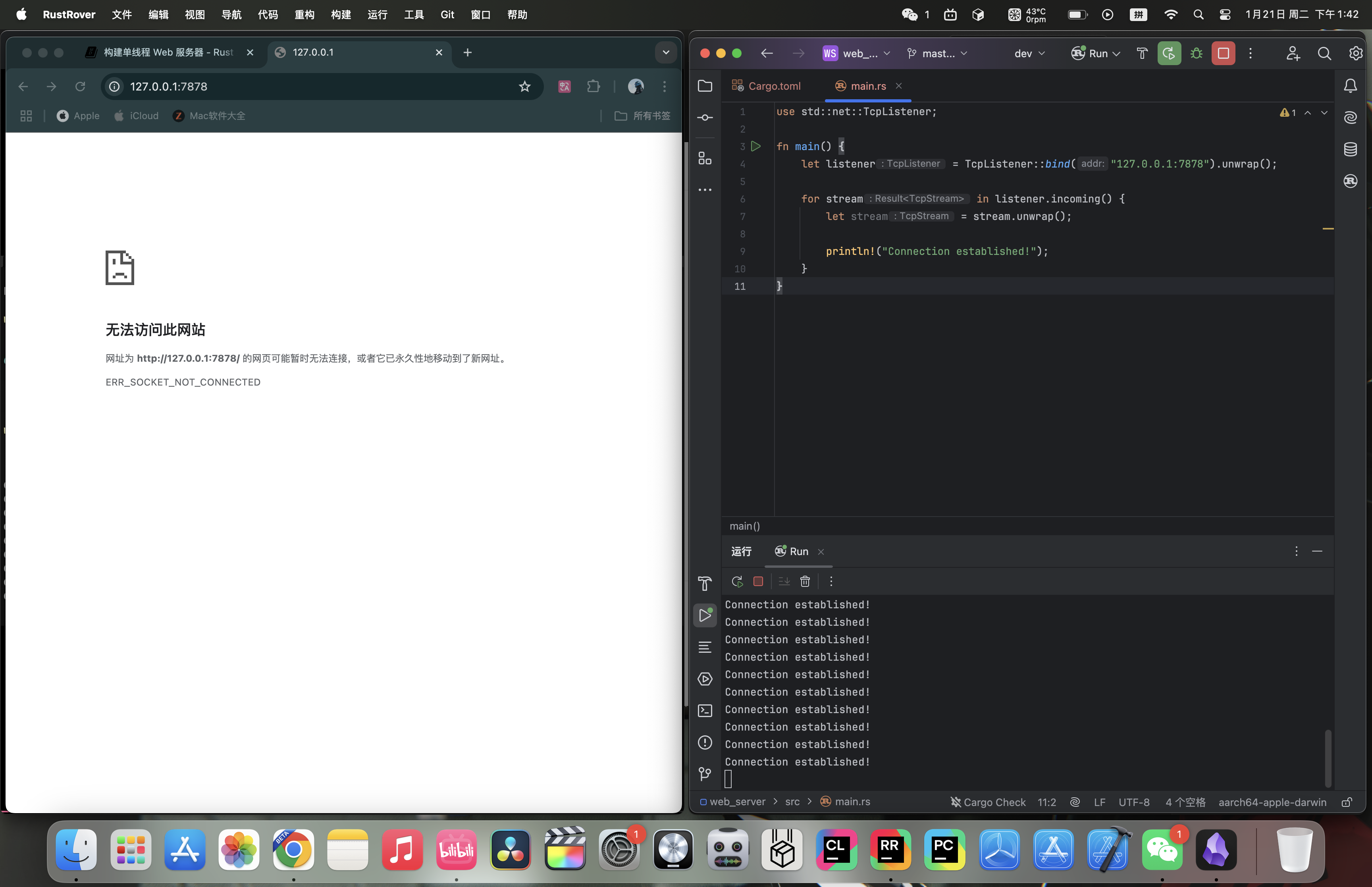 Console output (one possible run; the exact count may differ):
Connection established!
Connection established!
Connection established!
Connection established!
Connection established!
Connection established!
Connection established!
Connection established!
Connection established!
Connection established!
20.1.3 Reading the Request
We have already implemented TCP listening, so next let’s try reading the request. We will modify the code above directly:
use std::{
io::{prelude::*, BufReader},
net::{TcpListener, TcpStream},
};
fn main() {
let listener = TcpListener::bind("127.0.0.1:7878").unwrap();
for stream in listener.incoming() {
let stream = stream.unwrap();
handle_connection(stream);
}
}
fn handle_connection(mut stream: TcpStream) {
let buf_reader = BufReader::new(&stream);
let http_request: Vec<_> = buf_reader
.lines()
.map(|result| result.unwrap())
.take_while(|line| !line.is_empty())
.collect();
println!("Request: {:#?}", http_request);
}- We define a function called
handle_connectionto handle client connections. Thestreamparameter is a mutableTcpStreamvalue used to communicate with the client. The internal state ofTcpStreammay change as data is read and written, so it must be declared asmut. - We wrap
streamwithBufReaderto create a buffered reader namedbuf_reader. - We use
map(|result| result.unwrap())to unwrap theResultvalues and extract the strings. If reading fails, the program will panic because ofunwrap. take_while(|line| !line.is_empty())filters items from the iterator until it reaches an empty line. HTTP requests use an empty line ("") to mark the end of the headers, so we collect only the non-empty lines.- We collect all non-empty lines into a
Vec<_>and store it ashttp_request. - We print
http_requestwithprintln!.
Try it:
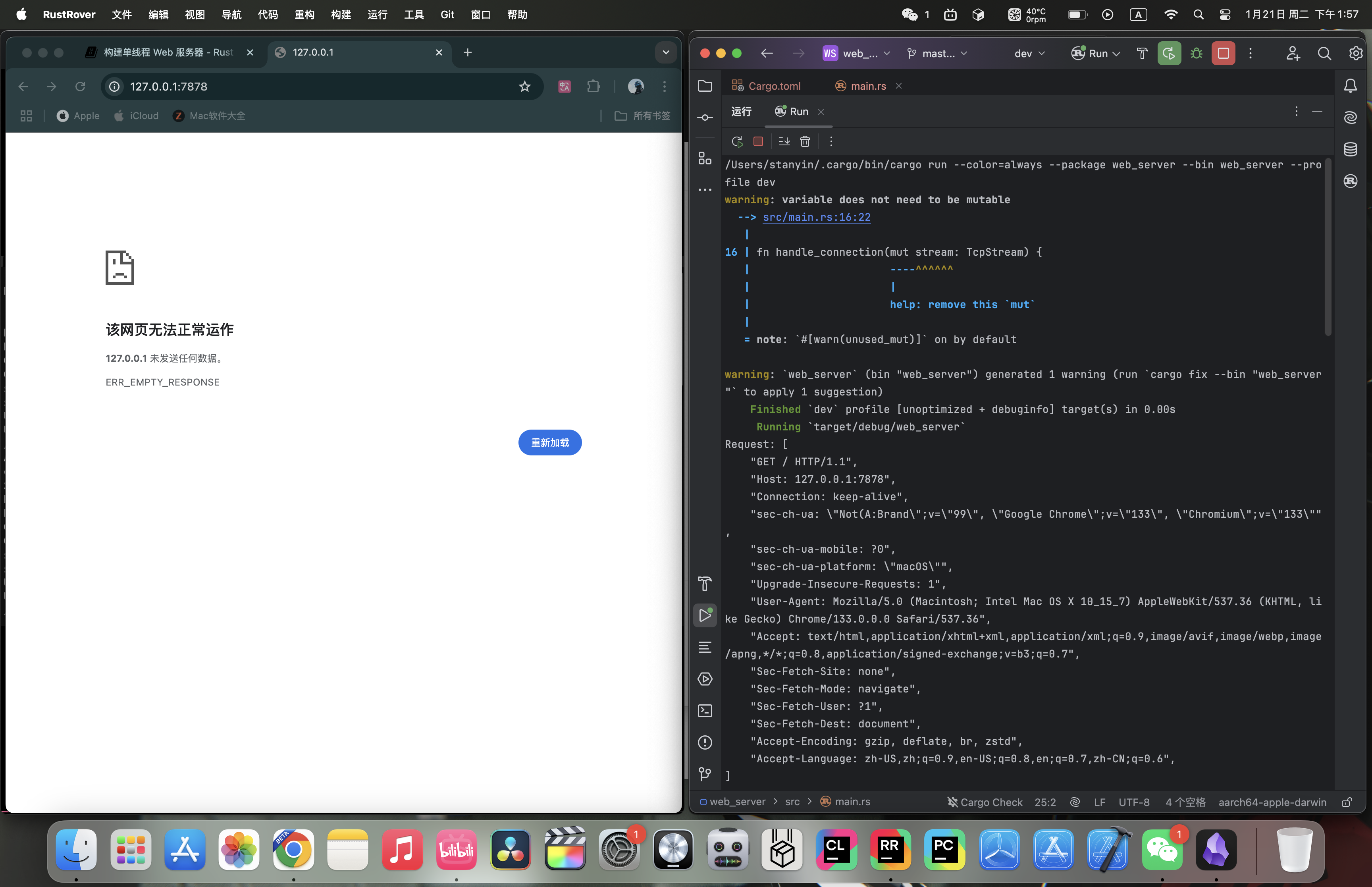 The output in the terminal looks like this (headers vary by client; this example is from Chrome):
Request: [
"GET / HTTP/1.1",
"Host: 127.0.0.1:7878",
"Connection: keep-alive",
"sec-ch-ua: \"Not(A:Brand\";v=\"99\", \"Google Chrome\";v=\"133\", \"Chromium\";v=\"133\"",
"sec-ch-ua-mobile: ?0",
"sec-ch-ua-platform: \"macOS\"",
"Upgrade-Insecure-Requests: 1",
"User-Agent: Mozilla/5.0 (Macintosh; Intel Mac OS X 10_15_7) AppleWebKit/537.36 (KHTML, like Gecko) Chrome/133.0.0.0 Safari/537.36",
"Accept: text/html,application/xhtml+xml,application/xml;q=0.9,image/avif,image/webp,image/apng,*/*;q=0.8,application/signed-exchange;v=b3;q=0.7",
"Sec-Fetch-Site: none",
"Sec-Fetch-Mode: navigate",
"Sec-Fetch-User: ?1",
"Sec-Fetch-Dest: document",
"Accept-Encoding: gzip, deflate, br, zstd",
"Accept-Language: zh-CN,zh;q=0.9,en-US;q=0.8,en;q=0.7,zh-CN;q=0.6",
]
HTTP is a text-based protocol, and its requests use the following format:
Method Request-URI HTTP-Version CRLF
headers CRLF
message-body
The first line is the request line, which contains information about the client request. The first part of the request line indicates the method being used, such as GET or POST. It describes how the client is making the request. Our client used a GET request, which means it is asking for information.
The next part of the request line is /, which indicates the client’s requested uniform resource identifier (URI). A URI is almost the same as a uniform resource locator (URL), but not exactly. The distinction between URI and URL does not matter for the purposes of this chapter, but the HTTP specification uses the term URI, so we can use URL here as a substitute for URI.
The final part is the HTTP version used by the client, and then the request line ends with a CRLF sequence (\r\n), where \r is carriage return and \n is line feed. The CRLF sequence separates the request line from the rest of the request data. Notice that when we print CRLF, we see a new line instead of \r\n.
20.1.4 Writing the Response
Now that we can read the request, let’s write a response. The response has a format very similar to the request:
HTTP-Version Status-Code Reason-Phrase CRLF
headers CRLF
message-body
The first line is the status line, which contains the HTTP version used in the response, a numeric status code, and the text description corresponding to that status code, followed by a CRLF sequence.
With the format in hand, the code is easy to write:
#![allow(unused)]
fn main() {
let response = "HTTP/1.1 200 OK\r\n\r\n";
stream.write_all(response.as_bytes()).unwrap();
}HTTP/1.1is the HTTP version,200is the numeric status code,OKis the text description, and\r\n\r\nis the CRLF sequence.- We call
as_bytesonresponseto convert the string data into bytes. Thewrite_allmethod onstreamtakes&[u8]and sends those bytes directly over the connection. Becausewrite_allcan fail, we useunwrap. In a real application, you could add other error-handling logic here.
Next, let’s return a real HTML document. Create hello.html in the project root:
 Then write this:
<!DOCTYPE html>
<html lang="en">
<head>
<meta charset="utf-8">
<title>Hello!</title>
</head>
<body>
<h1>Hello!</h1>
<p>Hi from Rust</p>
</body>
</html>
This is a minimal HTML5 document with a title and some text.
To return HTML, we need to modify main.rs. First, bring std::fs into scope:
#![allow(unused)]
fn main() {
use std::fs;
}fs is the file system module.
Then modify the response variable slightly inside handle_connection:
#![allow(unused)]
fn main() {
let status_line = "HTTP/1.1 200 OK";
let contents = fs::read_to_string("hello.html").unwrap();
let length = contents.len();
let response =
format!("{status_line}\r\nContent-Length: {length}\r\n\r\n{contents}");
stream.write_all(response.as_bytes()).unwrap();
}- Use
fs::read_to_stringto convert the contents of the file into a string. - Then use the
format!macro to place the string into the response in the format we just wrote.
Complete code:
use std::{
fs,
io::{prelude::*, BufReader},
net::{TcpListener, TcpStream},
};
fn main() {
let listener = TcpListener::bind("127.0.0.1:7878").unwrap();
for stream in listener.incoming() {
let stream = stream.unwrap();
handle_connection(stream);
}
}
fn handle_connection(mut stream: TcpStream) {
let buf_reader = BufReader::new(&stream);
let http_request: Vec<_> = buf_reader
.lines()
.map(|result| result.unwrap())
.take_while(|line| !line.is_empty())
.collect();
let status_line = "HTTP/1.1 200 OK";
let contents = fs::read_to_string("hello.html").unwrap();
let length = contents.len();
let response =
format!("{status_line}\r\nContent-Length: {length}\r\n\r\n{contents}");
stream.write_all(response.as_bytes()).unwrap();
}Try it:
20.1.5 Selective Responses
Right now, no matter what the client requests, our web server always returns the HTML file. Let’s add a feature to check whether the browser is visiting the normal route. A normal visit means accessing 127.0.0.1:7878/ or 127.0.0.1:7878. Before returning the HTML file, if the browser requests anything else, return an error instead.
Create a 404.html file in the project root with the following contents:
<!DOCTYPE html>
<html lang="en">
<head>
<meta charset="utf-8">
<title>Hello!</title>
</head>
<body>
<h1>Oops!</h1>
<p>Sorry, I don't know what you're asking for.</p>
</body>
</html>
Put the earlier HTML-returning code inside an if branch. If the request is a normal visit, return the normal content; otherwise return 404.html:
#![allow(unused)]
fn main() {
fn handle_connection(mut stream: TcpStream) {
let buf_reader = BufReader::new(&stream);
let request_line = buf_reader.lines().next().unwrap().unwrap();
if request_line == "GET / HTTP/1.1" {
let status_line = "HTTP/1.1 200 OK";
let contents = fs::read_to_string("hello.html").unwrap();
let length = contents.len();
let response = format!(
"{status_line}\r\nContent-Length: {length}\r\n\r\n{contents}"
);
stream.write_all(response.as_bytes()).unwrap();
} else {
let status_line = "HTTP/1.1 404 NOT FOUND";
let contents = fs::read_to_string("404.html").unwrap();
let length = contents.len();
let response = format!(
"{status_line}\r\nContent-Length: {length}\r\n\r\n{contents}"
);
stream.write_all(response.as_bytes()).unwrap();
}
}
}- We removed the part that prints the request, since we do not need it anymore.
- We determine whether the user is visiting normally by looking at the request line. The normal path still returns the normal content; anything else returns the contents of
404.html.
There is a lot of duplication in the current code, so let’s refactor it a bit:
#![allow(unused)]
fn main() {
fn handle_connection(mut stream: TcpStream) {
let buf_reader = BufReader::new(&stream);
let request_line = buf_reader.lines().next().unwrap().unwrap();
let (status_line, filename) = if request_line == "GET / HTTP/1.1" {
("HTTP/1.1 200 OK", "hello.html")
} else {
("HTTP/1.1 404 NOT FOUND", "404.html")
};
let contents = fs::read_to_string(filename).unwrap();
let length = contents.len();
let response =
format!("{status_line}\r\nContent-Length: {length}\r\n\r\n{contents}");
stream.write_all(response.as_bytes()).unwrap();
}
}We use tuple pattern matching and an if expression to determine the values of status_line and filename.
Try it:
Normal visit:
Invalid visit:
20.1.6 Summary
Here is the source code:
main.rs:
use std::{
fs,
io::{prelude::*, BufReader},
net::{TcpListener, TcpStream},
};
fn main() {
let listener = TcpListener::bind("127.0.0.1:7878").unwrap();
for stream in listener.incoming() {
let stream = stream.unwrap();
handle_connection(stream);
}
}
fn handle_connection(mut stream: TcpStream) {
let buf_reader = BufReader::new(&stream);
let request_line = buf_reader.lines().next().unwrap().unwrap();
let (status_line, filename) = if request_line == "GET / HTTP/1.1" {
("HTTP/1.1 200 OK", "hello.html")
} else {
("HTTP/1.1 404 NOT FOUND", "404.html")
};
let contents = fs::read_to_string(filename).unwrap();
let length = contents.len();
let response =
format!("{status_line}\r\nContent-Length: {length}\r\n\r\n{contents}");
stream.write_all(response.as_bytes()).unwrap();
}hello.html:
<!DOCTYPE html>
<html lang="en">
<head>
<meta charset="utf-8">
<title>Hello!</title>
</head>
<body>
<h1>Hello!</h1>
<p>Hi from Rust</p>
</body>
</html>
404.html:
<!DOCTYPE html>
<html lang="en">
<head>
<meta charset="utf-8">
<title>Hello!</title>
</head>
<body>
<h1>Oops!</h1>
<p>Sorry, I don't know what you're asking for.</p>
</body>
</html>
20.2 The Final Project - Multithreaded Web Server
20.2.1 Review
In our previous article, we described a simple local server. However, this server is single-threaded, meaning that requests are processed one by one. We have to handle each request individually. If a certain request takes a long time to process, the subsequent ones will have to wait in line. The performance of this single-threaded external server is extremely poor.
20.2.2 Slow Requests
We can use code to simulate a slow request:
#![allow(unused)]
fn main() {
use std::{
fs,
io::{prelude::*, BufReader},
net::{TcpListener, TcpStream},
thread,
time::Duration,
};
// ...
fn handle_connection(mut stream: TcpStream) {
// ...
let (status_line, filename) = match &request_line[..] {
"GET / HTTP/1.1" => ("HTTP/1.1 200 OK", "hello.html"),
"GET /sleep HTTP/1.1" => {
thread::sleep(Duration::from_secs(5));
("HTTP/1.1 200 OK", "hello.html")
}
_ => ("HTTP/1.1 404 NOT FOUND", "404.html"),
};
// ...
}
}Some original code has been omitted, but that does not affect the explanation. The statement we added makes the code sleep for 5 seconds when the user visits 127.0.0.1:7878/sleep, which simulates a slow request.
Now open two browser windows: one for http://127.0.0.1:7878/ and one for http://127.0.0.1:7878/sleep. As before, you will see a quick response on the normal route. But if you enter /sleep and load the page, you will see that the browser waits the full 5 seconds before it finishes loading.
How can we improve this situation? Here we will use thread pool technology. Other options include a fork/join model, a single-threaded asynchronous I/O model, or a multithreaded asynchronous I/O model.
20.2.3 Using a Thread Pool to Improve Throughput
A thread pool is a collection of allocated threads that wait for tasks and can be used whenever tasks arrive. When the program receives a new task, it assigns the task to one of the threads in the pool, while the other threads can continue receiving other tasks at the same time. When the task is finished, that thread is returned to the pool.
Thread pools increase server throughput by allowing connections to be processed concurrently.
How do we create a thread for each connection? Take a look:
fn main() {
let listener = TcpListener::bind("127.0.0.1:7878").unwrap();
for stream in listener.incoming() {
let stream = stream.unwrap();
thread::spawn(|| {
handle_connection(stream);
});
}
}Each iteration of the iterator creates a new thread to handle the connection.
The drawback is that the number of threads is unlimited: a new thread is created for every request. If a hacker launches a DoS (Denial of Service) attack, our server will quickly collapse.
So based on the code above, we will make a change. We will use compiler-driven development to write the code (this is not a standard development methodology, but rather a joke among developers, unlike TDD test-driven development): write the function or type you expect to call first, and then fix the code step by step based on compiler errors.
Using Compiler-Driven Development
Let’s write the code we want directly first, without worrying about whether it is right:
fn main() {
let listener = TcpListener::bind("127.0.0.1:7878").unwrap();
let pool = ThreadPool::new(4);
for stream in listener.incoming() {
let stream = stream.unwrap();
pool.execute(|| {
handle_connection(stream);
});
}
}Although there is no ThreadPool type yet, according to the logic of compiler-driven development, we just write it first and worry about correctness later.
Run cargo check:
error[E0433]: cannot find type `ThreadPool` in this scope
--> src/main.rs:11:16
|
11 | let pool = ThreadPool::new(4);
| ^^^^^^^^^^ use of undeclared type `ThreadPool`
For more information about this error, try `rustc --explain E0433`.
error: could not compile `web_server` (bin "web_server") due to 1 previous error
This error tells us that we need a ThreadPool type or module, so we will build one now.
We will write the ThreadPool-related code in lib.rs. On the one hand, that keeps main.rs simple enough; on the other hand, it allows the ThreadPool code to live independently.
Open lib.rs and write a simple definition for ThreadPool:
#![allow(unused)]
fn main() {
pub struct ThreadPool;
}Bring ThreadPool into scope in main.rs:
#![allow(unused)]
fn main() {
use web_server::ThreadPool;
}Run cargo check:
error[E0599]: no associated function or constant named `new` found for struct `ThreadPool` in the current scope
--> src/main.rs:12:28
|
12 | let pool = ThreadPool::new(4);
| ^^^ associated function or constant not found in `ThreadPool`
For more information about this error, try `rustc --explain E0599`.
error: could not compile `web_server` (bin "web_server") due to 1 previous error
This error shows that we now need an associated function named new on ThreadPool. We also know that new needs to accept a parameter that can take 4, and it should return a ThreadPool instance. Let’s implement the simplest possible new function with those characteristics:
#![allow(unused)]
fn main() {
pub struct ThreadPool;
impl ThreadPool {
pub fn new(size: usize) -> ThreadPool {
ThreadPool
}
}
}Run cargo check:
error[E0599]: no method named `execute` found for struct `ThreadPool` in the current scope
--> src/main.rs:17:14
|
17 | pool.execute(|| {
| -----^^^^^^^ method not found in `ThreadPool`
For more information about this error, try `rustc --explain E0599`.
error: could not compile `web_server` (bin "web_server") due to 1 previous error
Now we get an error because ThreadPool does not have an execute method. So let’s add one:
#![allow(unused)]
fn main() {
pub fn execute<F>(&self, f: F)
where
F: FnOnce() + Send + 'static,
{
}
}- In addition to
self, theexecutefunction takes a closure parameter. The thread handling the request will only call the closure once, so we useFnOnce(). The()means it is a closure that returns the unit type(). We also need theSendtrait so the closure can be transferred from one thread to another, and'staticbecause we do not know how long the thread will run. - Another way to think about it is that we are replacing the original
thread::spawnfunction with this one, so when we modify it we can borrow its function signature. Its signature is shown below. The main pieces we borrow are the genericFand its bounds, so the generic bounds forexecutecan be written in the same style.
#![allow(unused)]
fn main() {
pub fn spawn<F, T>(f: F) -> JoinHandle<T>
where
F: FnOnce() -> T,
F: Send + 'static,
T: Send + 'static,
}cargo check now reports no errors, but cargo run still will not handle requests correctly, because execute and new do not actually do anything yet; they only satisfy the compiler.
You may have heard the saying about languages with strict compilers, such as Haskell and Rust: “If the code compiles, it works.” But that is not universally true. Our project compiles, but it does nothing. If we were building a real, complete project, this would be a good time to start writing unit tests to check that the code compiles and behaves the way we want it to, which is TDD test-driven development.
Modifying the new Function, Part 1
Let’s first modify new so that it has real meaning:
#![allow(unused)]
fn main() {
impl ThreadPool {
/// Create a new ThreadPool.
///
/// The size is the number of threads in the pool.
///
/// # Panics
///
/// The `new` function will panic if the size is zero.
pub fn new(size: usize) -> ThreadPool {
assert!(size > 0);
ThreadPool
}
// ...
}
}- We use the
assert!macro to check that thenewfunction’s argument is greater than 0, because 0 would be meaningless. - We add some documentation comments so that they appear when we run
cargo doc --open: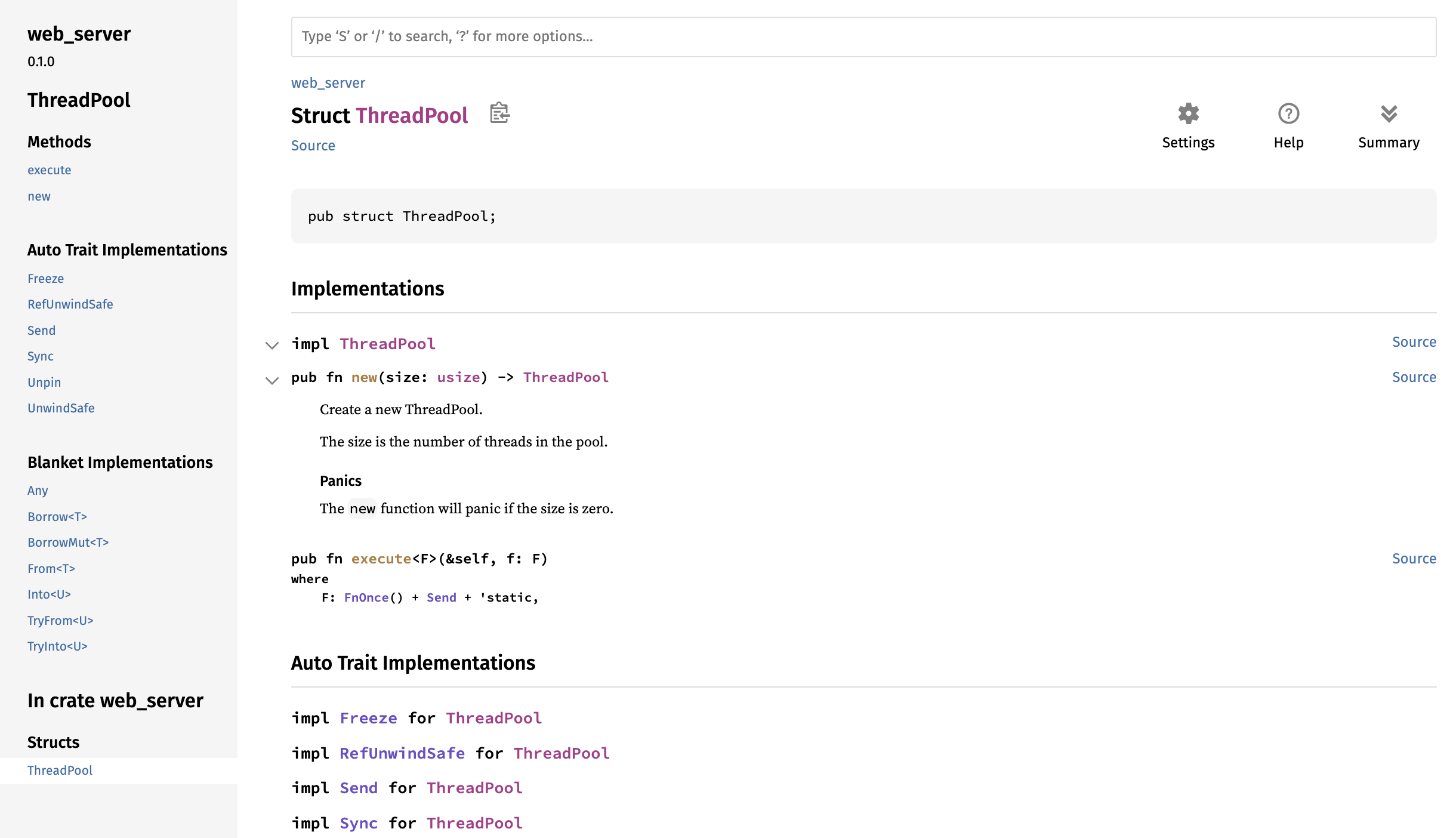
Modifying the ThreadPool Type
The new function has hit a bottleneck: ThreadPool has no concrete fields, so we cannot implement the goal of creating a specific number of threads. So next we will study how to store threads inside ThreadPool:
#![allow(unused)]
fn main() {
use std::thread;
pub struct ThreadPool {
threads: Vec<thread::JoinHandle<()>>,
}
}ThreadPool has a threads field of type Vec<thread::JoinHandle<()>>:
- We use
Vec<>because we want to store multiple threads, but the exact number is unknown, so we use aVector. - Earlier, we looked at the signature of
thread::spawn. Its return value isJoinHandle<T>, so by analogy we also usethread::JoinHandle<>to store threads. The reasonJoinHandle<T>has aTis that the thread created bythread::spawnmay return a value, and because we do not know the specific type, we use a generic to represent it. Our code is certain to have no return value, so we writethread::JoinHandle<()>, where()is the unit type.
Modifying the new Function, Part 2
After changing the ThreadPool definition, let’s go back and modify new:
#![allow(unused)]
fn main() {
pub fn new(size: usize) -> ThreadPool {
assert!(size > 0);
let mut threads = Vec::with_capacity(size);
for _ in 0..size {
// create some threads and store them in the vector
}
ThreadPool { threads }
}
}Vec::with_capacitycreates aVectorwith preallocated capacity by takingsizeas its argument.- We write a loop from
0tosize(not includingsize). The logic inside is not written yet, but the loop is meant to create threads and store them in theVector. - Finally, we return a
ThreadPoolvalue, and thethreadsfield is assigned thethreadsvariable from this function.
Next, we will study the thread::spawn function so that it is easier to write the loop inside new. thread::spawn immediately starts executing the code a thread should run after the thread is created. However, in our case, we want to create the threads and have them wait for code that we send later. The standard library’s thread implementation does not provide any method for that, so we have to implement it ourselves.
Using a Worker Data Structure
We use a new data structure to implement this behavior, called a Worker, which is a common term in pool implementations. A Worker picks up code that needs to run and runs it on the Worker’s thread. Imagine the people working in a restaurant kitchen: the workers wait for customers to place orders and then accept and fulfill those orders. We use Workers to manage and implement the behavior we want.
Let’s create the Worker struct and the necessary methods:
#![allow(unused)]
fn main() {
struct Worker {
id: usize,
thread: thread::JoinHandle<()>,
}
impl Worker {
fn new(id: usize) -> Worker {
let thread = thread::spawn(|| {});
Worker { id, thread }
}
}
}Workerhas two fields:id, of typeusize, which identifies the worker; andthread, of typethread::JoinHandle<()>, which stores a thread.- The
newfunction creates aWorkerinstance, and the value of theidfield is the parameter passed in.
PS: External code, such as the server in main.rs, does not need to know the implementation details of how Worker is used inside ThreadPool, so we make the Worker struct and its new function private.
Next, use Worker inside ThreadPool:
#![allow(unused)]
fn main() {
pub struct ThreadPool {
workers: Vec<Worker>,
}
}The new and execute functions on ThreadPool also need to change. We will modify new first and leave execute for later:
#![allow(unused)]
fn main() {
pub fn new(size: usize) -> ThreadPool {
assert!(size > 0);
let mut workers = Vec::with_capacity(size);
for id in 0..size {
workers.push(Worker::new(id));
}
ThreadPool { workers }
}
}- Change the
threads-related code toworkers. - Because the
Workerfield inThreadPoolis wrapped in aVector, we can use thepushmethod onVectorto add new elements. - Inside the loop, we call
Worker::newto create aWorkerinstance, and theidfield is the value passed in as the parameter.
PS: If the operating system cannot create a thread because there are not enough system resources, thread::spawn will panic. We do not consider that case in this example, but in real code it is better to account for it by using std::thread::Builder, which returns a Result<JoinHandle<T>>.
Sending Requests to Threads Through a Channel
Now that thread creation is done, the next question is how to receive tasks. This is where a channel comes in. Refactor the code like this:
#![allow(unused)]
fn main() {
use std::thread;
use std::sync::mpsc;
pub struct ThreadPool {
workers: Vec<Worker>,
sender: mpsc::Sender<Job>,
}
struct Job;
}- Bring
mpscinto scope withuse std::sync::mpsc;so that we can use it later. - Add a new field named
sendertoThreadPool. Its type ismpsc::Sender<Job>(Jobis a struct representing the work to be executed), and it stores the sending end of the channel.
Create the channel in ThreadPool::new:
#![allow(unused)]
fn main() {
impl ThreadPool {
// ...
pub fn new(size: usize) -> ThreadPool {
assert!(size > 0);
let (sender, receiver) = mpsc::channel();
let mut workers = Vec::with_capacity(size);
for id in 0..size {
workers.push(Worker::new(id, receiver));
}
ThreadPool { workers, sender }
}
// ...
}
// ...
impl Worker {
fn new(id: usize, receiver: mpsc::Receiver<Job>) -> Worker {
let thread = thread::spawn(|| {
receiver;
});
Worker { id, thread }
}
}
}- Use
mpsc::channel()to create a channel. The sender and receiver are namedsenderandreceiver. - Assign
senderto thesenderfield of the return value; in other words, the thread pool owns the sending end of the channel. - The receiver should belong to the
Worker, so we also changeWorker::newand add thereceiverparameter.
Try cargo check now:
error[E0382]: use of moved value: `receiver`
--> src/lib.rs:18:42
|
14 | let (sender, receiver) = mpsc::channel();
| -------- move occurs because `receiver` has type `std::sync::mpsc::Receiver<Job>`, which does not implement the `Copy` trait
...
17 | for id in 0..size {
| ----------------- inside of this loop
18 | workers.push(Worker::new(id, receiver));
| ^^^^^^^^ value moved here, in previous iteration of loop
|
note: consider changing this parameter type in method `new` to borrow instead if owning the value isn't necessary
--> src/lib.rs:37:33
|
37 | fn new(id: usize, receiver: mpsc::Receiver<Job>) -> Worker {
| --- in this method ^^^^^^^^^^^^^^^^^^^ this parameter takes ownership of the value
For more information about this error, try `rustc --explain E0382`.
error: could not compile `web_server` (lib) due to 1 previous error
The error occurs because the code tries to pass one receiver to multiple Worker instances, which will not work because there can only be one receiver end.
We want all threads to share the same receiver so that tasks can be distributed among them. In addition, taking items out of the channel queue requires changing receiver, so the threads need a safe way to share and mutate receiver. Otherwise, we could run into race conditions.
For multiple owners in a multithreaded context, we can use Arc<T> (Rc<T> is only for single-threaded code). For avoiding data races in multithreaded code, we can use the mutex Mutex<T>.
So we just wrap the original receiver in Arc<T> and Mutex<T>:
#![allow(unused)]
fn main() {
impl ThreadPool {
/// ...
pub fn new(size: usize) -> ThreadPool {
assert!(size > 0);
let (sender, receiver) = mpsc::channel();
let mut workers = Vec::with_capacity(size);
let receiver = Arc::new(Mutex::new(receiver));
for id in 0..size {
workers.push(Worker::new(id, Arc::clone(&receiver)));
}
ThreadPool { workers, sender }
}
//...
}
//...
impl Worker {
fn new(id: usize, receiver: Arc<Mutex<mpsc::Receiver<Job>>>) -> Worker {
let thread = thread::spawn(|| {
receiver;
});
Worker { id, thread }
}
}
}- Rebind
receiverso that it is wrapped inArc<T>andMutex<T>. - Inside the loop, pass
Arc::clone(&receiver)to eachWorker. - The
receiverparameter inWorker::newmust change toArc<Mutex<mpsc::Receiver<Job>>>.
Modifying Job
Our Job is still an empty struct and has no real effect, so we will change it into a type alias (see 19.5. Advanced Types):
#![allow(unused)]
fn main() {
type Job = Box<dyn FnOnce() + Send + 'static>;
}Job is a closure that is called only once in one thread and has no return value (or, equivalently, returns the unit type ()), so it must satisfy FnOnce(). It also needs to be transferable between threads, so it must satisfy the Send trait. 'static is used because we do not know how long the thread will run, so we declare it to have a static lifetime.
Modifying the execute Function
Next, let’s modify execute:
#![allow(unused)]
fn main() {
pub fn execute<F>(&self, f: F)
where
F: FnOnce() + Send + 'static,
{
let job = Box::new(f);
self.sender.send(job).unwrap();
}
}- Because
Jobis wrapped inBox<T>, the closurefmust first be wrapped withBox::newbefore it can be sent out. - Use the
senderfield onselfas the sending end to send thejob.
Modifying Worker::new
Now that execute has changed, Worker::new, which acts as the receiver, must also change:
#![allow(unused)]
fn main() {
impl Worker {
fn new(id: usize, receiver: Arc<Mutex<mpsc::Receiver<Job>>>) -> Worker {
let thread = thread::spawn(move || loop {
let job = receiver.lock().unwrap().recv().unwrap();
println!("Worker {} got a job; executing.", id);
job();
});
Worker { id, thread }
}
}
}- Use
lockto lockreceiver(which is wrapped inMutex<T>) and obtain the mutex guard, usingunwrapfor error handling. - Then use
recvto receive the value sent through the channel, and useunwrapagain for error handling. - Print which
Workeris doing the work. - When
job();is called, the compiler automatically dereferencesjobto its inner closure type and then calls the appropriatecallmethod from theFnOnceor related trait implementation. That is becauseBox<dyn FnOnce()>implementsFnOnce. In other words,job();is syntactic sugar for(*job)();.
Version Differences
I am using Rust 1.84.0. In older Rust versions, you could not call job(); directly, and you also could not use (*job)();, because the compiler did not directly know how to handle a boxed trait object. In newer Rust versions, direct calls on Box<dyn Trait> are supported by the compiler’s deref-and-call dispatch logic.
If your version of Rust rejects the code above, then either upgrade Rust or use a small workaround:
#![allow(unused)]
fn main() {
trait FnBox {
fn call_box(self: Box<Self>);
}
impl<F: FnOnce()> FnBox for F {
fn call_box(self: Box<F>) {
(*self)();
}
}
type Job = Box<dyn FnBox + Send + 'static>;
}- The
FnBoxtrait lets us call methods on a boxed type. - We implement
call_boxforFnOnce()(becauseJobimplementsFnOnce()), which gives us ownership of the value inside theBoxso that it can be called. - We change the
Jobtype fromFnOnce()toFnBox, so the rest of the code does not need to change. Anything that implementsFnBoxcan be used as a job in this workaround.
20.2.4 Trial Run
Finally, after all that work, let’s try running it:
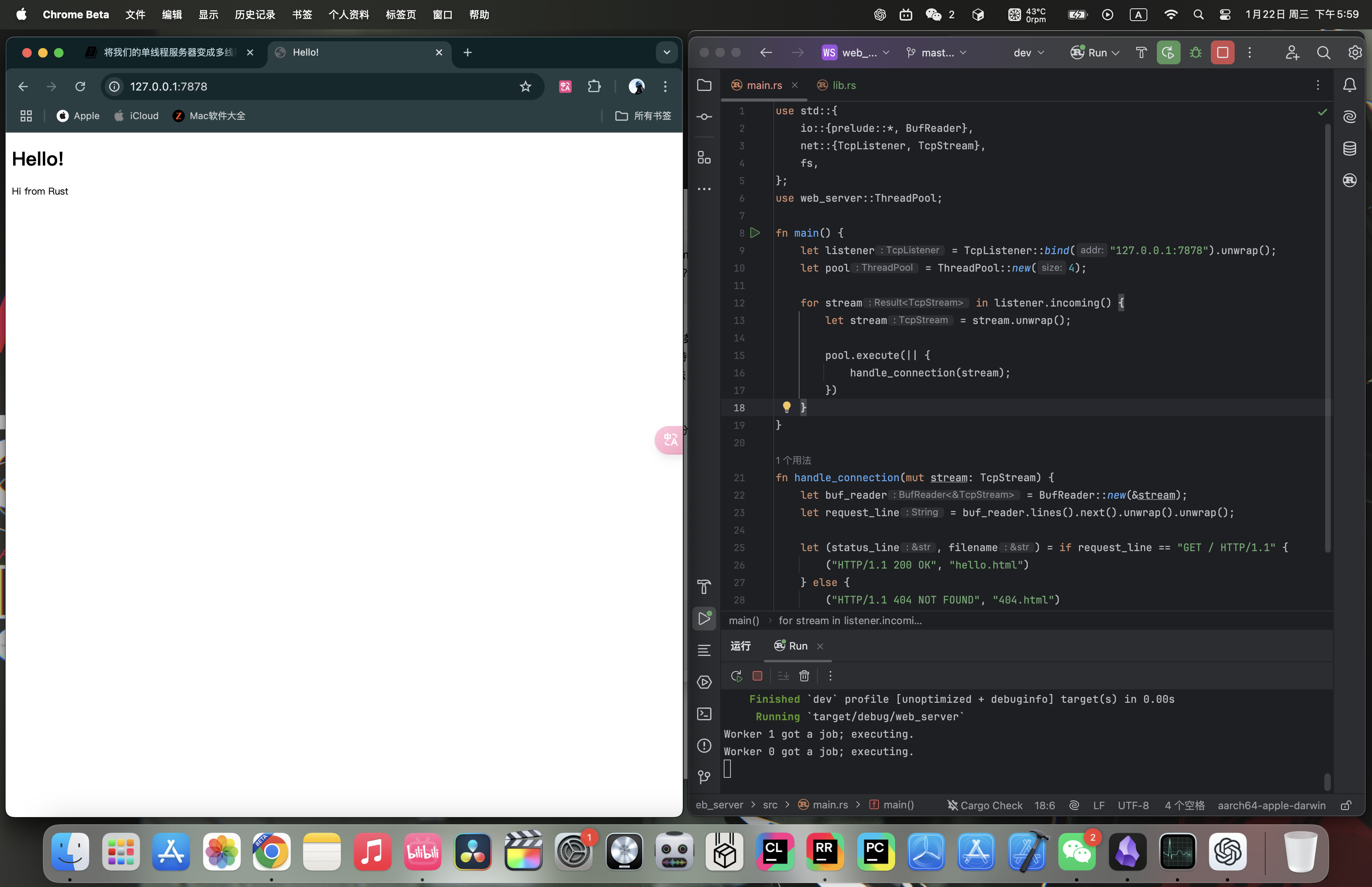
Terminal output (worker assignment is nondeterministic):
Worker 1 got a job; executing.
Worker 0 got a job; executing.
If you refresh the page in the browser a few times, you can see other Workers with different ids doing the work.
20.2.5 Summary
main.rs:
use std::{
fs,
io::{prelude::*, BufReader},
net::{TcpListener, TcpStream},
thread,
time::Duration,
};
use web_server::ThreadPool;
fn main() {
let listener = TcpListener::bind("127.0.0.1:7878").unwrap();
let pool = ThreadPool::new(4);
for stream in listener.incoming() {
let stream = stream.unwrap();
pool.execute(|| {
handle_connection(stream);
});
}
}
fn handle_connection(mut stream: TcpStream) {
let buf_reader = BufReader::new(&stream);
let request_line = buf_reader.lines().next().unwrap().unwrap();
let (status_line, filename) = match &request_line[..] {
"GET / HTTP/1.1" => ("HTTP/1.1 200 OK", "hello.html"),
"GET /sleep HTTP/1.1" => {
thread::sleep(Duration::from_secs(5));
("HTTP/1.1 200 OK", "hello.html")
}
_ => ("HTTP/1.1 404 NOT FOUND", "404.html"),
};
let contents = fs::read_to_string(filename).unwrap();
let length = contents.len();
let response =
format!("{status_line}\r\nContent-Length: {length}\r\n\r\n{contents}");
stream.write_all(response.as_bytes()).unwrap();
}lib.rs:
#![allow(unused)]
fn main() {
use std::{
sync::{mpsc, Arc, Mutex},
thread,
};
pub struct ThreadPool {
workers: Vec<Worker>,
sender: mpsc::Sender<Job>,
}
type Job = Box<dyn FnOnce() + Send + 'static>;
impl ThreadPool {
/// Create a new ThreadPool.
///
/// The size is the number of threads in the pool.
///
/// # Panics
///
/// The `new` function will panic if the size is zero.
pub fn new(size: usize) -> ThreadPool {
assert!(size > 0);
let (sender, receiver) = mpsc::channel();
let mut workers = Vec::with_capacity(size);
let receiver = Arc::new(Mutex::new(receiver));
for id in 0..size {
workers.push(Worker::new(id, Arc::clone(&receiver)));
}
ThreadPool { workers, sender }
}
pub fn execute<F>(&self, f: F)
where
F: FnOnce() + Send + 'static,
{
let job = Box::new(f);
self.sender.send(job).unwrap();
}
}
struct Worker {
id: usize,
thread: thread::JoinHandle<()>,
}
impl Worker {
fn new(id: usize, receiver: Arc<Mutex<mpsc::Receiver<Job>>>) -> Worker {
let thread = thread::spawn(move || loop {
let job = receiver.lock().unwrap().recv().unwrap();
println!("Worker {} got a job; executing.", id);
job();
});
Worker { id, thread }
}
}
}hello.html:
<!DOCTYPE html>
<html lang="en">
<head>
<meta charset="utf-8">
<title>Hello!</title>
</head>
<body>
<h1>Hello!</h1>
<p>Hi from Rust</p>
</body>
</html>
404.html:
<!DOCTYPE html>
<html lang="en">
<head>
<meta charset="utf-8">
<title>Hello!</title>
</head>
<body>
<h1>Oops!</h1>
<p>Sorry, I don't know what you're asking for.</p>
</body>
</html>
20.3 The Final Project - Graceful Shutdown and Cleanup of the Web Server
20.3.0 Review
In the previous article, we completed the multithreaded web server, but there are still some improvements we can make. In this article, we will refine the code.
Note: This article continues from 20.2. The Final Project - Multithreaded Web Server. If you want to understand the web server construction process from scratch in detail, please read all the articles in Chapter 20.
20.3.1 Implementing the Drop Trait for ThreadPool
When we want to shut down the server (using the less graceful Ctrl + C method to stop the main thread), all other threads stop immediately too, even if they are still processing requests.
The trait used to manage cleanup is the Drop trait. We only need to write a local drop function to override the default implementation, allowing the threads to finish the work they are currently processing before shutting down. We also need some way to prevent the threads from receiving new requests and prepare for shutdown.
Let’s implement the Drop trait for ThreadPool:
#![allow(unused)]
fn main() {
impl Drop for ThreadPool {
fn drop(&mut self) {
for worker in &mut self.workers {
println!("Shutting down worker {}", worker.id);
worker.thread.join().unwrap();
}
}
}
}The logic is simply to iterate over each worker and call the join method on the thread field inside worker (see 16.1. Running Code Concurrently with Threads).
Run cargo check:
error[E0507]: cannot move out of `worker.thread` which is behind a mutable reference
--> src/lib.rs:42:13
|
42 | worker.thread.join().unwrap();
| ^^^^^^^^^^^^^ ------ `worker.thread` moved due to this method call
| |
| move occurs because `worker.thread` has type `JoinHandle<()>`, which does not implement the `Copy` trait
|
note: `JoinHandle::<T>::join` takes ownership of the receiver `self`, which moves `worker.thread`
--> /Users/stanyin/.rustup/toolchains/stable-aarch64-apple-darwin/lib/rustlib/src/rust/library/std/src/thread/join_handle.rs:149:17
|
149 | pub fn join(self) -> Result<T> {
| ^^^^
For more information about this error, try `rustc --explain E0507`.
error: could not compile `web_server` (lib) due to 1 previous error
The error message shows that we cannot move the thread field out of worker, because we only have a mutable reference to each worker, but join requires ownership of the JoinHandle (that is, ownership of worker.thread).
To satisfy the ownership requirement, we need to change the type of the thread field in Worker and wrap thread::JoinHandle<()> in Option<T>. That way we can call Option<T>::take to obtain ownership:
#![allow(unused)]
fn main() {
struct Worker {
id: usize,
thread: Option<thread::JoinHandle<()>>,
}
}Anywhere the thread field is used must also be updated because of Option<T>:
#![allow(unused)]
fn main() {
impl Worker {
fn new(id: usize, receiver: Arc<Mutex<mpsc::Receiver<Job>>>) -> Worker {
let thread = thread::spawn(move || loop {
let job = receiver.lock().unwrap().recv().unwrap();
println!("Worker {} got a job; executing.", id);
job();
});
Worker {
id,
thread: Some(thread),
}
}
}
}Change the value of the thread field from thread to Some(thread).
#![allow(unused)]
fn main() {
impl Drop for ThreadPool {
fn drop(&mut self) {
for worker in &mut self.workers {
println!("Shutting down worker {}", worker.id);
if let Some(thread) = worker.thread.take() {
thread.join().unwrap();
}
}
}
}
}Use if let pattern matching to extract the value when worker.thread is Some (using take gives us ownership instead of a mutable reference).
20.3.2 Signaling Threads to Exit
This change compiles, but it still does not achieve the desired result. Calling drop does not actually shut down the threads, because the threads are still stuck in the loop waiting for work.
If we drop ThreadPool with this drop method, the main thread will block forever while waiting for the first thread to finish (because each thread keeps looping and looking for work, and never breaks out of the loop).
We need the sender field in ThreadPool to have two states: a live state with work attached to the sender, and a terminated state:
#![allow(unused)]
fn main() {
pub struct ThreadPool {
workers: Vec<Worker>,
sender: Option<mpsc::Sender<Job>>,
}
}Using Option<T> lets it represent both states.
Anywhere the sender field is used must also be changed:
#![allow(unused)]
fn main() {
impl Drop for ThreadPool {
fn drop(&mut self) {
drop(self.sender.take());
for worker in &mut self.workers {
println!("Shutting down worker {}", worker.id);
if let Some(thread) = worker.thread.take() {
thread.join().unwrap();
}
}
}
}
}Add drop(self.sender.take()); to explicitly drop the sender, which closes the channel. When that happens, all the recv calls executed inside the workers’ infinite loop will return an error, and the workers will stop running.
#![allow(unused)]
fn main() {
pub fn new(size: usize) -> ThreadPool {
assert!(size > 0);
let (sender, receiver) = mpsc::channel();
let mut workers = Vec::with_capacity(size);
let receiver = Arc::new(Mutex::new(receiver));
for id in 0..size {
workers.push(Worker::new(id, Arc::clone(&receiver)));
}
ThreadPool {
workers,
sender: Some(sender),
}
}
}Wrap the sender field in the return value with Some.
#![allow(unused)]
fn main() {
pub fn execute<F>(&self, f: F)
where
F: FnOnce() + Send + 'static,
{
let job = Box::new(f);
self.sender.as_ref().unwrap().send(job).unwrap();
}
}Because sender is now an Option, we call as_ref to get an Option<&Sender> (a reference to the sender inside) without moving it out of self. Then we unwrap and call send, which takes &self on the sender and moves the job into the channel.
This change is still not elegant, because all the recv calls executed in the workers’ infinite loop will return errors. It would be better not to exit because of an error, so we need one more change:
#![allow(unused)]
fn main() {
fn new(id: usize, receiver: Arc<Mutex<mpsc::Receiver<Job>>>) -> Worker {
let thread = thread::spawn(move || loop {
let job = receiver.lock().unwrap().recv();
match job {
Ok(job) => {
println!("Worker {} got a job; executing.", id);
job();
}
Err(_) => {
println!("Worker {} disconnected; shutting down.", id);
break;
}
}
});
}Remove the last unwrap from job, and instead use match branches: execute job for the Ok variant, and for the Err variant print that the worker is disconnecting and then break.
20.3.3 Trial Run
To test the modified behavior, change main.rs so that the server only accepts two requests (by limiting the number of iterations with take):
fn main() {
let listener = TcpListener::bind("127.0.0.1:7878").unwrap();
let pool = ThreadPool::new(4);
for stream in listener.incoming().take(2) {
let stream = stream.unwrap();
pool.execute(|| {
handle_connection(stream);
});
}
println!("Shutting down.");
}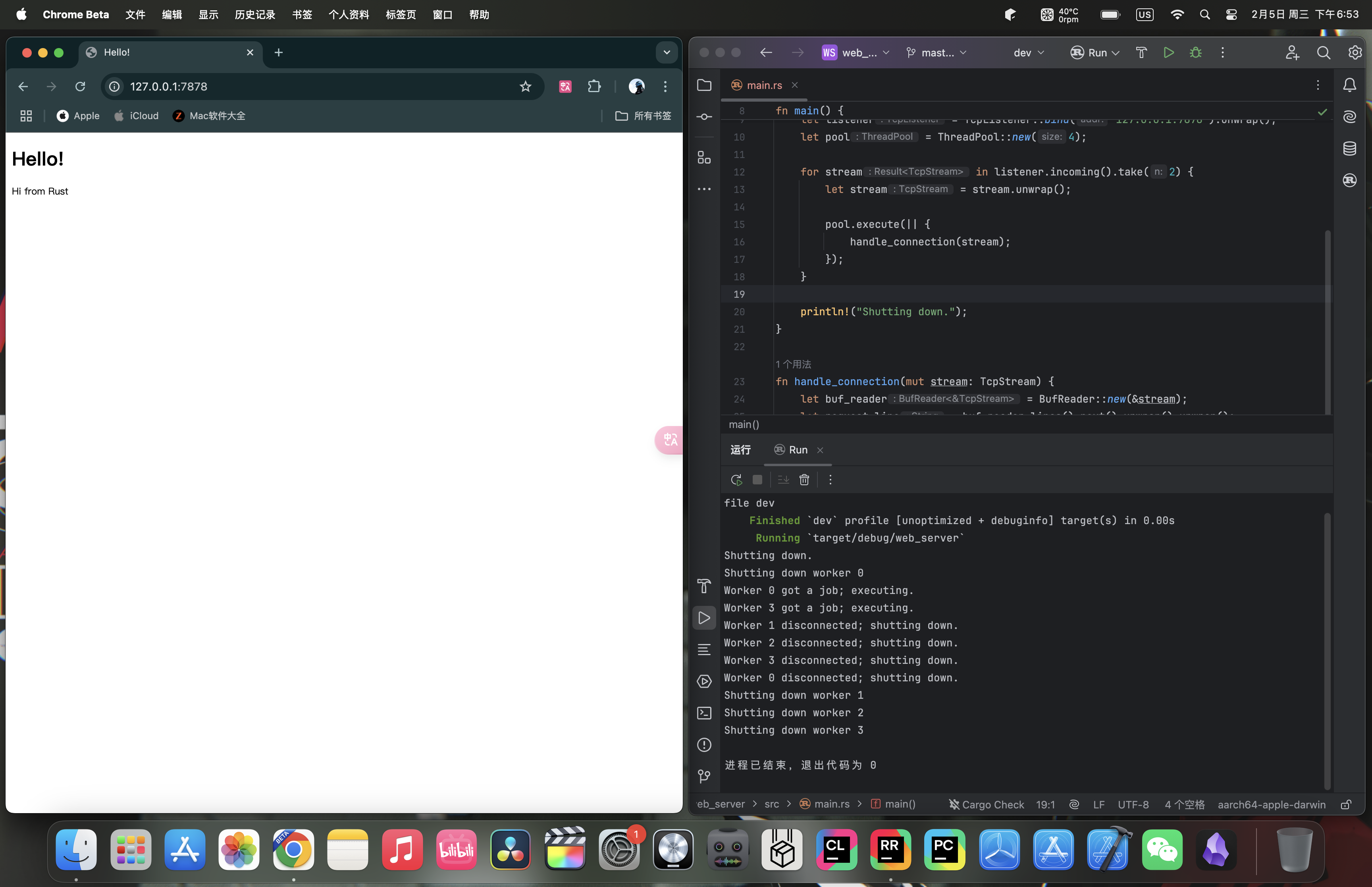 Console output (one possible run; job assignment and interleaving are nondeterministic):
Shutting down.
Shutting down worker 0
Worker 0 got a job; executing.
Worker 3 got a job; executing.
Worker 1 disconnected; shutting down.
Worker 2 disconnected; shutting down.
Worker 3 disconnected; shutting down.
Worker 0 disconnected; shutting down.
Shutting down worker 1
Shutting down worker 2
Shutting down worker 3
You may see different worker ids and a different interleaving of “got a job”, “disconnected”, and “Shutting down worker” lines, but the overall pattern should be similar.
20.3.4 Summary
main.rs:
use std::{
fs,
io::{prelude::*, BufReader},
net::{TcpListener, TcpStream},
thread,
time::Duration,
};
use web_server::ThreadPool;
fn main() {
let listener = TcpListener::bind("127.0.0.1:7878").unwrap();
let pool = ThreadPool::new(4);
for stream in listener.incoming().take(2) {
let stream = stream.unwrap();
pool.execute(|| {
handle_connection(stream);
});
}
println!("Shutting down.");
}
fn handle_connection(mut stream: TcpStream) {
let buf_reader = BufReader::new(&stream);
let request_line = buf_reader.lines().next().unwrap().unwrap();
let (status_line, filename) = match &request_line[..] {
"GET / HTTP/1.1" => ("HTTP/1.1 200 OK", "hello.html"),
"GET /sleep HTTP/1.1" => {
thread::sleep(Duration::from_secs(5));
("HTTP/1.1 200 OK", "hello.html")
}
_ => ("HTTP/1.1 404 NOT FOUND", "404.html"),
};
let contents = fs::read_to_string(filename).unwrap();
let length = contents.len();
let response =
format!("{status_line}\r\nContent-Length: {length}\r\n\r\n{contents}");
stream.write_all(response.as_bytes()).unwrap();
}lib.rs:
#![allow(unused)]
fn main() {
use std::{
sync::{mpsc, Arc, Mutex},
thread,
};
pub struct ThreadPool {
workers: Vec<Worker>,
sender: Option<mpsc::Sender<Job>>,
}
impl Drop for ThreadPool {
fn drop(&mut self) {
drop(self.sender.take());
for worker in &mut self.workers {
println!("Shutting down worker {}", worker.id);
if let Some(thread) = worker.thread.take() {
thread.join().unwrap();
}
}
}
}
type Job = Box<dyn FnOnce() + Send + 'static>;
impl ThreadPool {
/// Create a new ThreadPool.
///
/// The size is the number of threads in the pool.
///
/// # Panics
///
/// The `new` function will panic if the size is zero.
pub fn new(size: usize) -> ThreadPool {
assert!(size > 0);
let (sender, receiver) = mpsc::channel();
let mut workers = Vec::with_capacity(size);
let receiver = Arc::new(Mutex::new(receiver));
for id in 0..size {
workers.push(Worker::new(id, Arc::clone(&receiver)));
}
ThreadPool {
workers,
sender: Some(sender),
}
}
pub fn execute<F>(&self, f: F)
where
F: FnOnce() + Send + 'static,
{
let job = Box::new(f);
self.sender.as_ref().unwrap().send(job).unwrap();
}
}
struct Worker {
id: usize,
thread: Option<thread::JoinHandle<()>>,
}
impl Worker {
fn new(id: usize, receiver: Arc<Mutex<mpsc::Receiver<Job>>>) -> Worker {
let thread = thread::spawn(move || loop {
let job = receiver.lock().unwrap().recv();
match job {
Ok(job) => {
println!("Worker {} got a job; executing.", id);
job();
}
Err(_) => {
println!("Worker {} disconnected; shutting down.", id);
break;
}
}
});
Worker {
id,
thread: Some(thread),
}
}
}
}hello.html:
<!DOCTYPE html>
<html lang="en">
<head>
<meta charset="utf-8">
<title>Hello!</title>
</head>
<body>
<h1>Hello!</h1>
<p>Hi from Rust</p>
</body>
</html>
404.html:
<!DOCTYPE html>
<html lang="en">
<head>
<meta charset="utf-8">
<title>Hello!</title>
</head>
<body>
<h1>Oops!</h1>
<p>Sorry, I don't know what you're asking for.</p>
</body>
</html>