11.10 集成测试
11.10.1. 什么是集成测试
在Rust里,集成测试完全位于被测试库的外部。集成测试调用库的方式和其他代码一样,这也意味着它们只能调用公共API。
集成测试的目的是验证库的多个部分能否正确地一起工作。 这一点有别于单元测试;单元测试比较小也比较专注。单元测试单独测试一个模块,还可以测试私有接口。
有时单独运行没问题的代码,合在一起使用时仍可能出问题。集成测试正是为了尽早发现并解决这类问题而存在的。因此,集成测试的覆盖率很重要。
11.10.2. tests目录
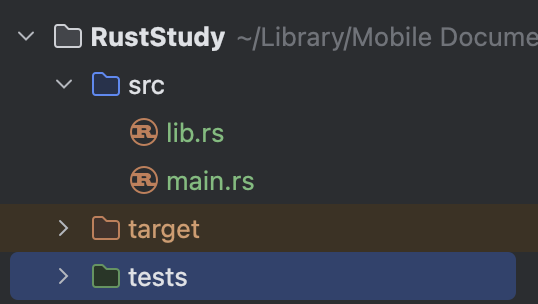
要创建集成测试,首先创建tests目录。
这个目录与src并列,cargo会自动在那里寻找集成测试文件。你可以在这个目录下创建任意数量的集成测试文件。编译时,cargo会把每个测试文件当作一个单独的包,也就是一个单独的crate。
下面演示如何创建集成测试文件:
1. 创建tests目录
在src旁边创建一个名为tests的文件夹:
2. 创建测试文件
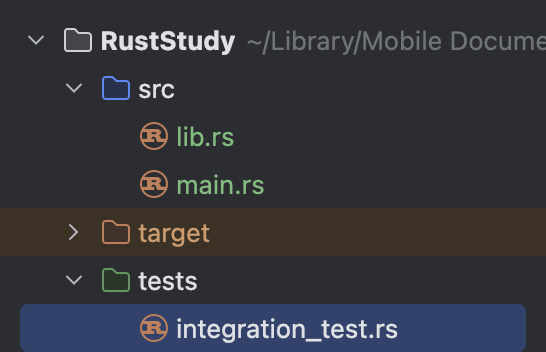
在tests下创建一个.rs测试文件,并给它取名。这里我用的是integration_test.rs:
3. 把测试代码移到测试文件里
以 11.9. 单元测试 的代码为例(lib.rs):
#![allow(unused)]
fn main() {
pub fn add_two(a: usize) -> usize {
    internal_adder(a, 2)
}

fn internal_adder(left: usize, right: usize) -> usize {
    left + right
}

#[cfg(test)]
mod tests {
    use super::*;

    #[test]
    fn internal() {
        let result = internal_adder(2, 2);
        assert_eq!(result, 4);
    }
}
}因为每个集成测试文件都是一个单独的crate,所以这个文件(integration_test.rs)如果想测试那个crate,就必须先把lib.rs的内容导入作用域。
在这个例子中,由于我把项目命名为RustStudy,所以包名也是RustStudy。如果不清楚,可以到Cargo.toml里看name字段。在这个例子中,可以写use RustStudy;来导入;如果想导入某个具体函数也可以。
导入之后可以直接写测试函数。不需要写#[cfg(test)],因为tests目录下的代码只有在执行cargo test时才会运行。只需要给测试函数标注#[test]即可。
完整代码如下(integration_test.rs):
#![allow(unused)]
fn main() {
use RustStudy;

#[test]
fn it_adds_two() {
    let result = RustStudy::add_two(2);
    assert_eq!(result, 4);
}
}
输出:
$ cargo test
   Compiling RustStudy v0.1.0 (file:///projects/RustStudy)
    Finished `test` profile [unoptimized + debuginfo] target(s) in 0.15s
     Running unittests src/lib.rs (target/debug/deps/RustStudy-48a2c23cb22e1ddc)

running 1 test
test tests::internal ... ok

test result: ok. 1 passed; 0 failed; 0 ignored; 0 measured; 0 filtered out; finished in 0.00s

     Running tests/integration_test.rs (target/debug/deps/integration_test-e60608d740742c0c)

running 1 test
test it_adds_two ... ok

test result: ok. 1 passed; 0 failed; 0 ignored; 0 measured; 0 filtered out; finished in 0.00s

   Doc-tests RustStudy

running 0 tests

test result: ok. 0 passed; 0 failed; 0 ignored; 0 measured; 0 filtered out; finished in 0.00s
可以看到,这个输出显示运行了两个测试:一个来自lib.rs(单元测试),一个来自integration_test.rs(集成测试)。
11.10.3. 运行指定的集成测试
要运行某个特定的集成测试函数,使用cargo test <test_name>。要运行某个测试文件中的所有测试函数,使用cargo test --test <file_name>。
看个例子:
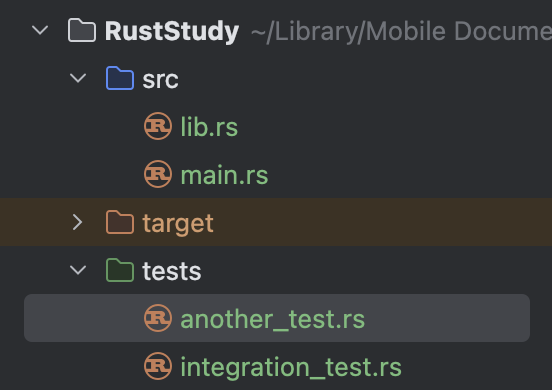
现在tests下有两个文件。如果我只想运行integration_test.rs里的测试函数,可以运行:
cargo test --test integration_test
11.10.4. 集成测试中的子模块
因为tests下的每个文件都被编译成单独的crate,所以这些文件彼此不共享行为,这与src下的文件不同。
那么,如果想把测试函数中重复的逻辑提取到一个helper函数里以避免重复,该怎么写呢?
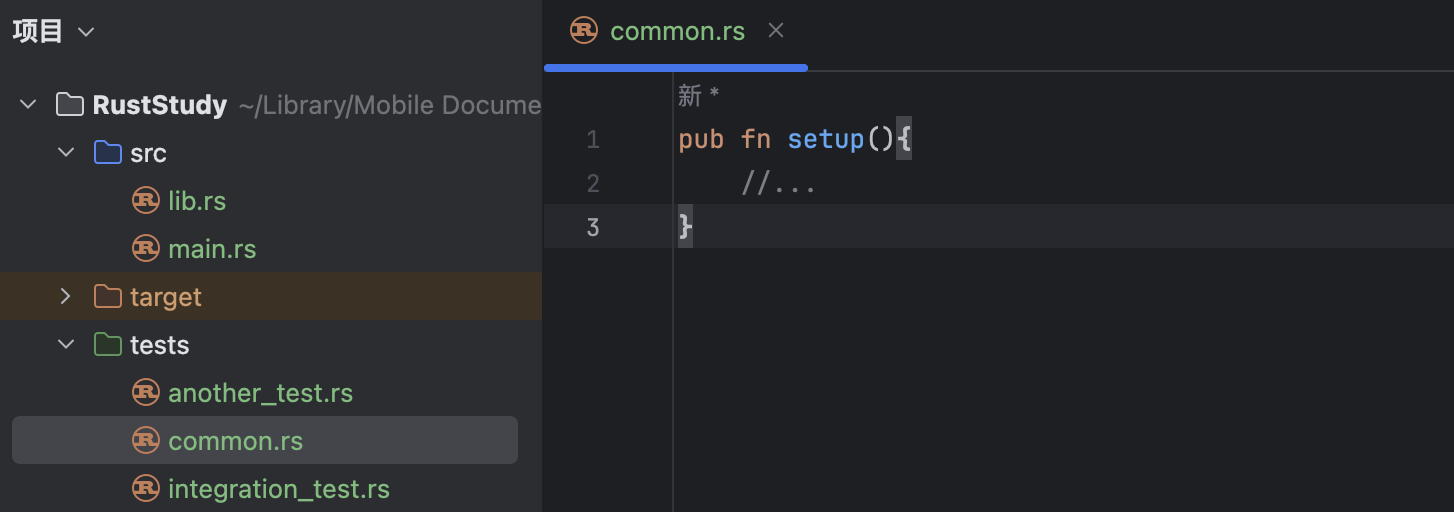
例如,我在tests下创建了common.rs来存放helper函数:
试着运行测试:
$ cargo test
   Compiling RustStudy v0.1.0 (file:///projects/RustStudy)
    Finished `test` profile [unoptimized + debuginfo] target(s) in 0.13s
     Running unittests src/lib.rs (target/debug/deps/RustStudy-48a2c23cb22e1ddc)

running 1 test
test tests::internal ... ok

test result: ok. 1 passed; 0 failed; 0 ignored; 0 measured; 0 filtered out; finished in 0.00s

     Running tests/common.rs (target/debug/deps/common-5306c3915df25199)

running 0 tests

test result: ok. 0 passed; 0 failed; 0 ignored; 0 measured; 0 filtered out; finished in 0.00s

     Running tests/integration_test.rs (target/debug/deps/integration_test-e60608d740742c0c)

running 1 test
test it_adds_two ... ok

test result: ok. 1 passed; 0 failed; 0 ignored; 0 measured; 0 filtered out; finished in 0.00s

   Doc-tests RustStudy

running 0 tests

test result: ok. 0 passed; 0 failed; 0 ignored; 0 measured; 0 filtered out; finished in 0.00s
可以看到,common.rs出现在了测试输出中。但因为common.rs只是用来存放helper函数的,它本身不需要被测试。这种写法是错误的。
正确做法是在tests下创建common目录,在里面放一个mod.rs文件,并把helper函数移过去,然后删除原来的common.rs:
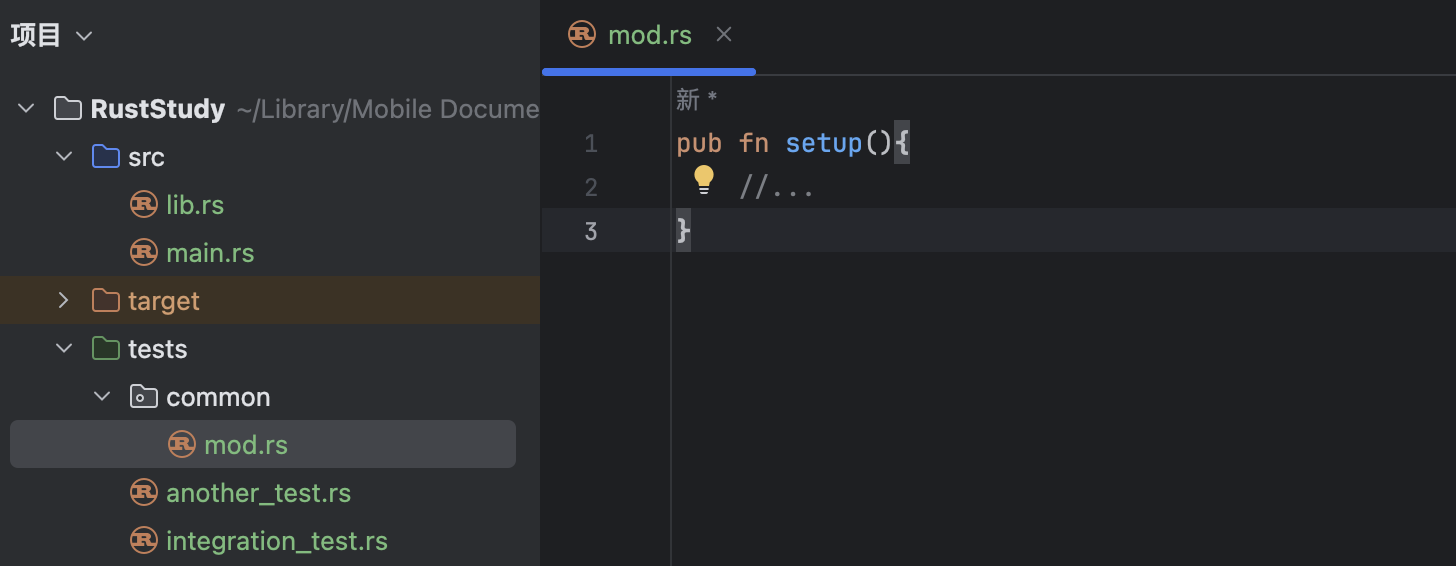
这是Rust能理解的另一种命名约定。Rust不会把common模块当作集成测试文件,测试输出中也不会再出现common,因为tests下的子目录不会被编译成单独的crate。
如果要在集成测试文件中使用那里的内容,只需在文件开头写mod <folder_name>;。在这个例子中就是mod common;。使用时写common::your_function。在这个例子中就是common::setup()。
11.10.5. 针对二进制crate的集成测试
如果项目是二进制crate,也就是只有src/main.rs而没有src/lib.rs,就不能在tests下创建集成测试;即使创建了,也无法把main.rs里的函数导入作用域。因为只有库crate(也就是有lib.rs的)才能把函数暴露给其他crate使用。
二进制crate意味着独立运行。因此,Rust的二进制项目通常会把这些逻辑放在lib.rs里,而在main.rs里只保留简单调用。这样项目就会被视为库crate,就可以用集成测试来检查代码。